

Overview
The Vulnerabilities section provides a centralized view of all security issues identified during scans. It enables teams to understand risk, validate findings, and take action with clear remediation guidance.Vulnerability Summary
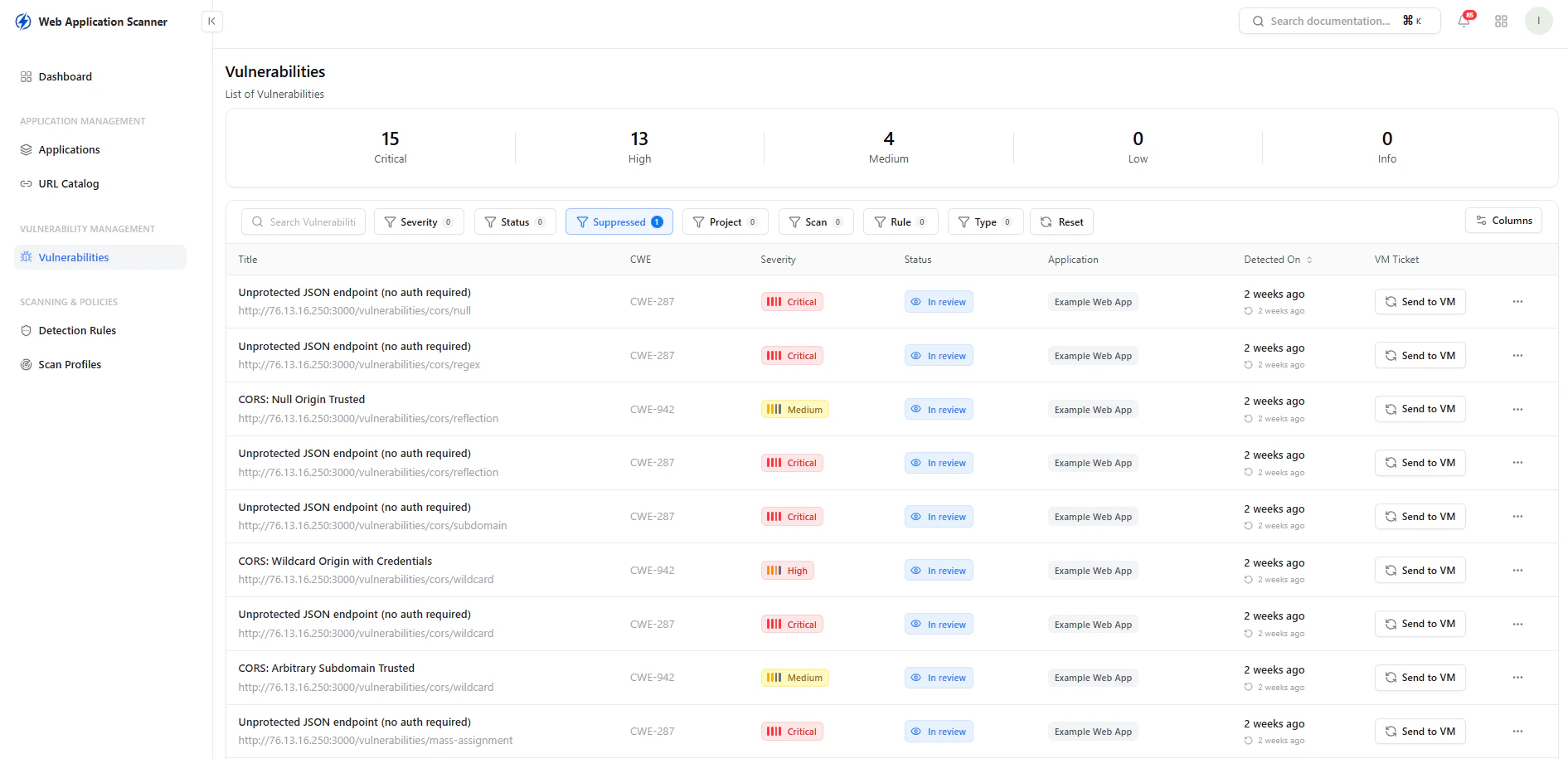
Quick overview of vulnerability distribution by severity
What You See
- Total count of vulnerabilities by severity:
- Critical
- High
- Medium
- Low
- Info
Vulnerability List
The main table displays all detected vulnerabilities with key details:- Title — Description of the issue
- CWE — Standard classification (Common Weakness Enumeration)
- Severity — Impact level of the vulnerability
- Status — Current state (e.g., In Review, Resolved)
- Application — Affected application
- Detected On — When the issue was identified
- VM Ticket — Option to send to vulnerability management
Capabilities
- Search and filter vulnerabilities
- Filter by severity, status, application, and more
- Track remediation progress
- Send findings to VM workflow
Vulnerability Details
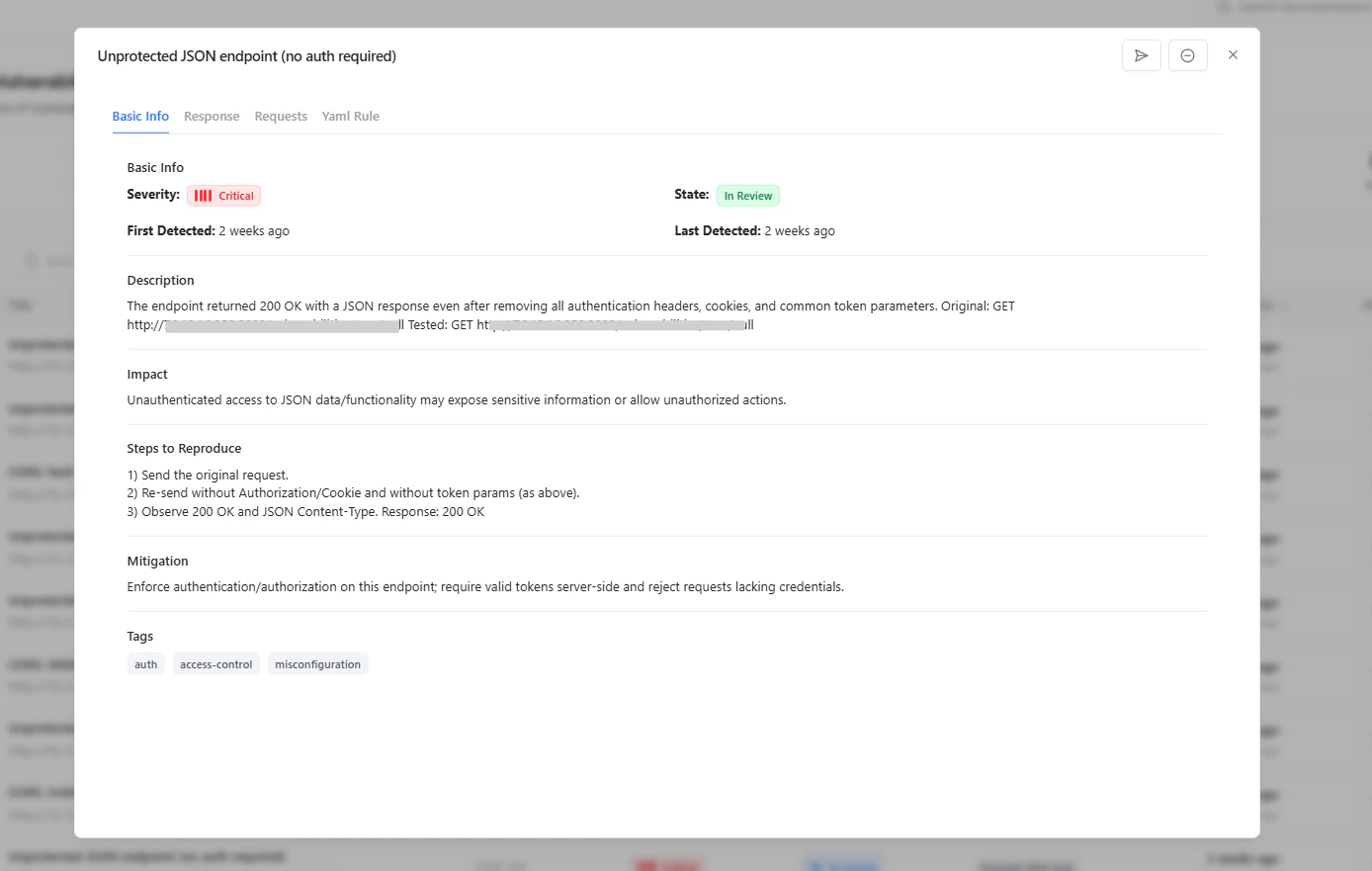
Detailed view of a vulnerability with reproduction steps and mitigation
Included Information
-
Description
Explains what the vulnerability is and how it was identified -
Impact
Describes the potential risk and consequences -
Steps to Reproduce
Provides exact steps to validate the issue -
Mitigation
Recommends how to fix or secure the issue -
Tags
Adds contextual classification (e.g., auth, misconfiguration)
Why It Matters
The Vulnerabilities section transforms scan results into actionable insights.Key Value
- Centralized visibility of all security issues
- Clear prioritization based on severity
- Reproducible findings for validation
- Actionable remediation guidance
- Integration with vulnerability management workflows
Explore Live Demo
Explore WAS Live — No Signup Needed
Explore how Snapsec helps you identify, prioritize, and fix vulnerabilities with complete context.