

Overview
The Compartment Inventory provides a structured view of all OCI (Oracle Cloud Infrastructure) compartments within your organization.It helps teams clearly differentiate production, staging, development, and platform-specific environments — ensuring accurate access control, asset association, and lifecycle oversight.
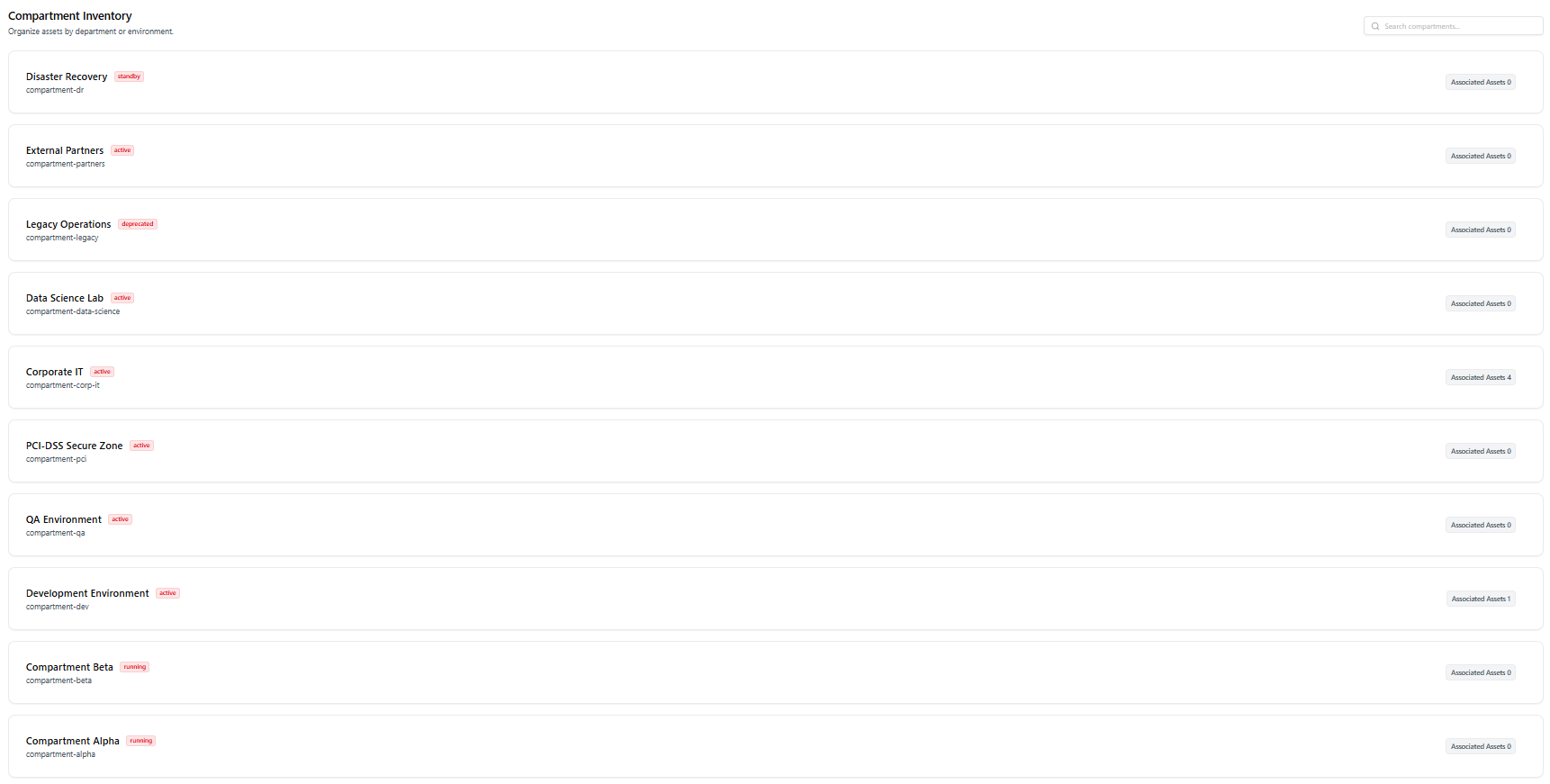
Compartment Structure & Status
Each compartment entry includes:- Compartment Name – such as Systems-Production, OCMDevelopment, or Platform-Staging
- Lifecycle Status – Active / Deleted, based on the OCI sync
- ARN Identifier – full OCI resource ID for traceability
- Associated Assets – number of assets mapped inside the compartment
Active compartments represent live cloud environments. Deleted compartments indicate resources removed from OCI but retained in AIM for audit history.
Key Features
Environment Mapping
Compartments are automatically grouped by their purpose — such as:- Production
- Staging
- Development
- Platform
- Security
Lifecycle Visibility
Every compartment shows whether it is:- ACTIVE — currently available in OCI
- DELETED — removed but retained for visibility
Asset Association Insights
Each entry displays how many assets are tied to the compartment: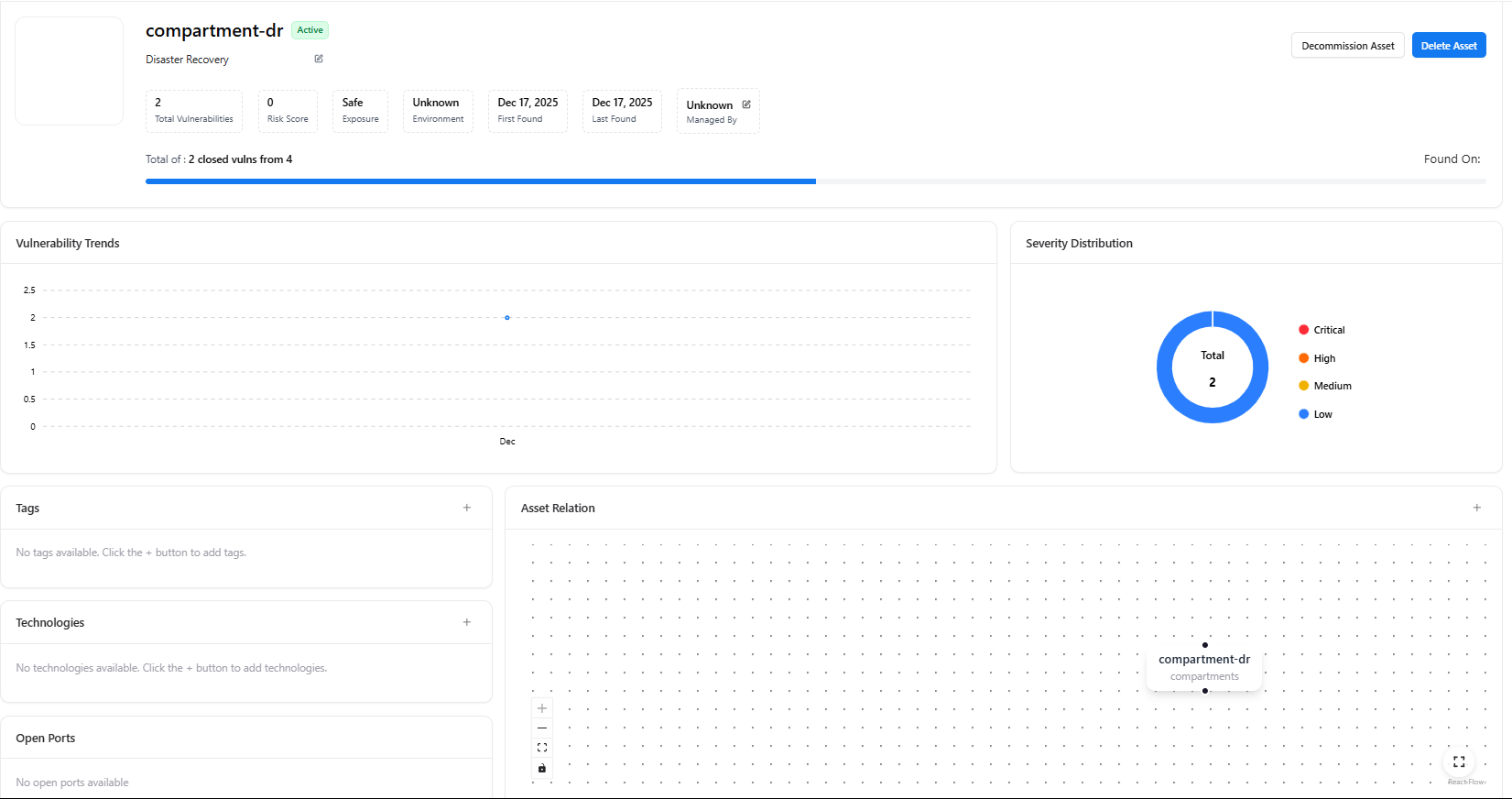
- Should be cleaned up
- Are incorrectly empty
- Contain high-value or sensitive workloads
Example Compartment Types
Some environments identified in your screenshot include:- Systems-Production
- Security-Production
- Platform-Production / Platform-Staging
- OCM-Development / OCM-Production
- Payment-Development
- sysops-staging-bgqH5qLo (Deleted)
- sysops-production-haQ92vWN (Deleted)
Use Cases
Cloud Governance
Track compartment proliferation and enforce naming and environment standards.
Access Control Audits
Review which teams and systems rely on which compartments.
Cost & Resource Management
Identify unused or deprecated compartments to reduce spend.
Security Oversight
Detect compartments with no assets or those marked deleted but still holding policies.
Explore Live Demo
Explore AIM Live — No Signup Needed
Instantly explore how Snapsec AIM discovers, enriches, and tracks every asset in real time — all without creating an account.