

Assigning vulnerability ownership and collaborators within assessments
Overview
The Vulnerability Ownership feature brings clarity and accountability to your remediation workflow.It lets you assign specific vulnerabilities to owners, invite collaborators to assessments, and filter findings by responsible users — ensuring that each issue has a clear point of contact for resolution.
Value
Accountable Remediation
Ensure every vulnerability has a responsible owner for faster and transparent remediation.
Collaborative Workflows
Collaborate across security and engineering teams directly within assessments.
Enhanced Visibility
Filter, track, and monitor vulnerability ownership across teams and reports.
Integrated Tracking
Ownership details automatically feed into SLA and Change Management metrics.
Inviting or Removing Members from an Assessment
Collaborators can be added or removed from any assessment to manage visibility and responsibilities efficiently.1
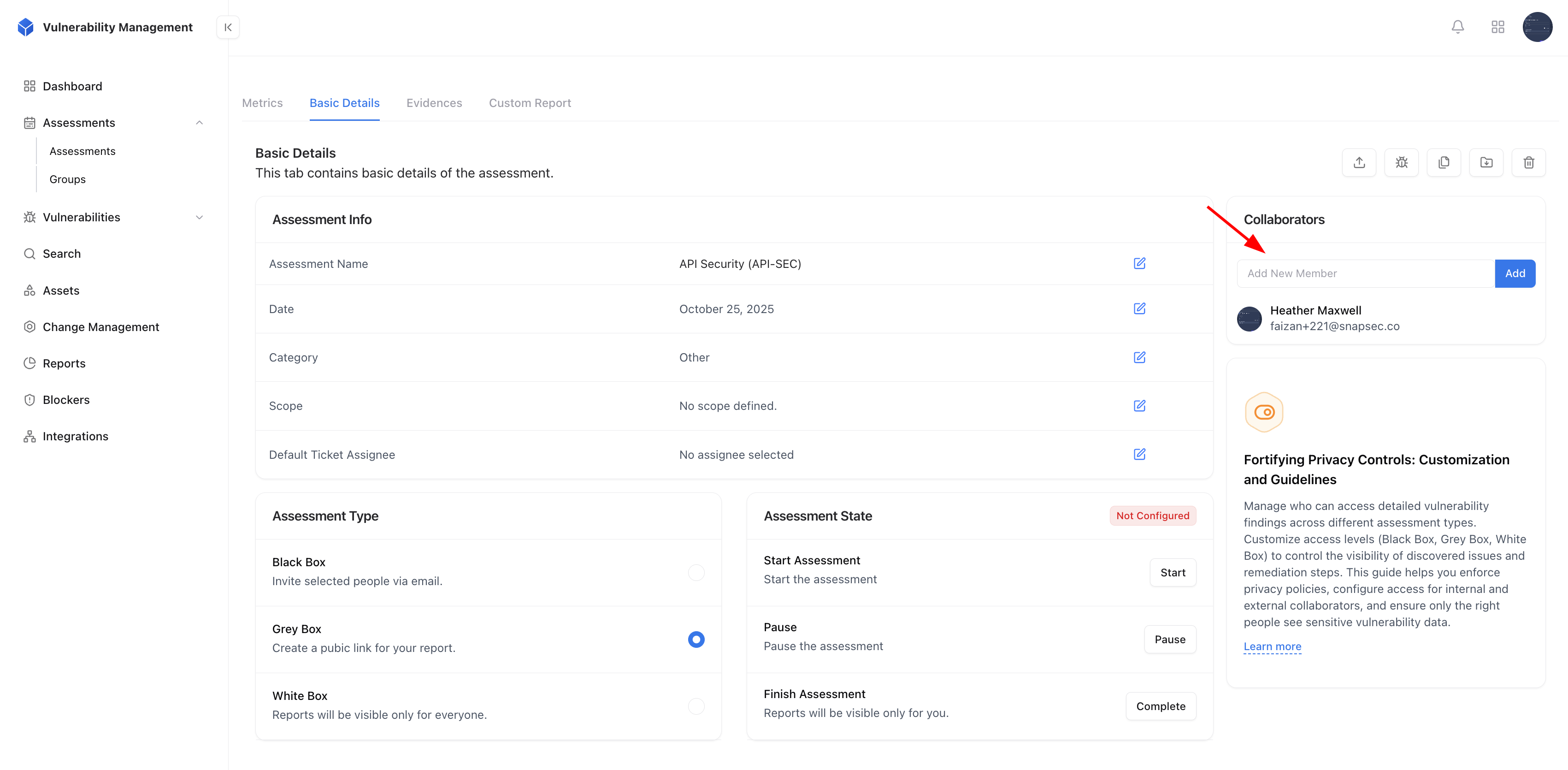
Go to Assessment → Basic Details
Navigate to the Basic Details tab of an assessment.
2
Add Collaborator
Use the Add New Member field to invite team members by their email.
Added members gain access to view and manage vulnerabilities in that assessment.
Added members gain access to view and manage vulnerabilities in that assessment.
3
Remove Collaborator
To revoke access, click on the user’s profile and remove them from the collaborator list.
Adding new collaborators to an assessment
Assigning a Vulnerability to an Owner
Every vulnerability can be directly assigned to a team member or developer, defining responsibility for its remediation.1
Open a Vulnerability Report
Select a vulnerability from the list to view its Report Details.
2
Assign Owner
Use the Owner dropdown to search and select a user. Once assigned, the user becomes responsible for resolving that issue.
3
Track Ownership Progress
Ownership is reflected in SLA Analytics, Violations, and Change Management dashboards for consistent performance tracking.
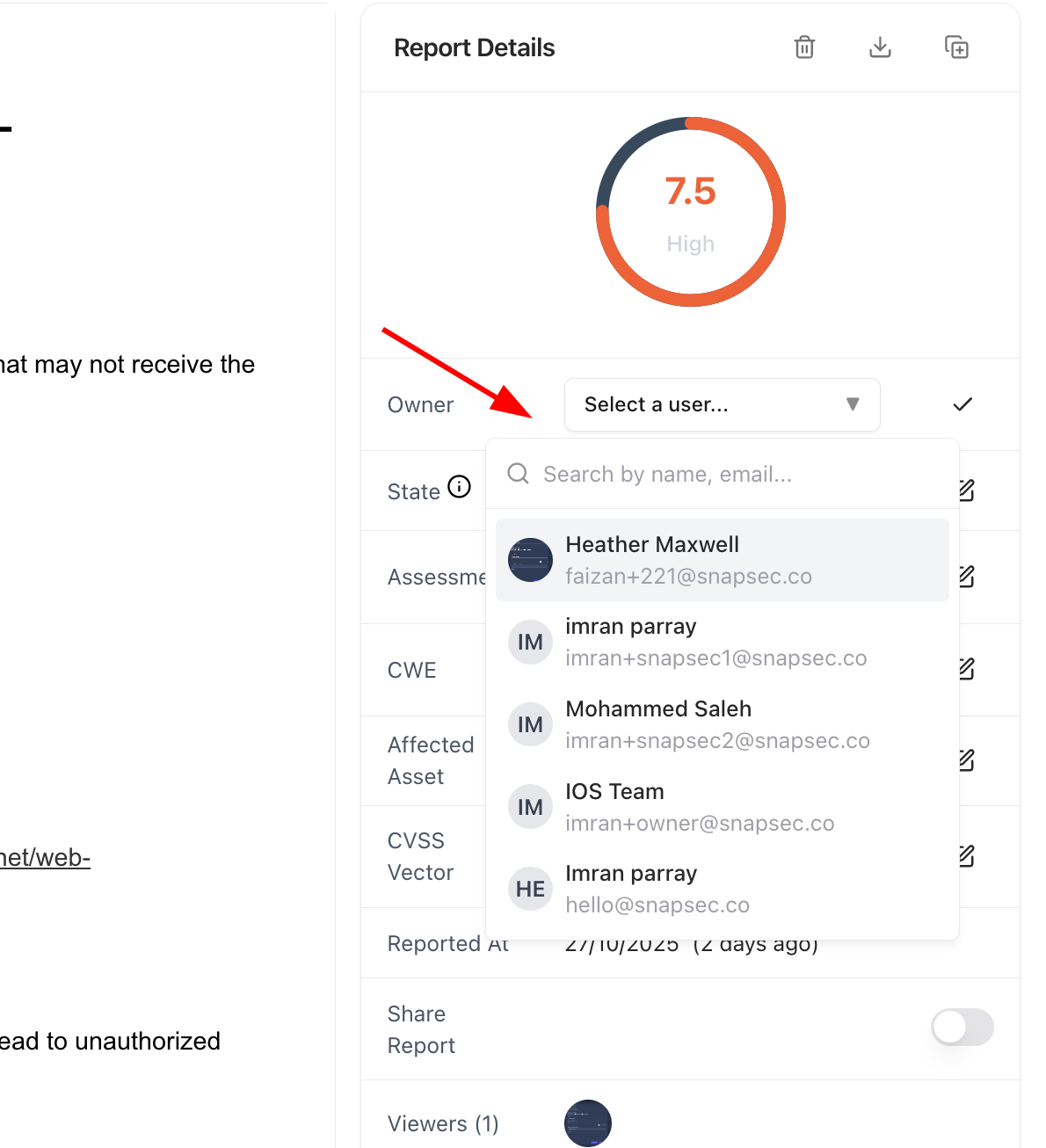
Assigning an owner to a vulnerability report
Filtering Tickets by Owner
You can easily view and prioritize vulnerabilities based on ownership across assessments.1
Navigate to Vulnerabilities Page
Go to the Vulnerabilities section in the VM module.
2
Apply Owner Filter
Use the Owner filter to view vulnerabilities assigned to specific users or teams.
3
Combine with Other Filters
Combine filters such as Severity, State, and Assessment to refine your search further.
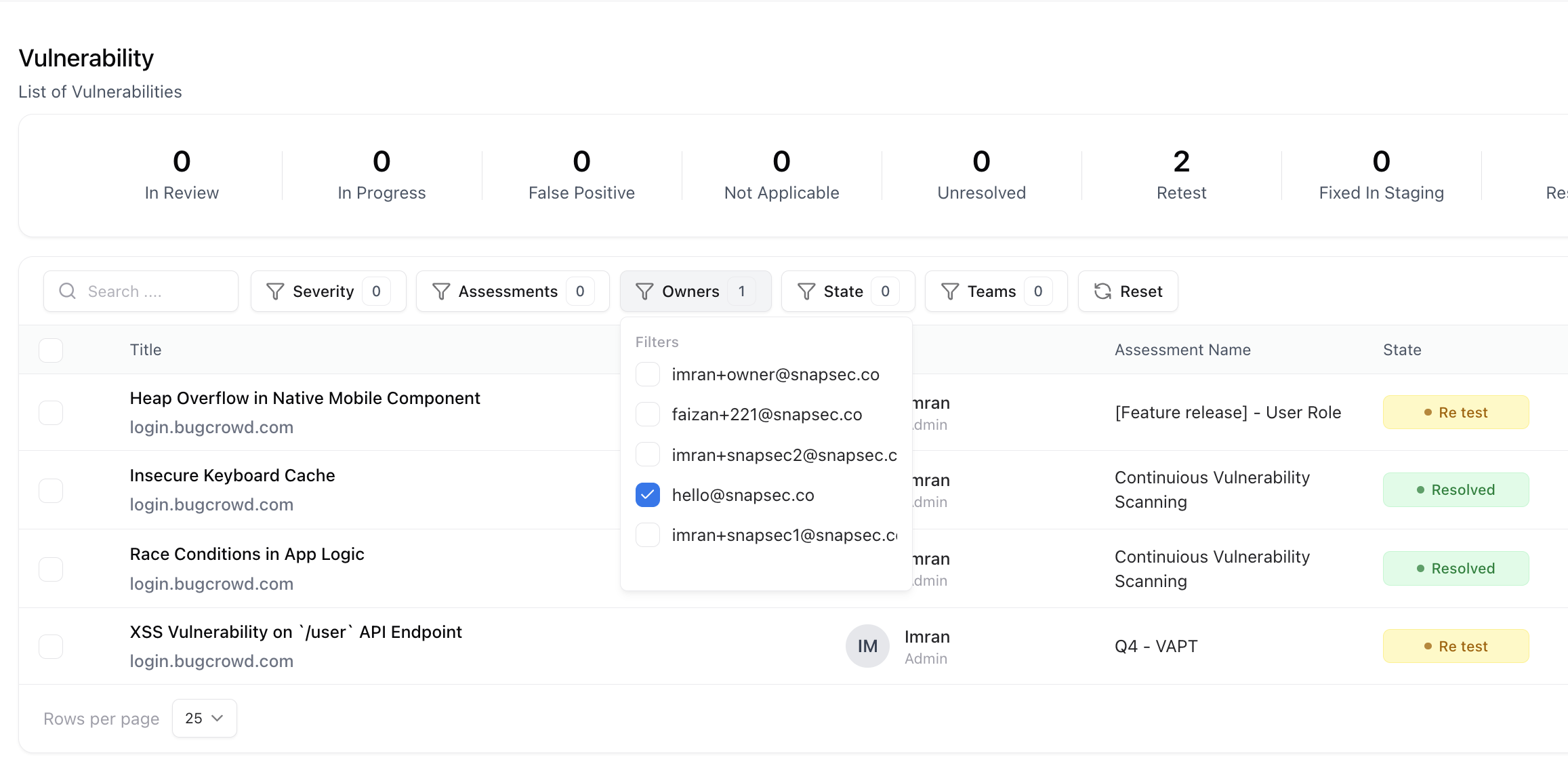
Filtering vulnerabilities by owner across assessments
Explore Live Demo
Explore VM Live — No Signup Needed
Jump straight into the live environment and see how Snapsec unifies asset intelligence, threat detection, and vulnerability tracking — all in one dashboard.