

Overview
The APIs module provides a centralized and enriched inventory of all APIs discovered across your organization. It combines endpoint visibility, vulnerability data, authentication insights, and ownership context into a single interface — enabling teams to identify exposed, risky, or unmanaged APIs quickly.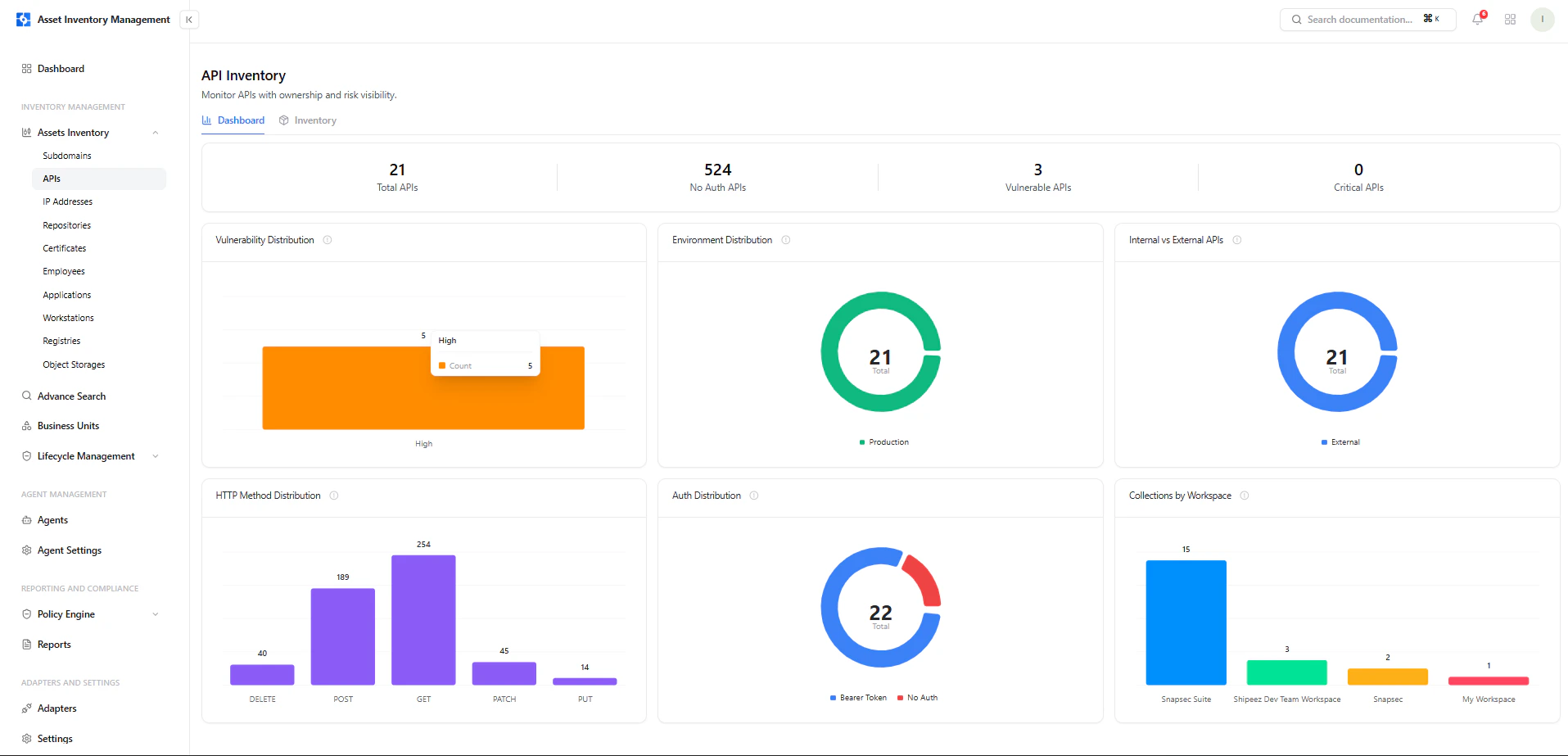
API inventory with endpoint counts, vulnerabilities, ownership, and detection timeline
Dashboard View
The dashboard provides a high-level understanding of API posture before diving into individual services.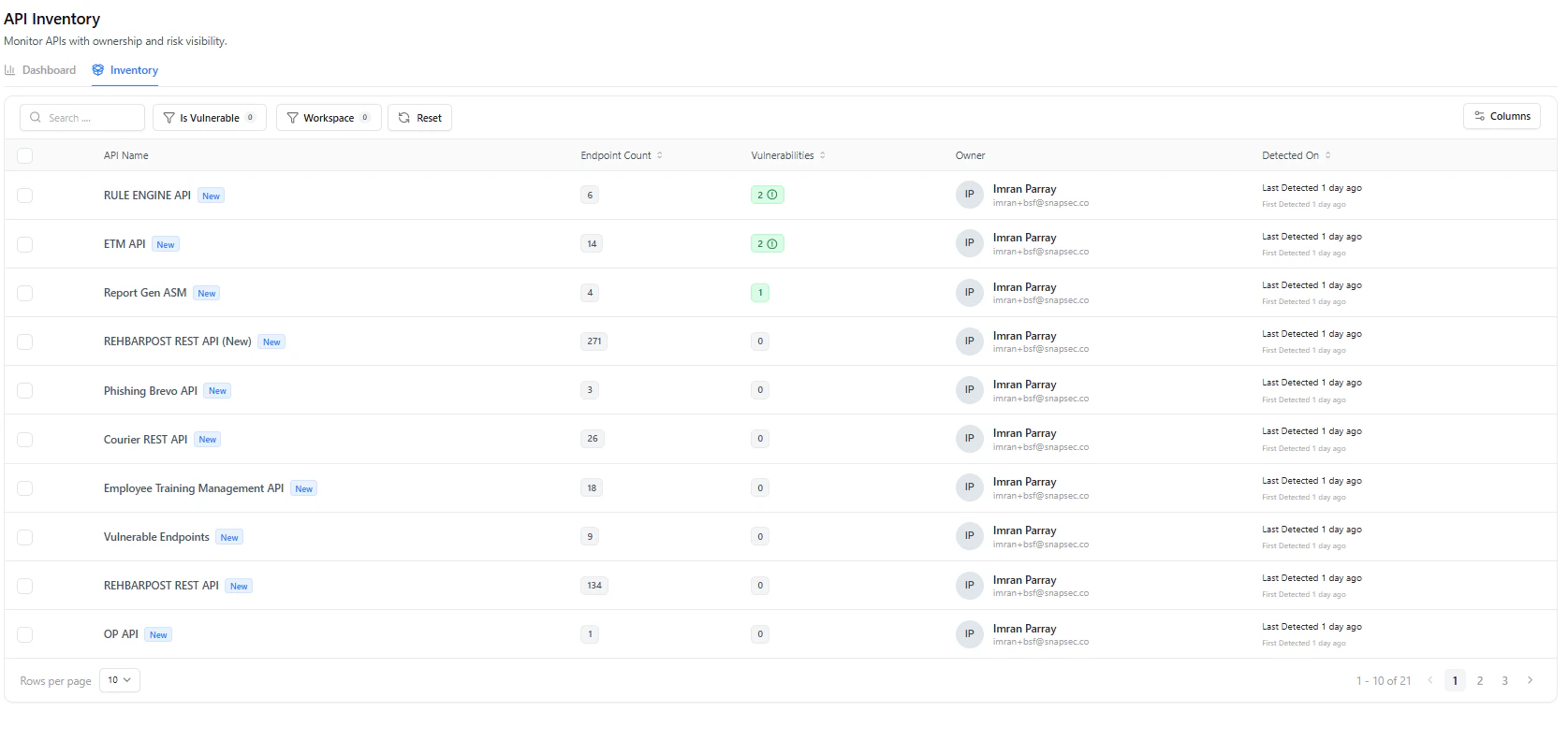
API dashboard showing vulnerability distribution, authentication posture, environment, and method usage
Key Metrics
- Total APIs — All discovered APIs
- No Auth APIs — APIs without authentication (high risk)
- Vulnerable APIs — APIs with security findings
- Critical APIs — High severity APIs
Visual Insights
- Vulnerability Distribution — Severity breakdown
- Environment Distribution — Production vs others
- Internal vs External APIs — Exposure scope
- HTTP Method Distribution — GET, POST, PATCH, DELETE, etc.
- Auth Distribution — Authenticated vs unauthenticated
- Workspace Distribution — API ownership across teams
Inventory View
The inventory is the operational layer for API discovery and triage.Key Columns
Filters
- Is Vulnerable
- Workspace
- Search by API Name
API Asset View
Clicking an API opens a deep inspection view.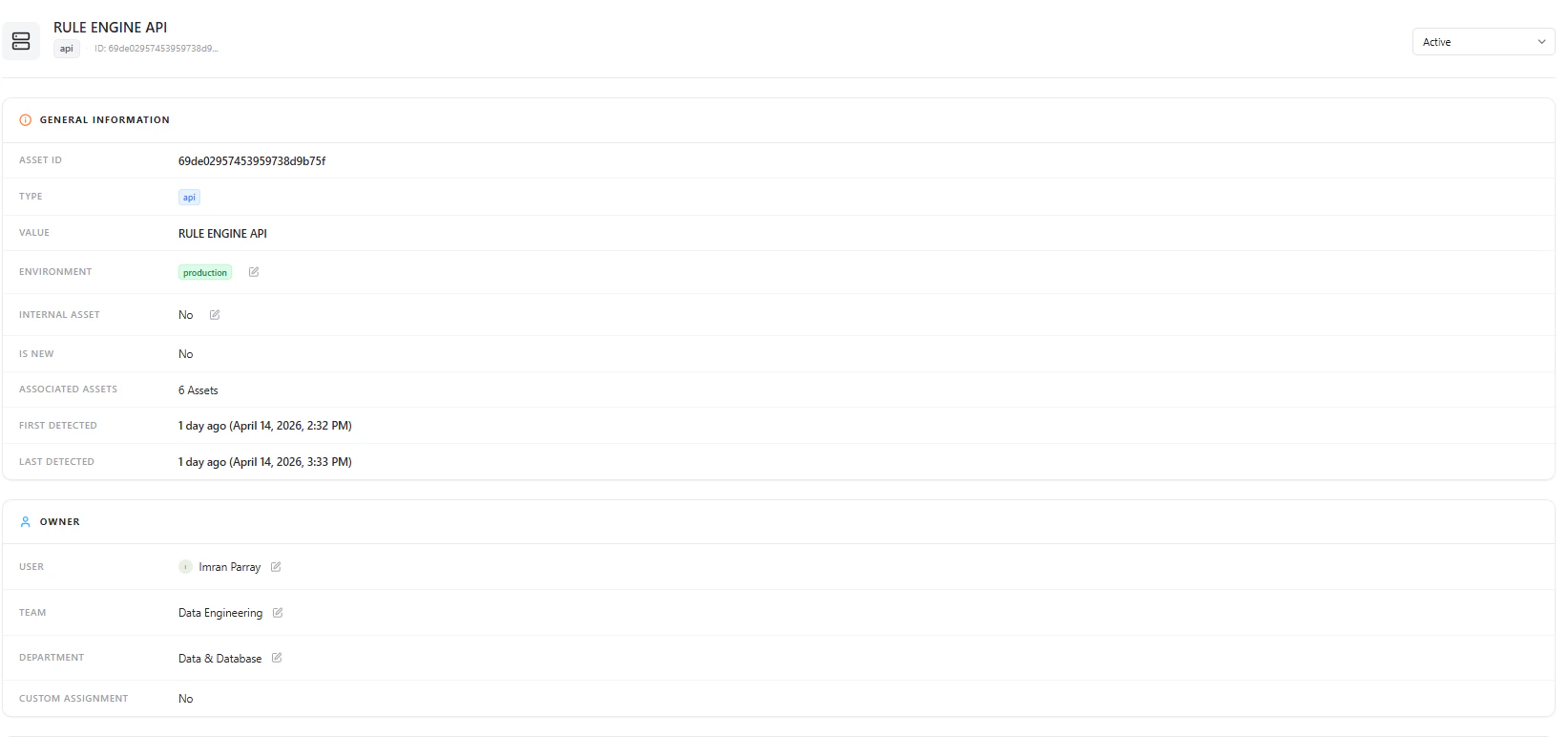
API asset overview with general information and ownership details
General Information
- Asset ID
- Type (API)
- API Name
- Environment
- Internal Asset (Yes/No)
- Is New
- Associated Assets
- First / Last Detected
Ownership Context
- User
- Team
- Department
Security Overview
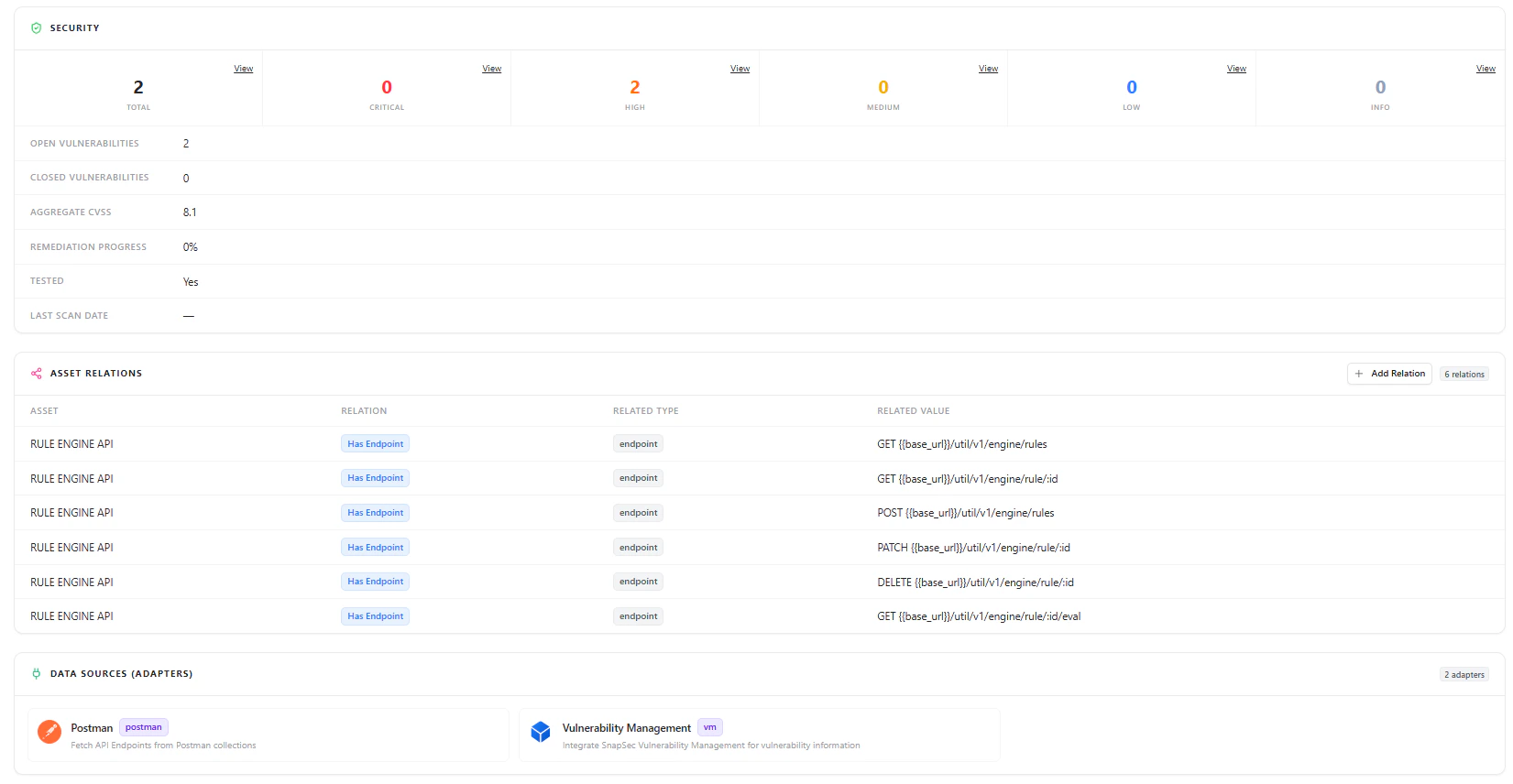
API security summary showing vulnerabilities, severity breakdown, CVSS, and remediation progress
Security Data
- Total Vulnerabilities
- Severity Breakdown (Critical, High, Medium, Low, Info)
- Open vs Closed Vulnerabilities
- Aggregate CVSS Score
- Remediation Progress
- Test Status
- Last Scan Date
Endpoint Visibility
Each API is mapped to its underlying endpoints, providing true operational visibility.Endpoint Data Includes
- HTTP Method (GET, POST, PATCH, DELETE)
- Endpoint Path
- Associated API
- Endpoint Type
Example Endpoints
This allows teams to:
- Understand attack surface at endpoint level
- Identify sensitive or critical operations
- Detect overexposed APIs
Asset Relationships
APIs are not isolated — they are connected to other assets.Relationships Include
- Endpoints
- Applications
- Services
- Other infrastructure assets
- Dependency mapping
- Blast radius analysis
- Impact assessment during incidents
Data Sources (Adapters)
API data is enriched through integrations:- Postman — Fetch API endpoints from collections
- Vulnerability Management — Attach security findings
Why This Matters
The APIs module transforms API discovery into actionable security intelligence:- Identify unauthenticated APIs instantly
- Detect shadow or unmanaged APIs
- Analyze endpoint-level exposure
- Track vulnerabilities with real context
- Enforce ownership and accountability
- Understand API dependencies and impact
Explore Live Demo
Explore AIM Live — No Signup Needed
Instantly explore how Snapsec AIM discovers, enriches, and analyzes APIs in real time — all without creating an account.