

What is QRadar Integration
The QRadar Integration allows Snapsec Suite to send all system-generated security and audit events directly to IBM QRadar SIEM. Once connected, QRadar can ingest Snapsec events for:- Centralized logging
- Correlation with other security signals
- Threat detection and investigations
- Compliance and audit visibility
What Events Does Snapsec Send
Snapsec sends all system events to QRadar, including but not limited to:- User management events (create, update, delete)
- Authentication and authorization actions
- Asset changes
- Vulnerability lifecycle events
- Configuration changes
- Integration and automation activities
- Administrative and audit actions
Event Schema
Snapsec sends events in JSON format using the following schema:Field Overview
-
type
The category of the event.
Example:audit -
action
The specific action performed within Snapsec.
Example:create_user,delete_asset -
request
Details about the API request that triggered the event, including:- URL
- Parameters
- Query values
- Request headers
-
response
The result of the action, including:- Response body
- Response headers
-
metadata
Additional contextual information such as:- IP address of the actor
- User ID who performed the action
- Trace ID for request correlation
-
timestamp
The exact time when the event occurred, formatted in ISO 8601.How to Connect Snapsec with QRadar
1
Open your Snapsec profile
Log in to Snapsec Suite and click on your profile icon in the top-right corner.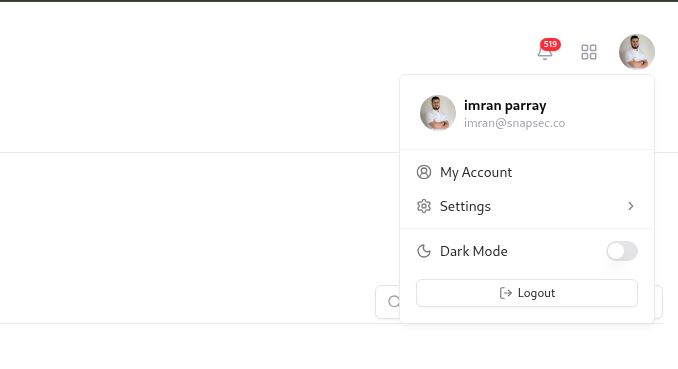
Department FAQs available on the Departments page
2
Navigate to Integrations
Select Integrations from the settings sidebar.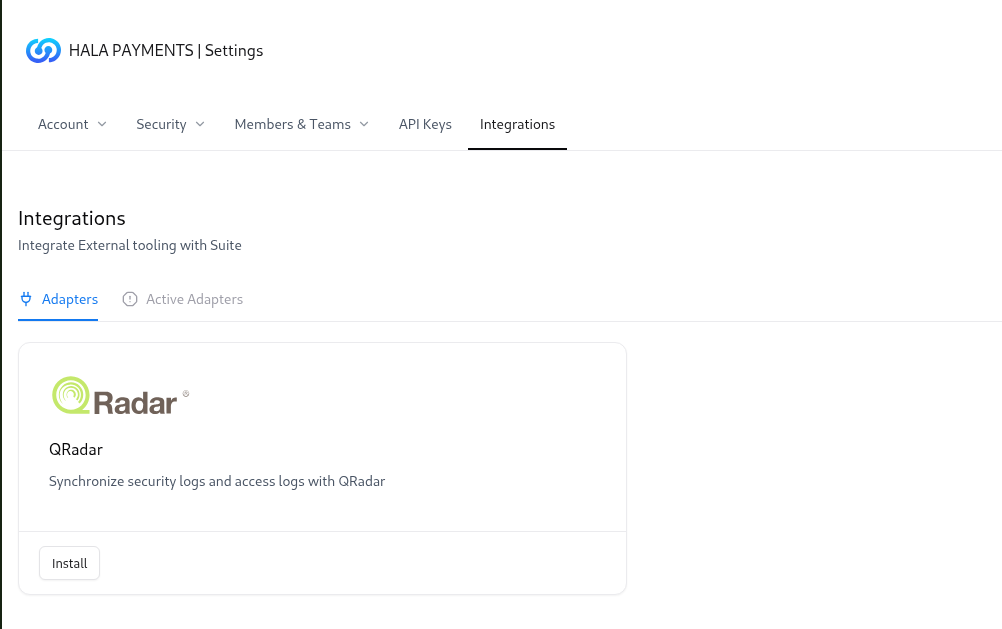
Department FAQs available on the Departments page
3
Select QRadar
Locate QRadar from the list of available integrations and click on it.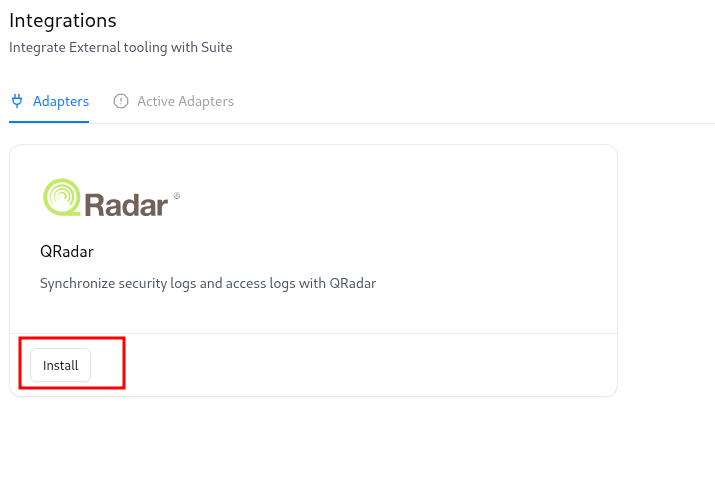
Department FAQs available on the Departments page
4
Enter QRadar details
Provide the following information: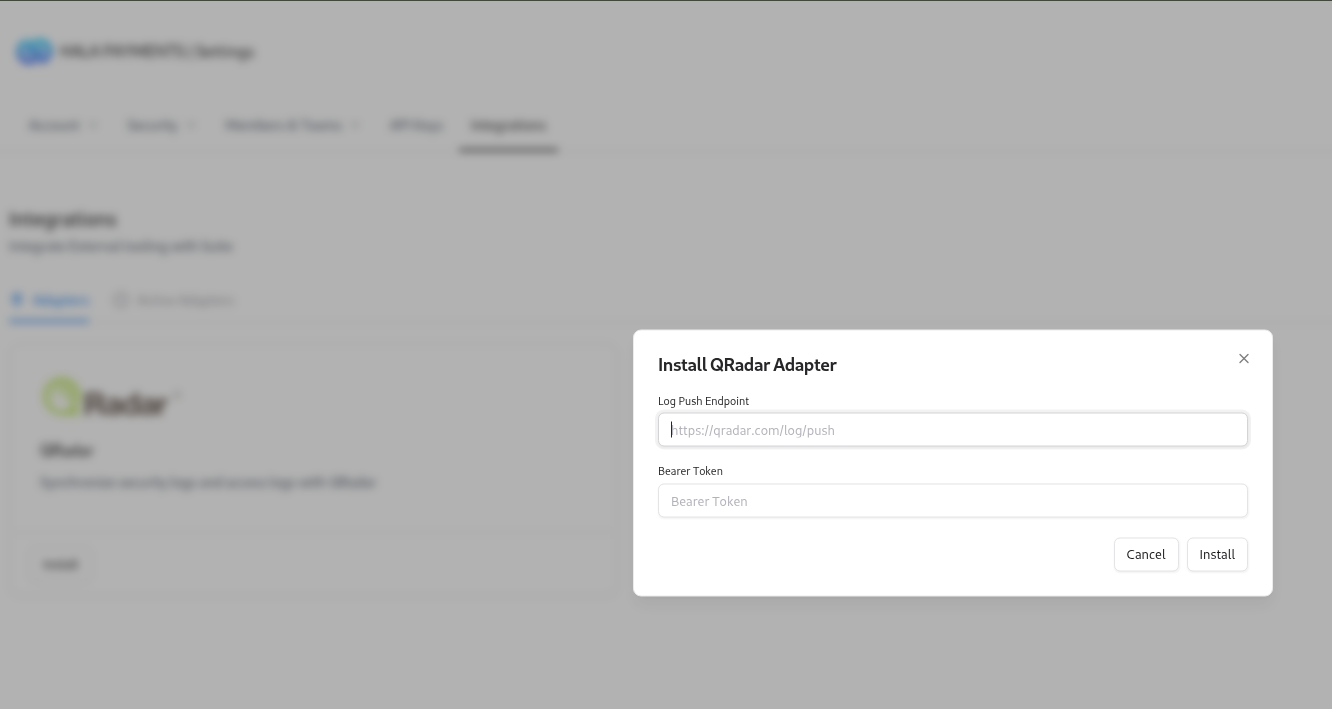
- QRadar URL
- Bearer Token
Department FAQs available on the Departments page
5
Save and verify
Click Save to enable the integration.
Once completed, QRadar will appear under Installed Adapters, confirming the connection.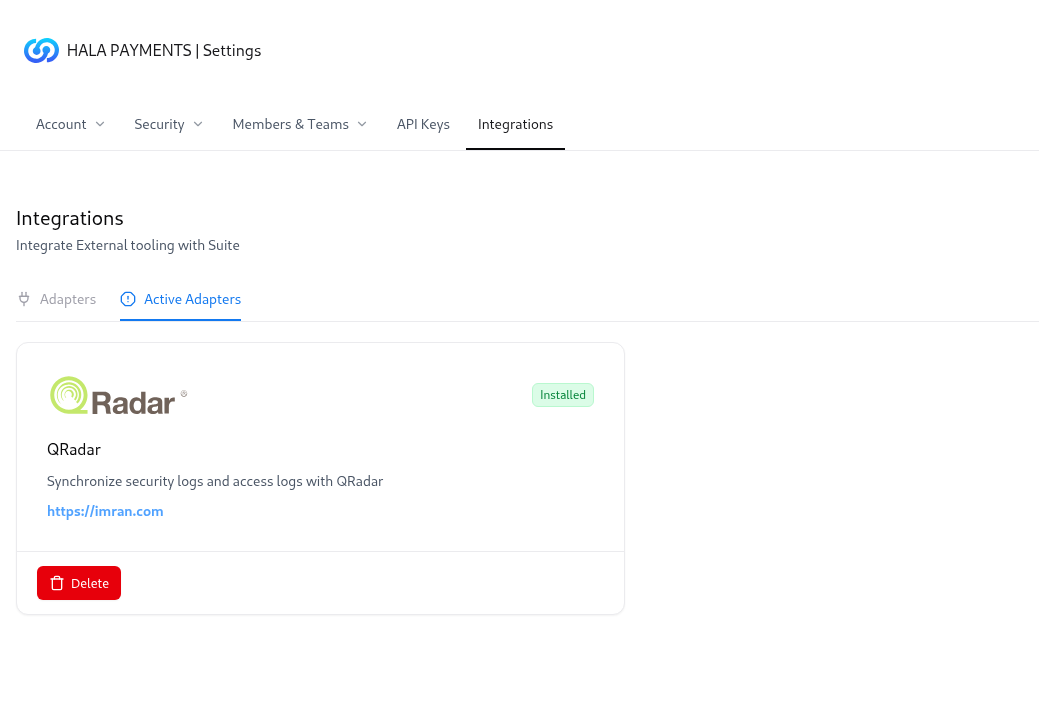
Once completed, QRadar will appear under Installed Adapters, confirming the connection.
Department FAQs available on the Departments page
Verification
After installation, verify the integration using the following checks:- Confirm the adapter status is shown as Installed in Snapsec.
- Check QRadar logs to ensure Snapsec events are being received.
- Verify that events are parsed and indexed correctly inside QRadar for search and correlation.
Explore Live Demo
Explore Snapsec APIs in Action
Experience how Snapsec API keys power secure integrations, automation, and scalable security workflows—no signup required.