

Overview
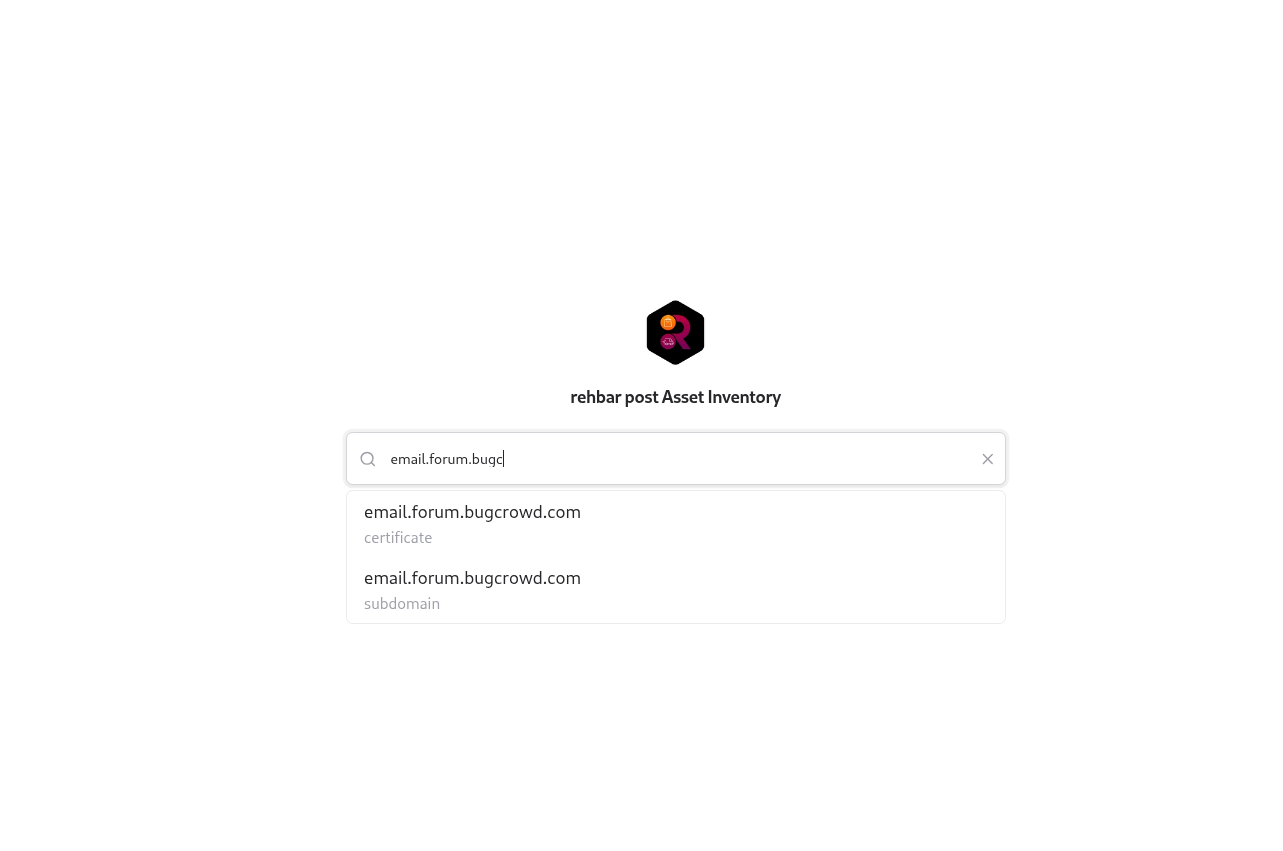
The Public Asset Catalog allows companies to share controlled access to asset data outside the main Snapsec portal.This enables teams, partners, or external auditors to view and search assets, vulnerabilities, or exposure data without requiring platform login credentials. It’s ideal for providing transparent visibility while maintaining strict edit permissions and audit trails.
Purpose
The goal of the Public Catalog is to make asset intelligence accessible to distributed or external teams while retaining ownership and data security.- 🔍 Search & View Assets — Users can search by domain, IP, repository, or keyword to view relevant asset records.
- 📊 Transparency — Ideal for vendor assessments, audit reviews, and public collaboration.
- ✏️ Controlled Edits — Optionally enable external contributors to edit asset fields (like owner or environment) without full portal access.
- 🔐 Secure Access — Links are unique and permission-restricted, ensuring limited scope visibility.
How to Set It Up
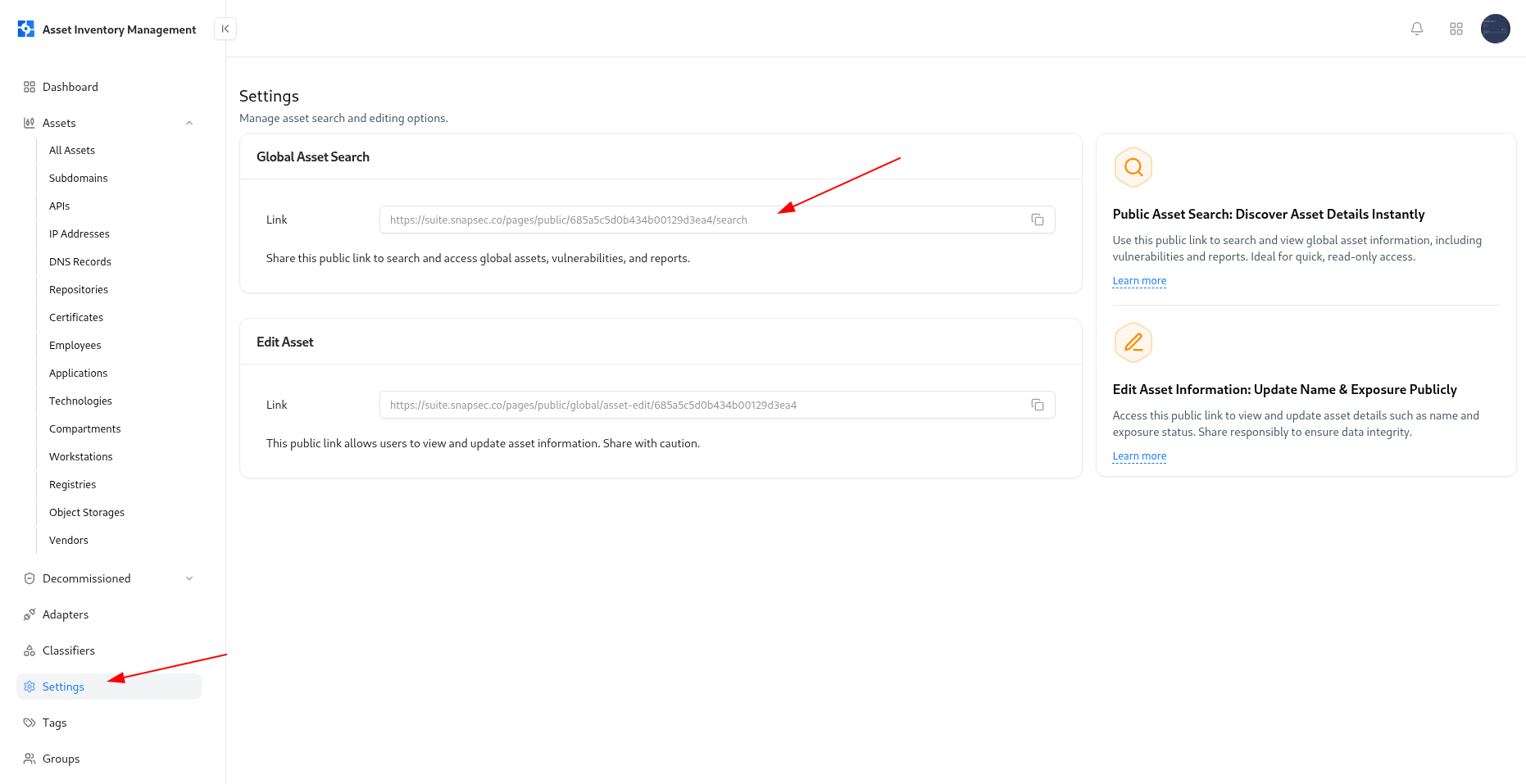
Locate Global Asset Search
Under Global Asset Search, you’ll find a public URL link that allows external access.
Enable Edit Access (Optional)
Copy the link under Edit Asset, which allows authorized users to update asset information.
Using the Public Asset Catalog
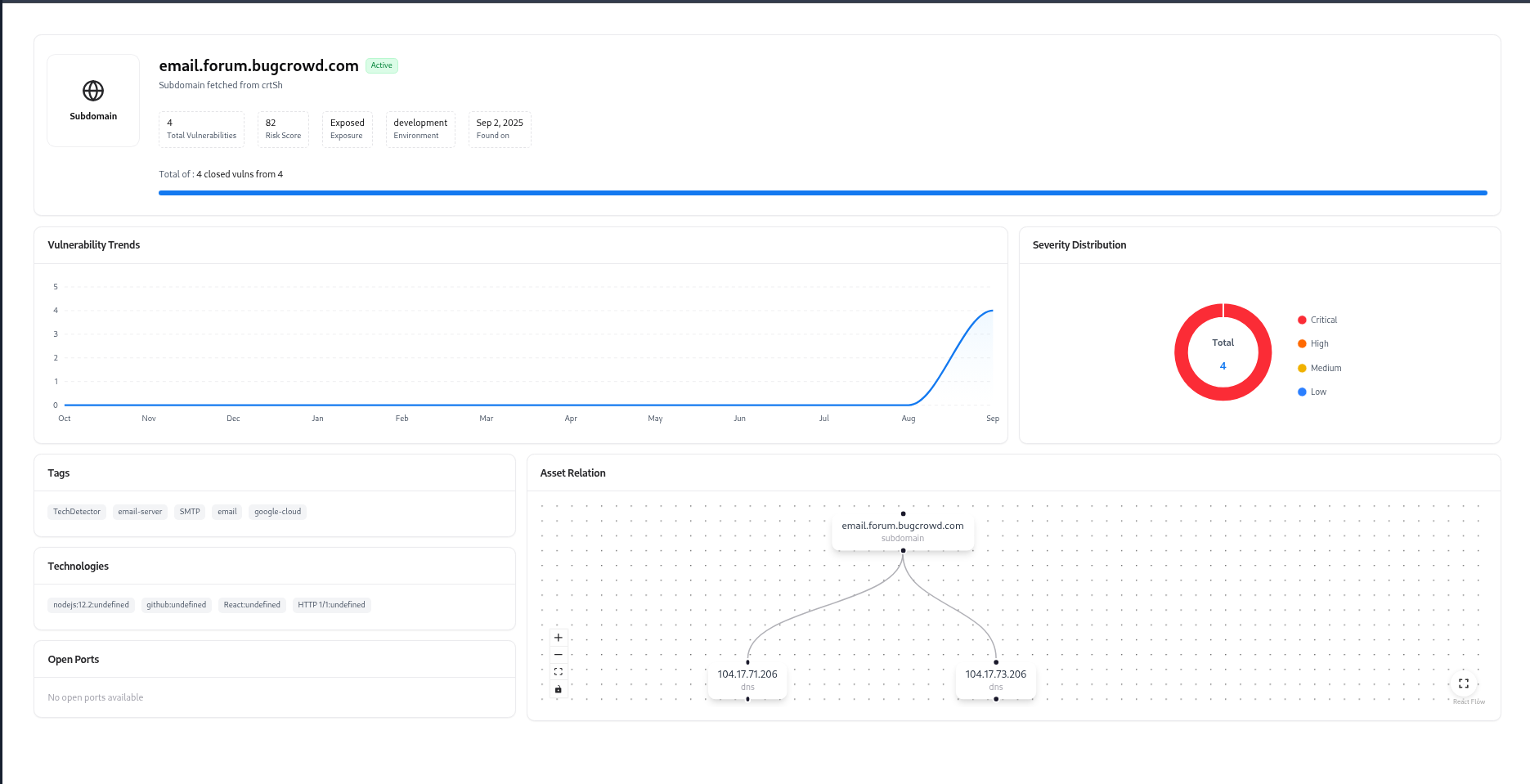
The results show asset details like risk scores, vulnerabilities, relationships, tags, and associated owners.
Sharing with Team Members
You can share either of the following links based on your use case:| Type | Description | Recommended For |
|---|---|---|
| Global Asset Search | Read-only view to explore assets and vulnerabilities. | Auditors, Viewers, Compliance Teams |
| Edit Asset Link | Editable view to update metadata fields like Owner, Exposure, or Environment. | Internal Teams, Asset Managers |
⚠️ Tip: Use the edit link cautiously — changes made here are directly reflected in the live AIM database.
Best Practices
- Limit public link sharing to trusted users or teams.
- Use the read-only link for transparency and reporting.
- Periodically regenerate or disable old links to maintain access control.
- Track edits through audit logs for accountability.
Explore Live Demo
Explore AIM Live — No Signup Needed
Instantly explore how Snapsec AIM discovers, enriches, and tracks every asset in real time — all without creating an account.