

Overview
The Group Management allows teams to structure assets into collections — enabling targeted scans, environment-level controls, and precise risk prioritization across the stack.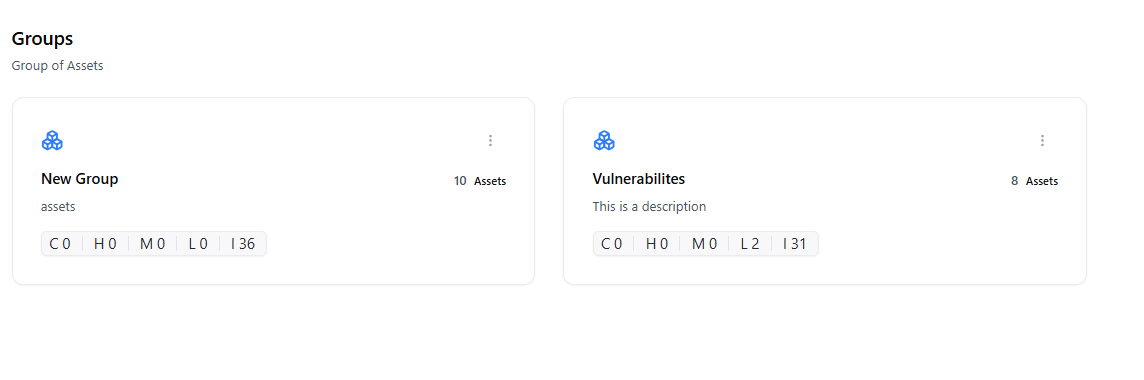
Overview
Groups help you:- Segment assets by environment
- Run focused vulnerability scans
- Apply consistent policies across similar systems
- Assign owners and teams to grouped assets
- Production APIs
- Staging environments
- External applications
- Cloud microservices
Types of Groups
Environment Groups
Group assets by environment like prod, dev, or staging.
Service Groups
Cluster APIs, apps, and servers that form a single service.
Risk Groups
Organize assets based on risk score or exposure level.
Group Details
Each group contains:- Assigned assets
- Total vulnerability count
- Severity distribution
- Owners
- Scan schedules
- Group metadata and tags
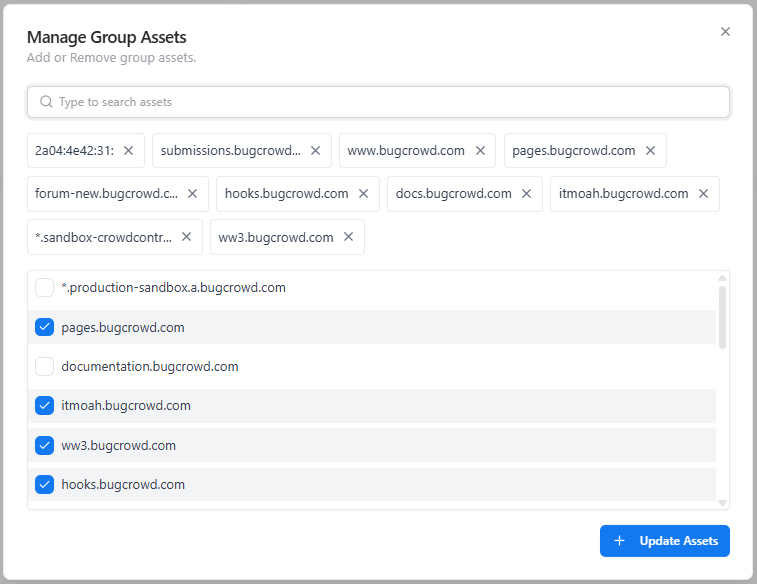
Group Actions
Benefits
Organized Security Workflow
Reduce triage complexity by grouping related assets.
Targeted Testing
Run scans only on assets that matter for a specific context.
Stronger Accountability
Assign ownership at the group level.
Automation-Friendly
Use groups in CI/CD and recurring schedule workflows.
Explore Live Demo
Explore Snapsec Live — No Signup Needed
Jump straight into the live environment and see how Snapsec unifies asset intelligence, threat detection, and vulnerability tracking — all in one dashboard.