

Overview
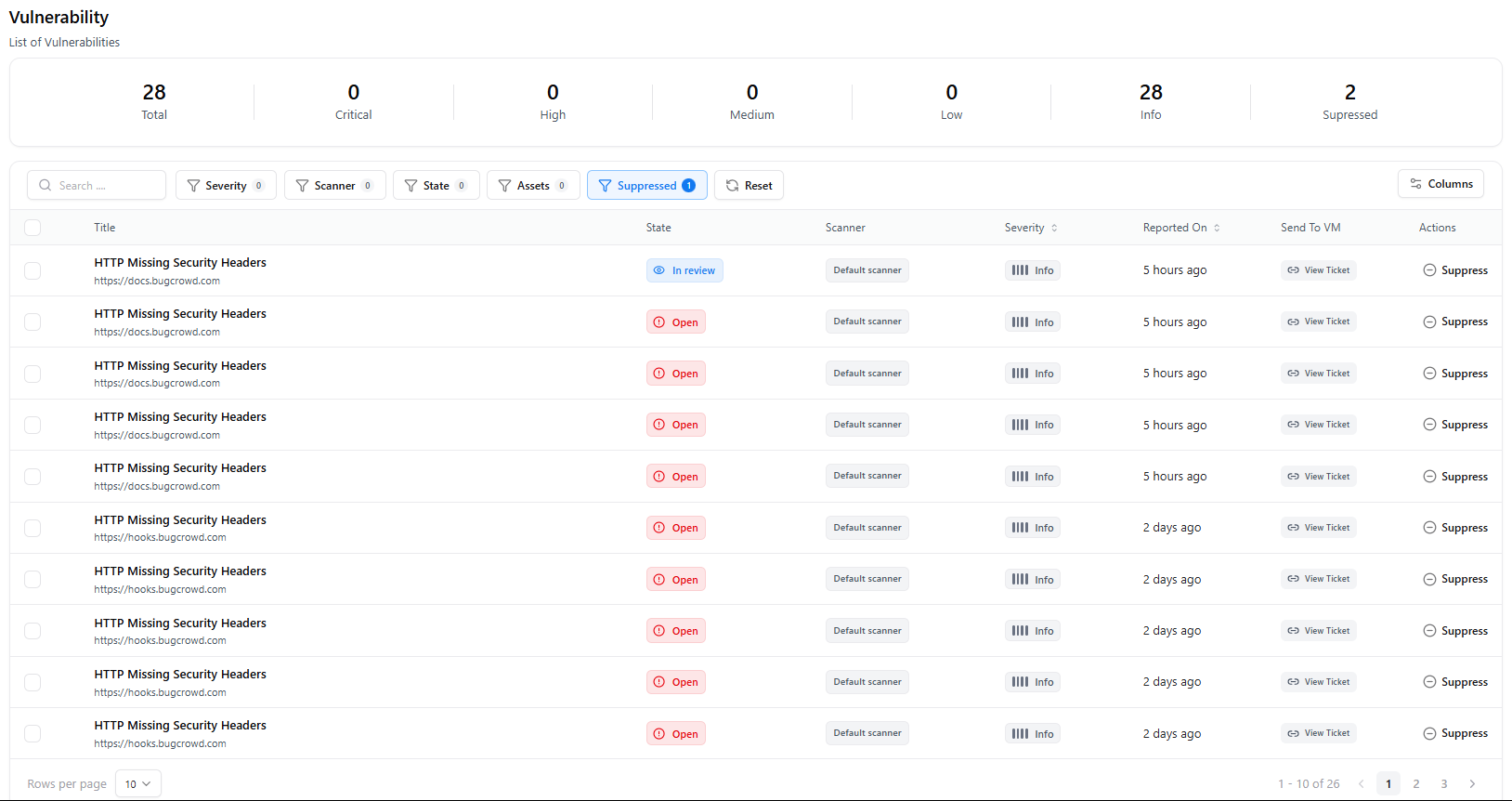
The Vulnerability Catalogue provides a complete list of all vulnerabilities detected by the scanner.It includes severity classification, scanner source, detection time, asset details, and state management options.
Overview
This view displays all vulnerabilities currently tracked in the system, including:- Total Vulnerabilities count
- Severity breakdown: Critical, High, Medium, Low, Info
- Suppressed findings
- Search and filtering capabilities
- Per-vulnerability actions like state updates and suppression
Key Metrics Summary
Total
Critical
Number of critical findings.
High
Number of high-severity findings.
Medium
Count of medium-severity findings.
Low
Low-severity vulnerabilities.
Informational
Count of Info-level findings.
Suppressed
Vulnerabilities marked as suppressed and excluded from active tracking.
Table View & Columns
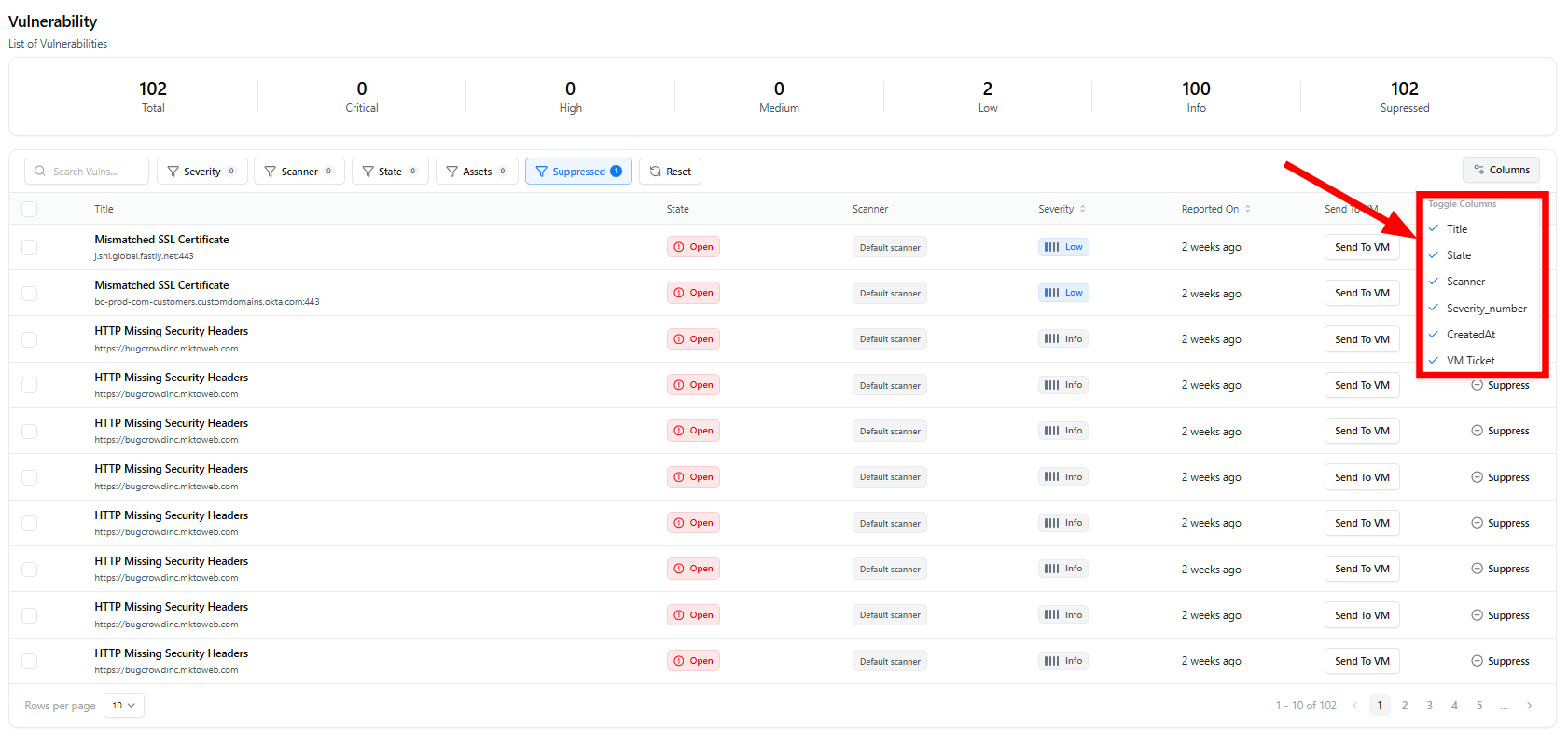
- Title — Name of the issue (e.g., HTTP Missing Security Headers)
- URL/Asset — The affected endpoint or host
- State — Vulnerability workflow state (e.g., Open, In Review)
- Scanner — Source scanner (e.g., Default Scanner)
- Severity — Severity label (Info in current sample)
- Reported On — Detection timestamp (e.g., “5 hours ago”, “2 days ago”)
- Send to VM — Option to create a ticket in Vulnerability Management
- Actions — Ability to suppress a finding
Filters & Search
Users can refine results using:- Search bar — Search by title or URL
- Severity filter — Show Info, Low, Medium, High, Critical
- Scanner filter — View findings from specific scanners
- State filter — Open, In Review, etc.
- Assets filter — Group findings by affected asset
- Suppressed toggle — Show only suppressed issues
- Reset — Clear all applied filters
Workflow States
The catalogue supports status tracking such as:- Open — Newly detected vulnerability
- In Review — Being analyzed
- Suppressed — Ignored from active reporting
Actions Available
View Ticket
Directly send vulnerabilities to your VM workflow system for remediation.
Suppress Finding
Remove the finding from active dashboards while keeping historical visibility.
Explore Live Demo
Explore Snapsec Live — No Signup Needed
Jump straight into the live environment and see how Snapsec unifies asset intelligence, threat detection, and vulnerability tracking — all in one dashboard.