

Overview
The Workstations module provides a centralized inventory of all discovered endpoints including laptops, desktops, and virtual machines. It enables teams to track device ownership, operating systems, system-level data, and basic security posture across the environment.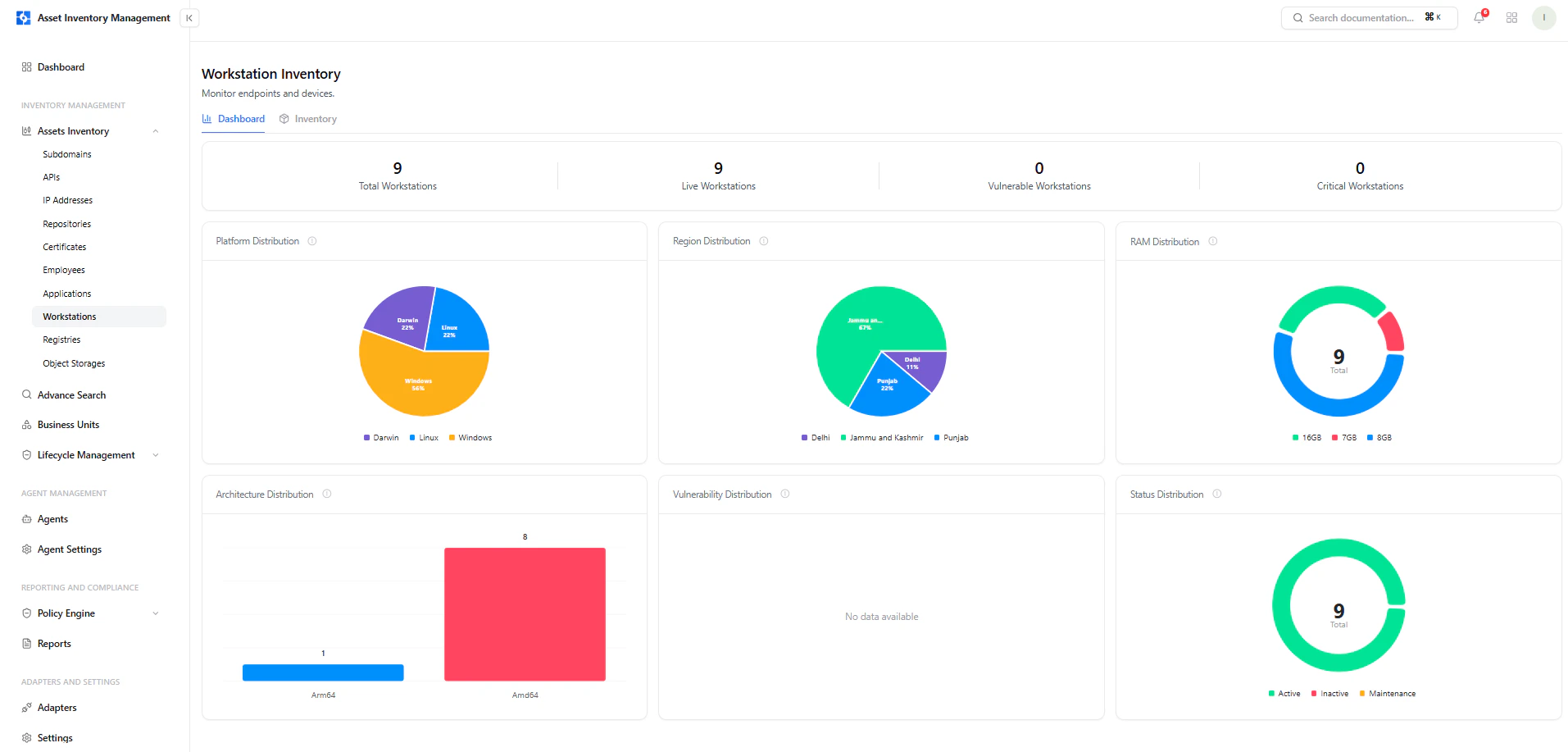
Workstation dashboard showing distribution by platform, region, RAM, and status
Dashboard View
The dashboard provides a high-level summary of all workstations.Key Metrics
- Total Workstations — All discovered devices
- Live Workstations — Currently active endpoints
- Vulnerable Workstations — Devices with detected issues
- Critical Workstations — Devices with critical findings
Visual Insights
- Platform Distribution — Windows, Linux, Darwin
- Region Distribution — Geographic breakdown
- RAM Distribution — Memory allocation across devices
- Architecture Distribution — Arm64 vs Amd64
- Status Distribution — Active, Inactive, Maintenance
Workstation Inventory
The inventory view lists all discovered workstations with key details.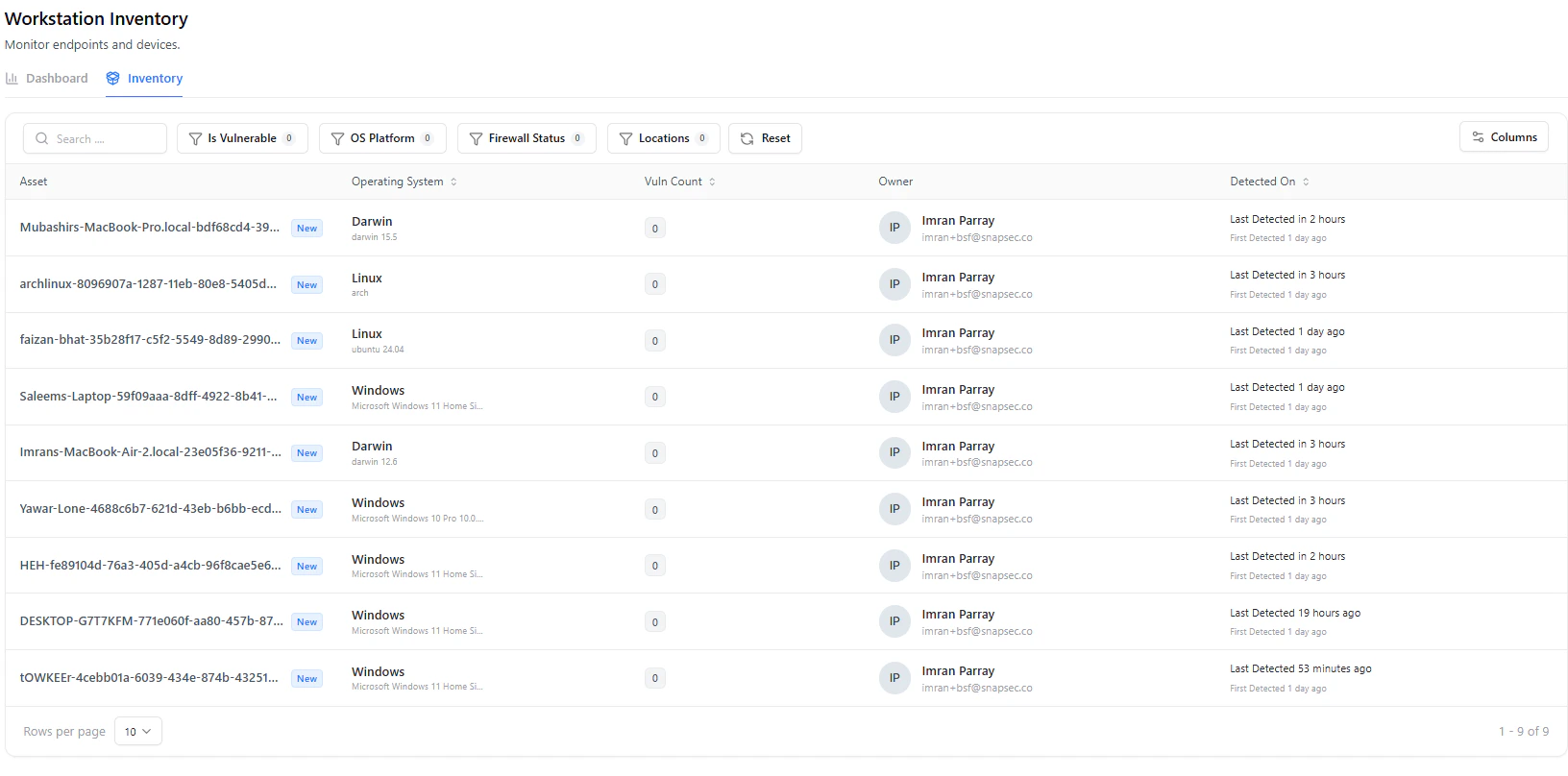
Workstation inventory table with OS, owner, and detection timeline
Table Columns
Filters & Search
- Is Vulnerable
- OS Platform
- Firewall Status
- Location
- Search by device name
Workstation Asset View
Selecting a workstation opens a detailed view with complete system context.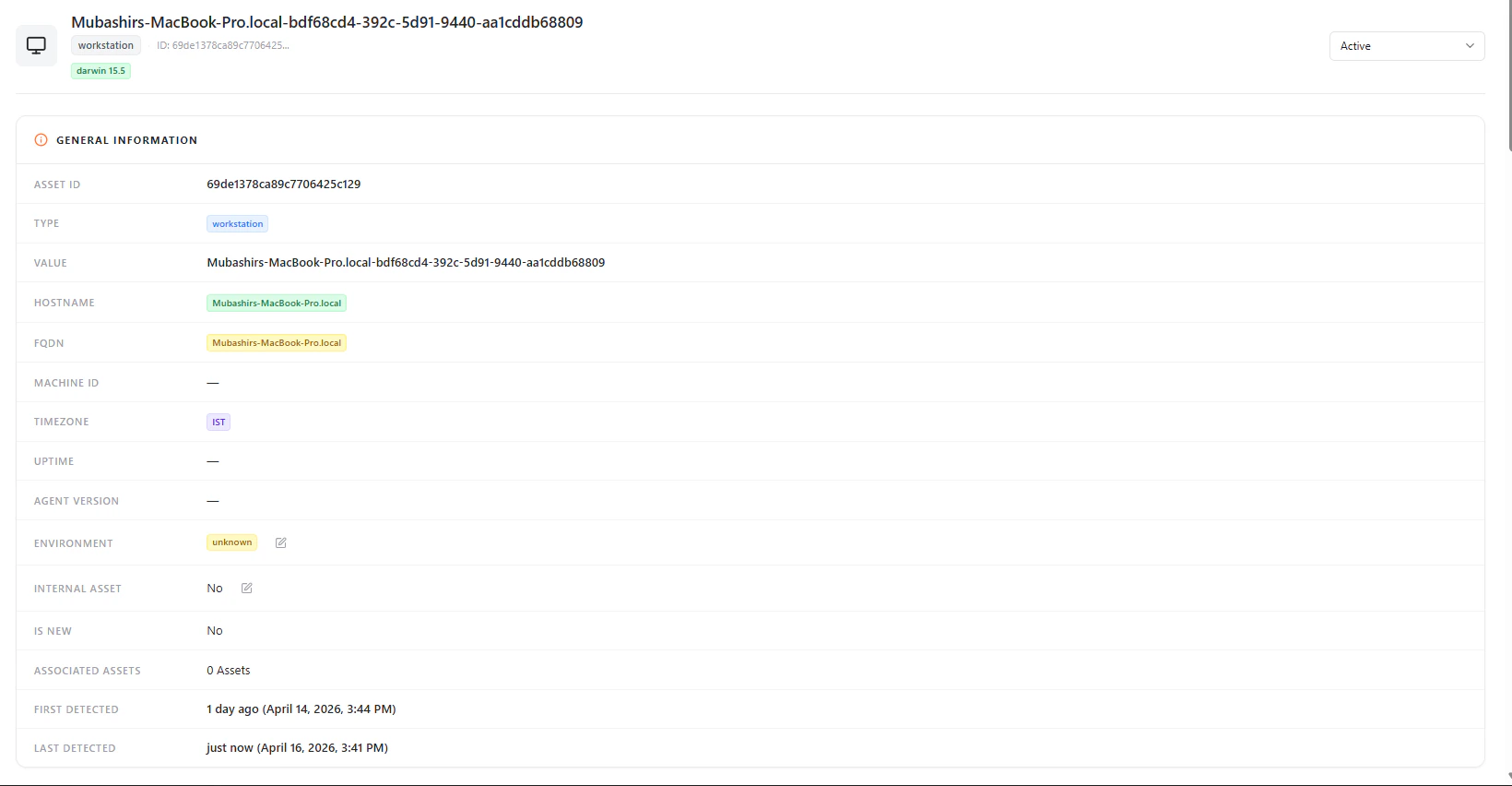
Workstation asset detail with general information and device metadata
General Information
Each workstation includes:- Asset ID
- Type (Workstation)
- Hostname
- FQDN
- Timezone
- Environment
- Internal Asset (Yes / No)
- Associated Assets
- First Detected / Last Detected
Operating System
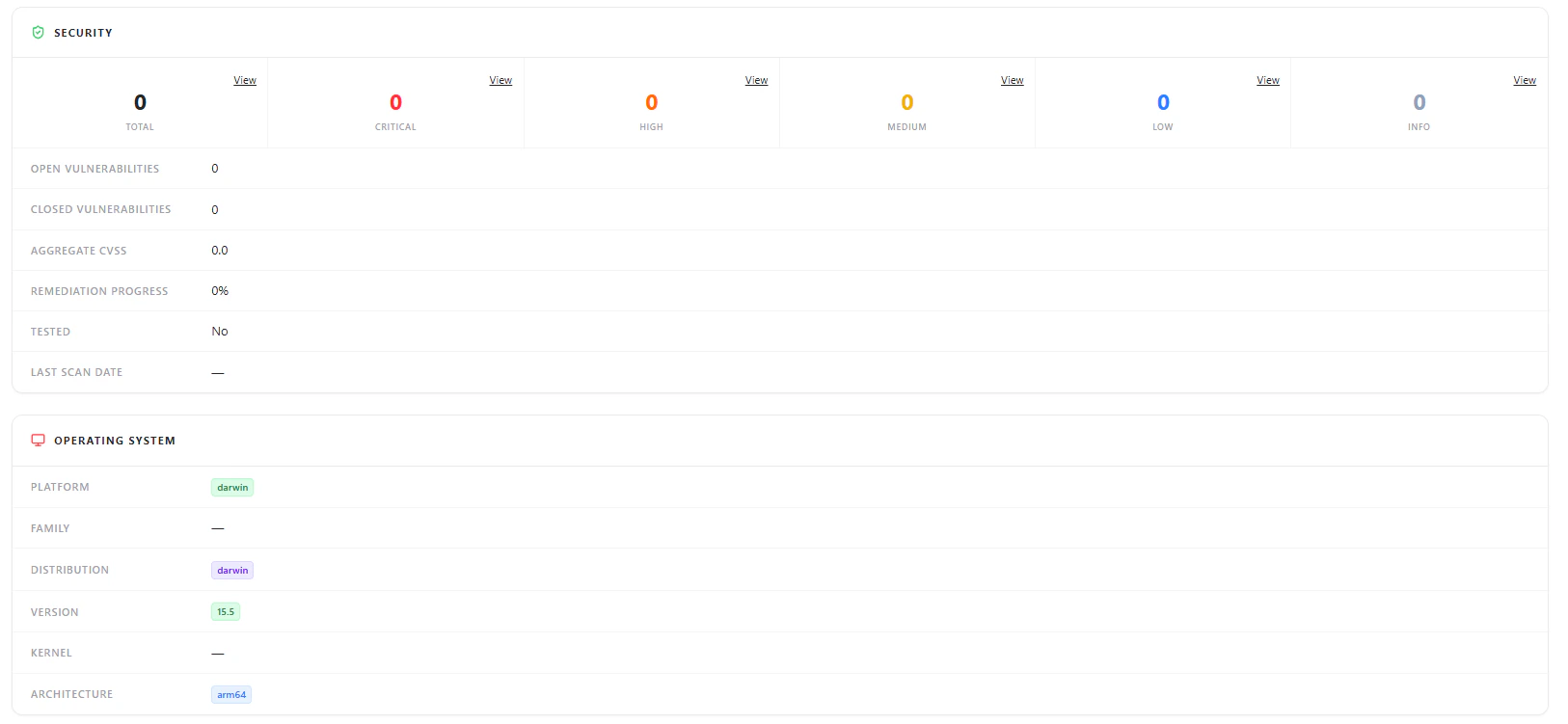
Operating system details including platform, version, and architecture
- Platform (e.g., Darwin, Linux, Windows)
- Distribution
- Version
- Architecture
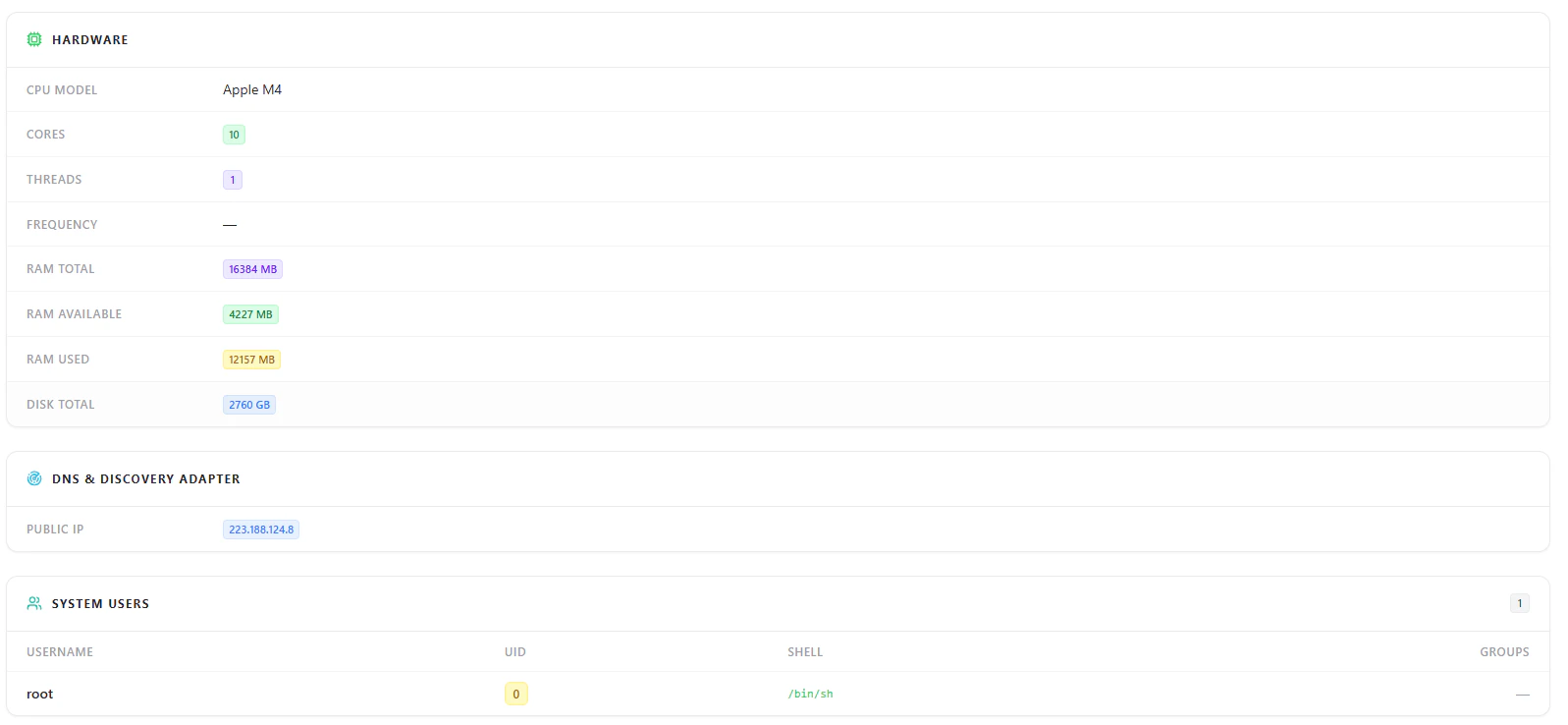
Hardware Details
Hardware configuration including CPU, RAM, and disk capacity
- CPU Model
- Cores & Threads
- RAM Total / Used / Available
- Disk Capacity
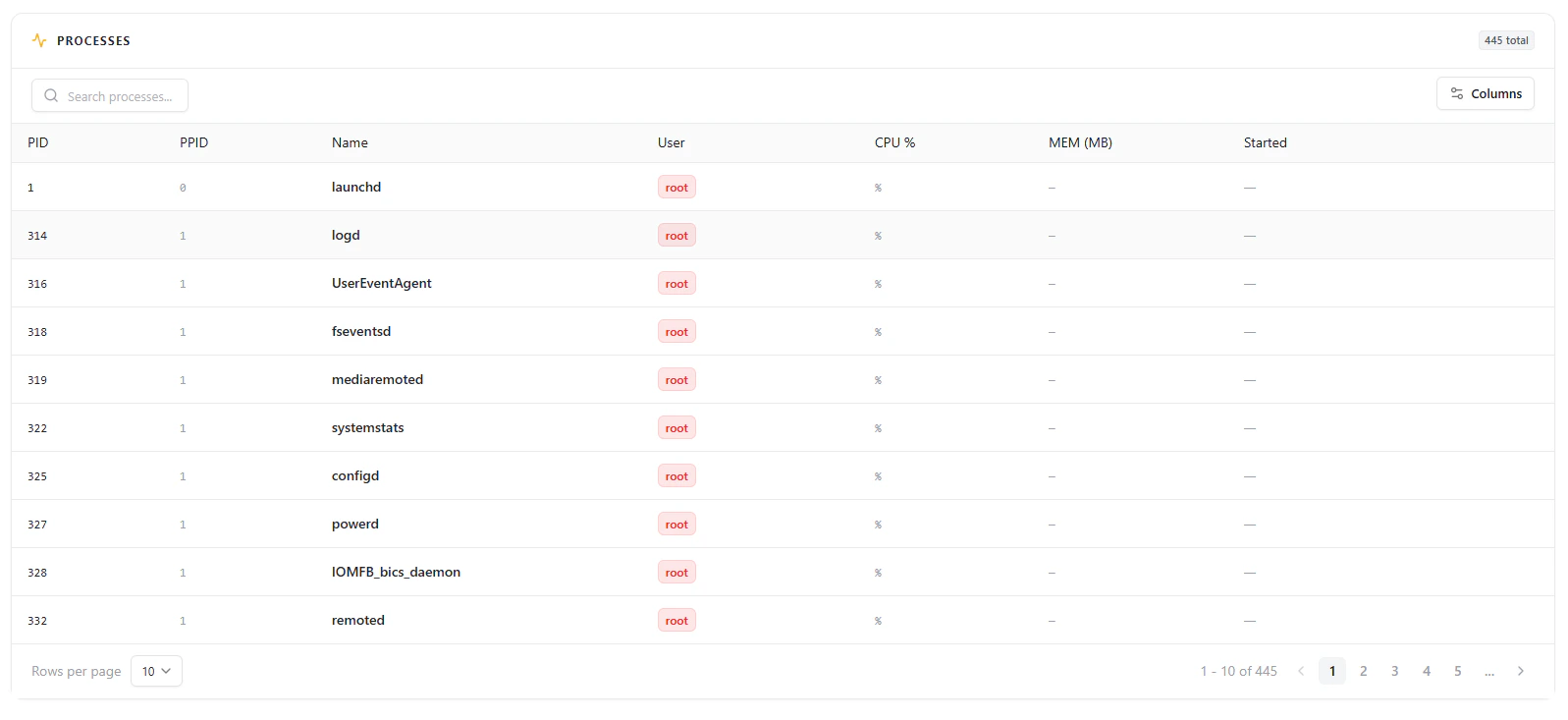
Processes
Running processes with PID, user, and resource usage
- Active processes
- Process IDs (PID / PPID)
- Running user (e.g., root)
- CPU and memory usage
Users & Network Information
System users and network location details
System Users
- Username
- UID
- Shell
- Groups
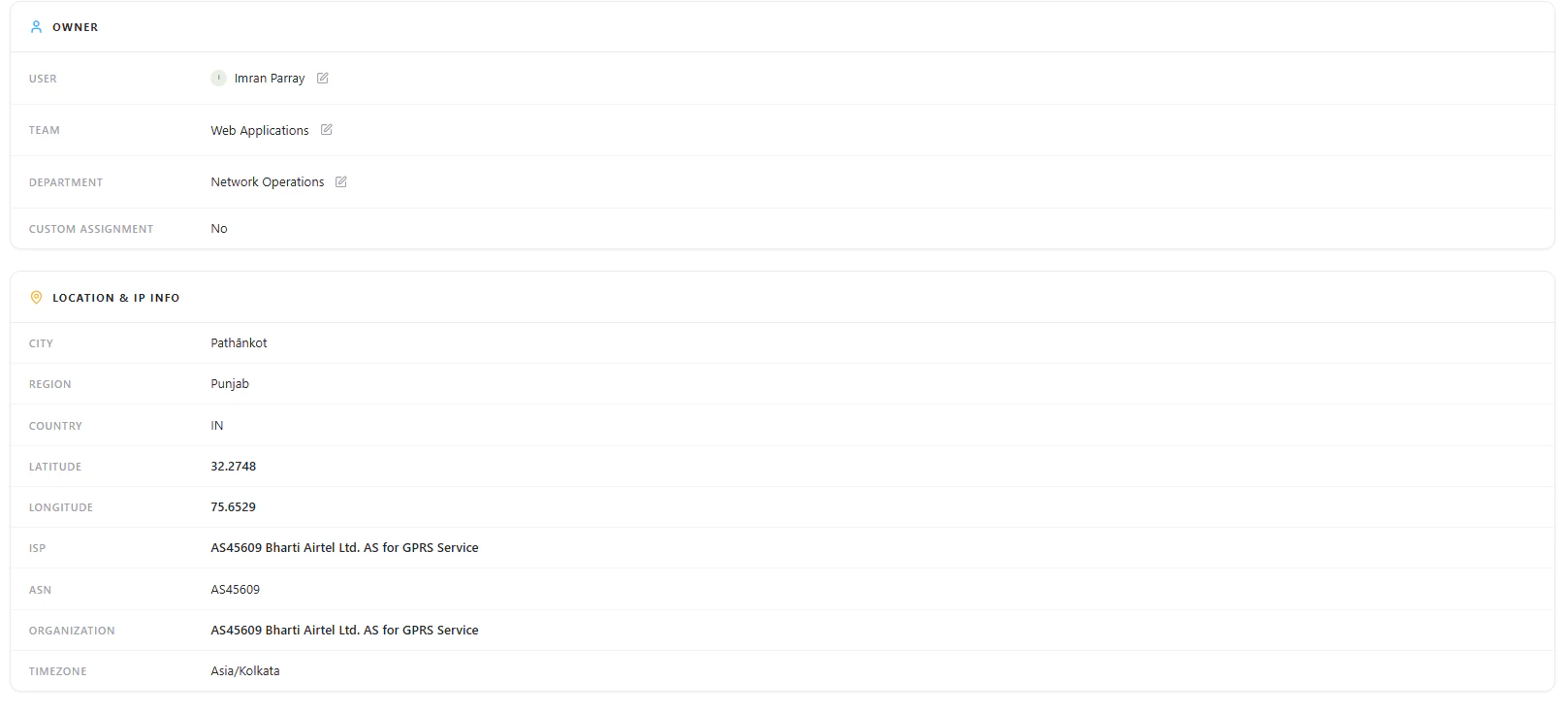
Network & Location
- Public IP
- City, Region, Country
- ISP and ASN
- Latitude & Longitude
- Timezone
Security Overview
Displays basic security posture of the workstation:- Total vulnerabilities
- Severity breakdown (if available)
- Open vs closed vulnerabilities
- Aggregate CVSS
- Remediation progress
- Last scan date
Ownership
Each workstation is mapped to an owner for accountability:- User
- Team
- Department
- Custom Assignment
Why This Matters
The Workstations module helps teams:- Maintain complete visibility of all endpoints
- Track device ownership and accountability
- Monitor system-level configurations
- Understand geographic and network exposure
- Investigate processes and user activity
- Identify vulnerable or unmanaged devices
Explore Live Demo
Explore AIM Live — No Signup Needed
Instantly explore how Snapsec AIM discovers and tracks workstations across your environment — all without creating an account.