

Overview
The Technology Index dashboard provides a high-level view of all technologies detected across your environment.It helps teams understand technology sprawl, external exposure, and dependency concentration at a glance.
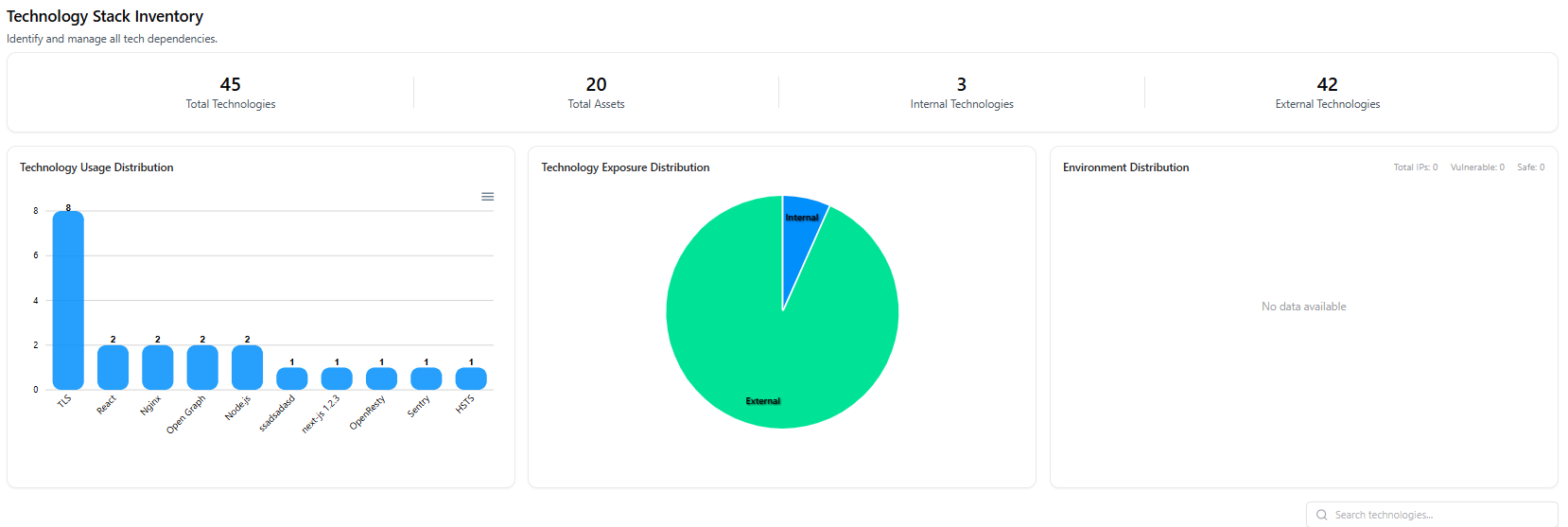
- Total Technologies discovered
- Total Assets using those technologies
- Internal vs External technologies
- Usage distribution across frameworks, libraries, servers, and protocols
- Exposure breakdown to identify internet-facing dependencies
Technology Inventory List
Below the dashboard, AIM presents a searchable technology inventory showing every detected technology as an individual entry.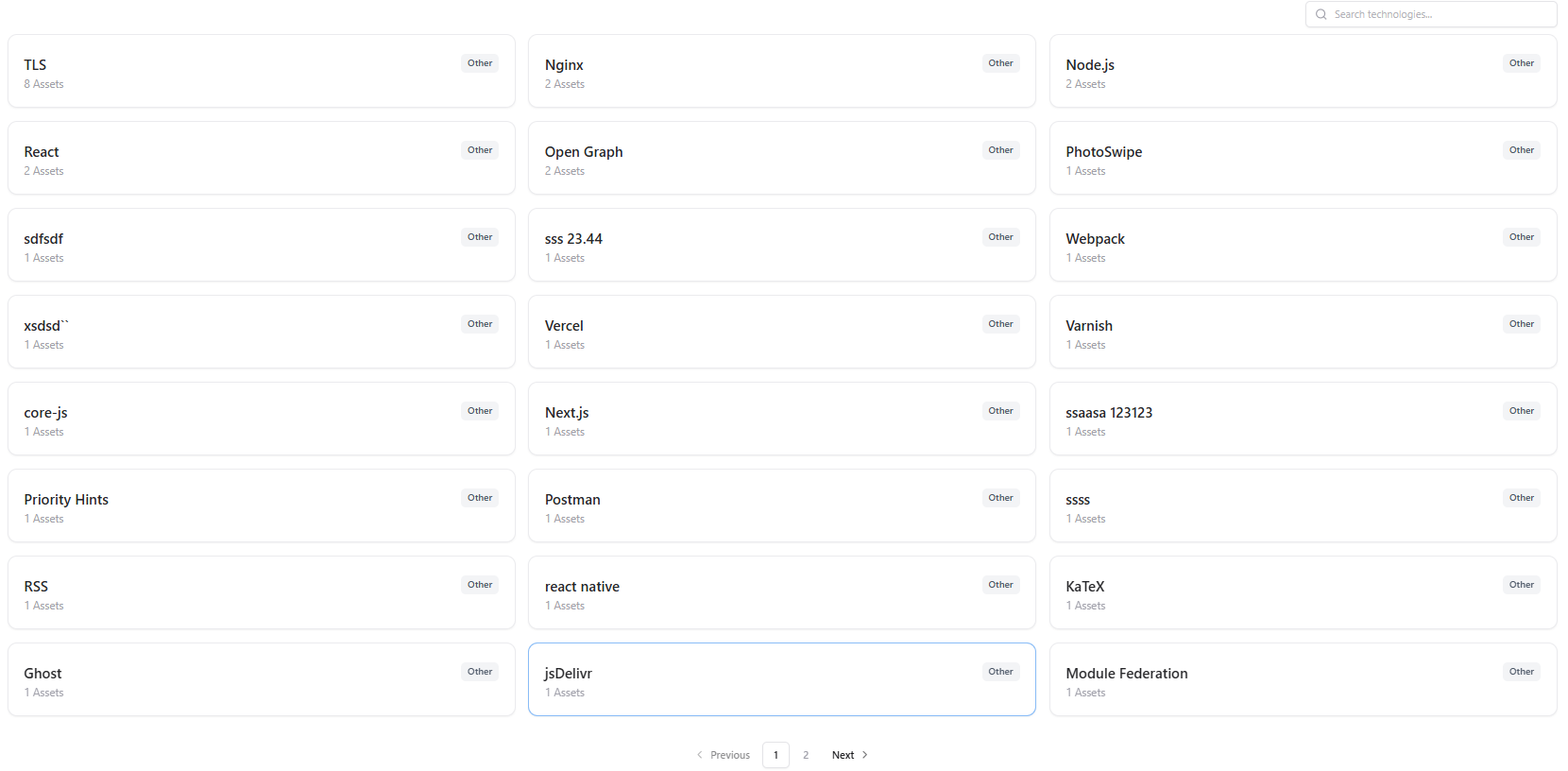
- Technology name (e.g., TLS, Nginx, React, Node.js)
- Number of associated assets
- Category / Type (framework, protocol, library, server, etc.)
- Identify widely used dependencies
- Locate rarely used or unexpected technologies
- Quickly pivot into affected assets for investigation
Technology Detail View
Clicking on any technology opens its Technology Detail view, which provides asset-level visibility.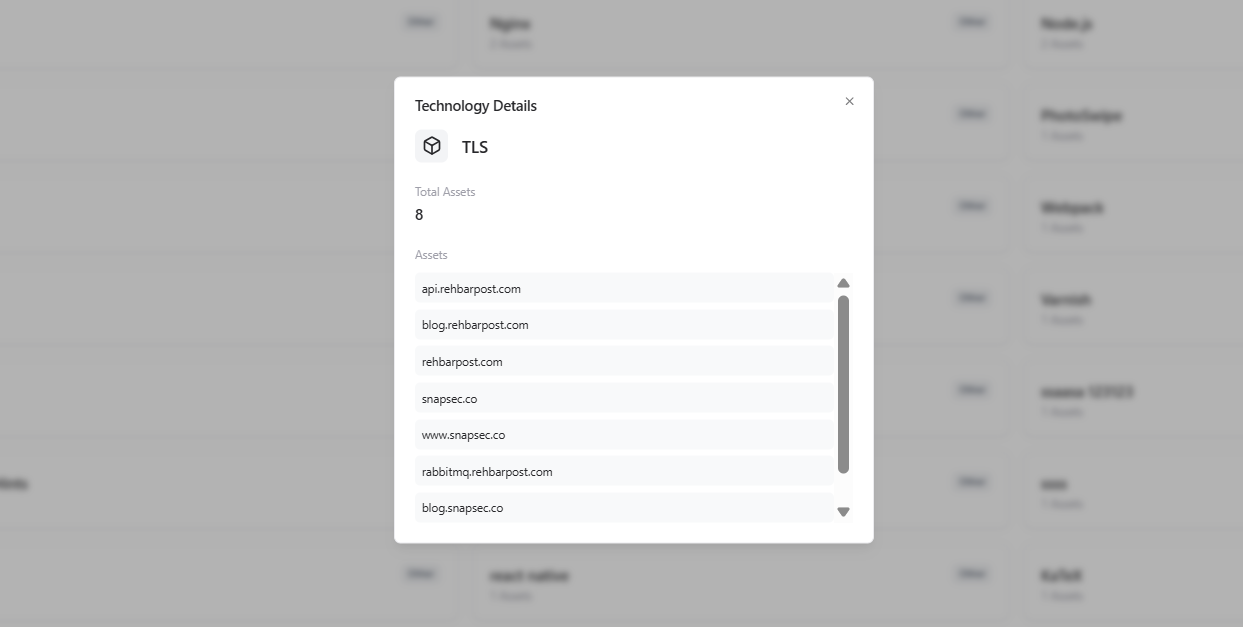
- Technology name
- Total assets using this technology
- List of associated assets (domains, subdomains, applications, APIs)
- Scrollable asset list for quick navigation
- Where a technology is deployed
- Which assets would be impacted by a vulnerability or upgrade
- Dependency concentration across critical services