

Overview
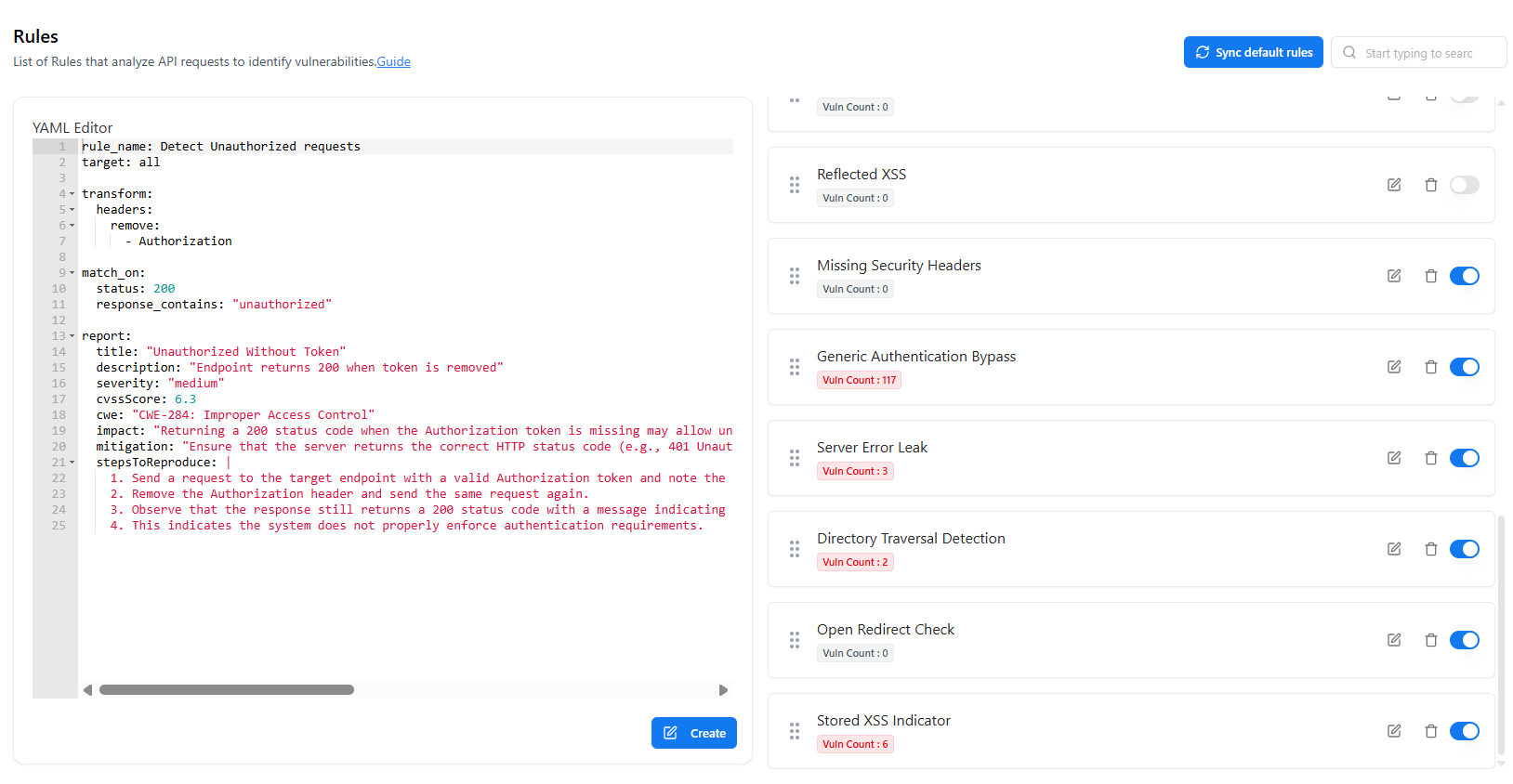
The Rules section defines how the Web Application Scanner (WAS) detects vulnerabilities.Rules analyze API requests and responses using configurable logic written in YAML, enabling precise and extensible security checks.
Overview
The Rules module allows you to:- View all available detection rules
- Enable or disable rules dynamically
- Track how many vulnerabilities each rule has detected
- Create or edit rules using a YAML-based editor
- Sync default rules provided by WAS
Rule List & Status
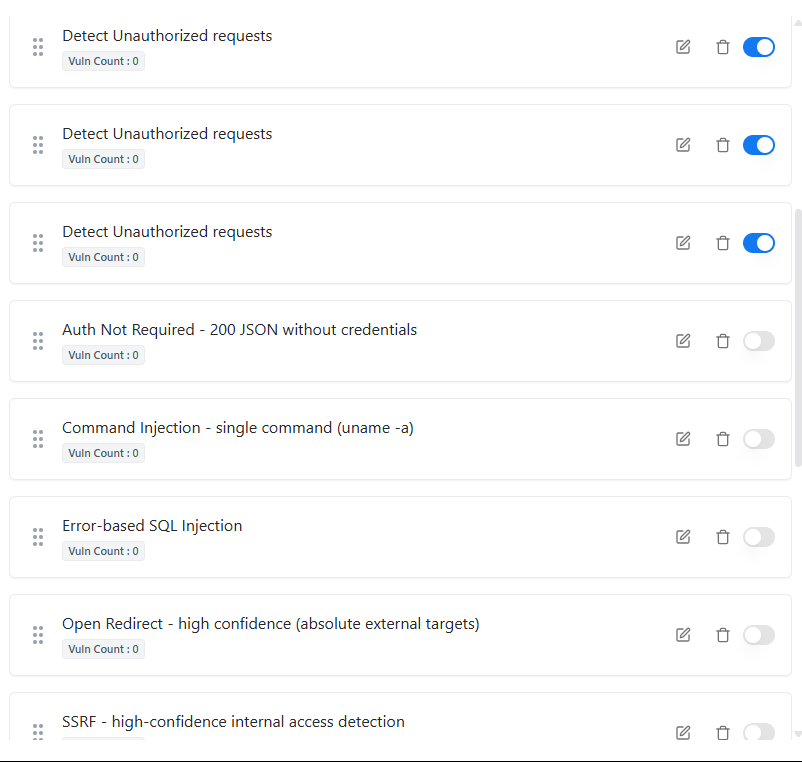
- Rule Name — Descriptive name of the detection logic
- Vuln Count — Number of vulnerabilities detected by the rule
- Status — Whether the rule is Active or Inactive
- Actions — Edit, delete, or toggle the rule
YAML Rule Editor
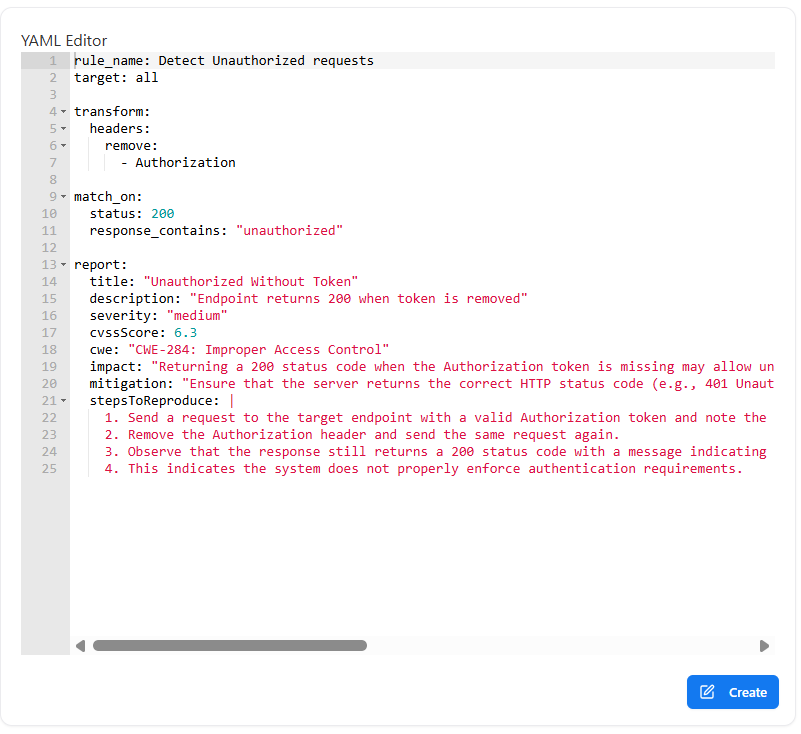
- rule name — Identifier for the rule
- target — Scope of execution (e.g., all requests)
- transform — Request/response transformations
- match_on — Conditions to trigger detection
- report — Vulnerability metadata
- Removing or modifying headers
- Matching HTTP status codes
- Inspecting response bodies
- Defining severity, CWE, and impact
Vulnerability Metadata
Within each rule, you can configure:- Title & Description
- Severity (Critical, High, Medium, Low)
- CVSS Score
- CWE Mapping
- Impact Description
- Mitigation Guidance
- Steps to Reproduce
Rule Actions
Create Rule
Add a new custom detection rule using the YAML editor.
Edit Rule
Modify existing rule logic or vulnerability metadata.
Enable / Disable Rule
Control whether a rule participates in active scans.
Sync Default Rules
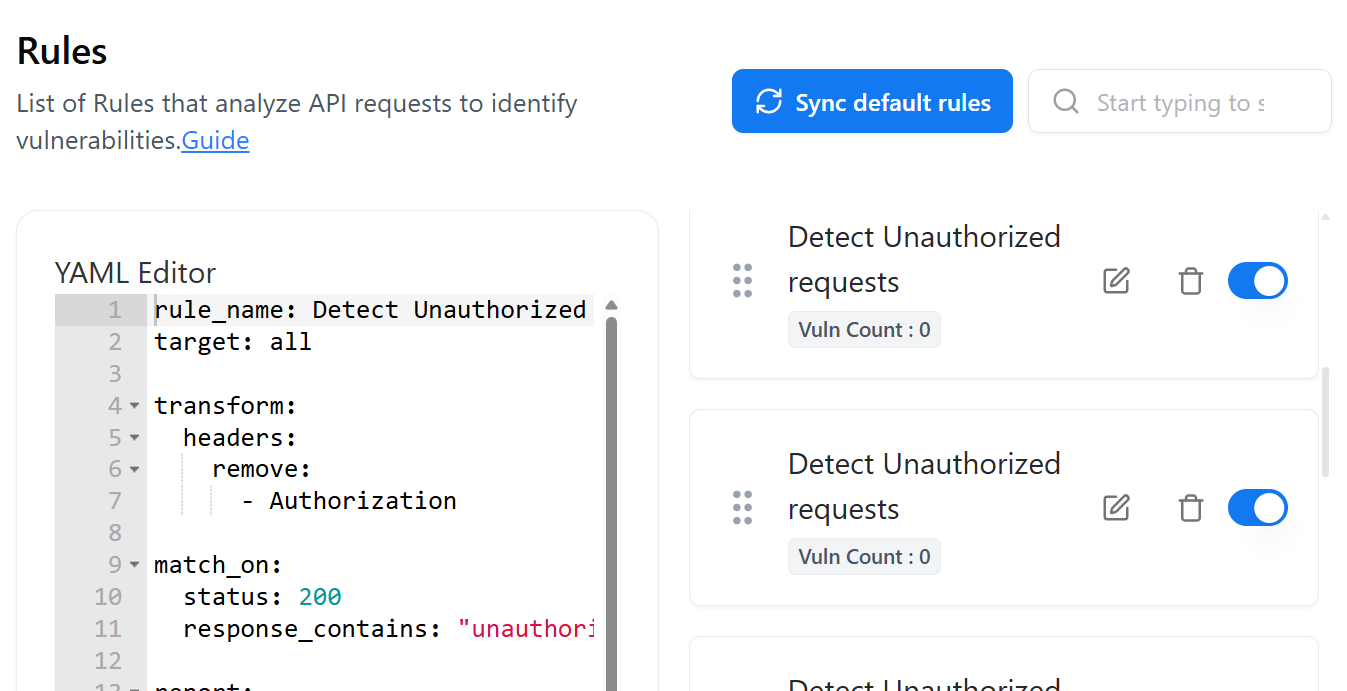
- Restore the default WAS rule set
- Receive updates to built-in detection logic
- Ensure alignment with latest vulnerability checks
When to Use the Rules Page
Customize Detection Logic
Tailor vulnerability detection to your application’s behavior.
Improve Signal Quality
Reduce false positives by refining match conditions.
Validate Rule Effectiveness
Review vulnerability counts to assess rule impact.
Extend Coverage
Add new rules to detect custom or business-logic flaws.
Explore Live Demo
Explore Snapsec Live — No Signup Needed
Jump straight into the live environment and see how Snapsec unifies asset intelligence, threat detection, and vulnerability tracking — all in one dashboard.