

Overview
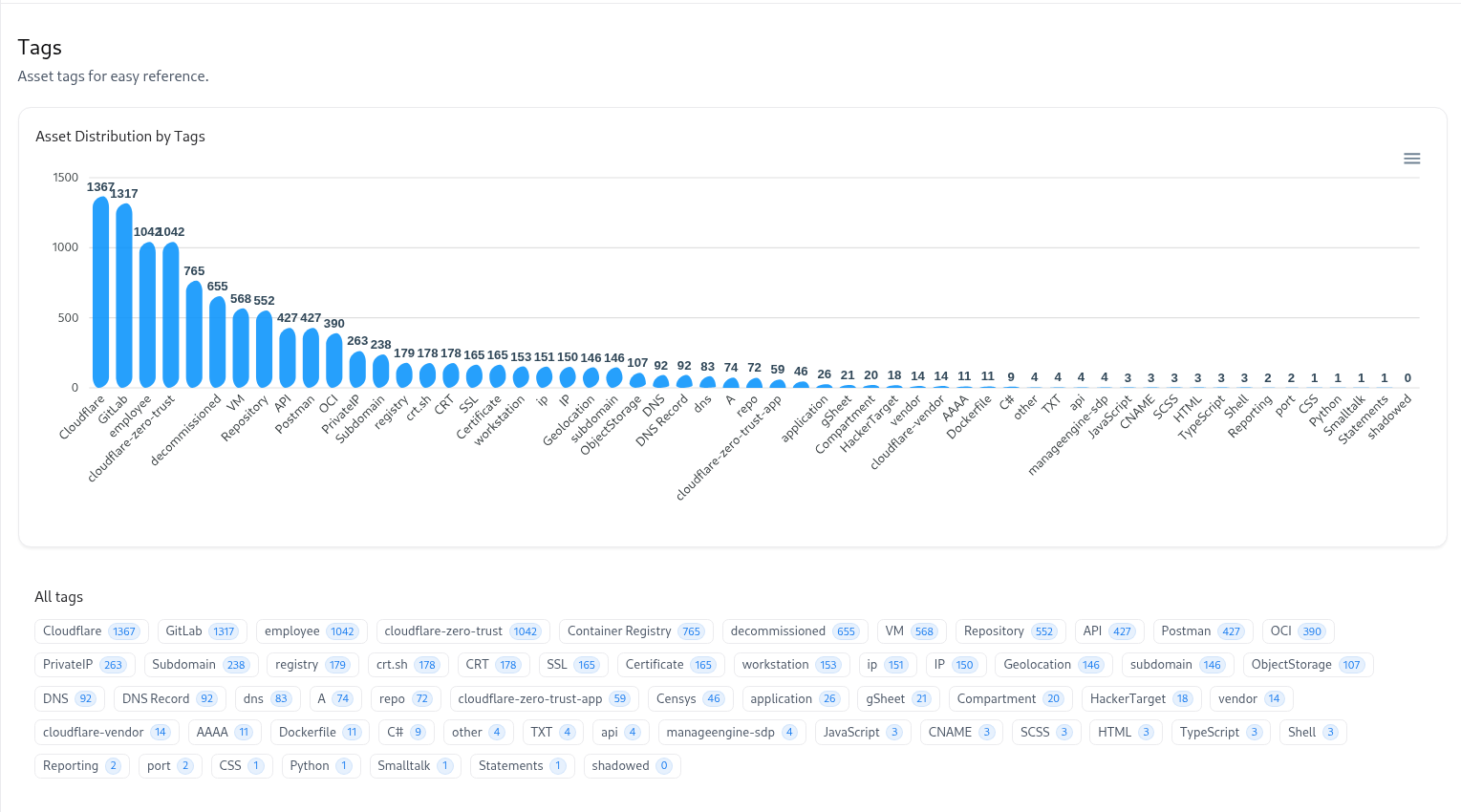
Tags enable effortless organization and quick reference across your asset inventory.They help categorize assets by source, type, ownership, or environment — making it easier to track, filter, and act on related groups.
Clicking any tag dynamically opens the Global Catalog filtered for that tag.
Key Capabilities
Comprehensive Distribution
Visualize how assets are spread across tags like Cloudflare, GitLab, or Container Registry.
1-Click Catalog Navigation
Click a tag chip to jump straight into the Global Catalog with the tag filter pre-applied.
Smart Tagging System
Supports tags for environment, repository, owner, or integration source.
Actionable Insights
Identify tag-heavy areas to find redundant, shadowed, or decommissioned assets.
How It Works
View Tag Chart
The bar chart visualizes tag counts, showing which categories dominate your inventory.
Deep Link Format
Examples:
/products/aim/gloabl-catalog?tag=Cloudflare
/products/aim/gloabl-catalog?tag=SSL
/products/aim/gloabl-catalog?tag=Repository
Best Practices
- Use consistent prefixes like
env:,team:, orsource:for clean governance. - Pair source tags (e.g.,
GitLab,Cloudflare) with functional ones (API,Repo) for richer filtering. - Regularly review tags with high counts (
decommissioned,shadowed) to track lifecycle maturity.
Explore Live Demo
Explore AIM Live — No Signup Needed
Instantly explore how Snapsec AIM discovers, enriches, and tracks every asset in real time — all without creating an account.