

Overview
The Scan Management module centralizes all scanning operations — enabling teams to launch on-demand scans, manage recurring schedules, organize scans into groups, and monitor execution results in real time. It acts as the operational hub for continuous vulnerability assessment.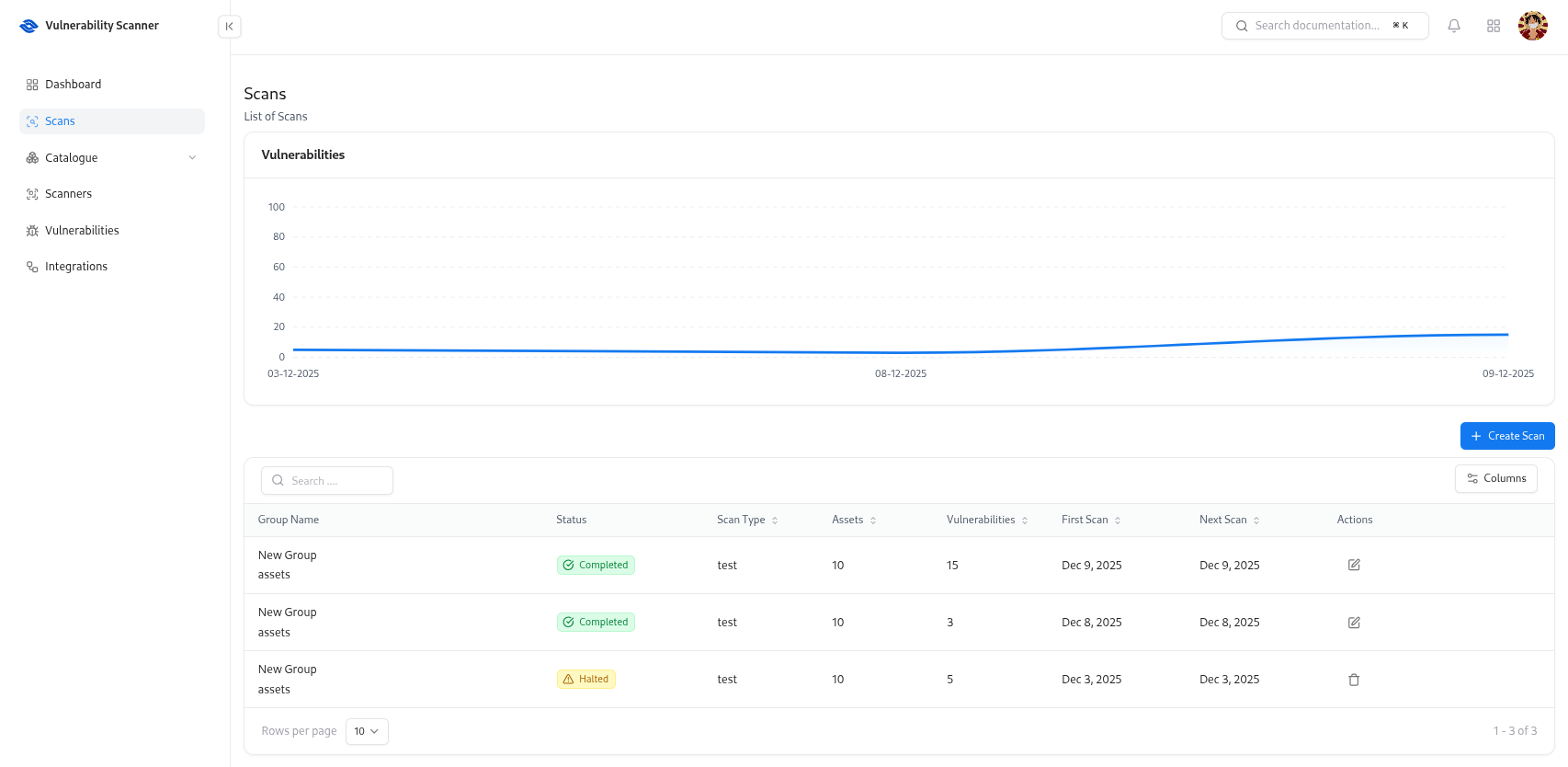
Overview
Scan Management provides full lifecycle control over every scan performed by Snapsec’s Vulnerability Scanner.From this module, you can:
- Launch manual or automated scans
- Group related scans for organized workflows
- Schedule recurring weekly or monthly scans
- Track scan progress and completion
- Review historical executions and statuses
Scan Actions
Create New Scan
Define scan name, asset scope, scanner engine, and configuration settings to launch a new test instantly.
Run On-Demand Scans
Trigger immediate scans whenever new deployments or suspicious activity occurs.
Schedule Recurring Scans
Automate weekly, monthly, or custom scan intervals across specific assets or groups.
Group-Based Scanning
Organize related scan tasks into logical groups (e.g., Production APIs, Internal Apps).
Scan Table & Insights
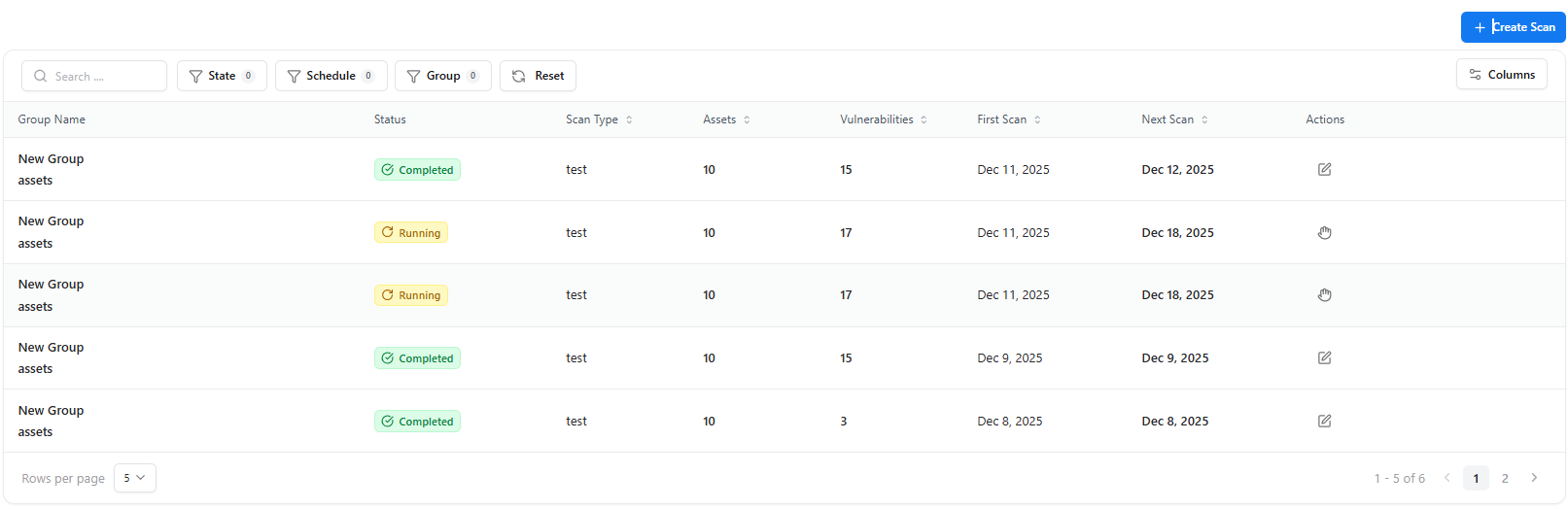
| Column | Description |
|---|---|
| Scan Name | Title assigned to the scan |
| Assets | Number of assets included in the scan |
| Scanner | Scanner engine used (API, Web, Network, etc.) |
| Created On | Timestamp when the scan was created |
| Last Executed | Last time the scan was run |
| Runs | Total number of executions |
| Actions | Options to Run, Edit, or Delete |
Scheduling & Automation
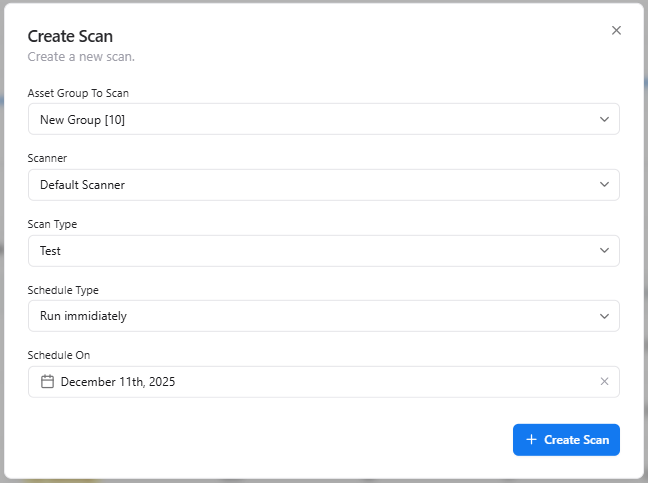
Supported Frequencies
- Daily
- Weekly
- Monthly
- Custom intervals
Scan Runs (Execution History)
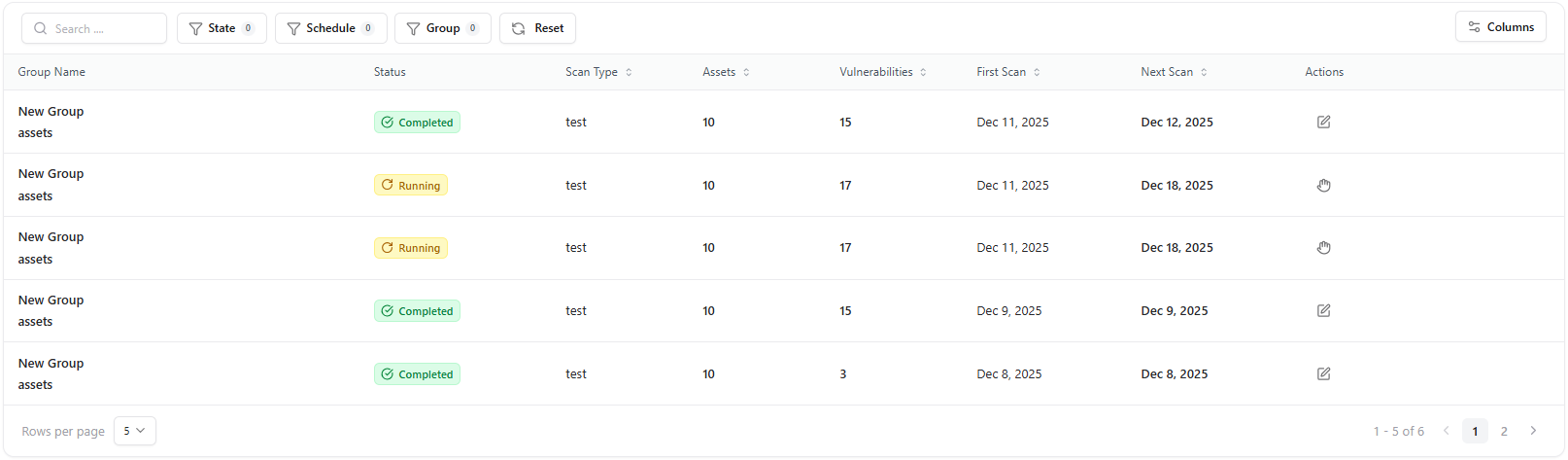
- Execution status (Success, Failed, In Progress)
- Total vulnerabilities found
- Severity distribution
- Duration & timestamps
- Linked assets and scanner types
Key Benefits
Operational Consistency
Automated and recurring scans ensure continuous visibility across changing environments.
Faster Response
On-demand scans validate new deployments or investigate emerging threats instantly.
Reduced Complexity
Scan groups simplify management for large organizations with many assets.
Historical Tracking
Review past runs to measure remediation effectiveness and long-term trends.
Explore Live Demo
Explore Snapsec Live — No Signup Needed
Jump straight into the live environment and see how Snapsec unifies asset intelligence, threat detection, and vulnerability tracking — all in one dashboard.