

Documentation Index
Fetch the complete documentation index at: https://docs.snapsec.co/llms.txt
Use this file to discover all available pages before exploring further.
Overview
The Normalization Engine allows you to automatically classify and standardize vulnerabilities using custom rules. Instead of manually triaging findings, you can:- Normalize inconsistent data from multiple sources
- Apply severity or categorization rules
- Reduce noise and false positives
- Enforce consistent vulnerability handling
Rules Dashboard
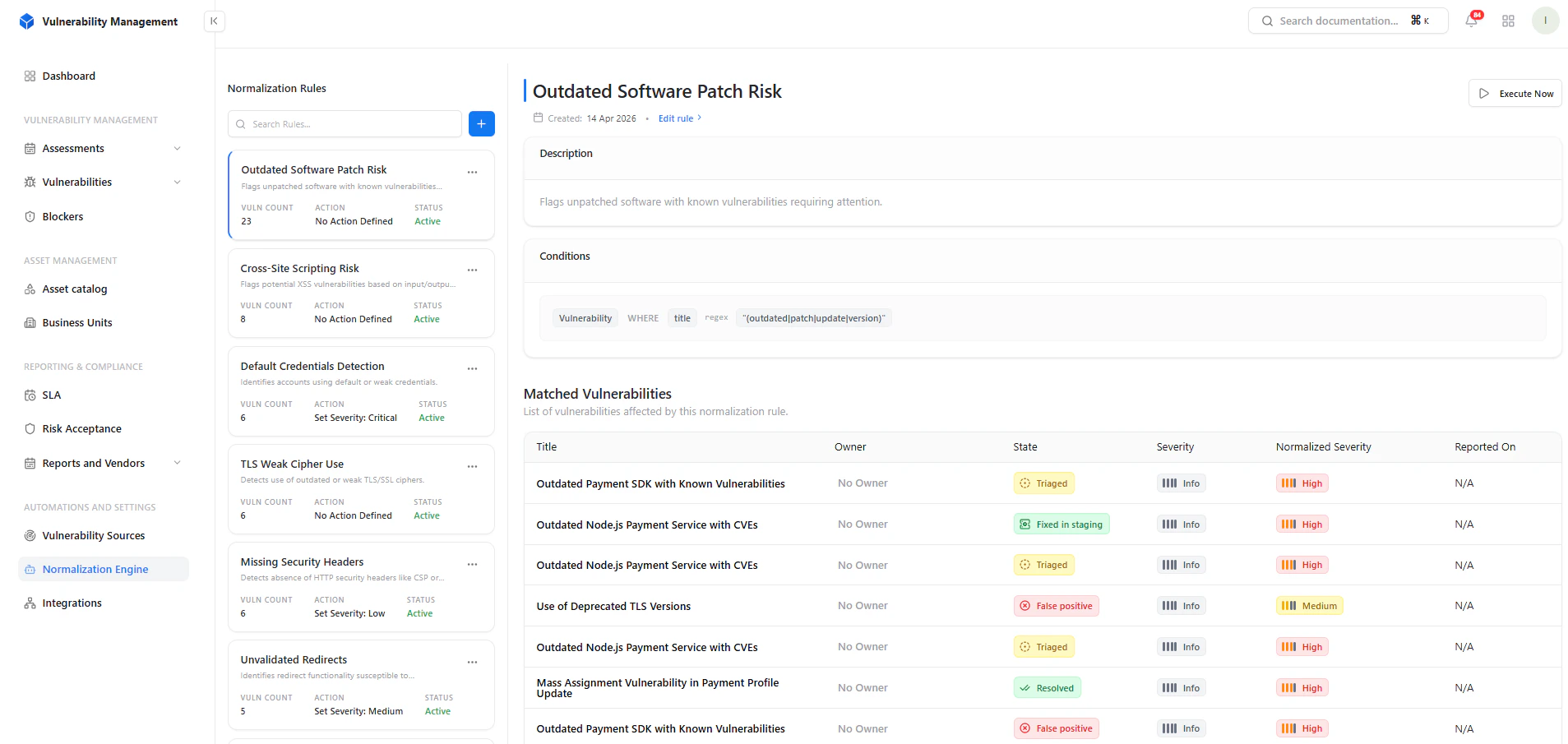
What You See
- List of normalization rules
- Vulnerability count per rule
- Current action applied
- Rule status (Active / Inactive)
Create Normalization Rule
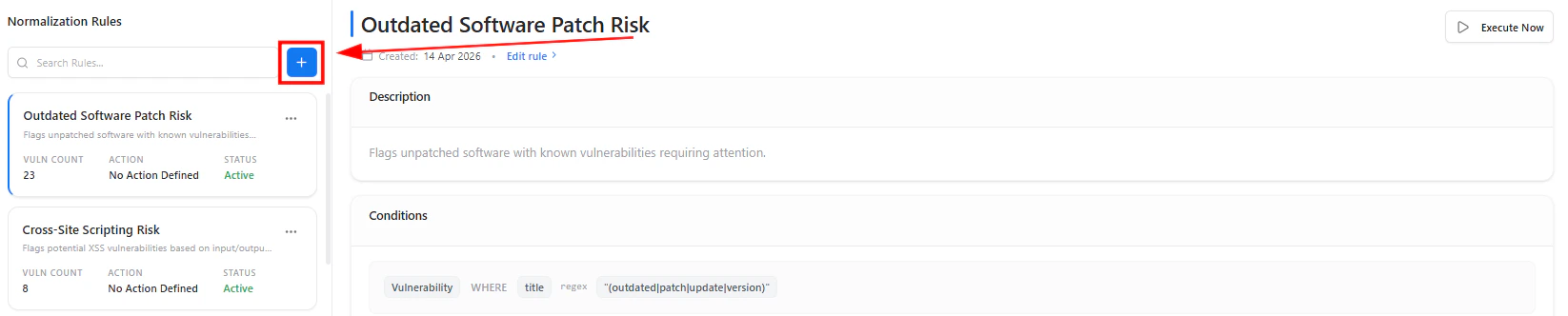
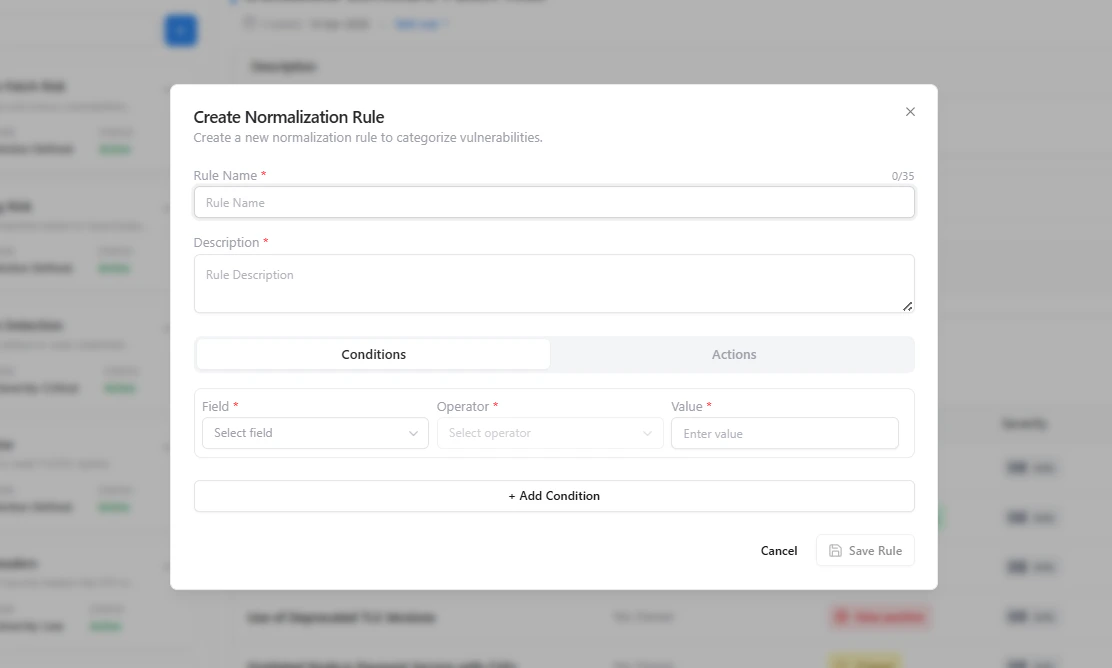
Rule Configuration
Each rule consists of:1. Rule Details
- Rule Name
- Description
2. Conditions
Define when the rule should apply:- Field (e.g., Title, Severity, Source)
- Operator (contains, equals, regex)
- Value
Rule Matching & Output
What Happens
Once a rule is applied:- Matching vulnerabilities are automatically identified
- Rules can standardize severity or classification
- Helps unify inconsistent findings across tools
Search & Rule Navigation
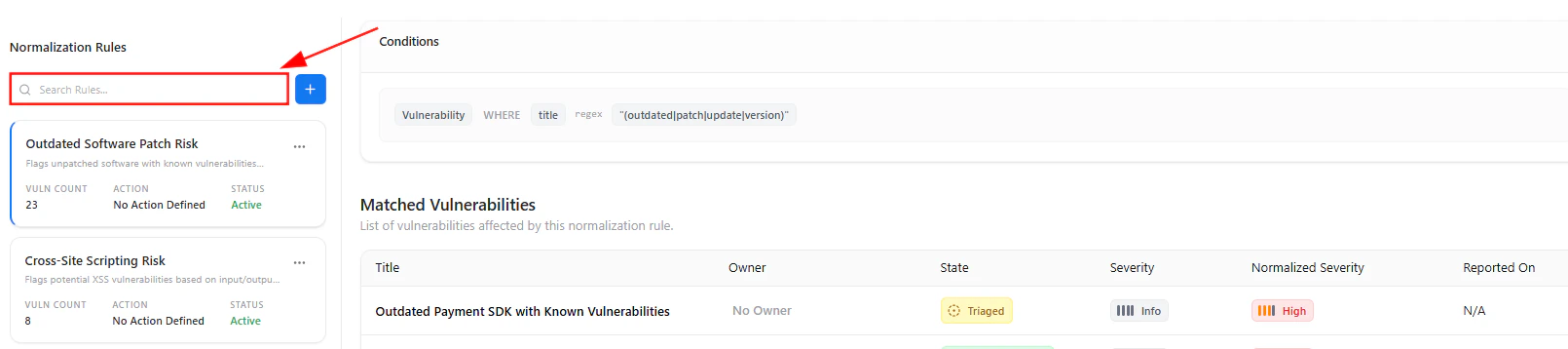
- Quickly search rules
- Navigate large rule sets
- Identify relevant normalization logic faster
How It Works
- Define a rule using conditions
- System scans vulnerabilities
- Matches findings based on logic
- Applies normalization automatically
Example Use Cases
- Tag all “Outdated Software” findings as High
- Normalize scanner-specific naming differences
- Reduce duplicate classifications
- Automatically flag risky patterns
Key Value
- Eliminates manual triage overhead
- Ensures consistent vulnerability classification
- Improves reporting accuracy
- Reduces noise from multiple sources
Explore Live Demo
Explore VM Live — No Signup Needed
Jump straight into the live environment and see how Snapsec unifies asset intelligence, threat detection, and vulnerability tracking — all in one dashboard.