

Overview
The Certificates section provides complete visibility into all SSL/TLS certificates discovered across your environment.It helps teams monitor certificate health, prevent expirations, and understand how certificates are connected to assets like subdomains and services.
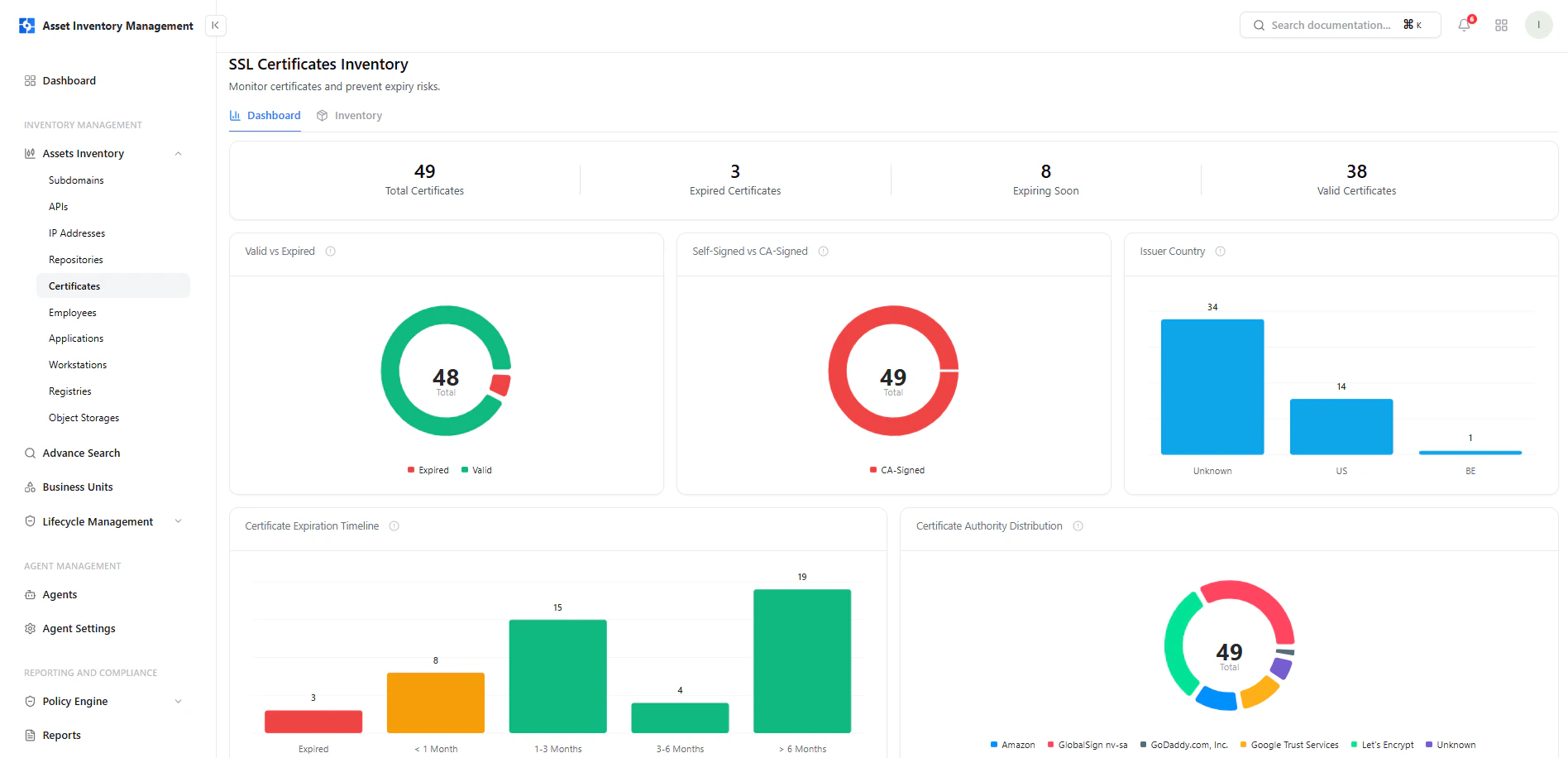
Certificates inventory showing status, issuer, validity period, and ownership
Dashboard View
The dashboard provides a high-level overview of certificate posture and expiry risks.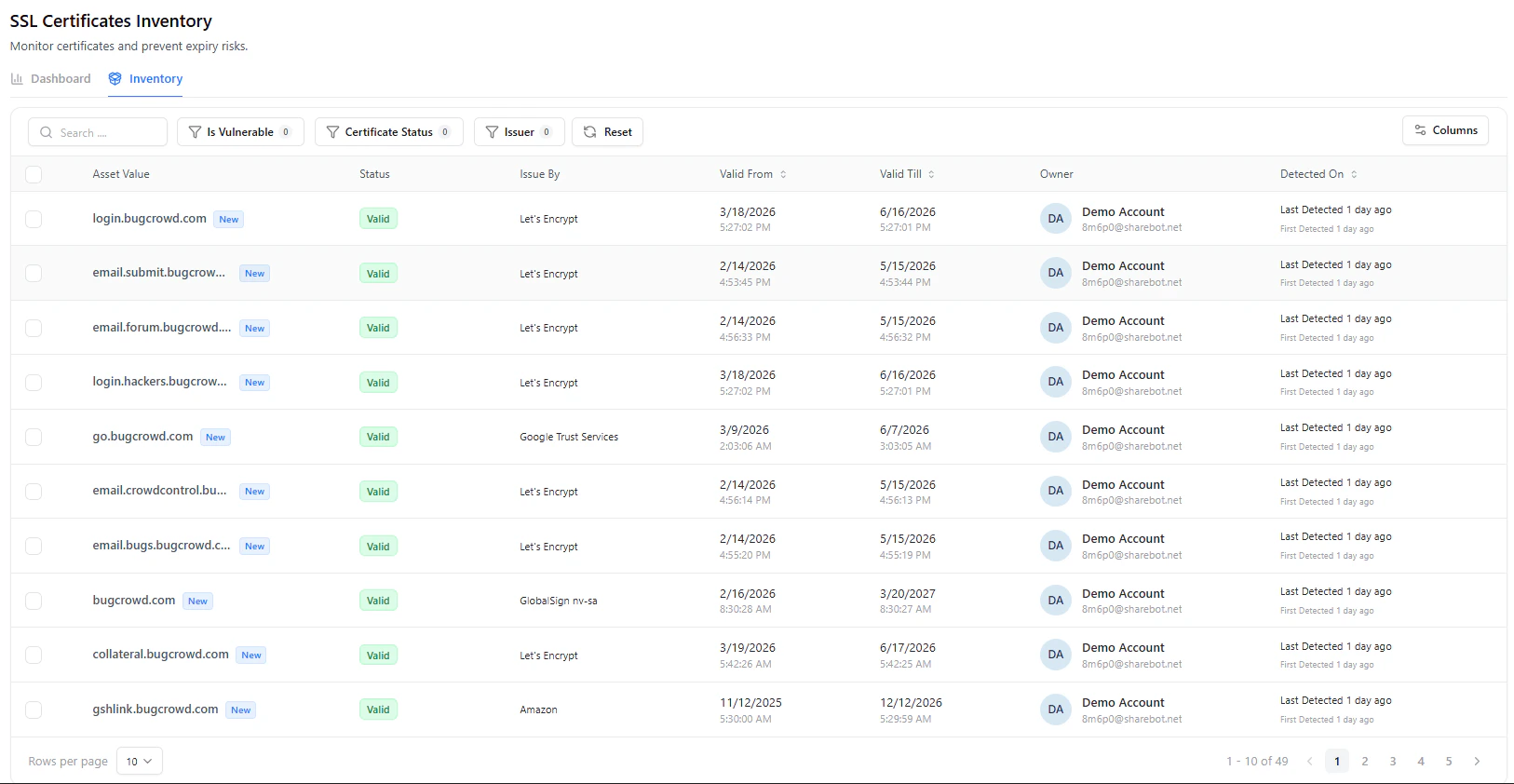
Certificates dashboard showing validity, expiry timeline, and certificate authority distribution
Key Metrics
- Total Certificates — All discovered certificates
- Expired Certificates — Certificates no longer valid
- Expiring Soon — Certificates nearing expiration
- Valid Certificates — Currently active and trusted certificates
Key Insights
Valid vs Expired
Quickly identify:- Active certificates
- Expired certificates
Certificate Authority Distribution
Shows which providers are issuing certificates:- Let’s Encrypt
- Google Trust Services
- GlobalSign
- Others
Issuer Country
Breakdown of certificate issuers by country:- Helps detect unusual or unexpected issuance sources
Expiration Timeline
Visualizes when certificates will expire:- Immediate (< 1 month)
- Short-term (1–3 months)
- Mid-term (3–6 months)
- Long-term (> 6 months)
Inventory Table
The certificates table is the primary view for managing certificate assets.Key Columns
Certificate Detail View
Selecting a certificate opens a detailed asset view with full context.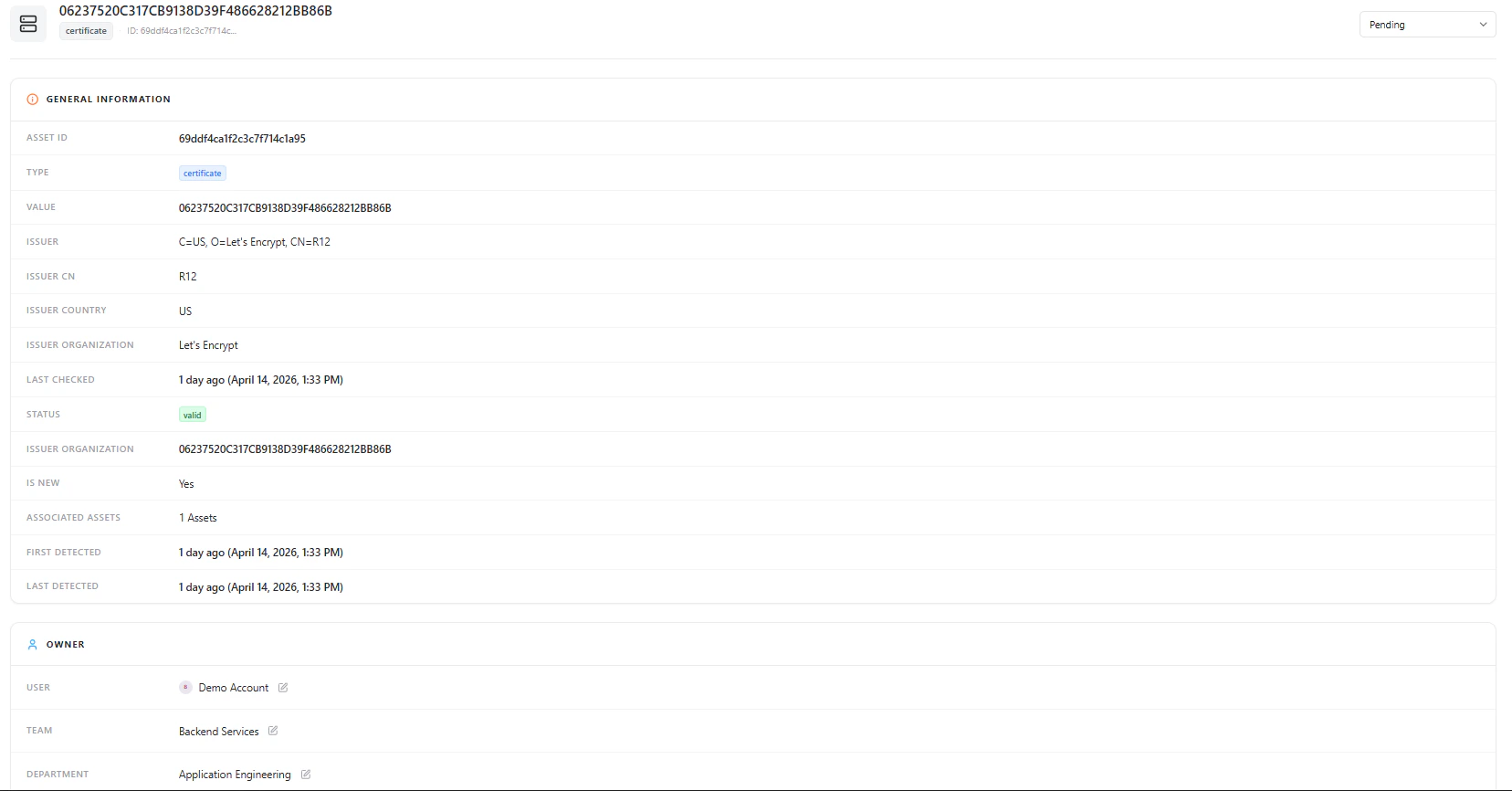
Certificate detail view showing metadata, ownership, and lifecycle status
General Information
This section includes:- Asset ID
- Type (Certificate)
- Certificate Value (Fingerprint / Hash)
- Issuer Details (CN, Organization, Country)
- Last Checked Timestamp
- Certificate Status (Valid/Invalid)
- Associated Assets
- First Detected / Last Detected
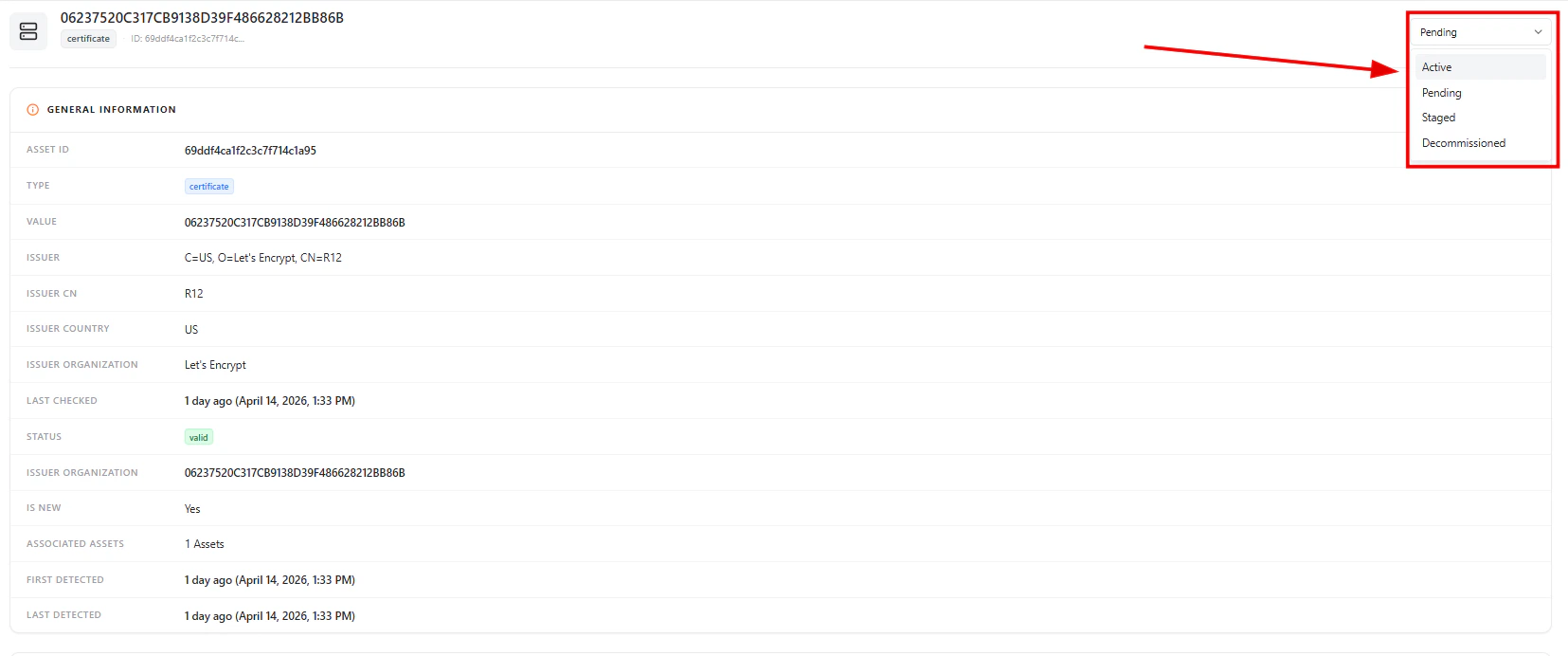
Lifecycle Management
Each certificate can be assigned a lifecycle state:- Active — Currently in use
- Pending — Newly discovered or under review
- Staged — Prepared but not fully active
- Decommissioned — No longer in use
Ownership & Accountability
Owner details including user, team, and department
- User
- Team
- Department
Security Insights
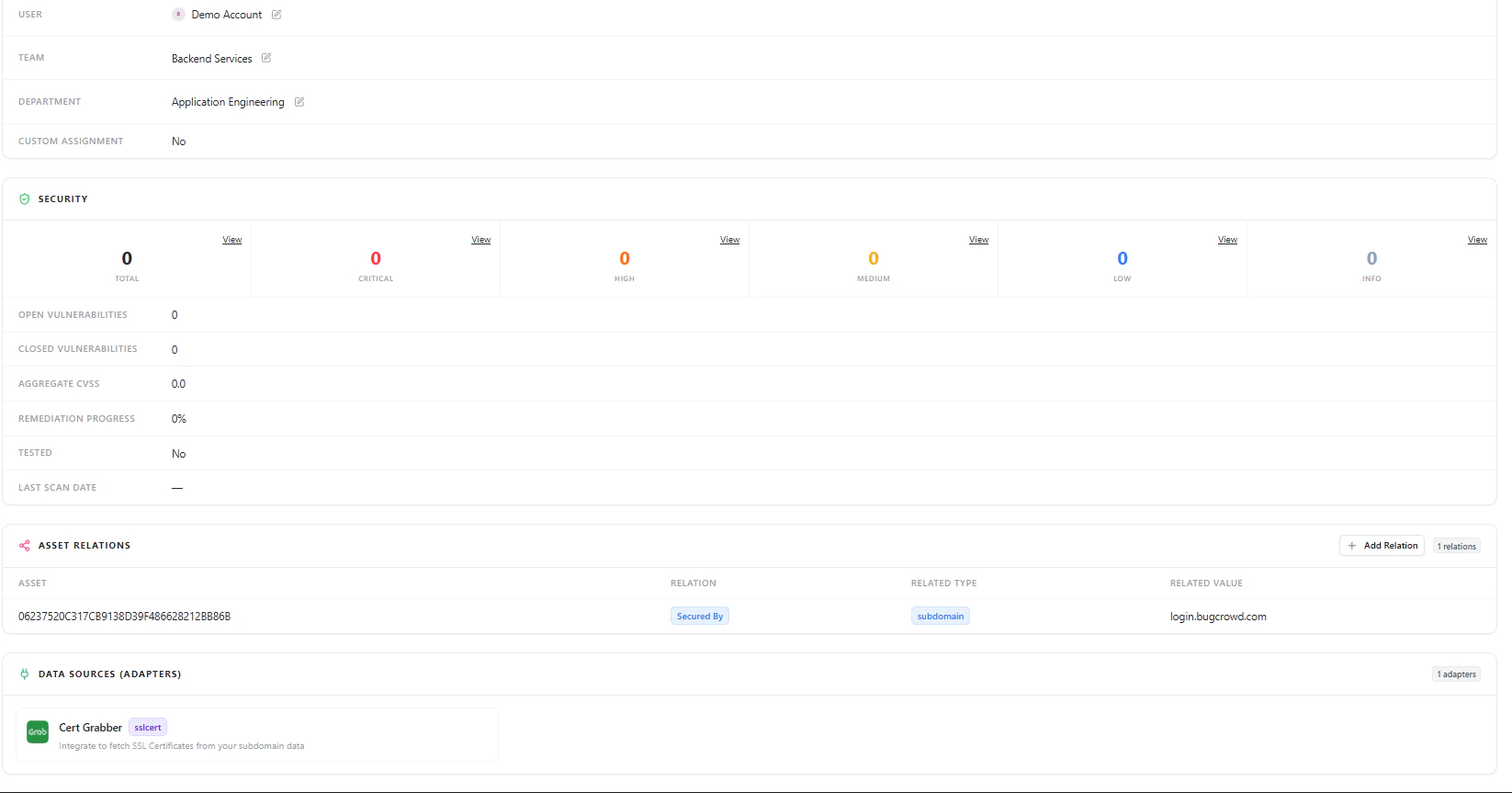
Security panel showing vulnerability counts and severity distribution
- Total vulnerabilities linked to the certificate
- Severity breakdown (Critical, High, Medium, Low, Info)
- Open vs closed vulnerabilities
- Aggregate CVSS score
- Remediation progress
Asset Relationships
Certificates are linked to other assets such as:- Subdomains
- Domains
- Applications
Data Sources
Shows which adapter discovered the certificate (e.g., SSL cert scanner), helping validate data origin and reliability.Why This Matters
The Certificates module helps teams:- Prevent outages caused by expired certificates
- Identify weak or misconfigured certificates
- Maintain trust and compliance standards
- Track ownership and accountability
- Understand certificate dependencies across assets
Explore Live Demo
Explore AIM Live — No Signup Needed
Instantly explore how Snapsec AIM discovers, enriches, and tracks certificates and other assets in real time — all without creating an account.