

Overview
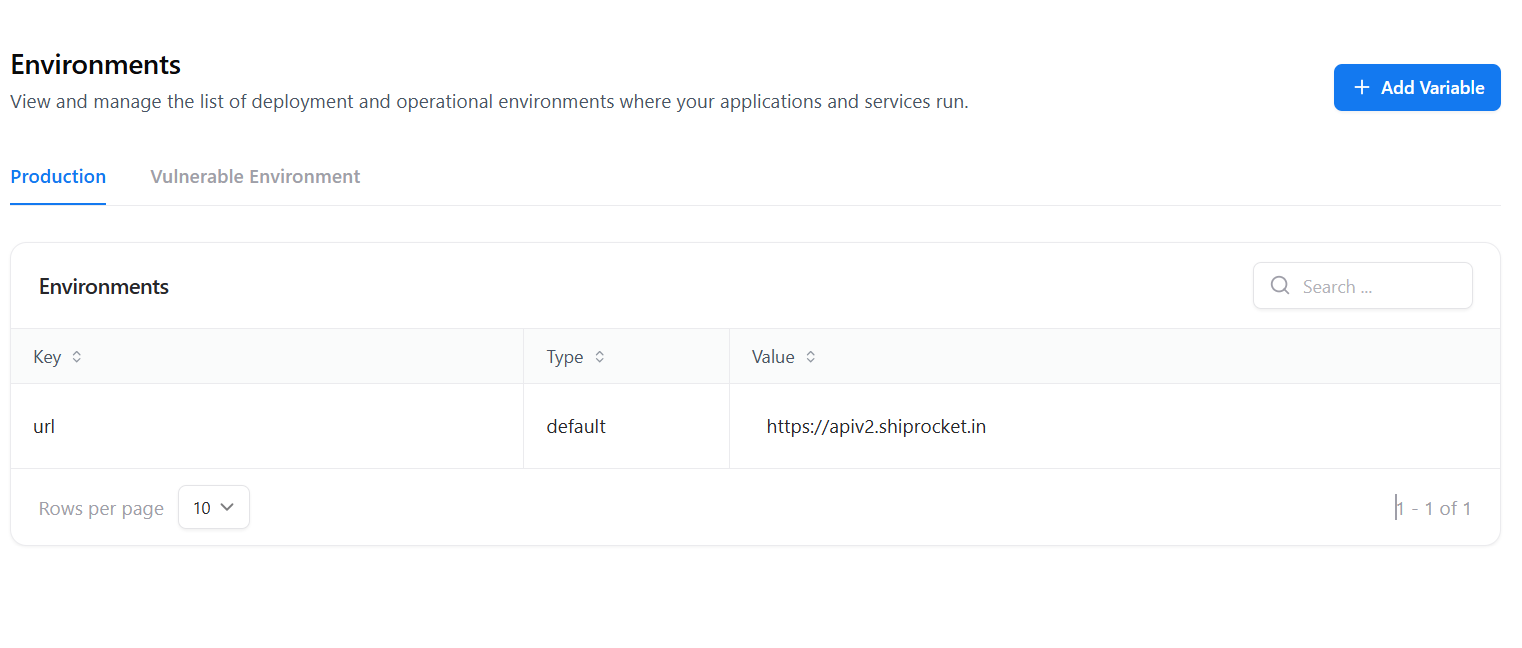
The Environments section allows you to configure deployment variables and vulnerable testing environments used across scans.These variables help WAS dynamically interact with production systems and controlled vulnerable targets.
Overview
The Environments module centralizes key-value pairs that define:- Base URLs for the application under test
- Additional operational variables required during scanning
- Vulnerable test environments for security validation workflows
Environment Types
Production Environment
Contains variables used for scanning real applications such as production base URLs.
Vulnerable Environment
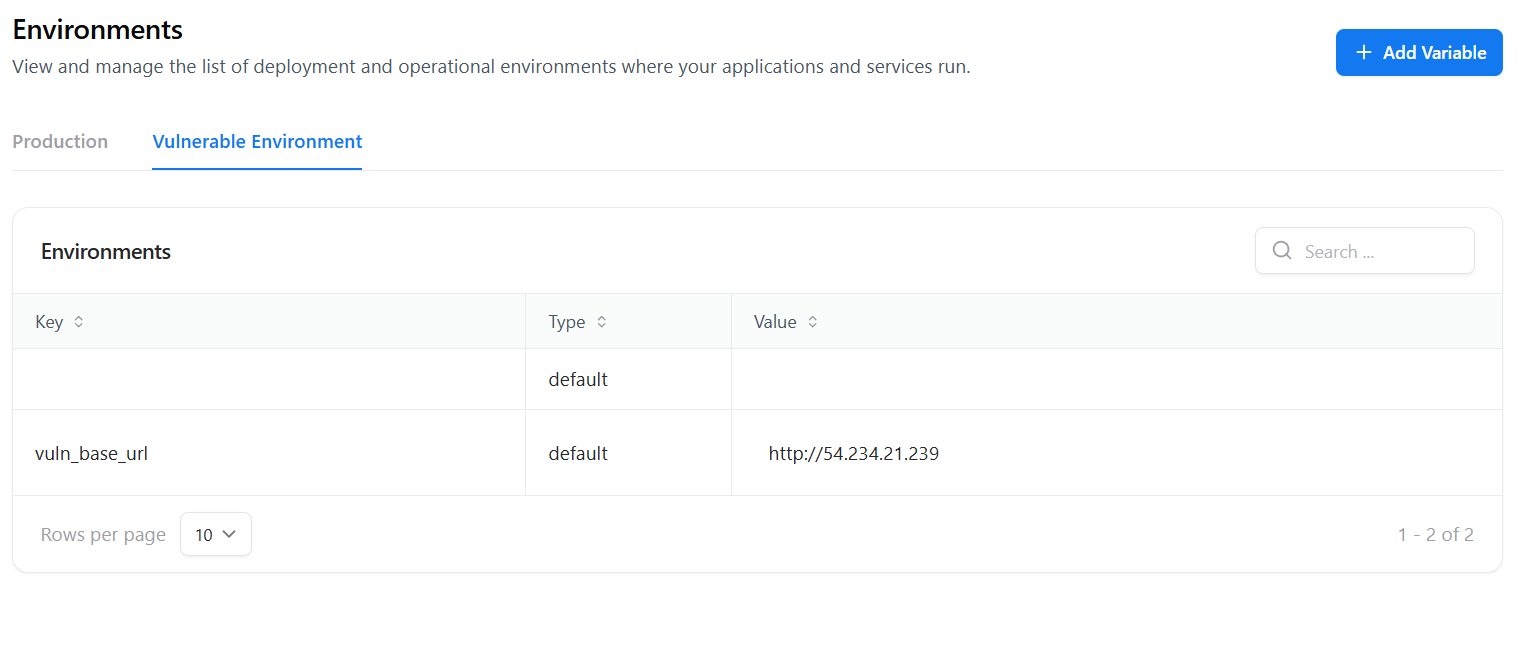
Defines intentionally vulnerable targets for testing, training, or validation.
Production Environment
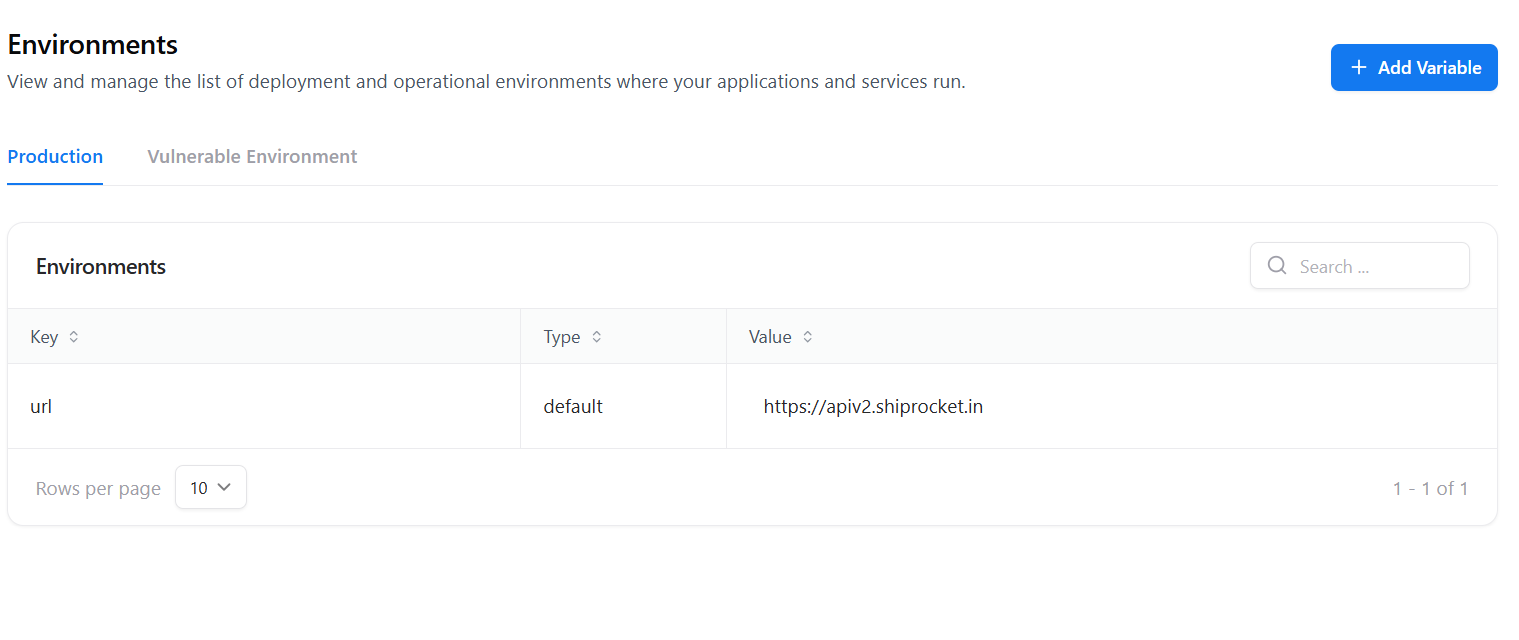
- Key — Variable name (e.g.,
url) - Type — Default
- Value — Production endpoint (e.g.,
https://apiv2.shiprocket.in)
Vulnerable Environment
- Rule validation
- Security training
- Detection accuracy testing
- Key:
vuln_base_url - Value:
http://54.234.21.239
Add Variable
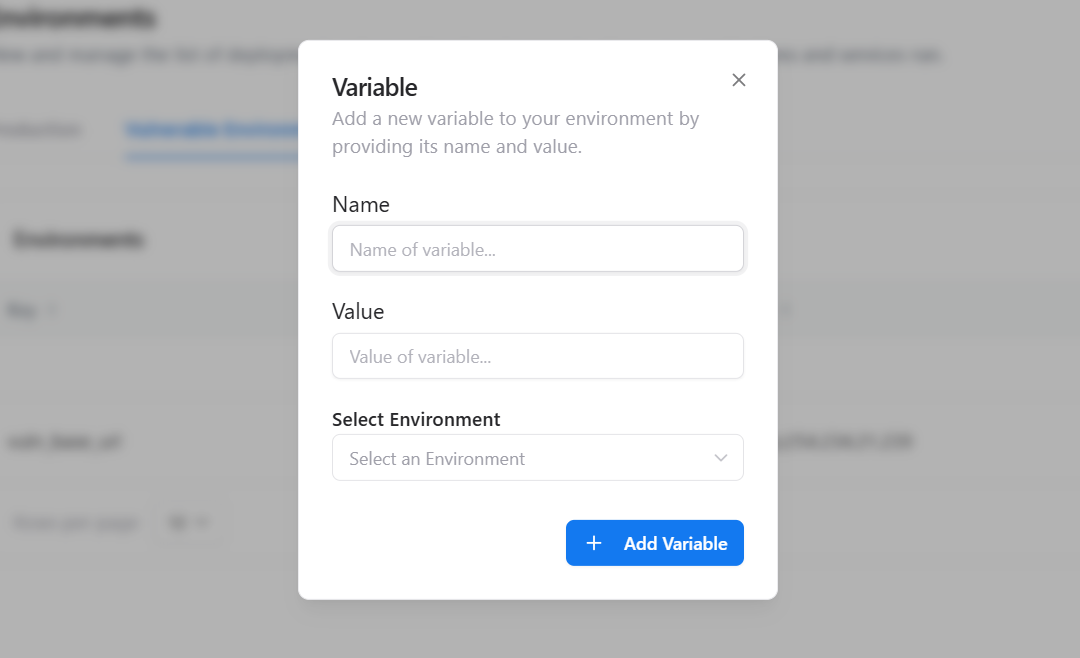
- Click Add Variable
- Enter the Variable Name
- Provide the Value
- Select the target Environment (Production or Vulnerable)
- Click Add Variable to save
Key Actions Available
Add Variable
Create new environment variables for production or vulnerable targets.
Edit Variable
Update existing values when URLs or configurations change.
Delete Variable
Remove unused or deprecated variables safely.
When to Use the Environments Page
Centralize Configuration
Avoid repeating base URLs or values across multiple scans.
Support Multiple Setups
Easily switch between production and testing environments.
Enable Rule Flexibility
Rules dynamically resolve values from environment variables.
Safe Vulnerability Testing
Test detection logic against controlled vulnerable targets.
Explore Live Demo
Explore Snapsec Live — No Signup Needed
Jump straight into the live environment and see how Snapsec unifies asset intelligence, threat detection, and vulnerability tracking — all in one dashboard.