

Overview
The Asset Catalog is your single source of truth for everything exposed across your external attack surface. It provides a structured, continuously updated inventory of all discovered assets — enriched with context like signals, exposure status, technologies, ports, and infrastructure mapping. Unlike traditional inventories, this is not just a list — it’s an interactive system designed for investigation, filtering, and action.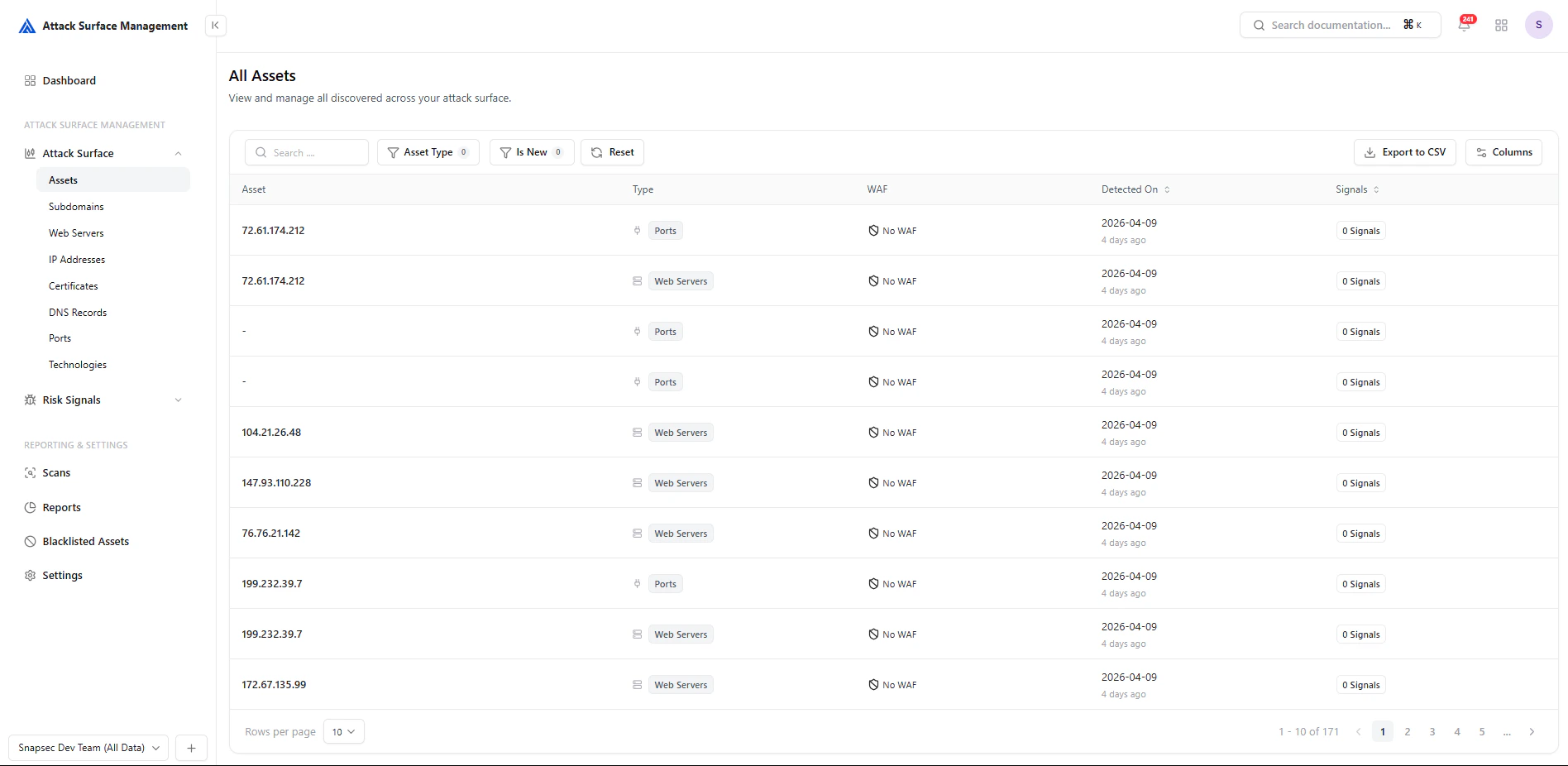
Unified asset inventory with filtering, signals, and export capabilities
How It Works
ASM continuously discovers and updates assets using:- Active scanning (ports, services, web validation)
- Passive intelligence (DNS, CT logs, internet datasets)
- Technology fingerprinting
- Infrastructure mapping
- Discovered → identified from multiple sources
- Enriched → tagged with metadata (WAF, ASN, tech stack)
- Classified → grouped by type (IP, Subdomain, Port, etc.)
- Monitored → updated as changes occur
- Correlated → linked to related entities
Core Capabilities
Unified Asset Inventory
All asset types are accessible in one place:- Subdomains
- Web Servers
- IP Addresses
- DNS Records
- Ports
- Certificates
- Technologies
Filtering & Exploration
Every asset view includes powerful controls:- Search across assets
- Filters (e.g., Is New, WAF, Status, Network Scope)
- Attribute-based filtering (ports, services, DNS class, etc.)
- Reset and quick refinement
- Narrow down large datasets instantly
- Investigate specific exposure patterns
- Focus on high-priority segments
Signals Integration
Each asset is mapped with signals — indicators of potential risk, anomalies, or findings.- Signals are visible directly in tables
- Assets with 0 signals are still tracked (important for baseline visibility)
- Enables quick identification of active vs clean surface areas
Export & Reporting
All views support Export to CSV, allowing teams to:- Share data externally
- Perform offline analysis
- Integrate with reporting workflows
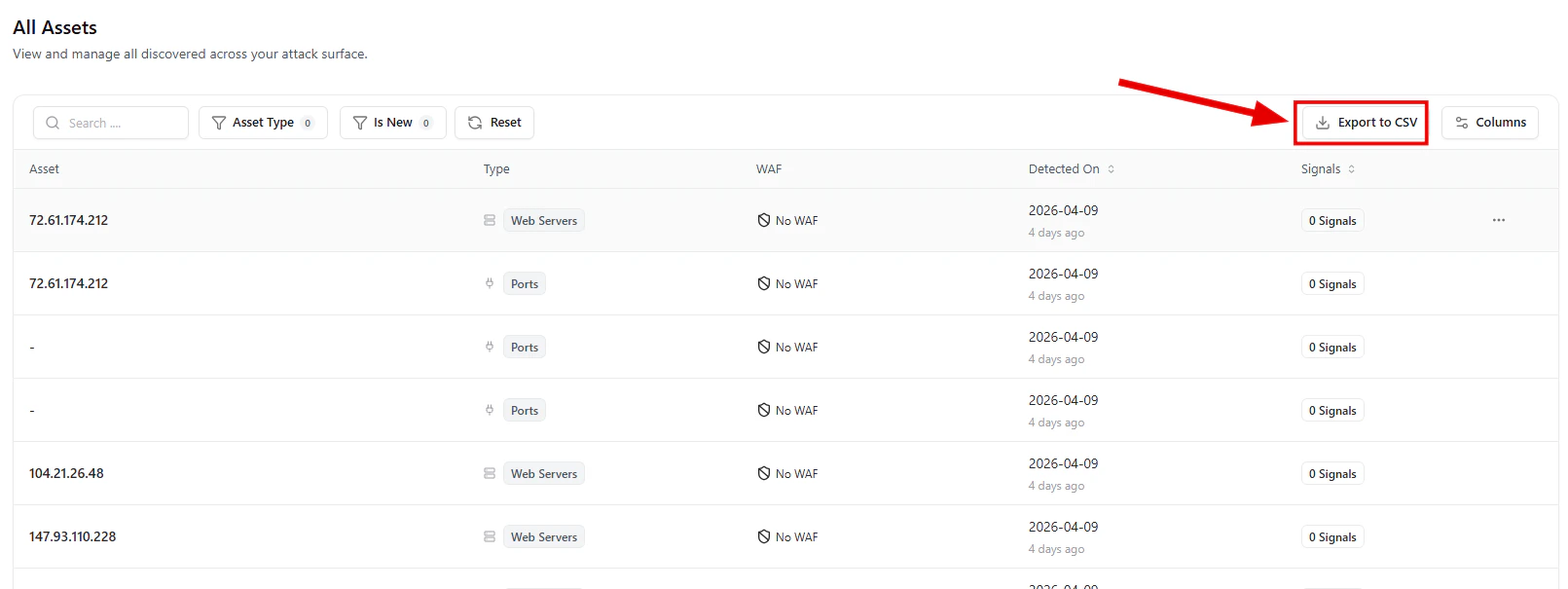
Export asset data for reporting and external analysis
Asset Views
Each asset type provides a focused lens into a specific layer of your attack surface.Subdomains
Subdomains represent your external entry points.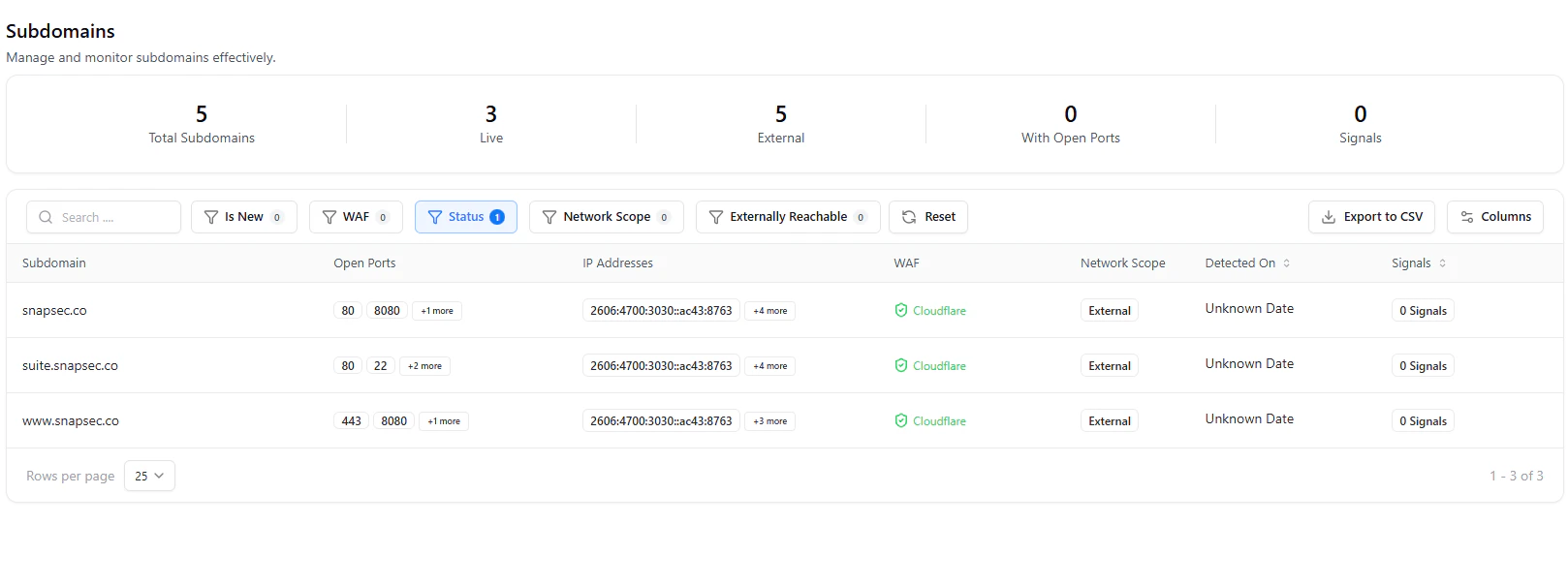
Subdomains with ports, IP mapping, WAF detection, and exposure context
- Open ports per subdomain
- IP address mappings
- WAF detection (e.g., Cloudflare)
- External exposure classification
- Signal presence
Unmanaged or forgotten subdomains are one of the most common attack vectors.
Web Servers
Focuses on HTTP/HTTPS services and application exposure.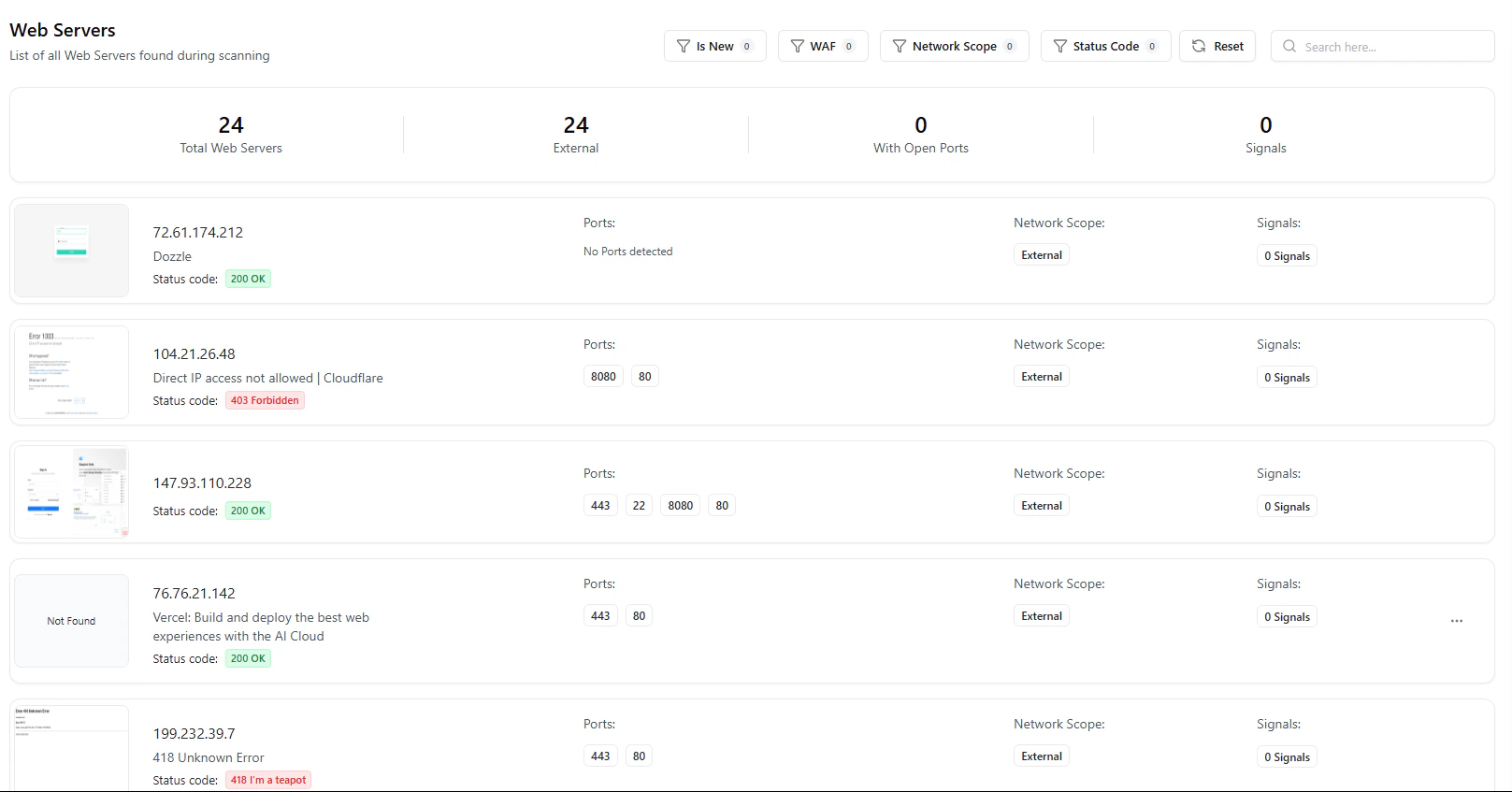
Web servers with status codes, detected services, and exposure context
- HTTP status codes (200, 403, 418, etc.)
- Detected services (Dozzle, Vercel, etc.)
- Open ports per service
- External exposure visibility
This is where attackers interact — APIs, panels, dashboards, and apps.
IP Addresses
Provides a network-level view of infrastructure.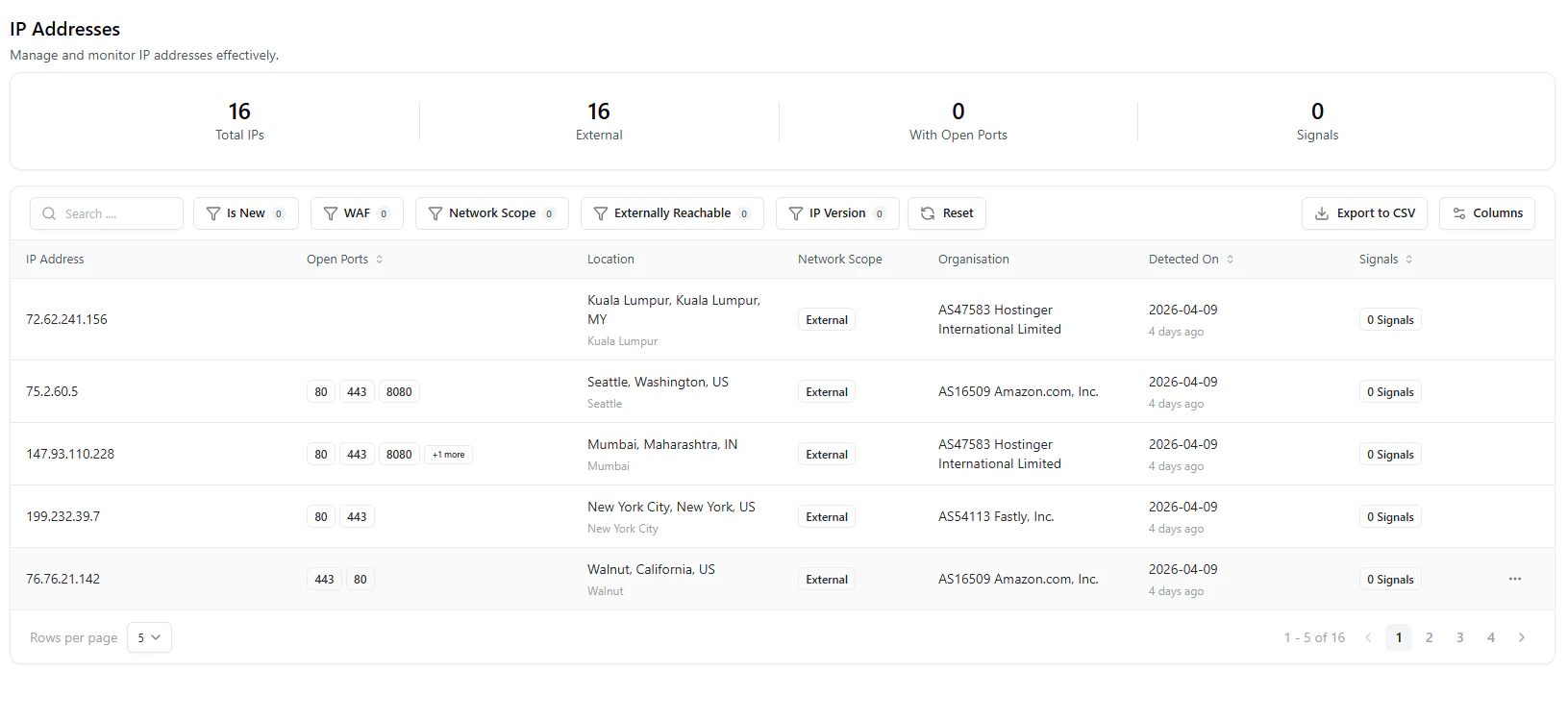
IP addresses with geolocation, ASN, and port exposure
- Geolocation and ASN (e.g., AWS, Fastly, Hostinger)
- Open ports per IP
- Network scope (external/internal)
- Infrastructure ownership
Helps identify shadow infrastructure and unmanaged cloud assets.
DNS Records
Tracks all DNS-level mappings and configurations.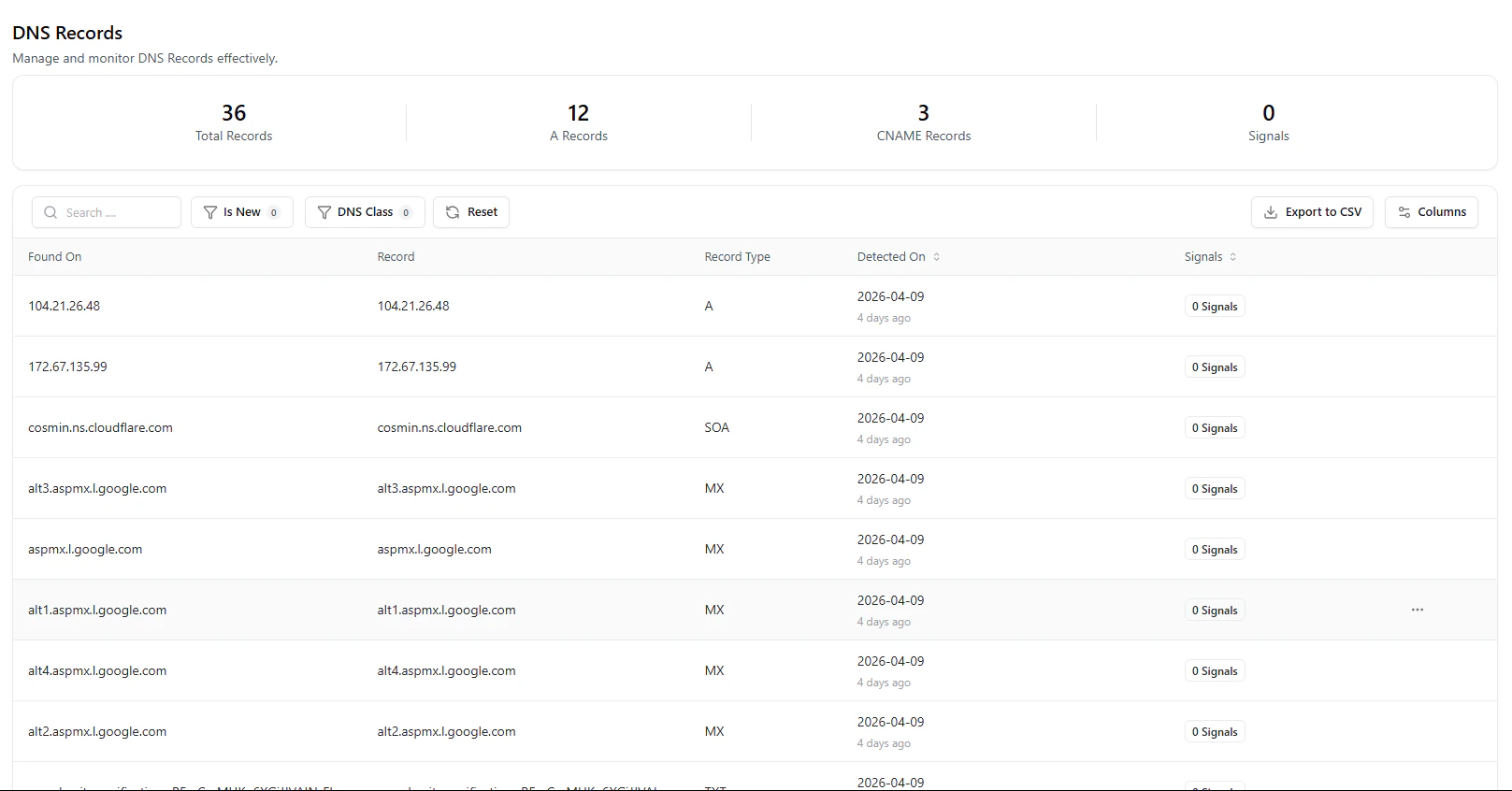
DNS records including A, MX, SOA and mapping details
- Record types (A, CNAME, MX, SOA, etc.)
- Domain ↔ infrastructure relationships
- Detection timestamps
- Signal tracking
DNS misconfigurations and dangling records are common exposure points.
Ports
Highlights network exposure and service-level access.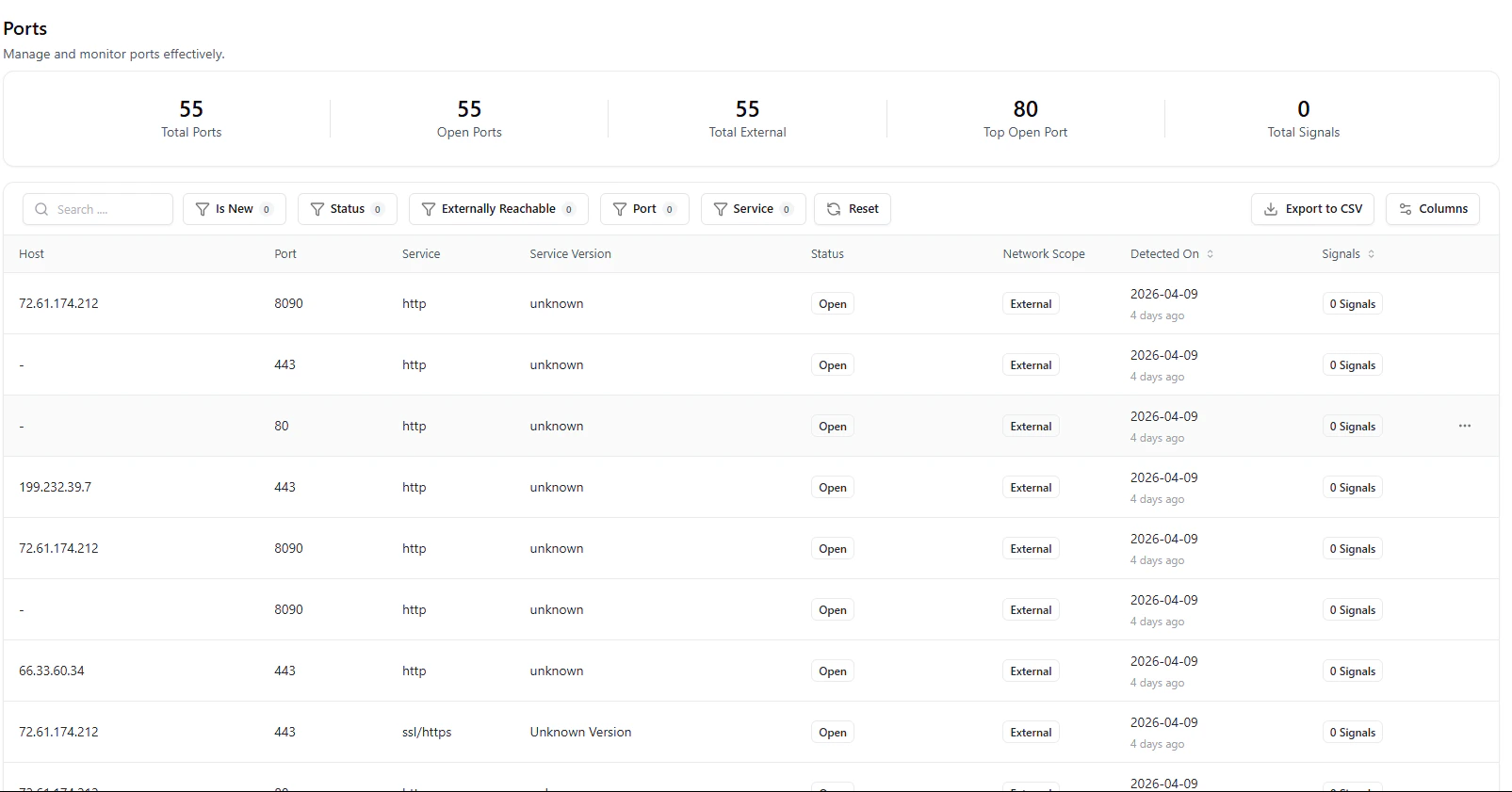
Ports with service detection, status, and exposure scope
- Open ports and services (HTTP, HTTPS, etc.)
- Service versions (if detected)
- External vs internal exposure
- Detection timestamps
Unexpected open ports often indicate misconfigurations or attack surface expansion.
Certificates
Tracks SSL/TLS posture across assets.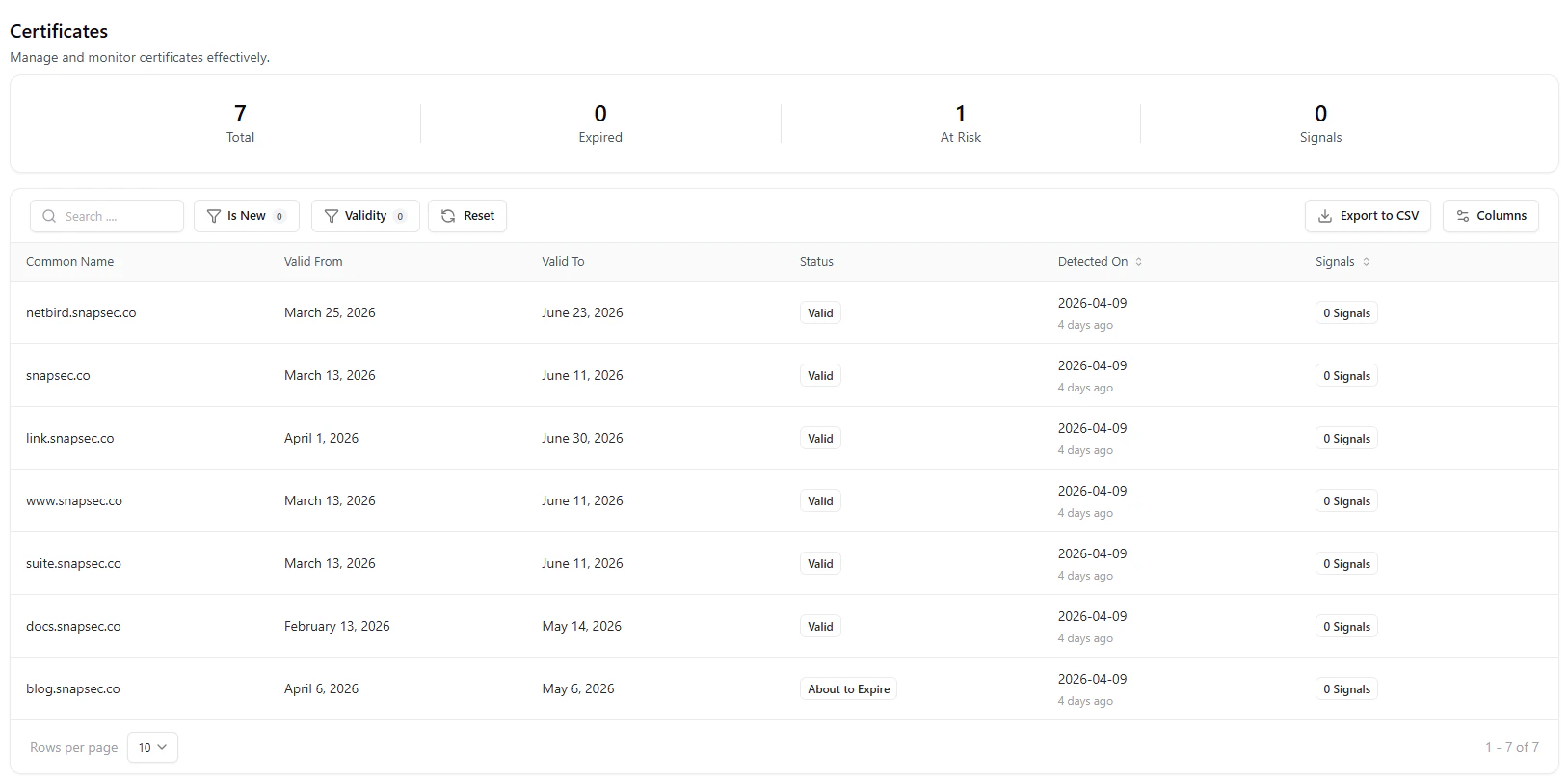
Certificates with validity, expiration, and risk indicators
- Valid, expired, and at-risk certificates
- Expiry timelines
- Domain associations
- Signal indicators
Certificate issues can indicate neglected assets or cause service disruptions.
Technologies
Provides a high-level inventory of detected technologies.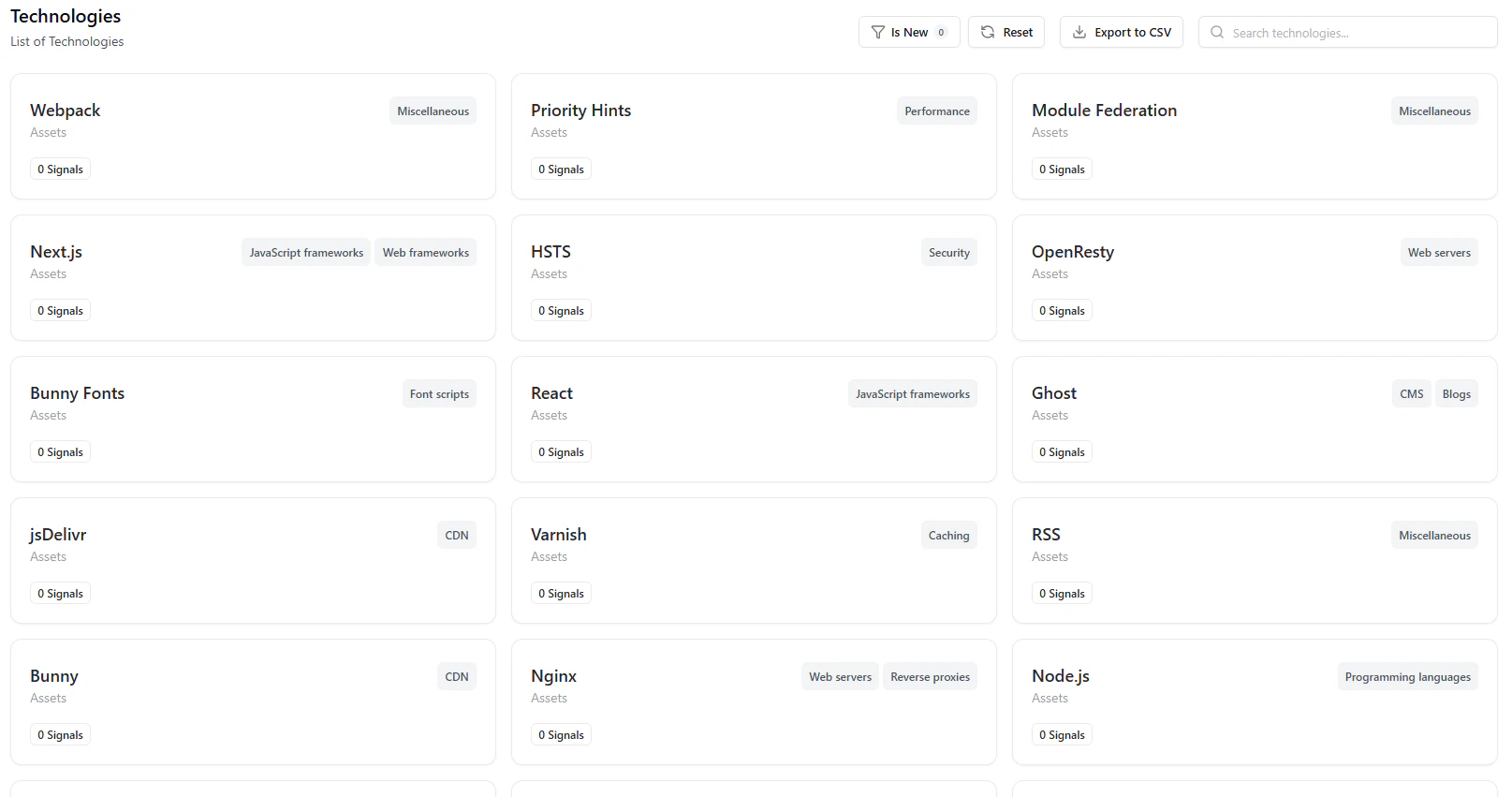
Technology catalog with categorized frameworks, CDNs, and services
- Frameworks (React, Next.js)
- Infrastructure (Nginx, Cloudflare, Netlify, Vercel)
- Categories (CDN, Analytics, Security, etc.)
- Asset-level mapping
- Detect outdated or vulnerable stacks
- Identify unauthorized technologies
- Understand platform usage across teams
Correlation Across Assets
The real power of the catalog lies in relationships:- Subdomain → IP → Ports → Web Server
- DNS → Infrastructure → Exposure
- Technology → Service → Risk signals
- Trace issues across layers
- Perform faster root cause analysis
- Understand full exposure context
Continuous Updates
The catalog is always live:- New assets are discovered automatically
- Changes are reflected in near real-time
- Signals update dynamically
Why This Matters
- Complete Visibility — No blind spots across external assets
- Actionable Context — Signals + metadata in one place
- Faster Investigations — Correlated asset relationships
- Operational Efficiency — Filter, export, and act instantly
- Reduced Risk — Identify exposure before exploitation
Explore Live Demo
Explore ASM Live — No Signup Needed
Experience how ASM provides real-time asset discovery, enrichment, and visibility across your entire attack surface.