

Overview
The Object Storage module provides a centralized inventory of all cloud storage buckets discovered across your environment. It enables teams to track storage locations, monitor vulnerabilities, and maintain visibility across multiple cloud providers.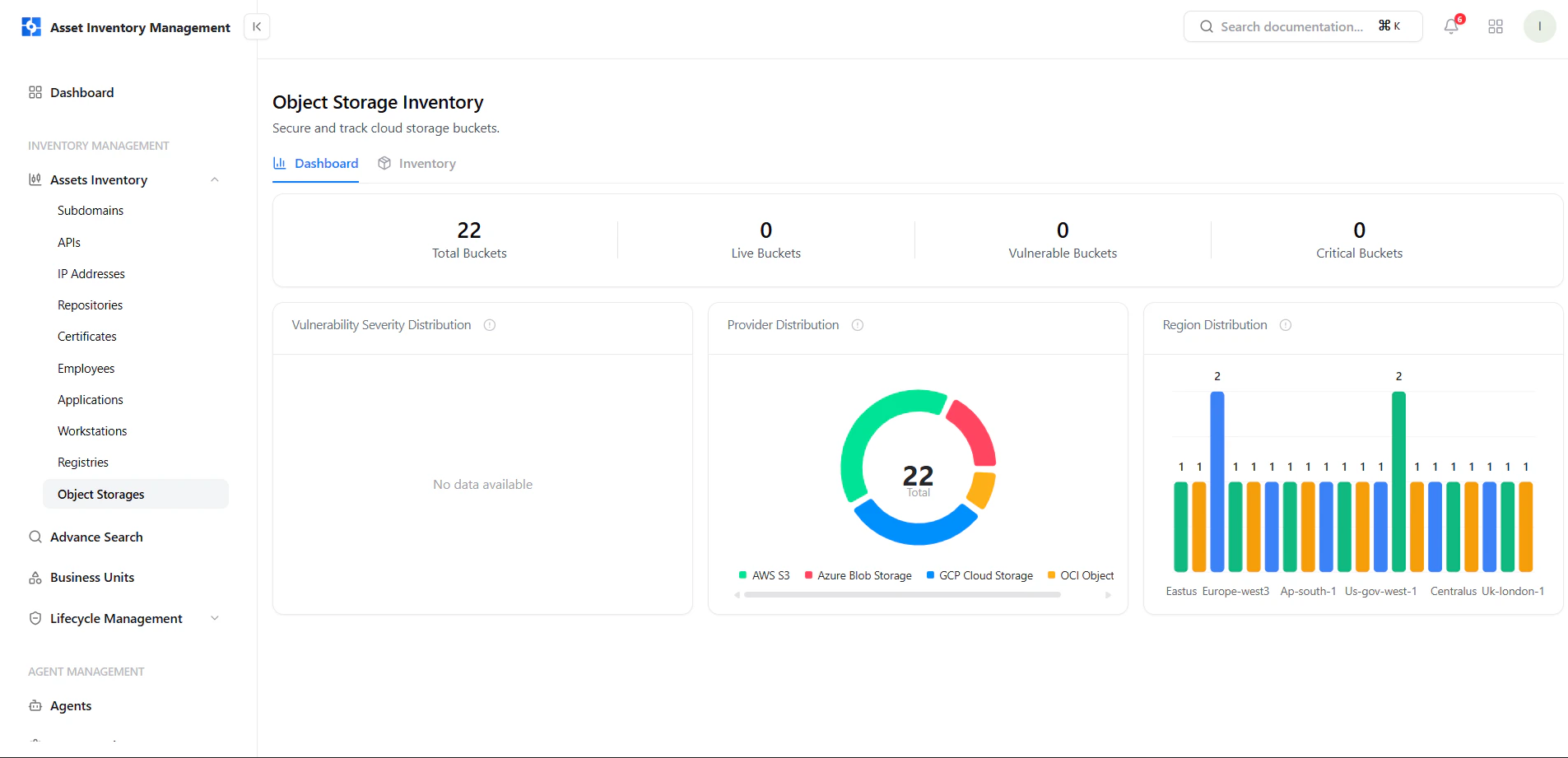
Object Storage dashboard with provider and region distribution
Dashboard View
The dashboard provides a high-level summary of object storage assets.Key Metrics
- Total Buckets — All discovered storage buckets
- Live Buckets — Active buckets currently tracked
- Vulnerable Buckets — Buckets with detected vulnerabilities
- Critical Buckets — Buckets with critical issues
Visual Insights
- Provider Distribution — AWS S3, Azure Blob, GCP Cloud Storage, OCI Object Storage
- Region Distribution — Bucket distribution across regions
- Vulnerability Distribution — Displays severity breakdown when data is available
Object Storage Inventory
The inventory view lists all buckets with key metadata.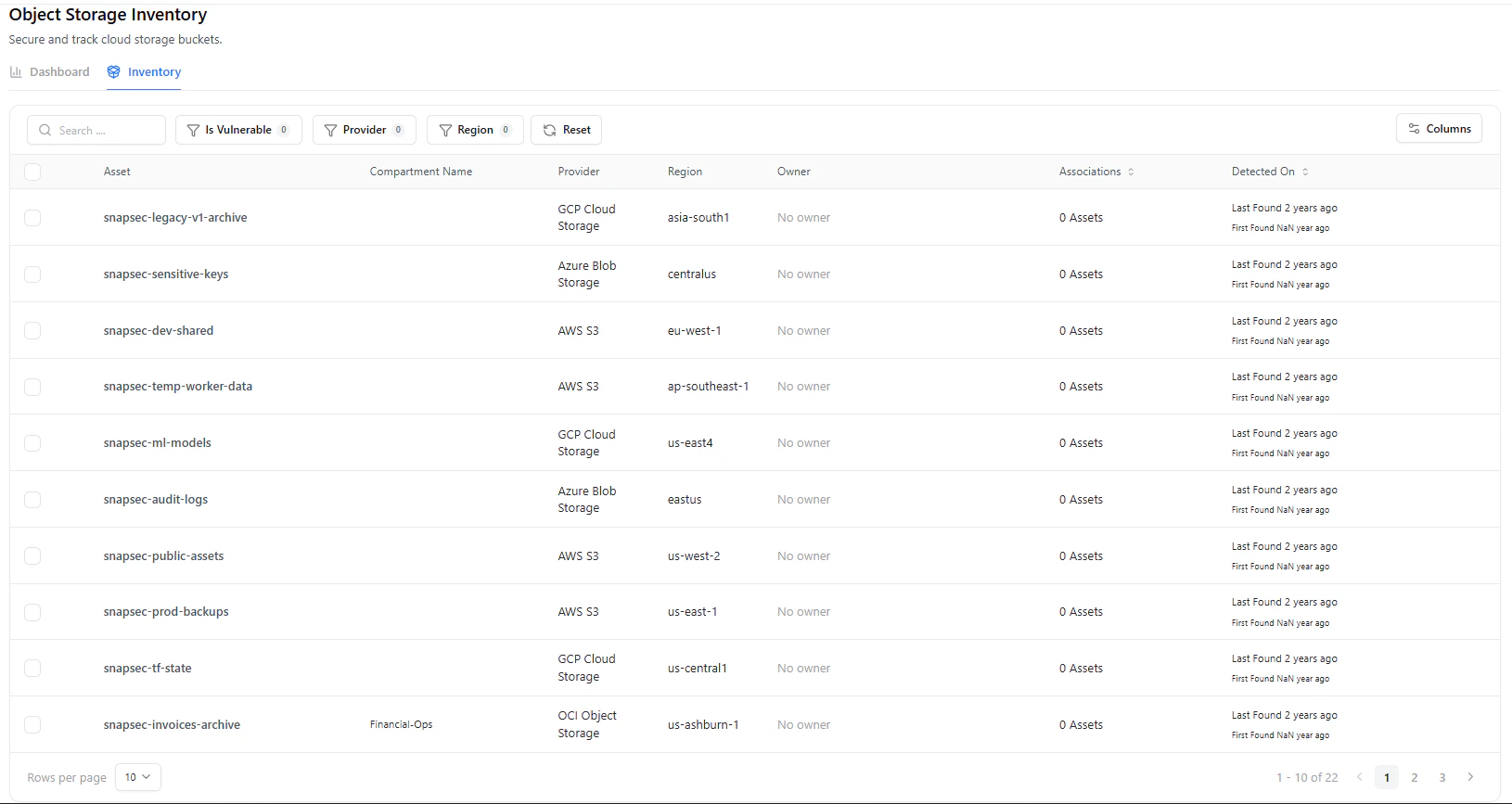
Object storage inventory with provider, region, and ownership details
Table Columns
Filters & Search
- Is Vulnerable
- Provider
- Region
- Search by bucket name
Object Storage Asset View
Selecting a bucket opens its detailed asset view.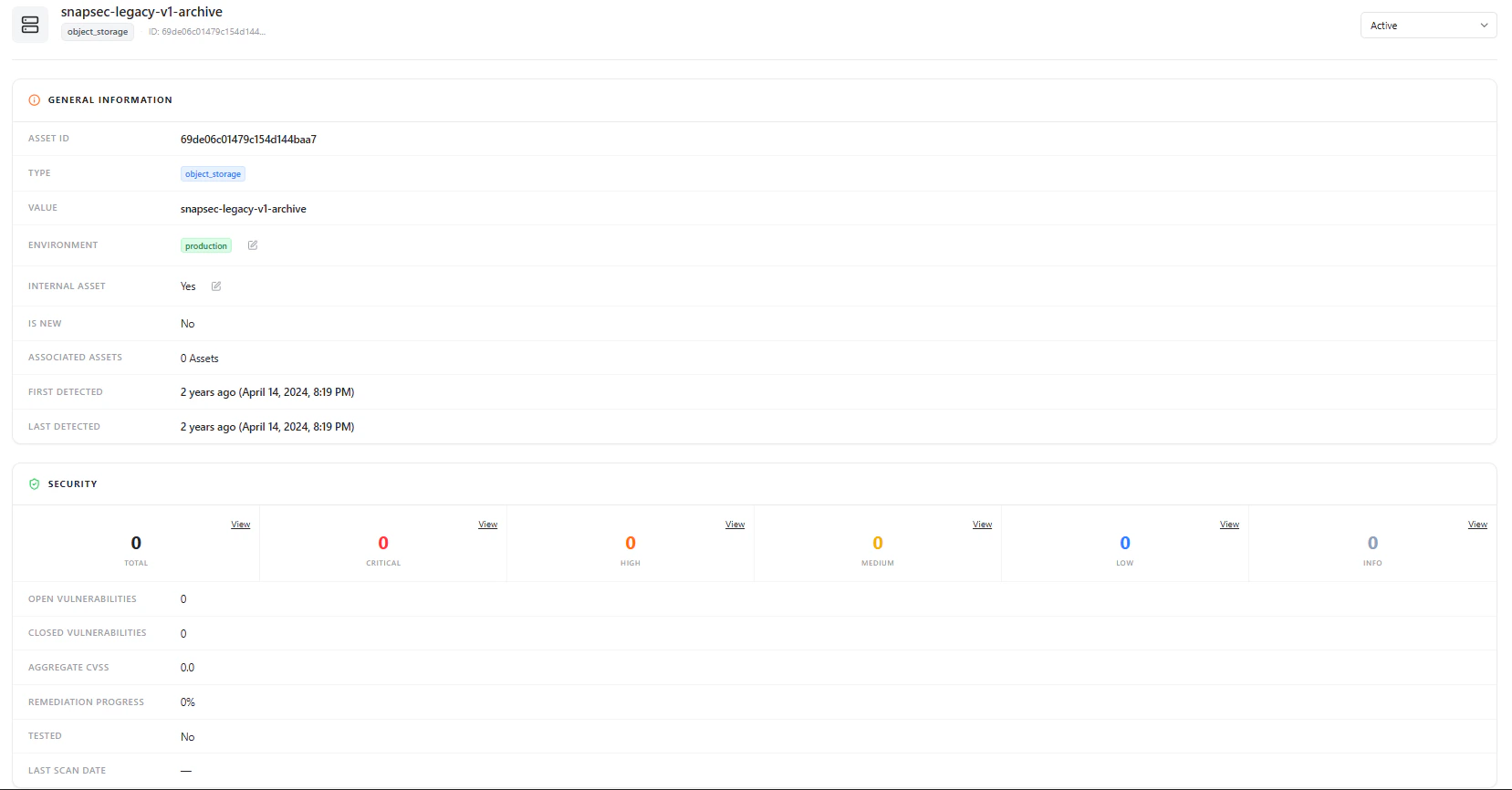
Object storage asset view with general information and security summary
General Information
Each bucket includes:- Asset ID
- Type (Object Storage)
- Bucket Name
- Environment
- Internal Asset (Yes / No)
- Is New
- Associated Assets
- First Detected / Last Detected
Security Overview

Security summary for the selected bucket
- Total Vulnerabilities
- Severity Breakdown (Critical, High, Medium, Low, Info)
- Open vs Closed Vulnerabilities
- Aggregate CVSS
- Remediation Progress
- Tested Status
- Last Scan Date
Data Sources (Adapters)
AIM integrates with external providers to discover object storage assets.- Example: GitLab Integration
- Used to enrich and map storage-related assets and repositories
Why This Matters
The Object Storage module helps teams:- Maintain visibility across all cloud storage buckets
- Track vulnerabilities associated with storage assets
- Understand bucket distribution across providers and regions
- Identify ownership gaps
- Monitor storage assets within a centralized inventory
Explore Live Demo
Explore AIM Live — No Signup Needed
Instantly explore how Snapsec AIM discovers and tracks object storage assets across your environment — all without creating an account.