

Overview
The Asset Classifier Engine in AIM allows teams to automate how assets are categorized, enriched, and tagged — using powerful, YAML-based rules.It helps standardize how your organization detects environments, assigns ownership, and marks exposure, eliminating manual data management across large inventories.
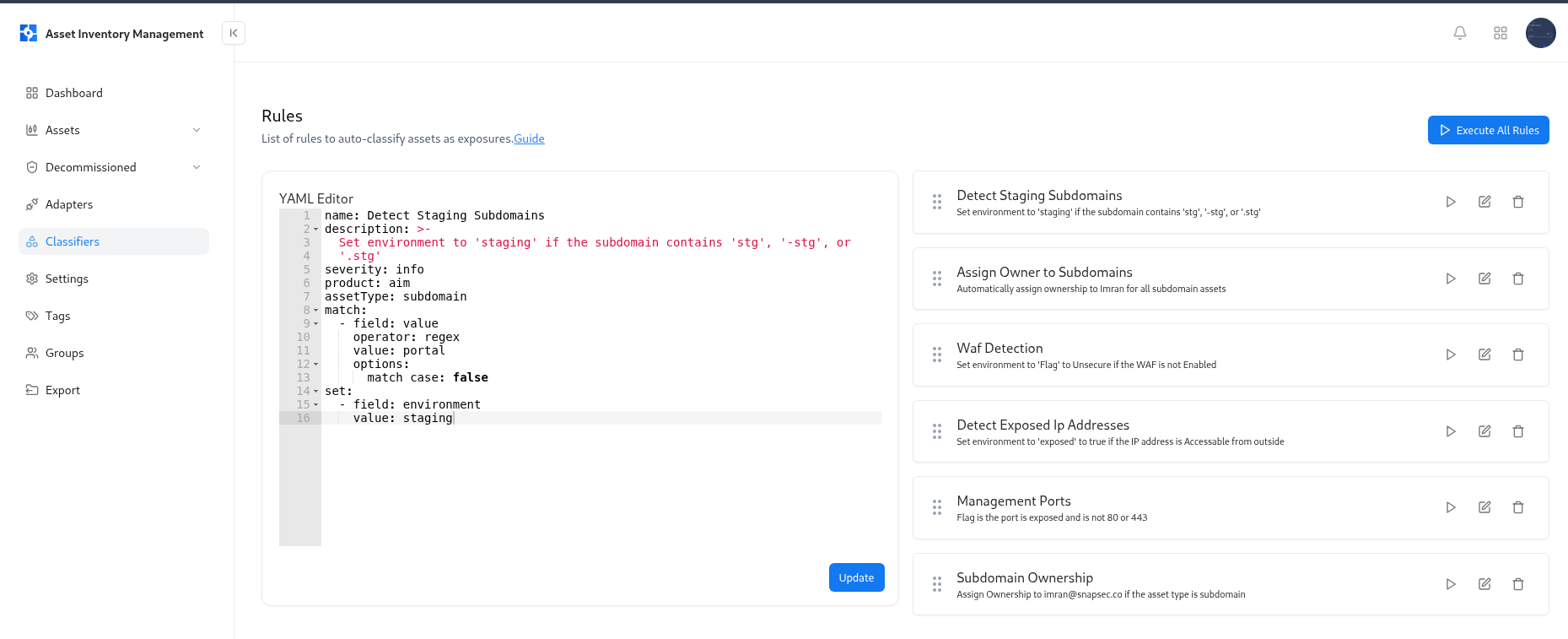
What is the Asset Classifier Engine?
The Asset Classifier Engine is an automation framework built into AIM that uses declarative YAML rules to classify and update asset properties. Each rule defines conditions (what to match) and actions (what to set) — enabling AIM to automatically:- Detect environments like staging, production, or development
- Identify exposed or internal assets
- Assign owners and departments
- Apply technology or business tags
- Enrich assets with metadata from integrations or risk data
Use Cases
Automated Environment Detection
Classify assets into
staging, production, or development environments based on name patterns or metadata.Ownership Assignment
Automatically assign owners or teams to assets (e.g., assign subdomains to
imran@snapsec.co).Exposure Identification
Detect and flag assets that are exposed to the internet using IP or DNS-based conditions.
Security Tagging
Apply tags like
critical-service, cloud, or internal based on technology, region, or organization.Compliance Readiness
Enforce consistent metadata standards across your entire asset inventory for audits and compliance.
Dynamic Risk Categorization
Adjust risk levels automatically when new vulnerabilities or exposures are found.
How to Manage Rules
1. Creating a New Rule
- Go to Classifiers → Rules.
- Click New Rule to open the YAML editor.
- Write your rule logic using the provided schema (see Rule Writing Guide below).
- Click Save — your rule will now appear in the rule list.
- name – Identifier for the rule
- description – Brief explanation of its purpose
- product – Module it applies to (e.g.,
aim) - assetType – Asset type it targets (e.g.,
subdomain,ip) - match – Conditions to check
- set – Fields and values to update when the match succeeds
2. Editing a Rule
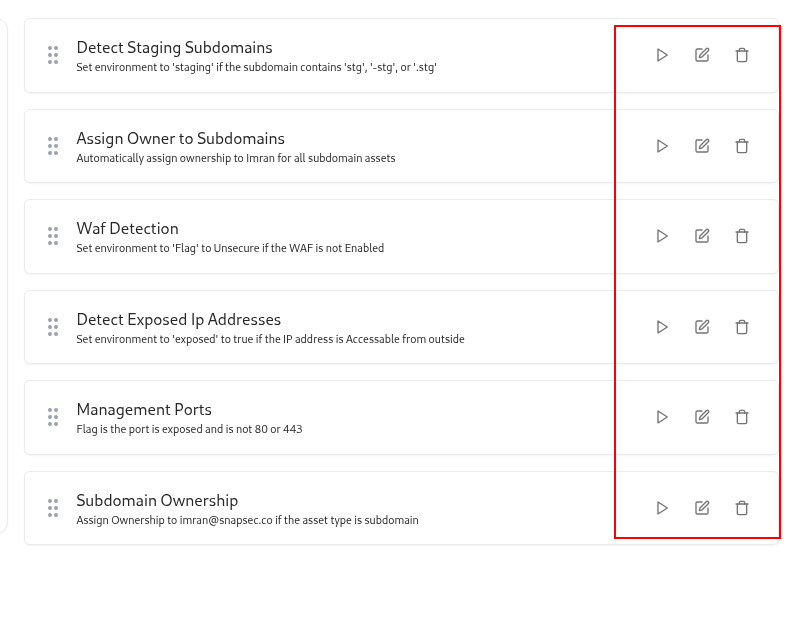
- Click the Edit (✏️) icon next to the rule you want to modify.
- The YAML will open in the editor for updates.
- Make your changes and click Update to save.
3. Deleting a Rule
To remove an outdated or redundant rule:- Click the Delete (🗑️) icon.
- Confirm deletion — the rule will be permanently removed from the engine.
4. Running a Rule
Individual rules can be executed on-demand to test or apply logic across your dataset.- Click the Run (▶️) icon next to the rule.
- AIM will apply the rule conditions and instantly update matching assets.
5. Running All Rules
To execute all classification rules at once:- Click Execute All Rules in the top right corner.
- AIM will sequentially evaluate all rules across the active asset catalog.
- Updated attributes (e.g., owners, environments, or tags) will appear in real time.
Example Rule Types
Detect Staging Subdomains
Assign Owner to Subdomains
Rule Writing Guide
For a complete reference of supported operators, structure, and examples, refer to the official AIM Rule Guide below: Snapsec AIM Rule Guide on GitHubThis guide includes:
- YAML syntax reference
- Match and Set operator definitions
- Advanced examples (nested conditions, transformers, logical operators)
- Best practices for writing scalable automation rules
Best Practices
- Group rules by asset type (subdomain, ip, dns, etc.).
- Use descriptive names and clear descriptions for maintainability.
- Test new rules on a limited dataset before executing globally.
- Schedule periodic Execute All Rules runs for data consistency.
- Review rules quarterly to align with new assets or integrations.
Explore Live Demo
Explore AIM Live — No Signup Needed
Instantly explore how Snapsec AIM discovers, enriches, and tracks every asset in real time — all without creating an account.