

Overview
Groups in Asset Intelligence Management (AIM) allow you to cluster similar assets together — such as DNS-active subdomains, Cloudflare-reported assets, or API endpoints.This enables teams to manage related resources collectively, monitor them for changes, and apply consistent analysis or reporting. Groups can be static (manually created) or dynamic (auto-populated based on tags and rules).
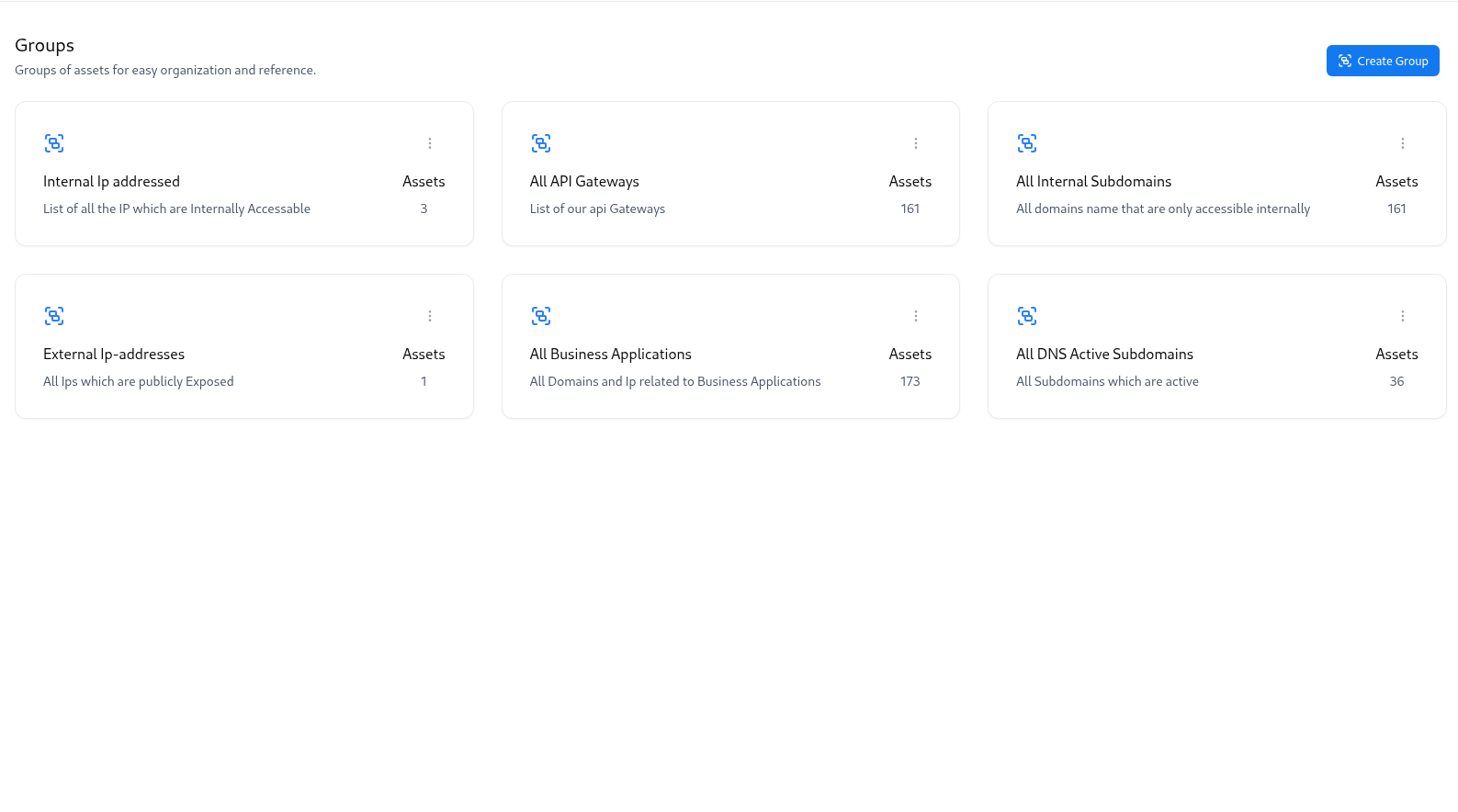
Creating a New Group
You can create a group by defining its name, selecting tags, and providing a clear description of what the group represents.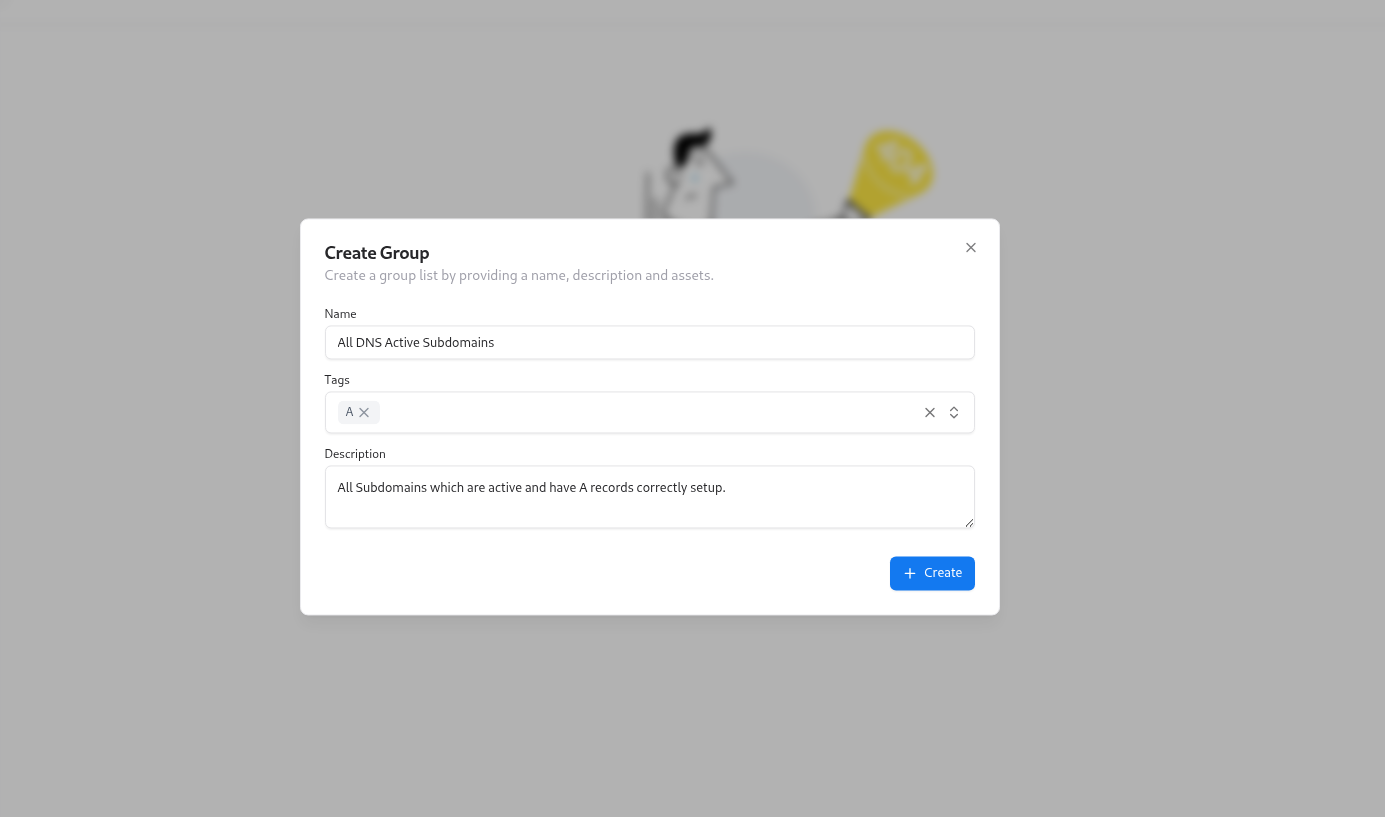
Steps to Create a Group
Add Name, Tags, and Description
For example, All DNS Active Subdomains can include assets tagged with
A and DNS.Managing Groups
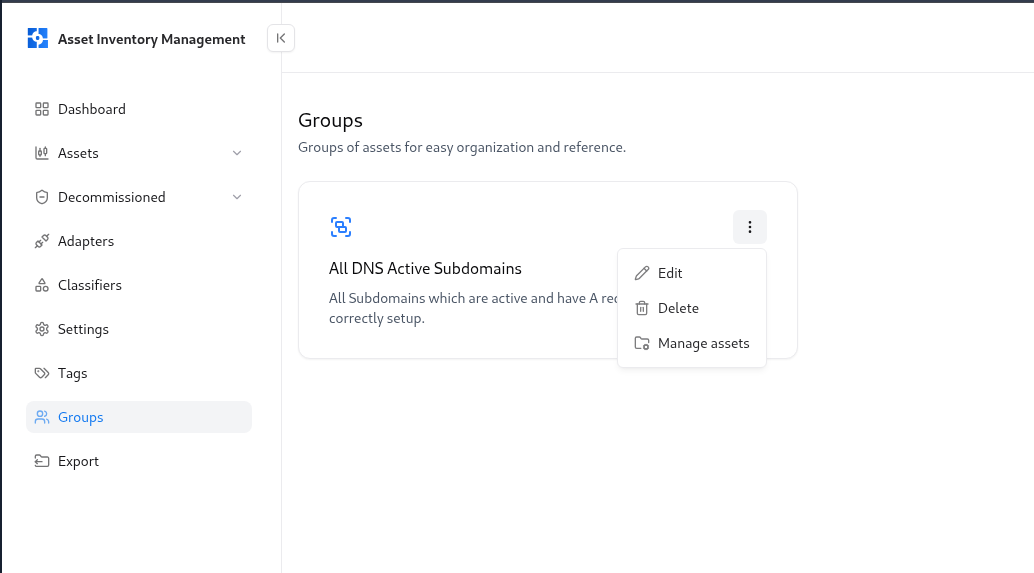
Each group card includes quick actions for:- ✏️ Edit — Modify name, tags, or description
- 🗑️ Delete — Permanently remove the group
- 🔗 Manage assets — View or edit assets associated with the group
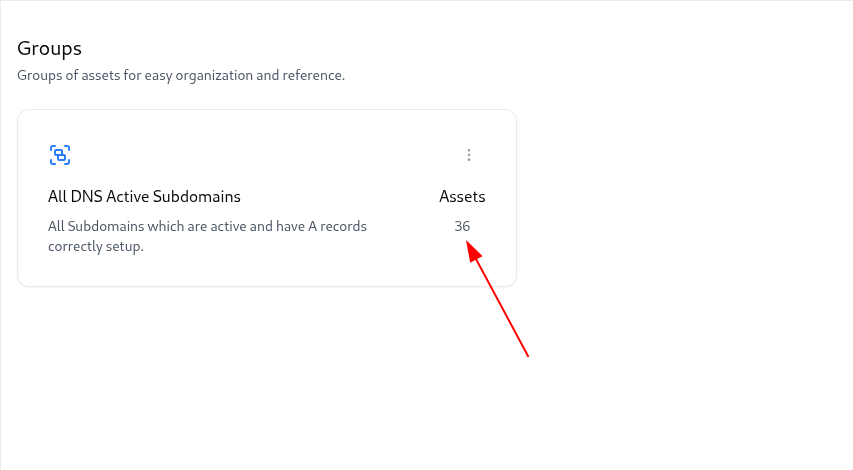
Viewing Group Assets
Clicking on any group opens a filtered view in the Global Catalog, showing only assets belonging to that group.You can see complete details — source, vulnerabilities, owners, risk scores, and tags.
Example deep link pattern:
Practical Use Cases
Focused Investigations
Group assets from specific adapters or environments to isolate investigation scope.
Security Coverage Tracking
Monitor assets by type (e.g., Subdomains, APIs, IPs) to ensure visibility completeness.
Lifecycle Management
Easily identify which groups contain decommissioned or outdated assets.
Departmental Ownership
Create groups based on teams, business units, or product lines for accountability.
Tips
- Use clear naming conventions (e.g.,
Production APIs,Decommissioned IPs,Active DNS Hosts). - Leverage tags to auto-populate dynamic groups.
- Regularly review group membership to maintain clean inventory boundaries.
- Share group-based links across modules like VM and ASM to maintain data consistency.
Explore Live Demo
Explore AIM Live — No Signup Needed
Instantly explore how Snapsec AIM discovers, enriches, and tracks every asset in real time — all without creating an account.