

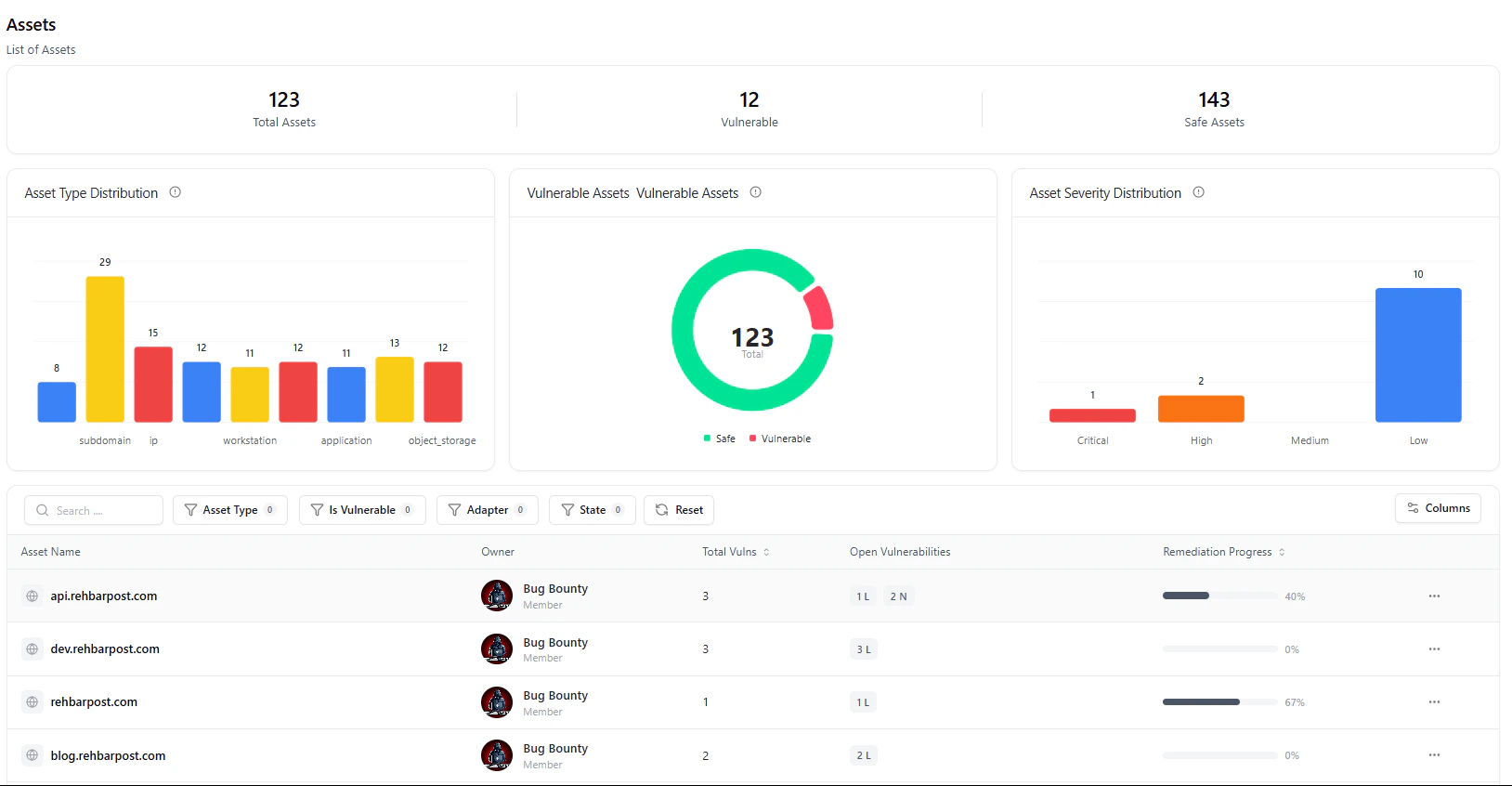
Assets dashboard showing inventory insights, risk distribution, and asset list
Overview
The Asset Catalog provides a centralized, real-time view of all assets discovered across your environment — including subdomains, applications, IPs, and infrastructure components. It combines asset intelligence + vulnerability context into a single interface, allowing teams to quickly understand:- What assets exist
- Which assets are vulnerable
- How risk is distributed
- What needs immediate attention
Every asset is continuously mapped to vulnerabilities — giving you a live view of your attack surface risk.
Asset Intelligence Dashboard
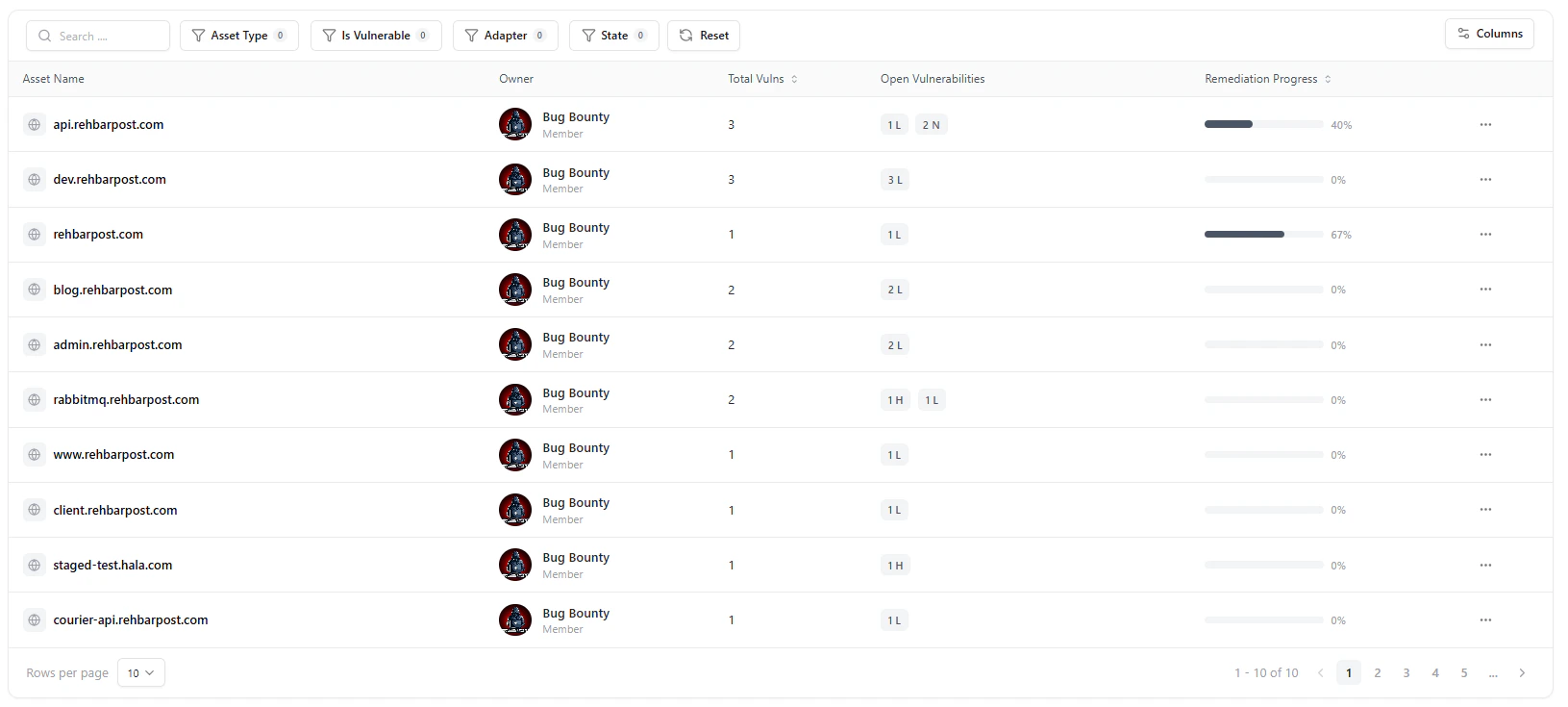
High-level asset insights including total assets, vulnerable assets, and distribution charts
Key Insights
-
Total Assets
- Total number of discovered assets across all sources
-
Vulnerable Assets
- Assets currently affected by one or more vulnerabilities
-
Safe Assets
- Assets with no active vulnerabilities
Visual Breakdowns
-
Asset Type Distribution
- Understand the composition of your environment (subdomains, IPs, apps, storage, etc.)
-
Vulnerable vs Safe Assets
- Instantly assess overall exposure
-
Severity Distribution
- Identify where critical, high, and low-risk assets exist
These visual insights help security teams prioritize high-risk asset categories first.
Filters
Use filters at the top of the table to refine your asset view quickly.You can filter assets by:
- Asset Type
- Is Vulnerable
- Adapter (source integration)
- State
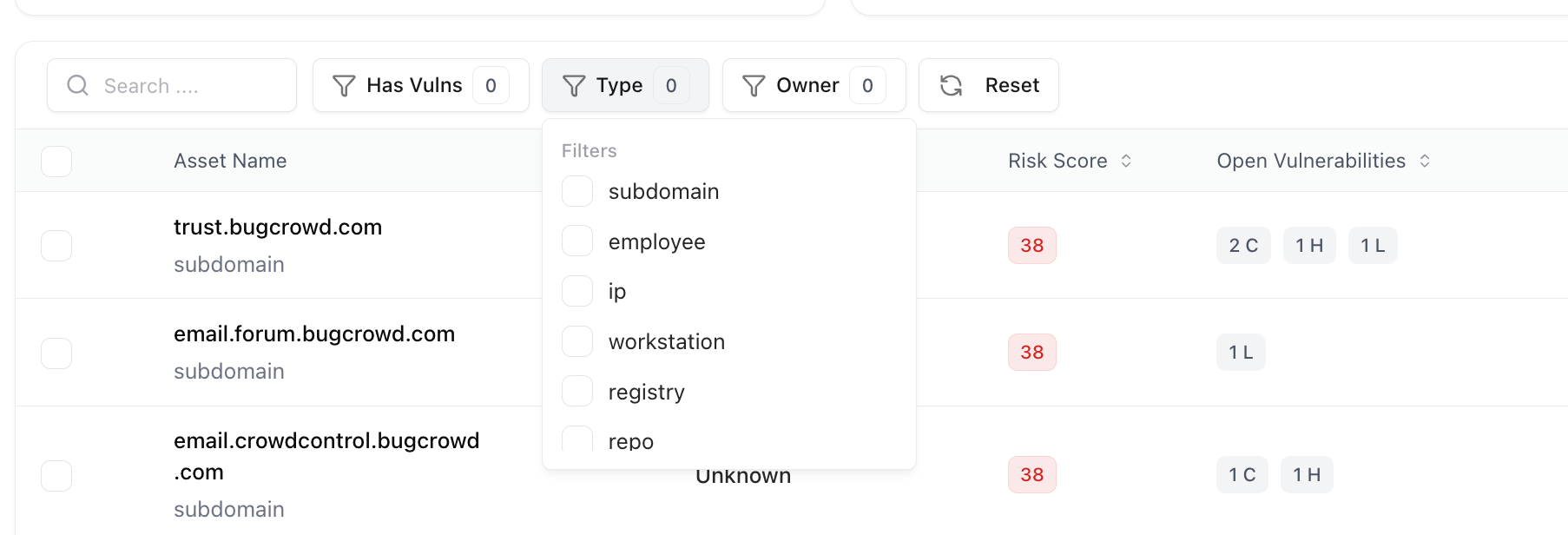
Asset filters for refining search and sorting view
Asset Inventory Table
The asset table provides a detailed, actionable view of every asset.Key Columns
-
Asset Name
- Domain, subdomain, or resource identifier
-
Owner
- Assigned team or user responsible for the asset
-
Total Vulnerabilities
- Total number of findings linked to the asset
-
Open Vulnerabilities
- Breakdown by severity (e.g., High, Low, Info)
-
Remediation Progress
- Percentage of resolved vulnerabilities
Click any asset to drill down into its full vulnerability list and detailed findings.
Vulnerability Correlation
Each asset is automatically linked to vulnerabilities identified across:- Assessments
- Scanners and integrations
- Manual testing
Assets and vulnerabilities stay continuously synchronized — no manual linking required.
Remediation Progress
Each asset includes a Remediation Progress Bar showing the percentage of resolved vs. open vulnerabilities.This metric allows teams to track closure rates and measure the impact of their ongoing fixes.

Remediation progress tracking for each asset
Mark as Important
Highlight critical assets that require continuous monitoring.
Assign Ownership
Ensure accountability by assigning assets to teams or individuals.
Manage Asset
Perform actions like updating metadata or removing outdated entries.
Explore Live Demo
Explore VM Live — No Signup Needed
Experience how Snapsec delivers real-time asset visibility with vulnerability-driven prioritization.