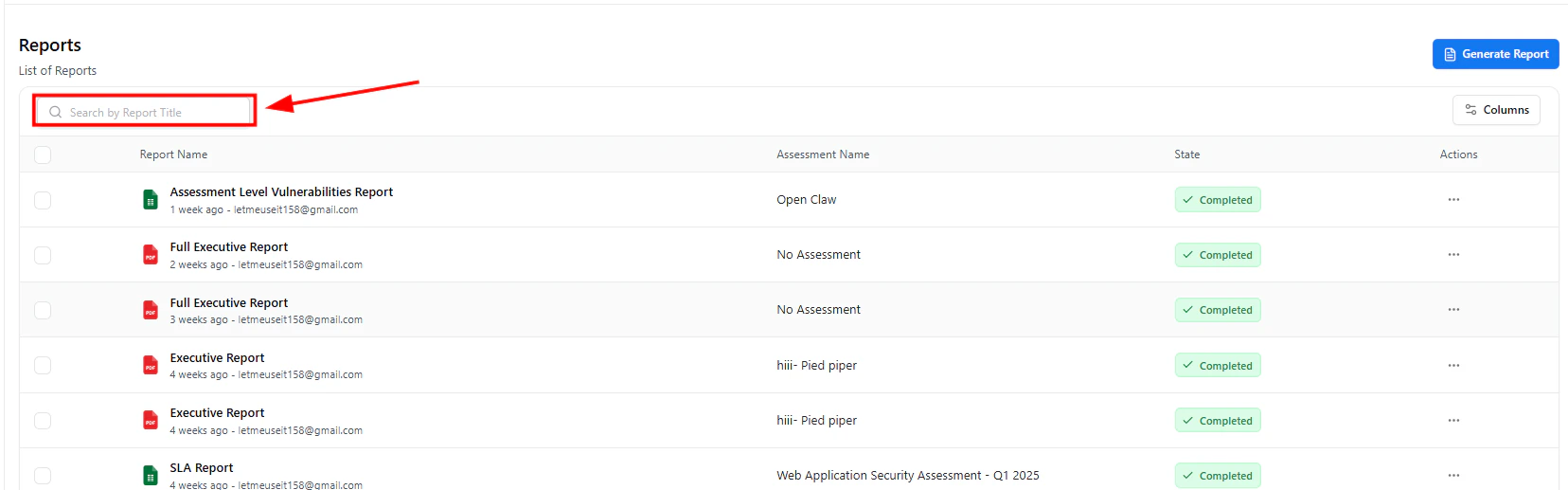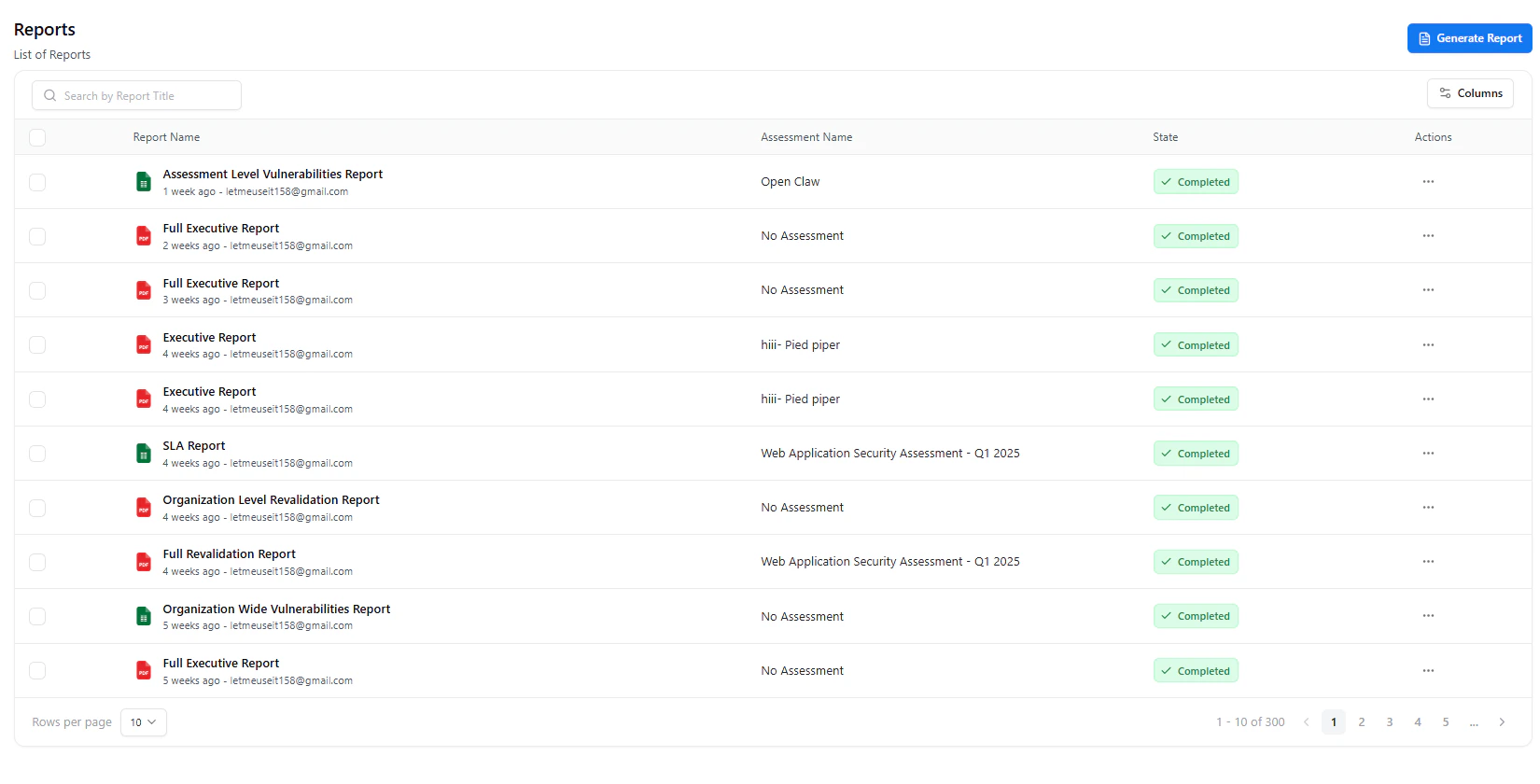
Reports dashboard showing generated vulnerability and executive reports
Overview
The Reports page centralizes all report generation and management within Vulnerability Management.From technical vulnerability exports to high-level executive summaries, this module allows you to create customized PDF reports tailored to your audience — from engineers to leadership. Each report is automatically linked to its source assessment, asset, or change request for full traceability.
You can generate, download, revalidate, or delete reports directly from this interface.
Types of Reports & Their Purpose
Snapsec provides multiple report types to support different security, compliance, and business workflows.Each report is designed with a specific audience and outcome in mind — from deep technical remediation to executive decision-making.

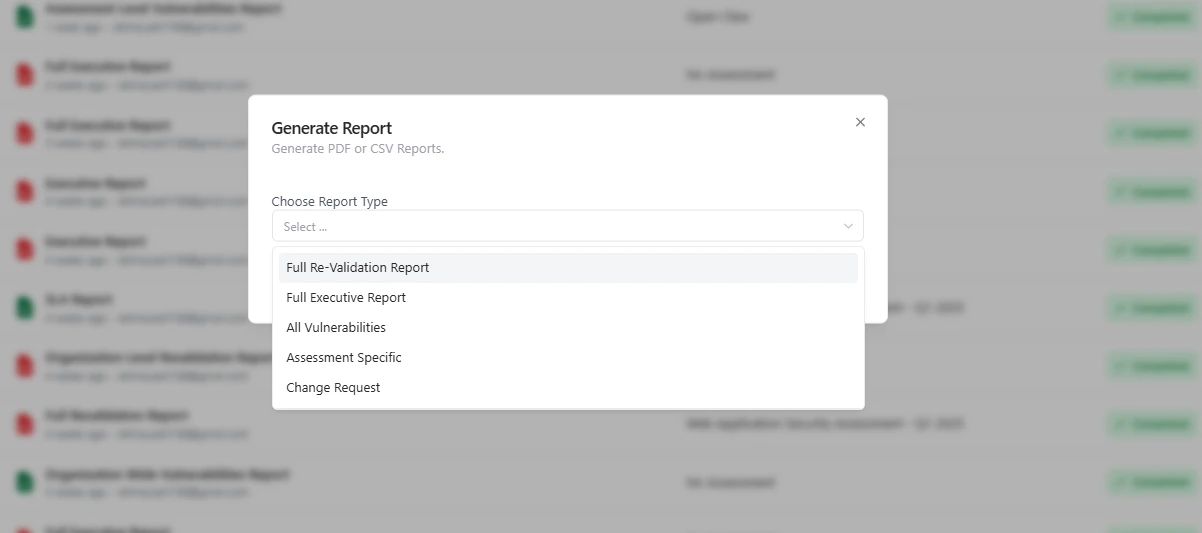
Report Types Selection – Choose the right report for your security objective
Assessment-Specific Report
Purpose:
Used by security engineers and pentesters to document findings from a single assessment.
This report focuses on technical depth — vulnerabilities, proof of concept, impact, and remediation steps — making it ideal for fixing issues identified during a test.
Used by security engineers and pentesters to document findings from a single assessment.
This report focuses on technical depth — vulnerabilities, proof of concept, impact, and remediation steps — making it ideal for fixing issues identified during a test.
Asset-Specific Report
Purpose:
Designed to evaluate the security posture of a specific asset or asset group.
Helps asset owners understand cumulative risk, recurring weaknesses, and exposure trends tied to domains, IPs, APIs, or infrastructure components.
Designed to evaluate the security posture of a specific asset or asset group.
Helps asset owners understand cumulative risk, recurring weaknesses, and exposure trends tied to domains, IPs, APIs, or infrastructure components.
Executive Report
Purpose:
Created for leadership and non-technical stakeholders.
Summarizes overall risk, severity distribution, remediation progress, and trends — enabling informed business decisions without exposing technical noise.
Created for leadership and non-technical stakeholders.
Summarizes overall risk, severity distribution, remediation progress, and trends — enabling informed business decisions without exposing technical noise.
Change Request Report
Purpose:
Supports secure change management by validating security impact before or after a change.
Ensures new releases, integrations, or infrastructure updates meet security requirements before approval.
Supports secure change management by validating security impact before or after a change.
Ensures new releases, integrations, or infrastructure updates meet security requirements before approval.
Revalidation Report
Purpose:
Confirms whether previously reported vulnerabilities have been successfully remediated.
Commonly used for client verification, compliance evidence, and closure confirmation after fixes are deployed.
Confirms whether previously reported vulnerabilities have been successfully remediated.
Commonly used for client verification, compliance evidence, and closure confirmation after fixes are deployed.
Organization-Wide Report
Purpose:
Provides a holistic view of security posture across all assets and assessments.
Useful for audits, quarterly reviews, and tracking risk trends at an organizational level.
Provides a holistic view of security posture across all assets and assessments.
Useful for audits, quarterly reviews, and tracking risk trends at an organizational level.
Generating New Reports

Generate Report modal with all available report options
1
Login to Your Account
Sign in to your Snapsec account to access the reporting dashboard.
2
Navigate to the Reports Page
Go to the Reports section — here you’ll find a list of all previously generated reports.
3
Click on Generate Report
Click the Generate Report button located at the top-right corner of the page.
4
Choose Report Type
Select the type of report you want to generate:
Assessment Specific, Asset Specific, Executive Report, Revalidation Report, or others.
5
Select Input Source
Based on the selected report type, choose the required Assessment, Asset, or Change Request from the dropdown.
6
Generate Report
Click Generate and wait for Snapsec to compile the PDF.
The system will automatically collect all relevant data — vulnerabilities, metadata, summaries, and evidences.
7
Download the Report
Once completed, click the Download icon next to the newly generated report to save the PDF.
Downloading and Deleting Reports

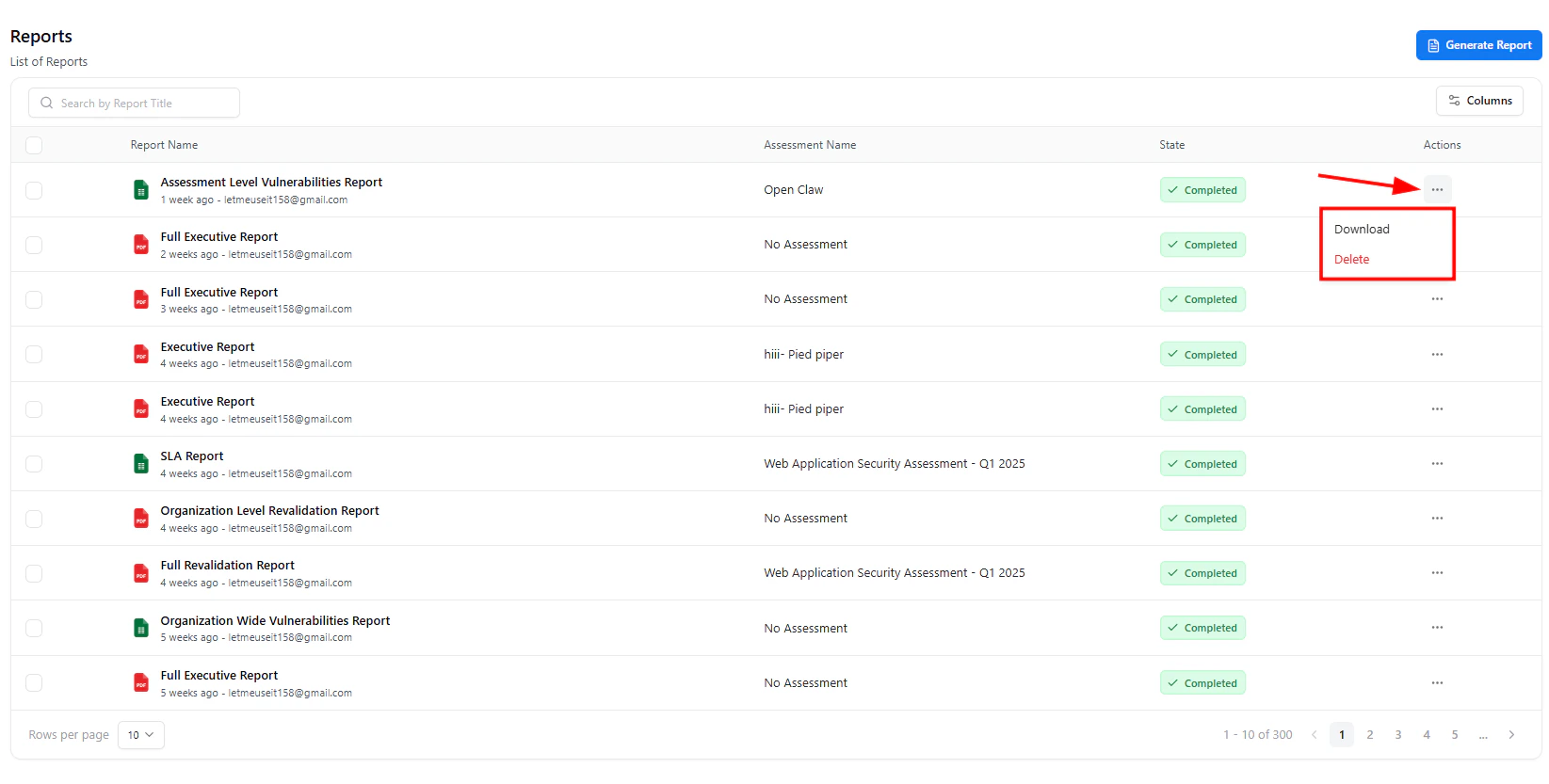
List of generated reports with status indicators and quick actions
Download
Instantly download PDF versions for internal sharing or submission.
Regenerate
Rebuild a report with updated data when vulnerabilities or remediation statuses change.
Delete
Remove outdated or duplicate reports to keep your workspace organized.
Value
The Reports module bridges the gap between technical testing and business insight.It automates report creation, ensures consistency across deliverables, and helps communicate progress effectively across teams — from engineers to executives.
Explore Live Demo
Explore Snapsec Live — No Signup Needed
Jump straight into the live environment and see how Snapsec unifies asset intelligence, threat detection, and vulnerability tracking — all in one dashboard.