Change Management dashboard view

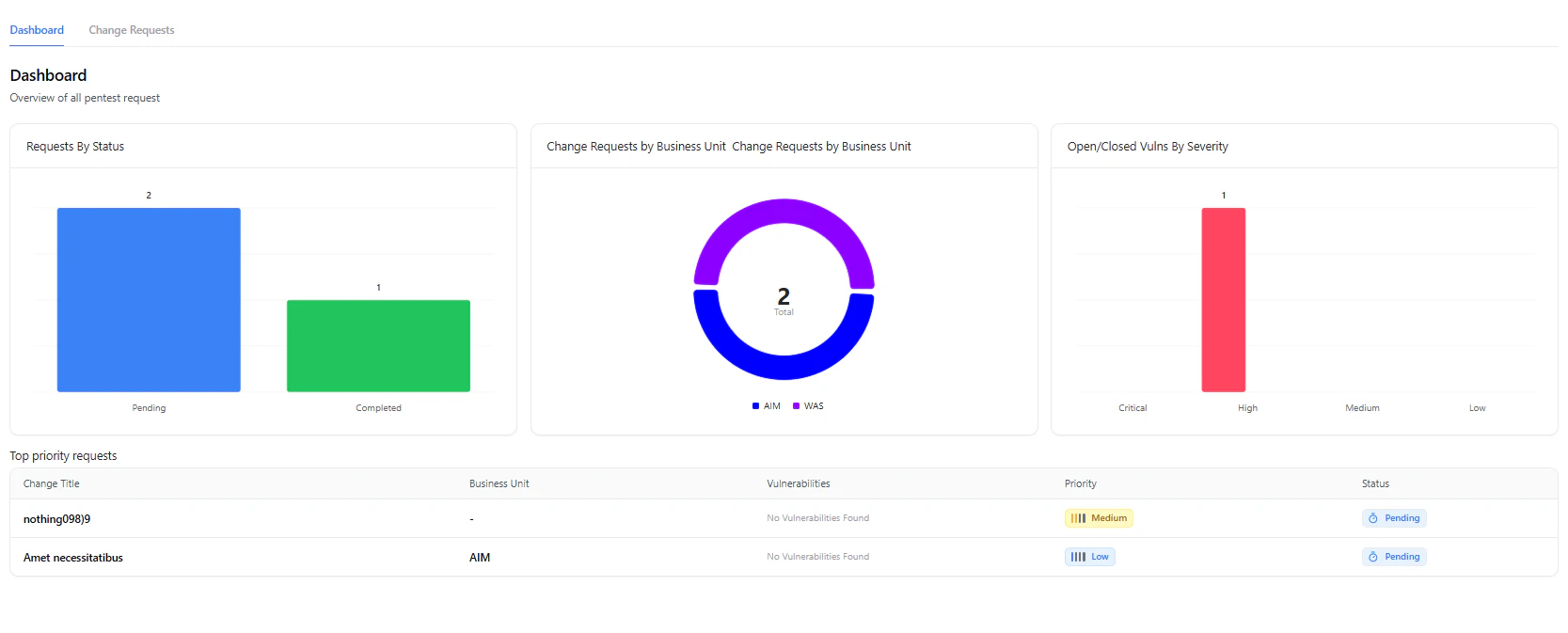
Change Management Dashboard showing request summary and vulnerability overview

Overview

The Change Management module allows organizations to securely track and assess changes introduced to their applications, infrastructure, or APIs.
It ensures that every new release or feature undergoes a controlled security review before production deployment.
Whether you are performing internal change reviews or managing external pentest requests, this module provides a unified process for security validation, approval tracking, and evidence management.

Purpose

Every code deployment or configuration update can impact the security posture.
Change Management in Snapsec VM formalizes this process by:
  • Documenting change requests with relevant context (title, owner, timeline, dependencies).
  • Running targeted assessments on new or modified components.
  • Tracking vulnerabilities introduced or fixed through each release.
  • Maintaining traceability between changes, vulnerabilities, and pentest results.

Value

Security in Every Release

Ensure each release or feature update goes through defined security checks before deployment.

Centralized Request Tracking

Manage all change and pentest requests from a single interface with clear visibility on status and priority.

Evidence-based Validation

Attach supporting evidence, testing credentials, and API documentation for validation and audit.

Seamless Integration

Link Jira or CI/CD releases with security verification and vulnerability results.

Change Management Dashboard

The Dashboard provides an overview of all pentests and change requests along with key metrics.
Change management request overview dashboard

Dashboard view summarizing requests and vulnerability distribution

Dashboard Highlights

  • Requests by Status — Track running, paused, completed, or pending requests.
  • Recent Activities — See recent submissions, updates, and completions.
  • Vulnerability Overview — Visualize vulnerabilities associated with each change request, categorized by severity.
  • Top Priority Requests — Quickly identify ongoing or urgent security validations.

Creating a Change Request

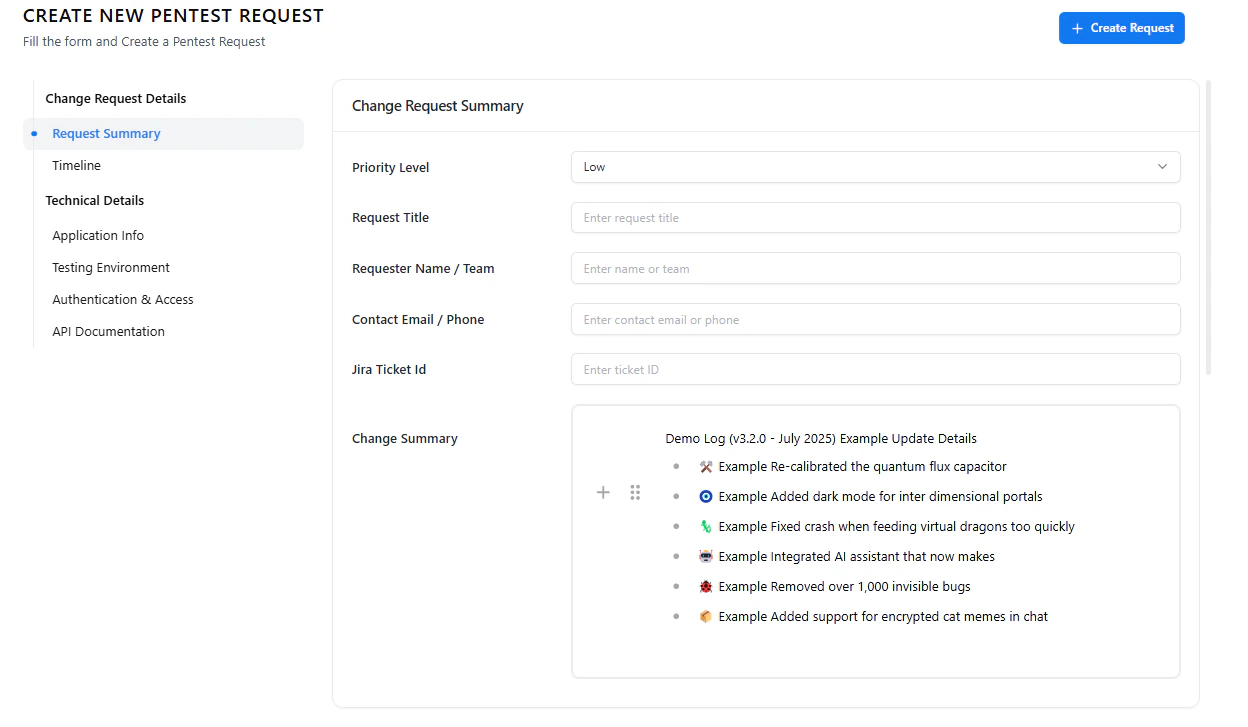
Creating a change request captures all necessary information for a release or update validation.
1

Navigate to Change Management → Change Requests

Click Create New Request to open the change submission form.
2

Add Request Summary

Include priority level, title, requester details, contact information, and a concise summary of the change.
3

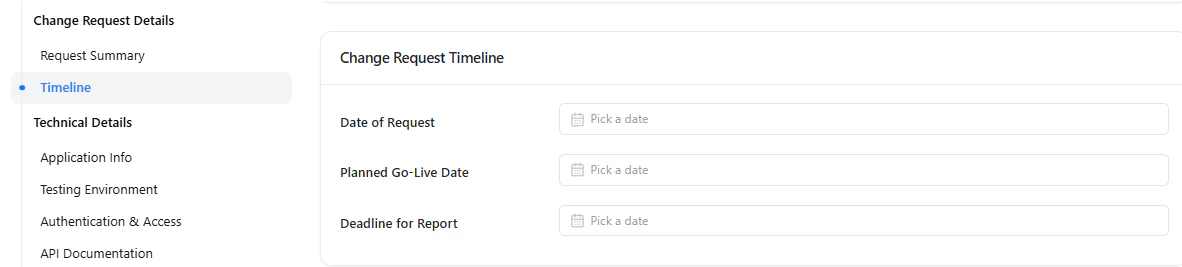
Set Timeline

Specify the request date, report deadline, and expected go-live window.
4

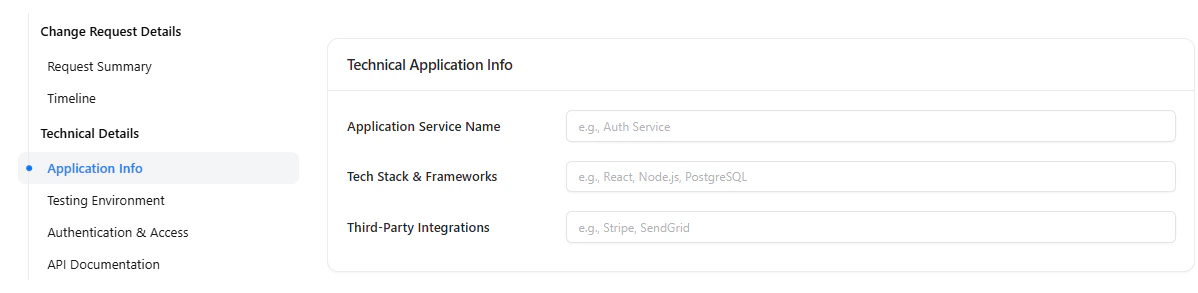
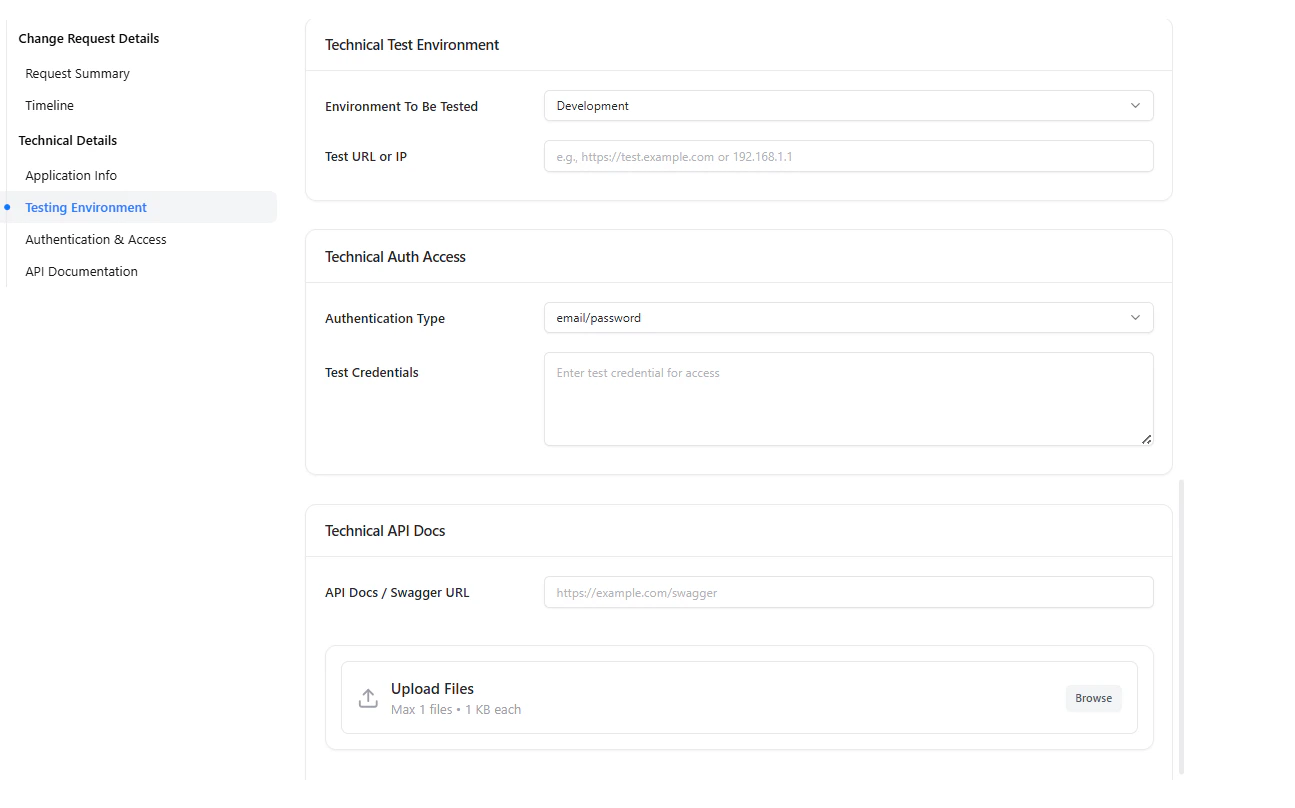
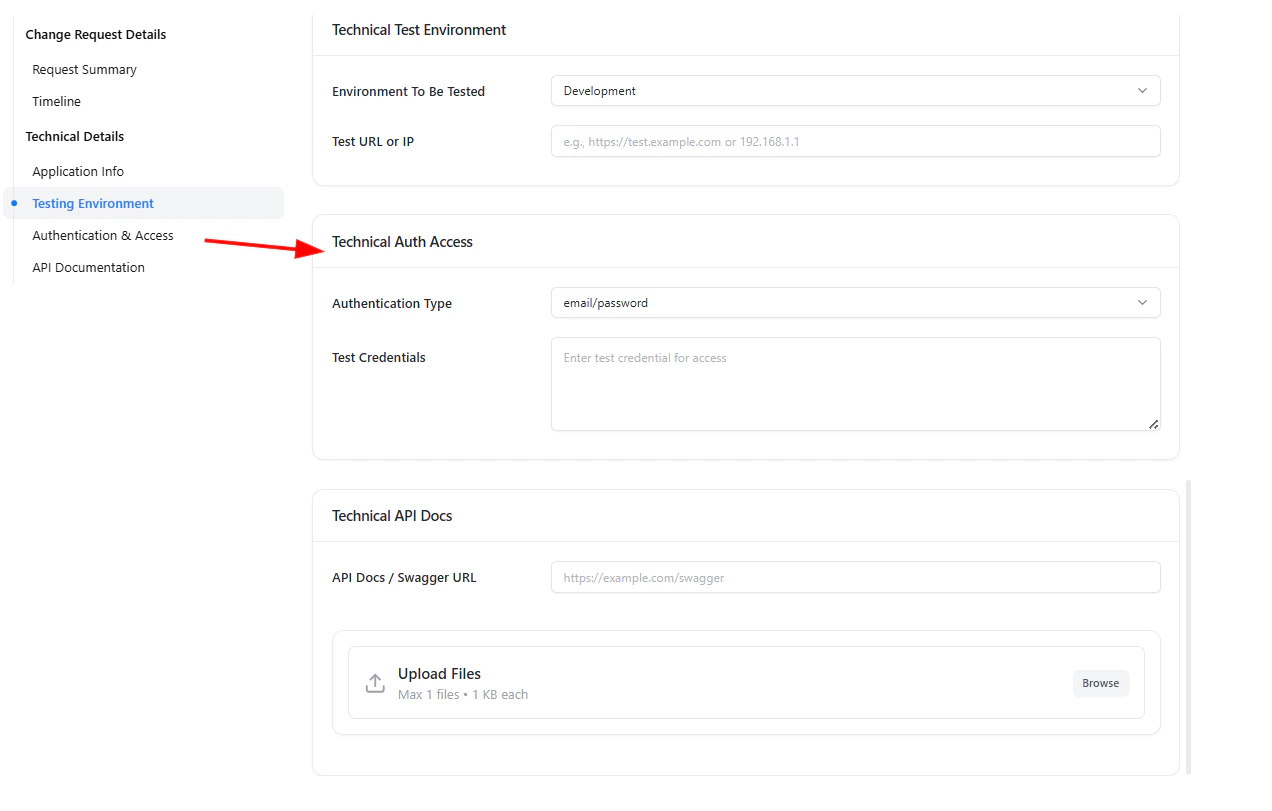
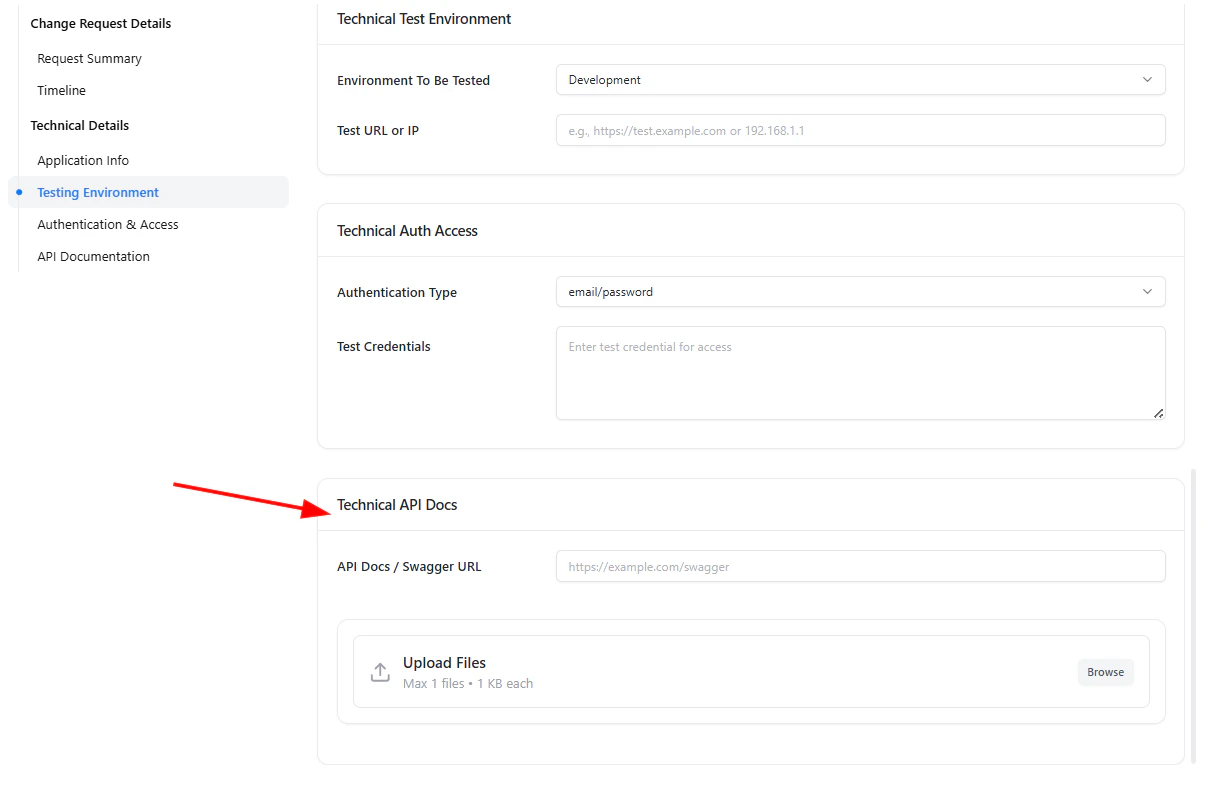
Add Technical Details

Provide environment details, URLs, authentication credentials, and link any API documentation or files.
5

Submit for Review

Click Create Request to trigger validation and assign reviewers.
New change request creation form

Change Request creation form capturing summary and technical details


Viewing and Managing Change Requests

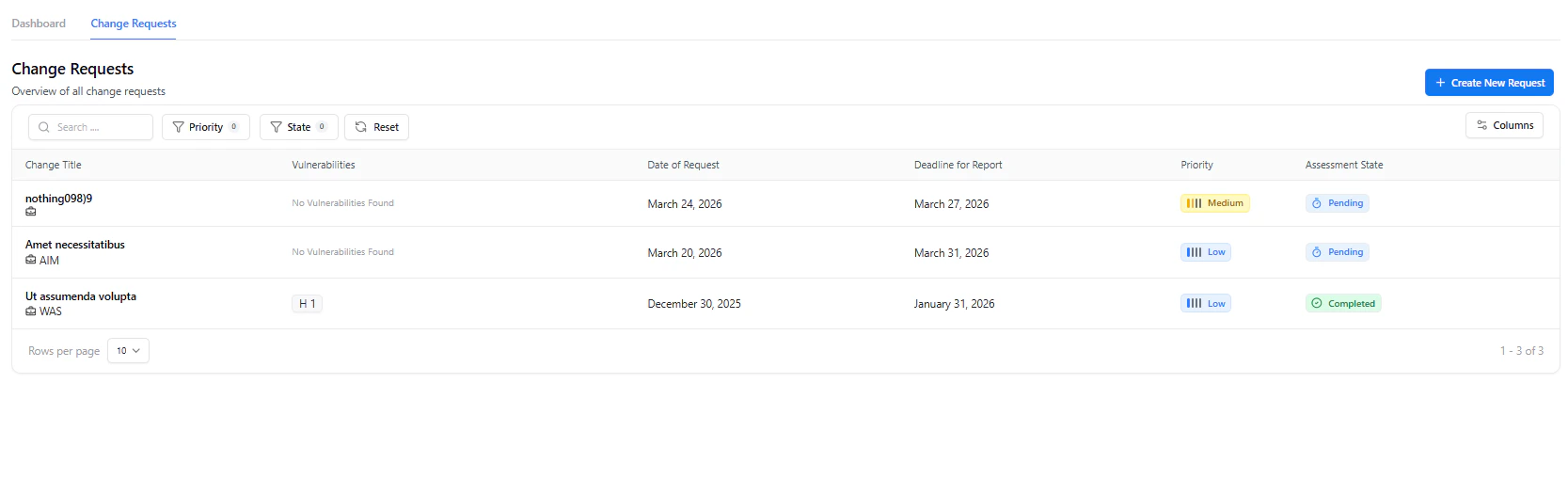
All existing requests are listed in the Change Requests tab, where you can view, search, and filter by state, priority, or update date. Each request includes linked vulnerabilities, associated evidence, and live metrics showing open/closed issues, severity breakdowns, and trends.
Change request details and vulnerability metrics

Change Request details with metrics and vulnerability insights


Adding Vulnerabilities to a Change Request

During or after validation, vulnerabilities identified are automatically linked to their associated Change Request.
1

From the Assessment

Select vulnerabilities discovered during the pentest and map them to the related change request.
2

Auto Link via Integration

If connected with CI/CD or scanners, vulnerabilities are automatically assigned to their respective change ID.
3

Review and Track Progress

Track each vulnerability’s lifecycle under the Metrics tab within the change request.
Change request vulnerability tracking metrics

Metrics showing severity distribution and vulnerability progress within a change request


Change Info

The Change Info section provides a complete overview of the change request and its technical context.
It helps security teams understand what is changing, who owns it, and how risky the change is before testing begins.

Change Request – Change Info

Included Information

  • Request Details — Title, requester, contact, dates, and ticket ID
  • Technical Information — Tech stack, integrations, data sensitivity, production impact
  • Pentest Requirements — Priority, deadlines, go/no-go criteria
  • Technical Access Details — Environment, URLs, authentication method, credentials
  • Change Summary — Release notes and functional updates
This section acts as the single source of truth for the change request.

Settings

The Settings tab allows teams to configure how the assessment behaves and how results are managed.

Change Request – Settings Overview

What You Can Configure

  • Assessment metadata (name, date, category)
  • Default ticket assignee
  • Business unit and department mapping
  • Collaborators and access
  • Assessment type and lifecycle state

Import CSV (Within Settings)

The Import CSV option allows bulk ingestion of vulnerabilities into the change request.

Import Vulnerabilities via CSV

Why Use Import CSV

  • Upload results from third-party scanners
  • Migrate findings from legacy tools
  • Speed up onboarding of large vulnerability sets
  • Standardize vulnerability intake for change testing
Imported vulnerabilities immediately become part of the assessment workflow.

Export CSV (Within Settings)

The Export CSV option enables teams to extract assessment data for offline analysis or compliance needs.

Export Vulnerabilities to CSV

Common Use Cases

  • Share findings with external teams
  • Perform custom analytics
  • Maintain audit records
  • Backup assessment data
Exports include vulnerability details, severity, status, and ownership.

Custom Report

The Custom Report section allows users to manually curate executive-ready or client-facing reports.

Custom Report Editor

Custom Report Sections

  • Report Title
  • Author & Reviewer
  • Executive Summary
  • Custom Scope
  • Methodology
  • Conclusion
  • Action Plan
This gives full control over narrative, formatting, and messaging beyond auto-generated reports.

Activity

The Activity tab provides a chronological audit trail of all actions performed within the change request.

Change Request Activity Timeline

Tracked Events

  • Assessment type changes (Black / Grey / White box)
  • Status updates (Started, Paused, Completed)
  • Configuration changes
  • User actions and timestamps
This ensures accountability, traceability, and compliance visibility.

Docs & Evidences

The Docs & Evidences section is used to upload proof, screenshots, logs, and supporting files related to the assessment.

Upload Evidence Modal

Evidence Management

  • Upload up to 20 files per upload
  • Max 10 MB per file
  • Store screenshots, logs, videos, or PDFs
  • Maintain evidence for audits and revalidation
This section is critical for compliance, verification, and reporting accuracy.

Why This Matters

Modern security failures often originate from well-intentioned changes — rushed releases, undocumented fixes, or unreviewed configuration updates.
The Change Management module ensures that security is not an afterthought, but an embedded control point in every release cycle.
By combining request context, technical validation, vulnerability tracking, reporting, and evidence collection into a single workflow, Snapsec enables teams to:
  • Prevent risky changes from reaching production without proper security validation
  • Maintain continuous visibility into how each change impacts risk posture
  • Create defensible audit trails linking changes, findings, approvals, and evidence
  • Align engineering velocity with security governance, not slow it down
  • Support compliance requirements with structured data instead of manual documentation
Instead of fragmented tools and ad-hoc approvals, Change Management provides a repeatable, traceable, and security-first release process — helping organizations ship faster without compromising trust, compliance, or resilience.

Explore Live Demo

Explore Snapsec Live — No Signup Needed

Jump straight into the live environment and see how Snapsec unifies asset intelligence, threat detection, and vulnerability tracking — all in one dashboard.