

Overview
The Repositories section in AIM provides a complete inventory of all code repositories discovered across your organization.It enables teams to monitor repository exposure, activity, vulnerabilities, and ownership in a single unified view.
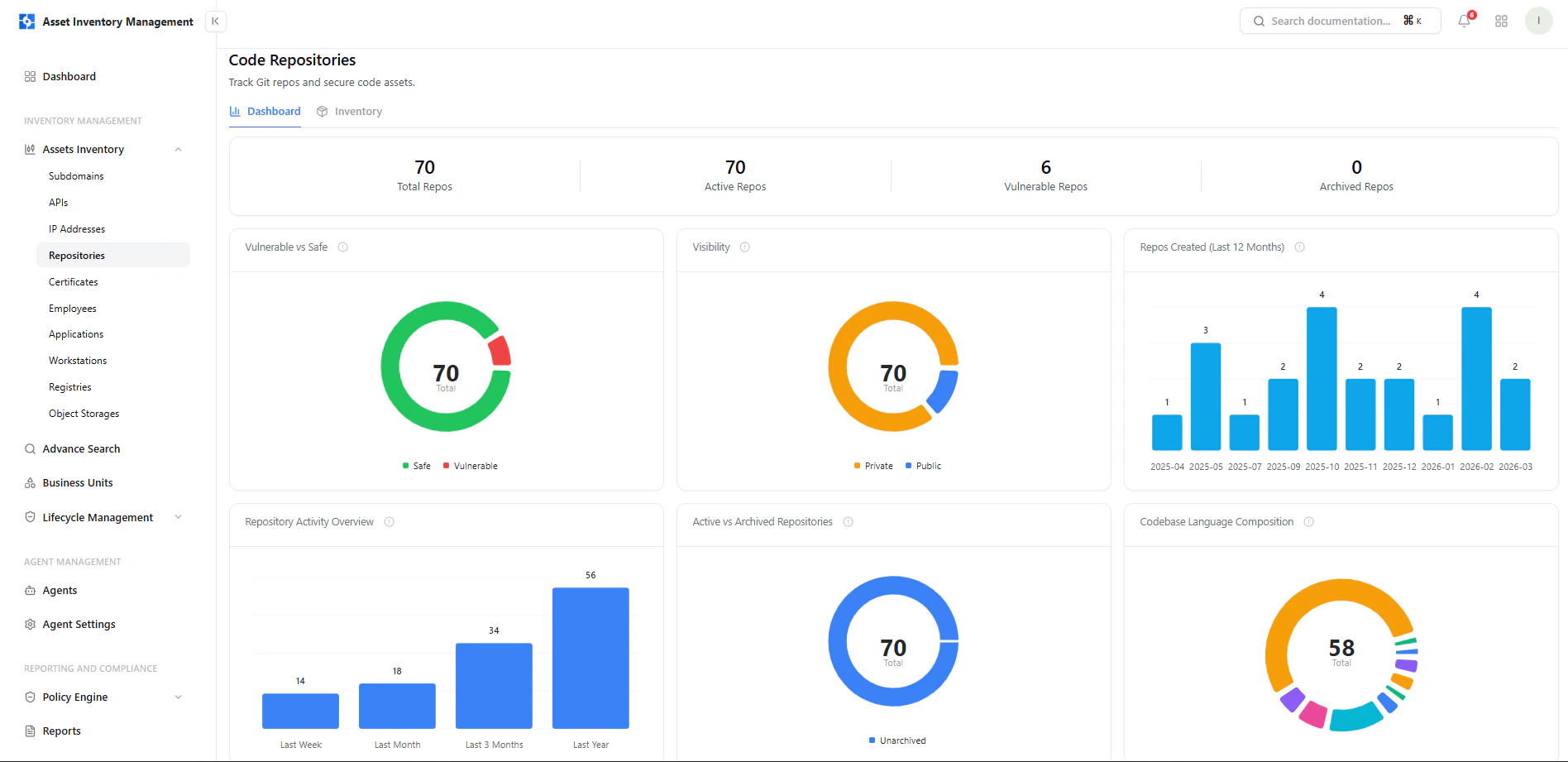
Repository inventory showing visibility, language, vulnerabilities, ownership, and activity
Dashboard View
Each repository dataset is supported by a dashboard view that highlights overall posture, activity, and distribution trends.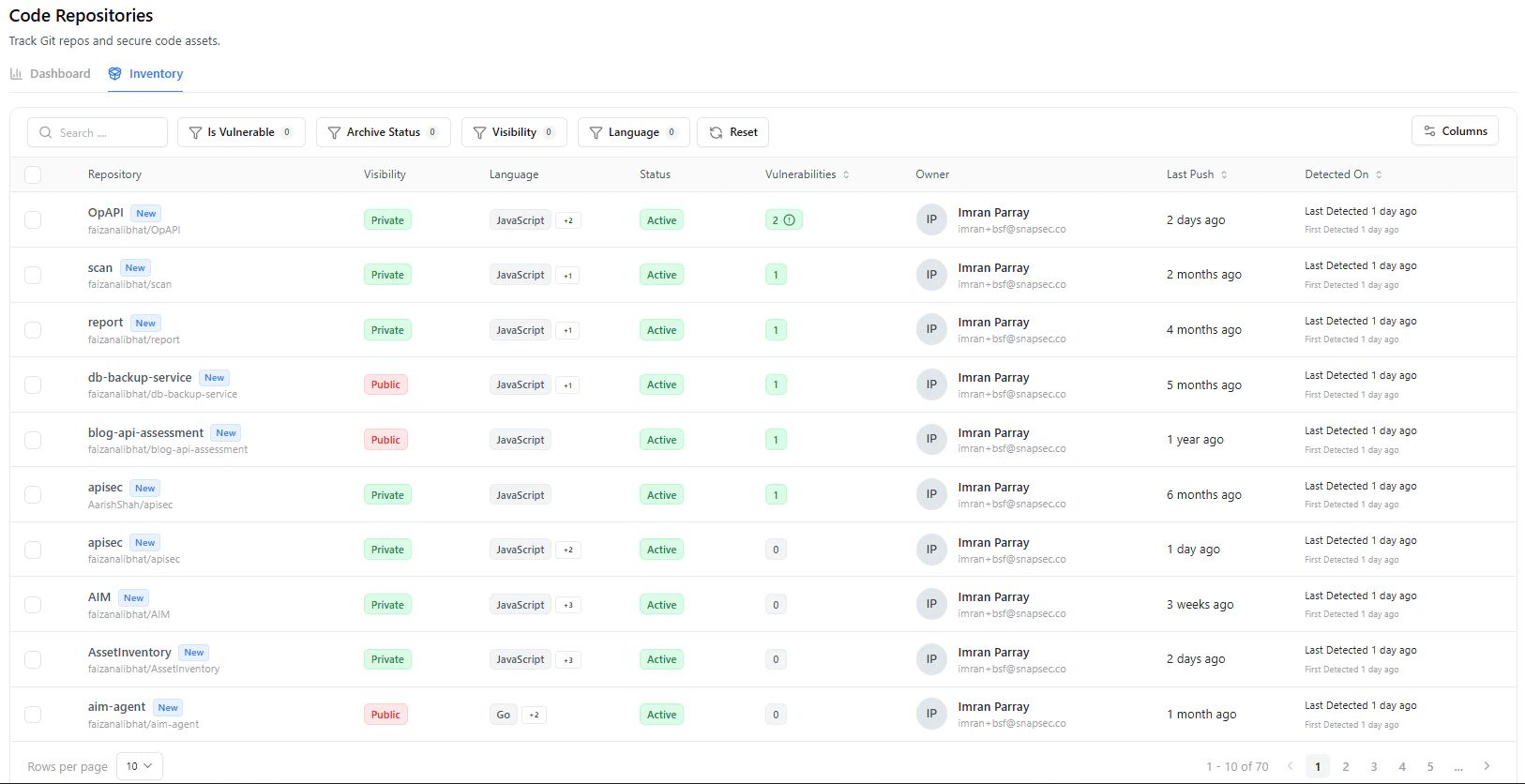
Repository dashboard showing visibility, activity trends, archive status, and language distribution
- Total Repositories — All discovered repositories
- Active Repositories — Currently active codebases
- Vulnerable Repositories — Repositories with detected issues
- Archived Repositories — Repositories no longer in active use
Key Insights
Vulnerable vs Safe
Shows how many repositories:- Have vulnerabilities
- Are currently safe
Visibility Distribution
Breakdown of:- Private repositories
- Public repositories
Repository Creation Trends
Tracks repository creation over time:- Helps identify spikes in development activity
- Useful for governance and growth tracking
Repository Activity Overview
Shows activity levels across time:- Last week
- Last month
- Last 3 months
- Last year
Active vs Archived
Displays:- Active repositories
- Archived repositories
Language Distribution
Breakdown of programming languages used across repositories:- Helps understand technology stack
- Useful for standardization and risk analysis
Inventory Table
The repository table is the primary working view for managing code assets.Key Columns
Search and Filters
Quickly refine repository data using:- Is Vulnerable — Show repositories with vulnerabilities
- Archive Status — Active vs archived
- Visibility — Public or private
- Language — Filter by tech stack
- Search — Find specific repositories
Why This Matters
The Repositories module gives visibility into your code attack surface:- Identify publicly exposed repositories
- Detect inactive or abandoned codebases
- Track vulnerabilities tied to code assets
- Understand technology usage across repos
- Enforce ownership and accountability
Explore Live Demo
Explore AIM Live — No Signup Needed
Instantly explore how Snapsec AIM discovers, enriches, and tracks every asset in real time — all without creating an account.