

Overview
The Threat Catalog centralizes all threats generated across your Threat Modelling projects.It provides a complete view of severity, confidence, affected endpoints, lifecycle states, and project context — enabling deep analysis and faster triage.
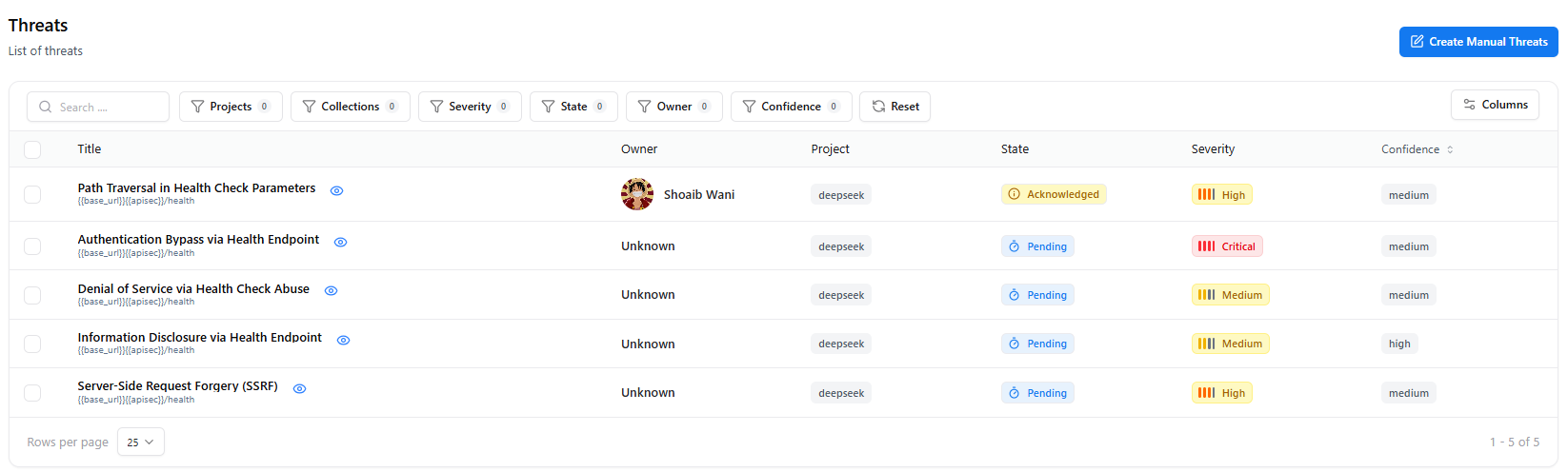
Overview
The Threat Catalog aggregates all threats detected through:- Threat Generation Engine
- API-based threat extraction
- System modelling workflows
- Manual or AI-assisted submissions
- Severity & confidence
- Affected endpoint or component
- Description & references
- Mitigation guidance
- Threat state (Pending → Verified)
- Associated project & owner
- Activity logs & audit trail
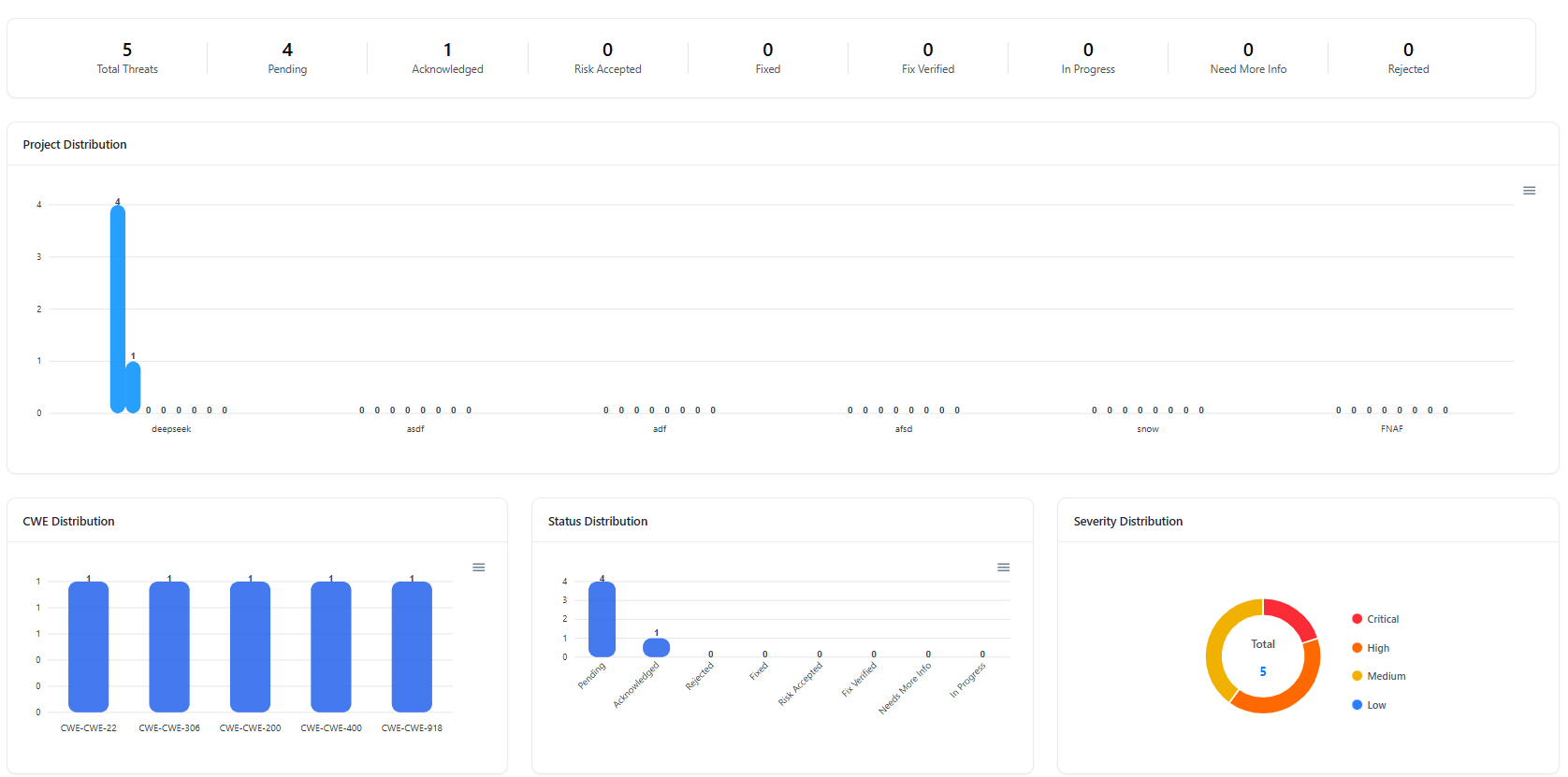
Key Metrics & Analytics
Total Threats
Shows the total number of threats across all projects.
Severity Breakdown
Visual distribution of Critical, High, Medium, and Low threats.
Lifecycle States
Tracks threats across states — Pending, Acknowledged, In Progress, Fixed, and Verified.
Search, Filters & Sorting
The Threat catalog includes powerful search and filtering:| Filter | Description |
|---|---|
| Project | Filter threats by project or microservice |
| Severity | Critical, High, Medium, Low |
| State | Pending → Fix Verified |
| Confidence | Level of certainty in the finding |
| Owner | Assigned developer or analyst |
| Endpoint | Filter by API route or component |
| Keywords | Search within descriptions, references, or metadata |
Threat Table Columns
| Column | Description |
|---|---|
| Threat Title | Name/short summary of the threat |
| Severity | Critical / High / Medium / Low |
| State | Current lifecycle state |
| Confidence | AI or analyst confidence score |
| Endpoint | Associated route or system component |
| Project | The project the threat belongs to |
| Owner | Assigned team member |
| Last Updated | Timestamp of last activity |
Threat Full View
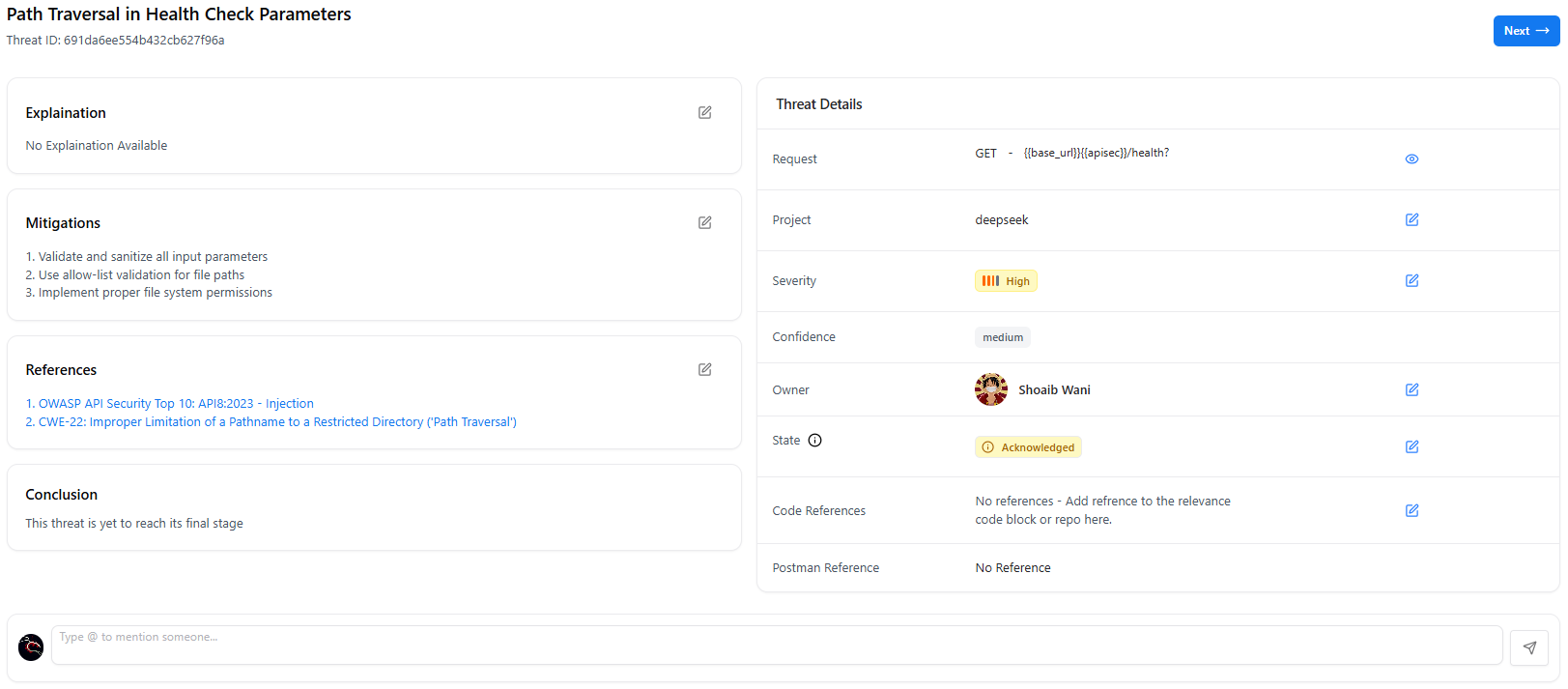
🛡 Threat Summary
- Title
- Severity & confidence
- Associated endpoint
- Description & attack reasoning
- CVE/CWE mappings
- Impact analysis
- References
🧭 Lifecycle Tracking
- Current state (Pending → Verified)
- Activity timeline
- Analyst/developer comments
- Change history
🧩 Evidence & Metadata
- Request/response payloads
- Parameters and host
- Trace evidence
- Related vulnerabilities
Threat Lifecycle Management
Threats move across a structured workflow: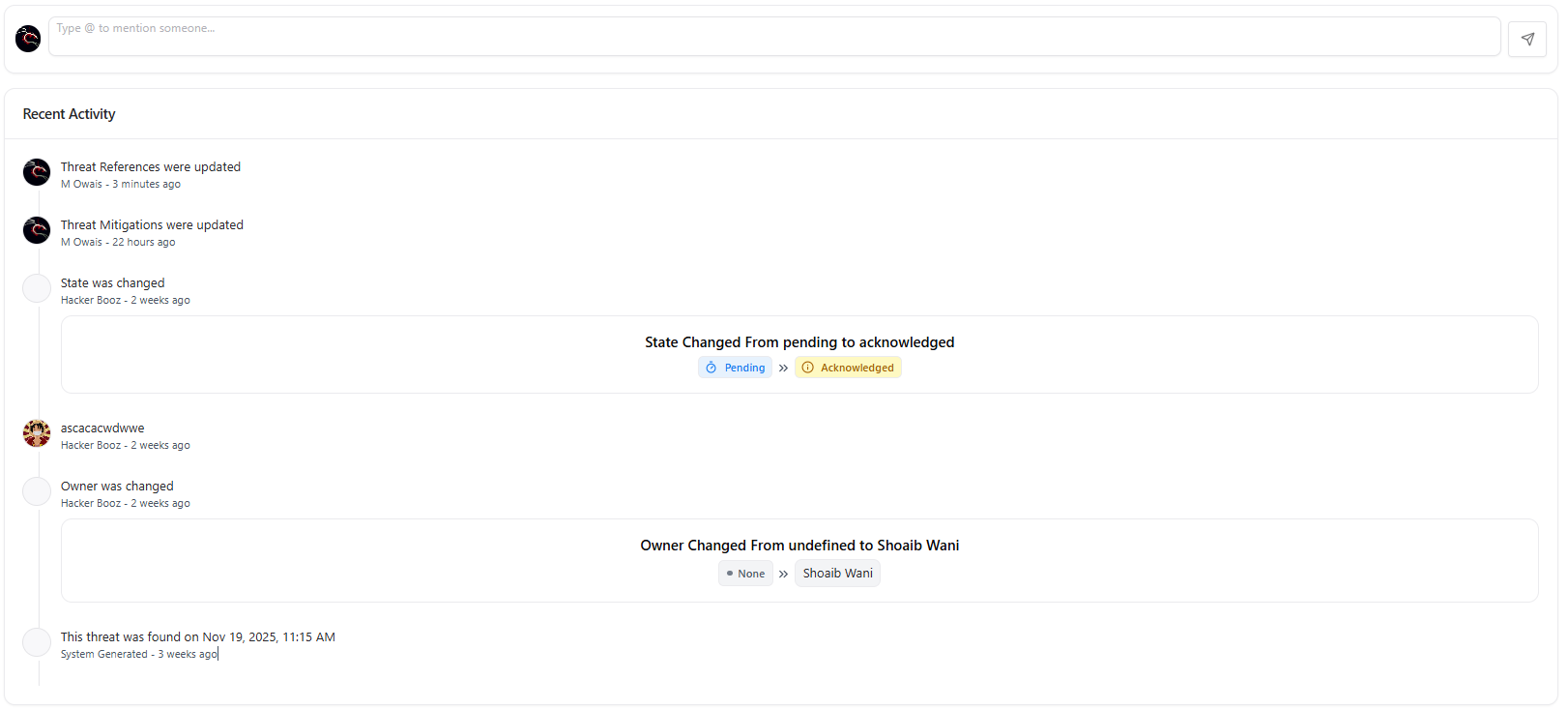
Ownership & Collaboration
Each threat supports:- Assign Owner — map responsibility to a developer or analyst
- Add Comments — real-time collaboration between teams
- Activity Logs — complete audit history
- Reassign or escalate when necessary
Example Threat Types
Privilege Escalation
Incorrect access control allowing unauthorized role elevation.
Broken Authentication
Weak session handling or missing authentication steps.
Injection Risks
SQL injection, command injection, or template injection possibilities.
Logic Flaws
Broken flows like IDOR, bypassed checks, or missing verification.
Explore Live Demo
Explore Snapsec Live — No Signup Needed
Jump straight into the live environment and see how Snapsec unifies asset intelligence, threat detection, and vulnerability tracking — all in one dashboard.