

Overview
The Asset Catalogue provides a unified list of all assets monitored by the Vulnerability Scanner.It shows their exposure, vulnerability counts, scanning status, and risk posture — helping teams prioritize what matters most.
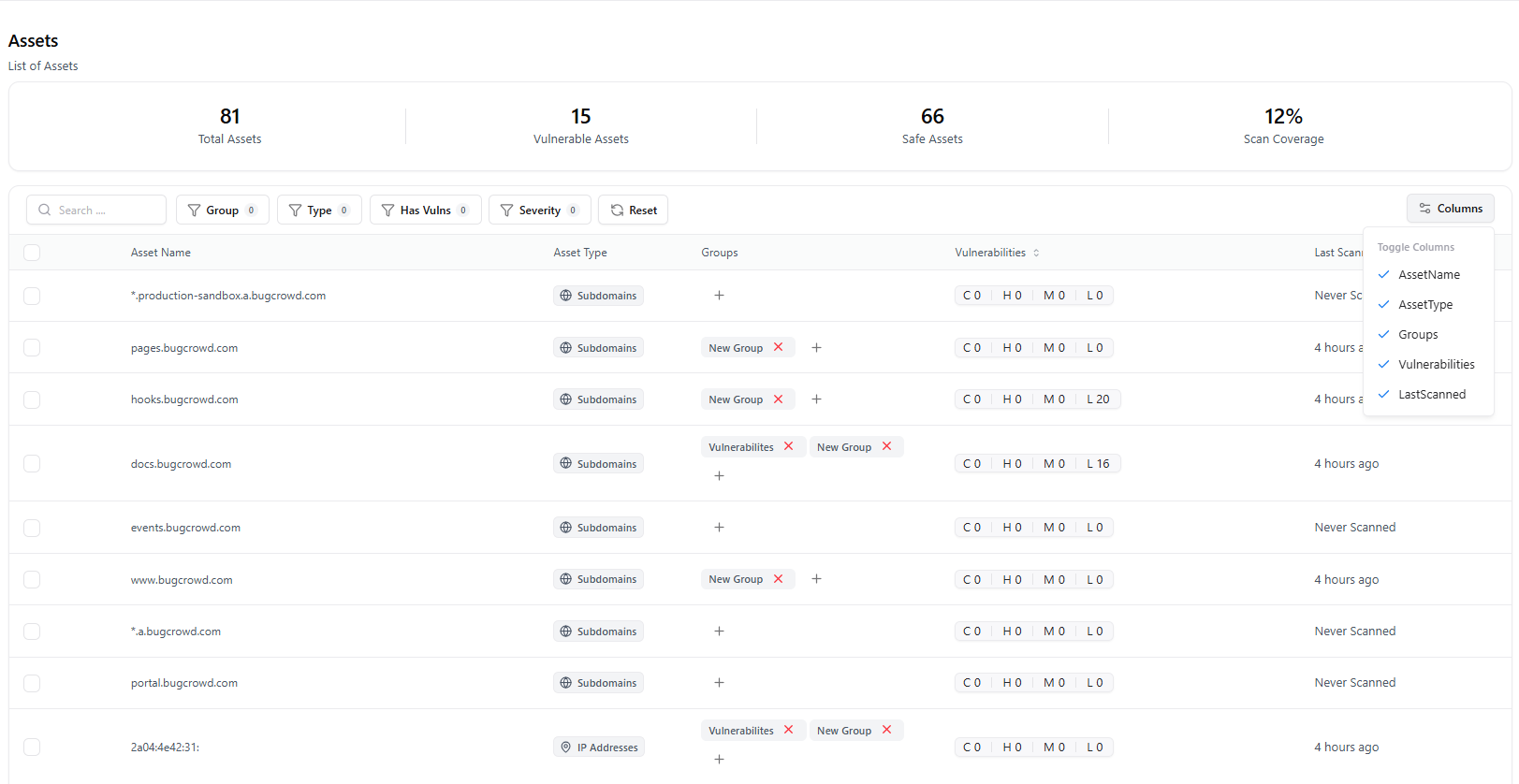
Overview
The Asset Catalogue aggregates all assets discovered or imported into the Vulnerability Scanner.Each entry includes:
- Asset value (domain, IP, URL, or application)
- Vulnerability count
- Last scan status
- Exposure level
- Associated scanner
- Automated risk score
Key Metrics
Total Assets
Total number of assets detected across all scans and integrations.
Assets With Vulnerabilities
Shows how many assets contain one or more active vulnerabilities.
Scan Coverage
Indicates how many assets have been scanned recently vs. pending.
Search, Filters & Sorting
The catalogue includes powerful filtering for fast investigation.Available Filters
| Filter | Description |
|---|---|
| Scanner | Filter assets by the scanner that detected them. |
| Exposure | Identify exposed, internal, shadow, or unverified assets. |
| Risk Score | Sort by automated risk evaluation. |
| hasVulns | Show only assets with active vulnerabilities. |
| Date Range | Filter by detection or last scanned timeline. |
Asset Table Columns
Each asset includes detailed metadata:| Column | Description |
|---|---|
| Asset Value | URL, domain, or IP representing the scanned target |
| Scanner | The scanner engine used to test the asset |
| Vuln Count | Number of vulnerabilities detected |
| Exposure | Whether the asset is external, internal, or unknown |
| Auto Risk | System-generated risk score |
| Last Scan | Timestamp of the most recent scan |
| Tags | Labels for categorization and governance |
| Detected On | First time the asset was discovered |
Asset Detail View
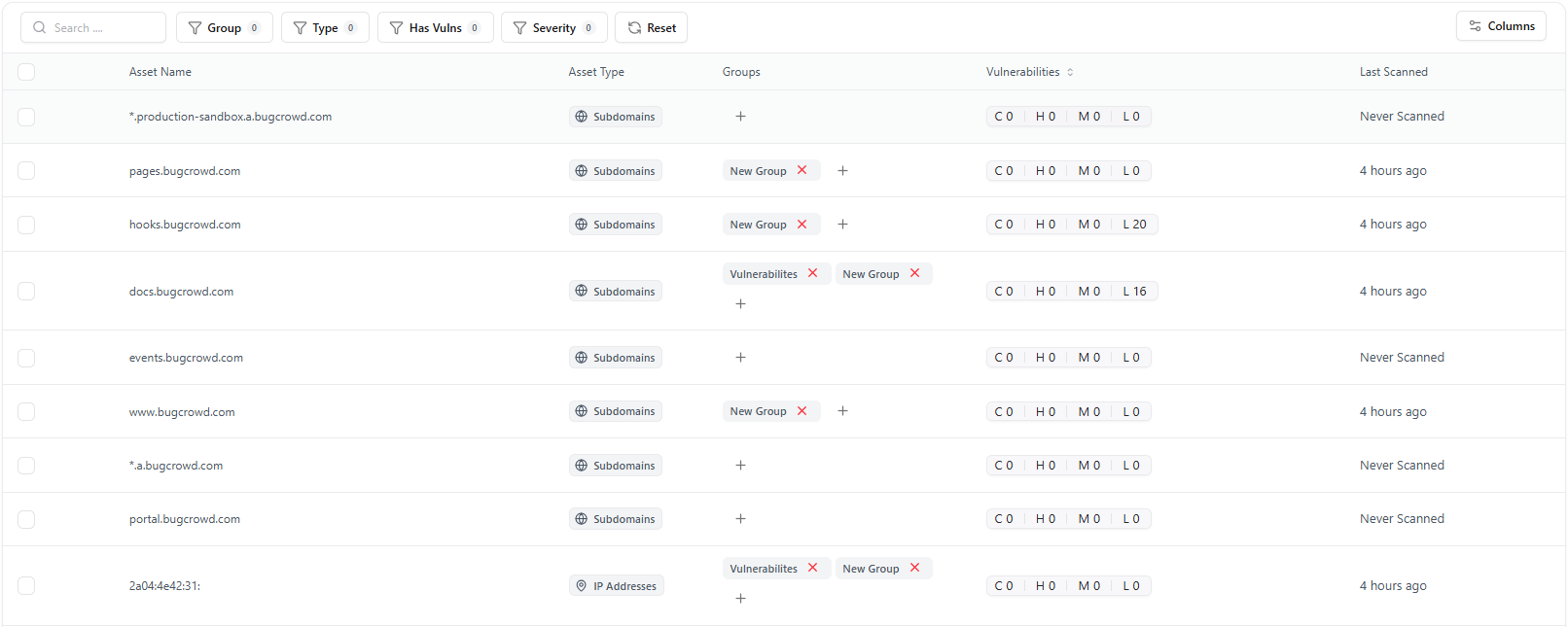
- Summary information
- Vulnerability list
- Scan history
- Technologies detected
- Exposure reasoning
- Risk insights
- Evidence linkage
How Assets Are Discovered
Assets may be added to the catalogue through:- Manual submission during scan creation
- CI/CD pipelines
- Scheduled scans
- Integrations with ASM, VM, or AIM
- API-based imports
Example Use Cases
Prioritize High-Risk Assets
Identify assets with critical vulnerabilities or high exposure.
Improve Asset Coverage
Detect assets that have not been scanned recently and schedule tests.
Track Asset Lifecycle
Monitor first-found, last-seen, and scan activity over time.
Support Incident Response
Pull up vulnerabilities and scan history for an affected asset instantly.
Explore Live Demo
Explore Snapsec Live — No Signup Needed
Jump straight into the live environment and see how Snapsec unifies asset intelligence, threat detection, and vulnerability tracking — all in one dashboard.