

Overview
The Applications module provides a centralized inventory of all applications discovered across your environment — including internal services and externally exposed platforms. It enables teams to track ownership, understand deployment types, and monitor application lifecycle and security posture.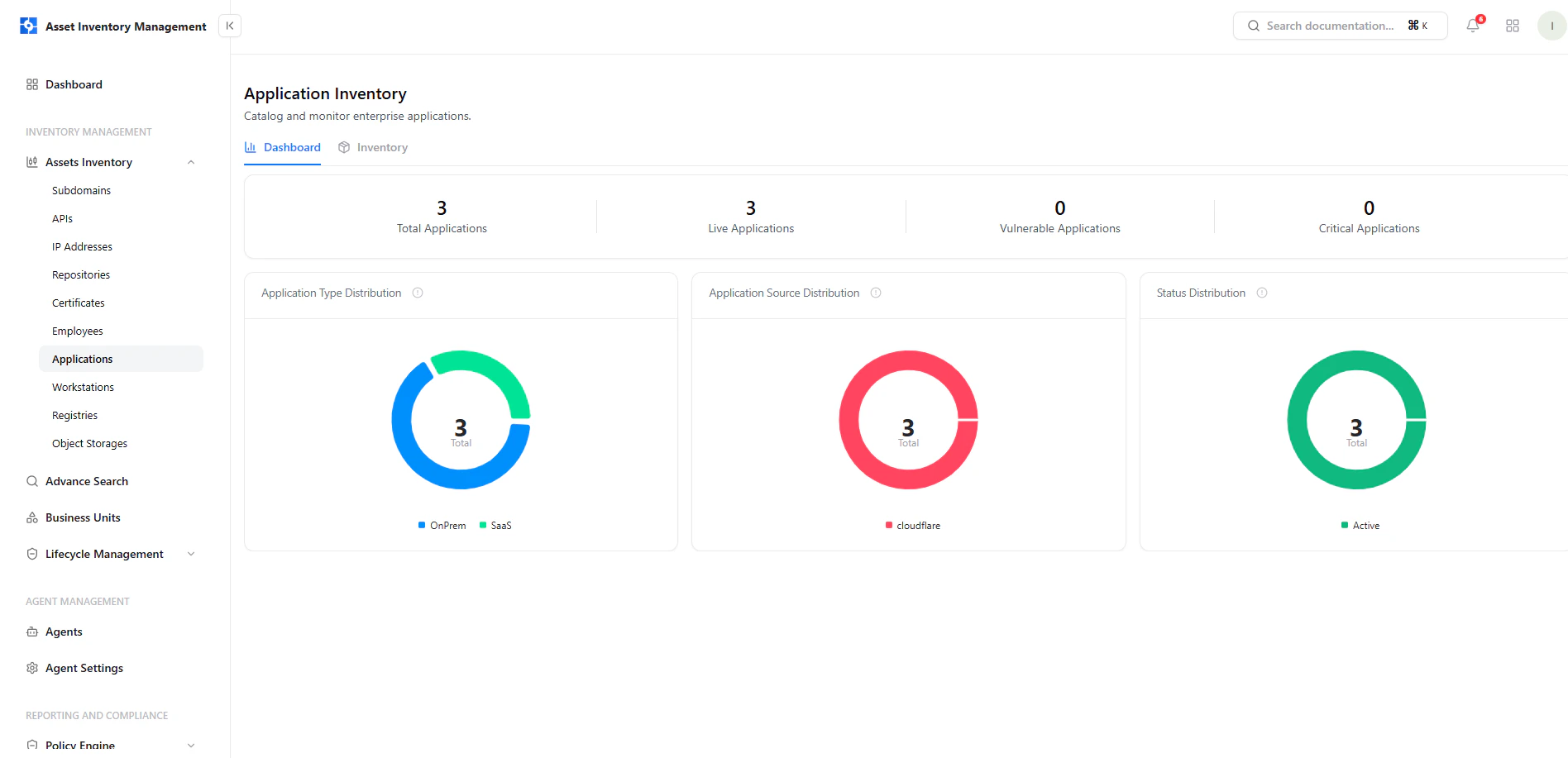
Application Inventory Dashboard showing distribution by type, source, and status
Dashboard View
The dashboard gives a high-level overview of your application landscape.Key Metrics
- Total Applications — All discovered applications
- Live Applications — Currently active applications
- Vulnerable Applications — Applications with detected issues
- Critical Applications — Applications with critical findings
Visual Insights
- Application Type Distribution — OnPrem vs SaaS
- Application Source Distribution — Discovery source (e.g., Cloudflare)
- Status Distribution — Lifecycle state of applications
Application Inventory
The inventory view lists all applications with operational and ownership details.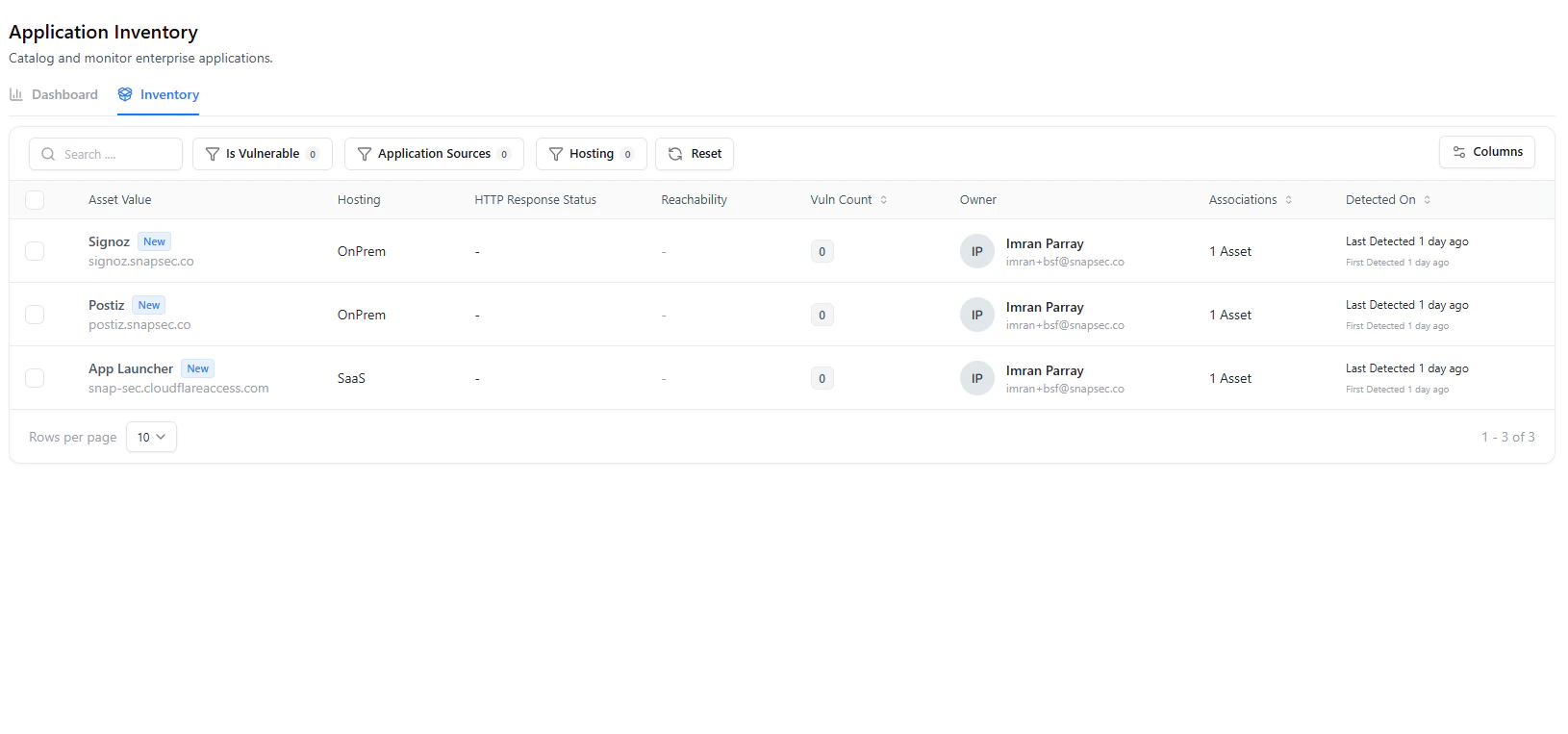
Application inventory table with hosting type, ownership, and associations
Table Columns
Filters & Search
- Is Vulnerable
- Application Sources
- Hosting Type
- Search by application name
Application Asset View
Selecting an application opens a detailed view with complete context.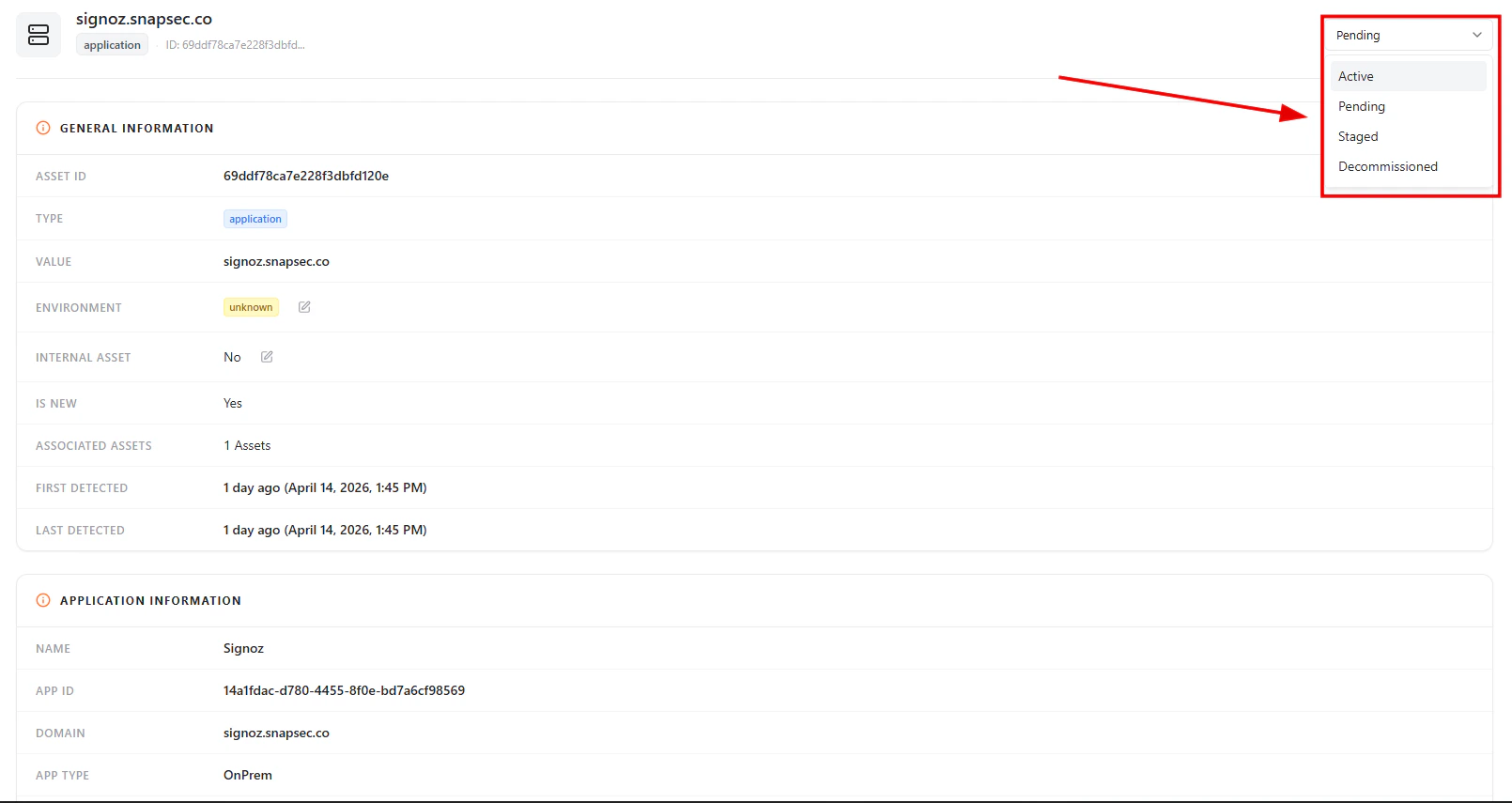
Application asset detail view with general metadata
General Information
Each application includes:- Asset ID
- Type (Application)
- Value (Domain / Identifier)
- Environment
- Internal Asset (Yes / No)
- Associated Assets
- First Detected / Last Detected
Lifecycle Status
Applications support lifecycle tracking directly from the asset view.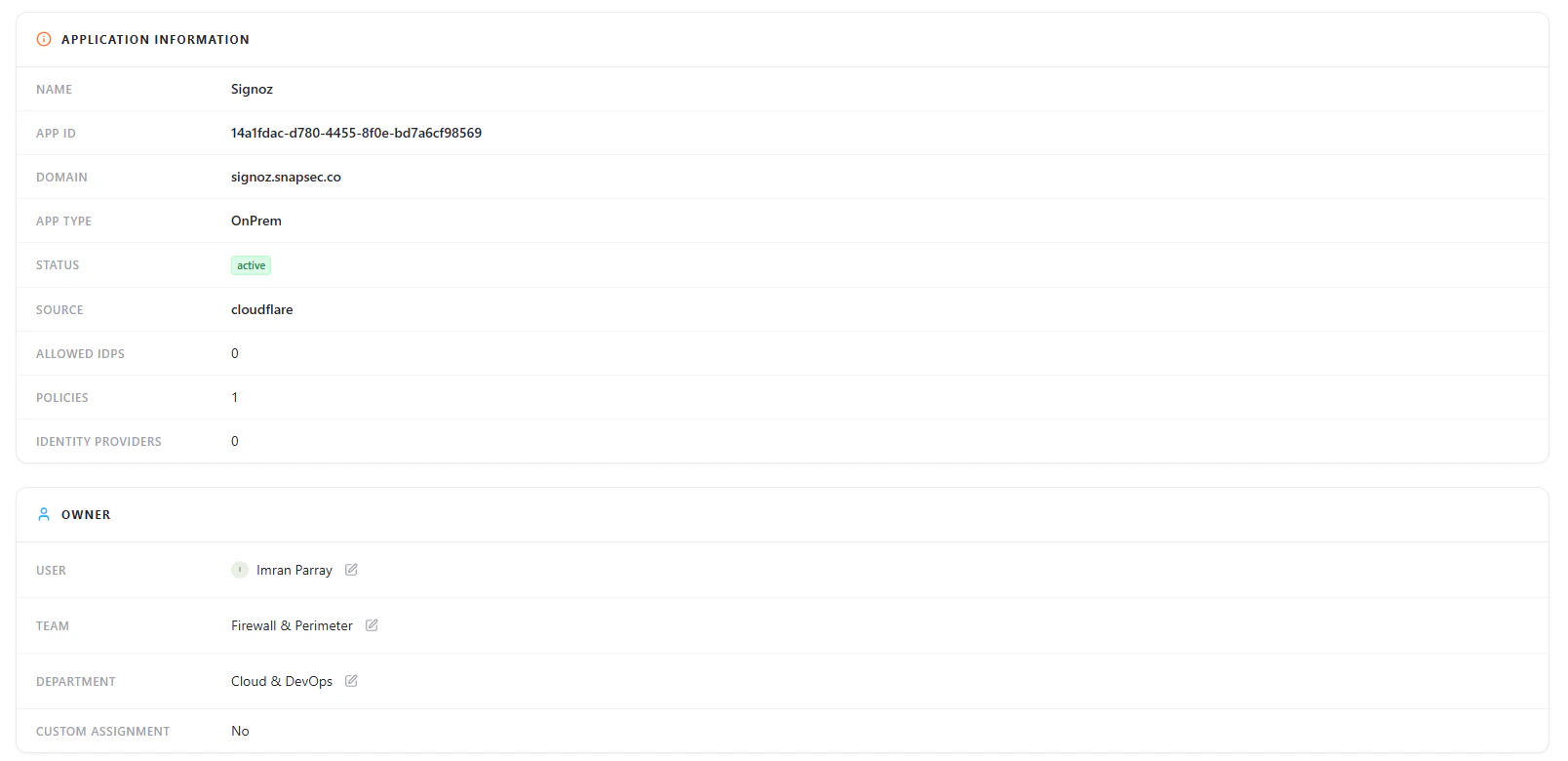
Application lifecycle status options
- Active — Currently in use
- Pending — Newly discovered and under review
- Staged — Pre-production or testing phase
- Decommissioned — No longer in use
Application Information
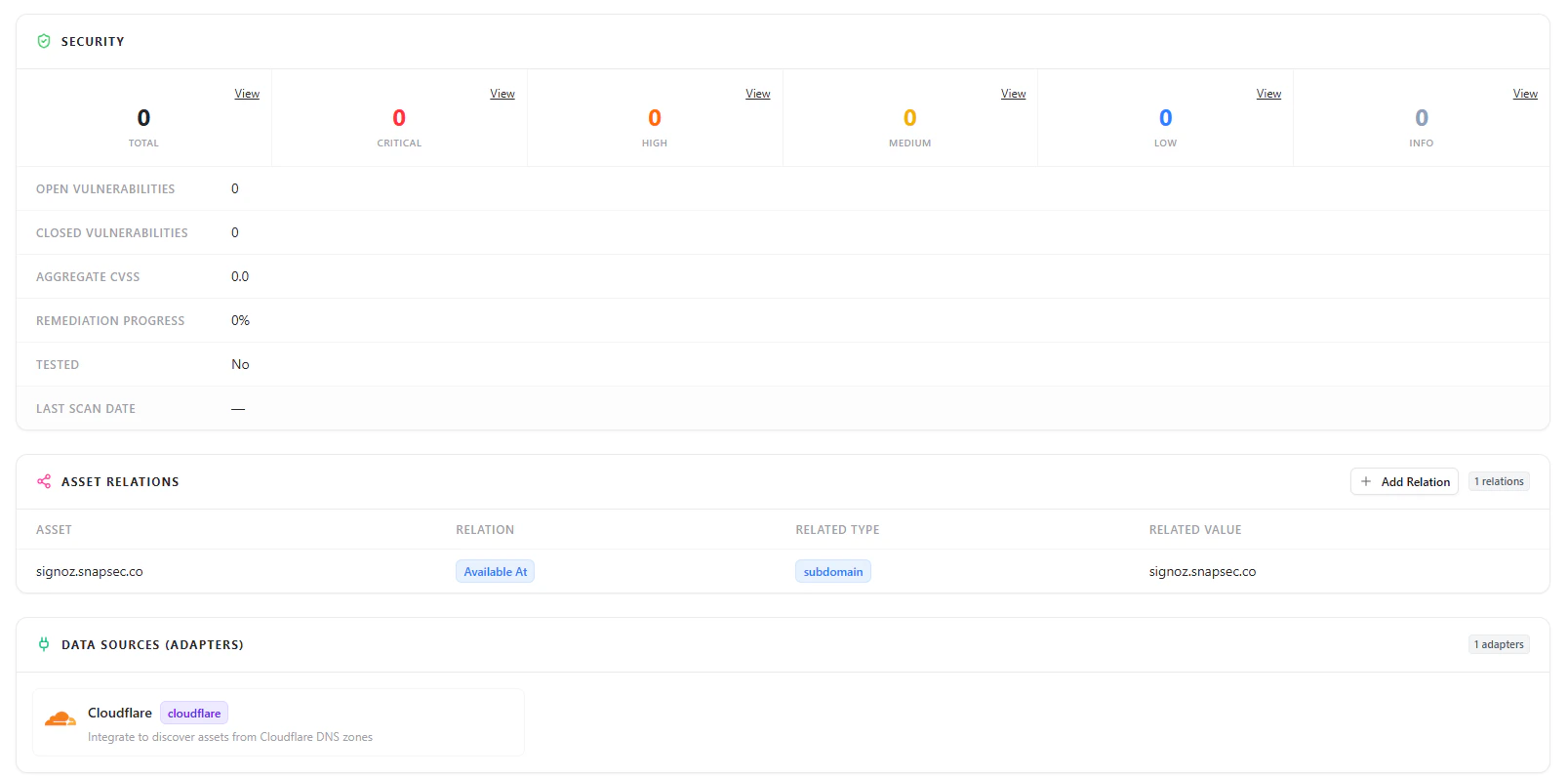
Application metadata including name, domain, type, and source
- Application Name
- App ID
- Domain
- Application Type (OnPrem / SaaS)
- Status
- Source (e.g., Cloudflare)
- Allowed IPs
- Policies
- Identity Providers
Security Overview
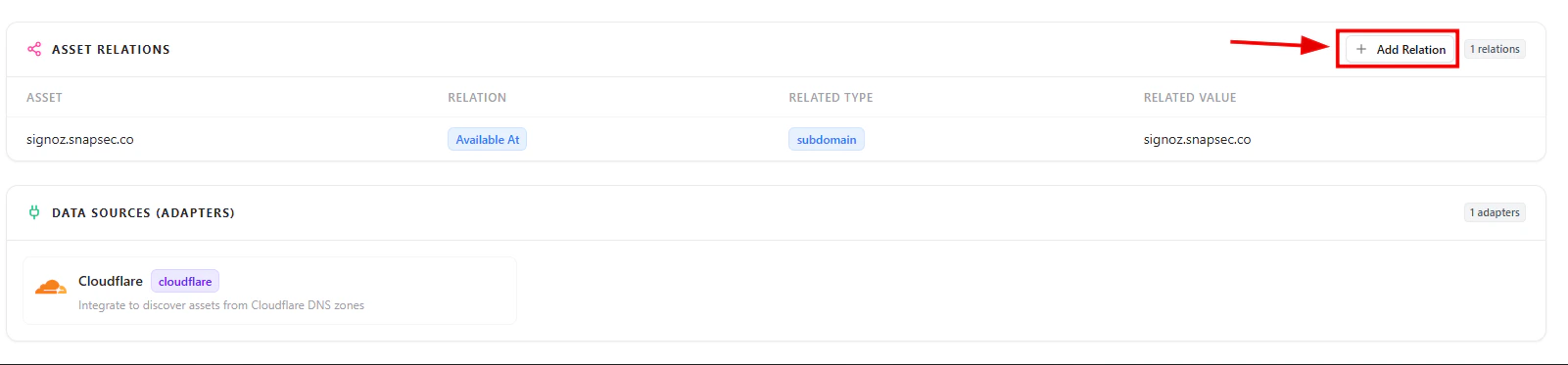
Application security summary with vulnerability metrics
- Total vulnerabilities
- Severity breakdown (Critical, High, Medium, Low, Info)
- Open vs closed vulnerabilities
- Aggregate CVSS score
- Remediation progress
Asset Relationships
Applications are connected to other assets within your environment.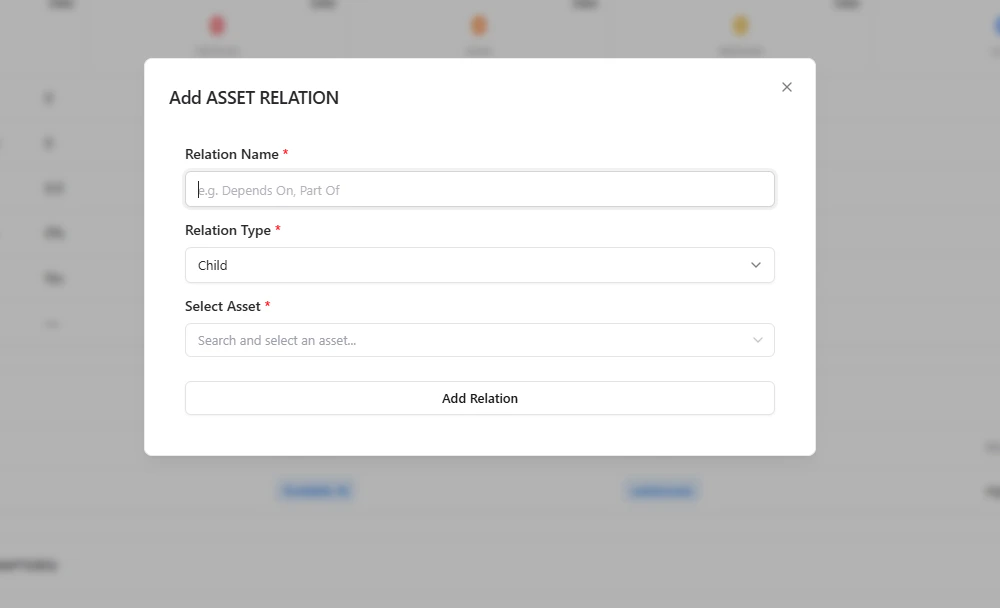
Asset relationships showing linked assets and dependencies
- Understand how applications are linked to subdomains and other assets
- Identify dependencies across the environment
- Analyze impact before making changes
Data Sources (Adapters)
Applications are discovered through integrated data sources.- Example: Cloudflare
- Shows which integrations are contributing asset discovery
Why This Matters
The Applications module helps teams:- Maintain a complete application inventory
- Track ownership and accountability
- Understand deployment environments (OnPrem vs SaaS)
- Monitor lifecycle states of applications
- Identify security issues across applications
- Gain visibility into asset relationships
Explore Live Demo
Explore AIM Live — No Signup Needed
Instantly explore how Snapsec AIM discovers, enriches, and tracks applications across your organization — all without creating an account.