IP Address Catalog Overview
Overview
The IP Catalog aggregates all network IPs discovered via integrated adapters, vulnerability management systems, or external scanners.It provides deep insights into risk, vulnerability severity, exposure classification, and network ownership. Each IP record represents a monitored endpoint within your ecosystem — whether internal, external, or shadowed — and is automatically correlated with vulnerabilities, ASN, and organization data.
Key Metrics and Analytics
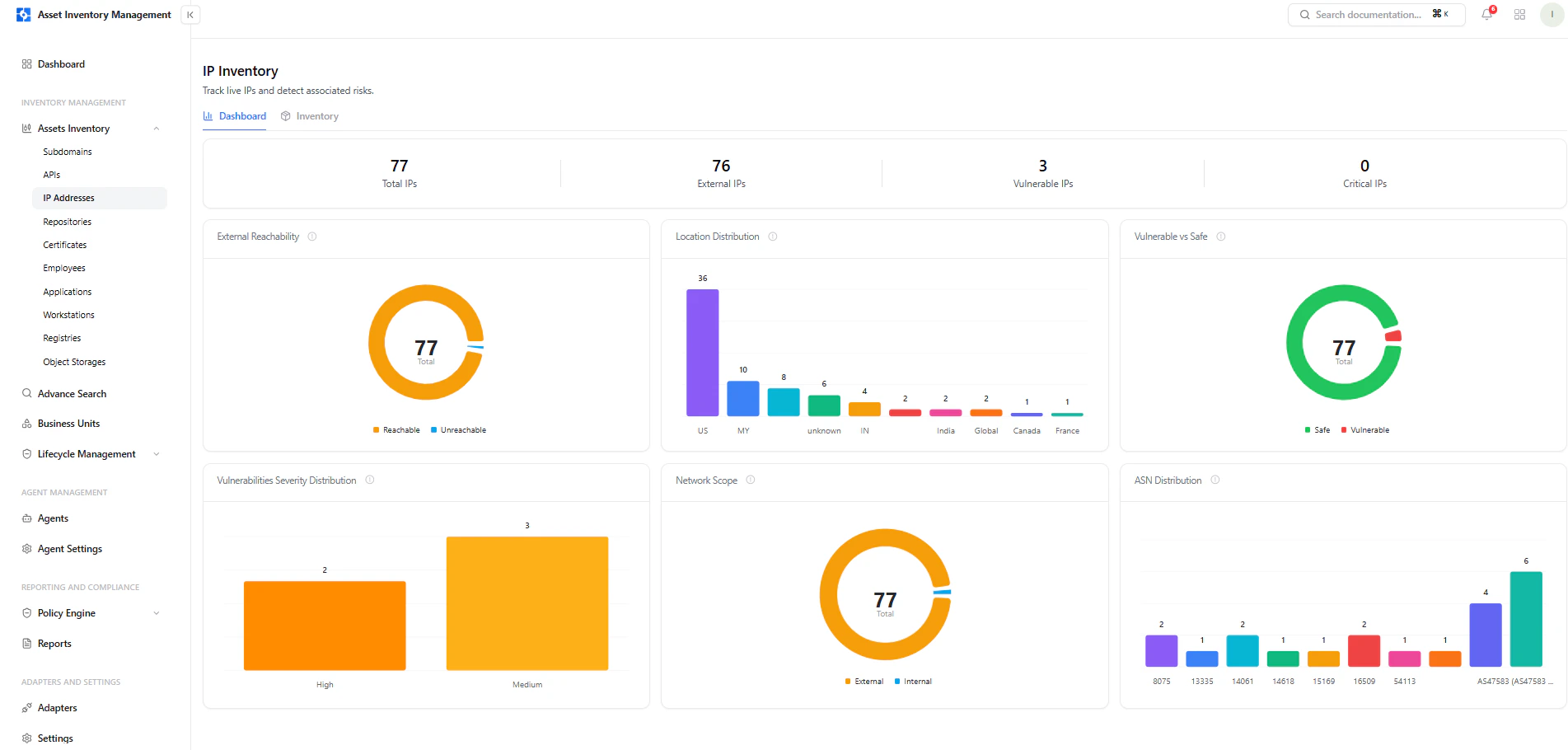
Total IPs
Shows the total number of IP addresses discovered and tracked by AIM.
Vulnerable IPs
Displays IPs associated with one or more active vulnerabilities.
Internal IPs
Indicates assets classified as internal based on network segmentation rules.
Shadowed IPs
Highlights unregistered or unmanaged IPs detected through automated discovery.
Vulnerability Severity Distribution
Breakdown of all IP vulnerabilities by severity — Critical, High, Medium, and Low.
Exposure & ASN Distribution
Visualizes IP exposure (Exposed vs. Safe) and top Autonomous System Numbers (ASNs) for quick network-level analysis.
Search, Filters, and Sorting
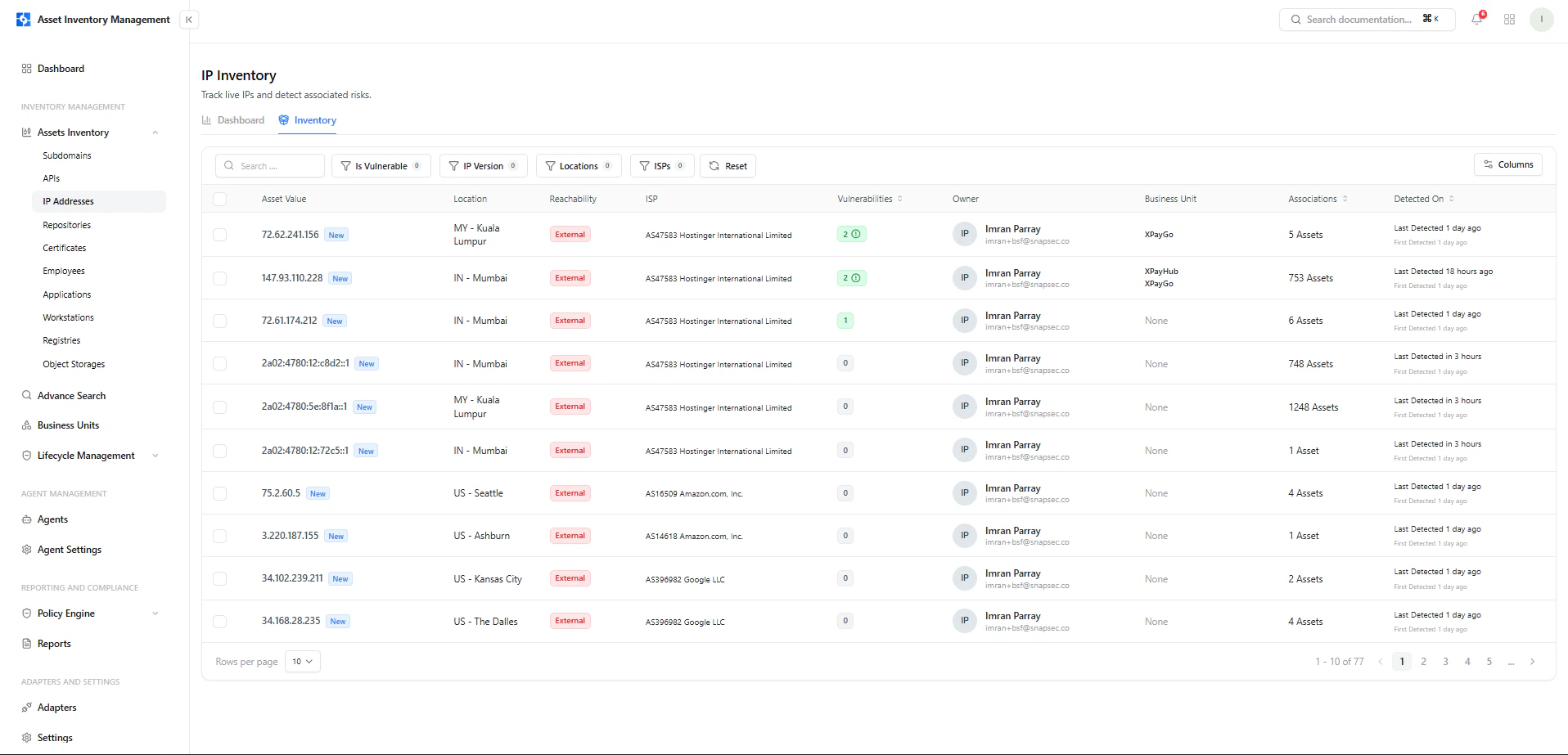
The IP catalog provides advanced filtering to help users narrow results and locate high-priority assets.| Filter | Description |
|---|---|
| Owners | Filter by the person or team responsible for the IP. |
| Risk | Filter or sort based on automated risk score. |
| Exposure | Show IPs classified as Exposed, Not Exposed, or Shadowed. |
| Adapters | Filter IPs discovered through specific integrations or scanners. |
| hasVulns | Show only IPs linked to vulnerabilities. |
| Organisations | Filter by organization name or ASN. |
| Date Range | Filter by detection timeline (First/Last Found). |
IP Table Columns
Each IP entry displays detailed asset metadata for precise tracking.| Column | Description |
|---|---|
| Asset Value | The IP address and source details. |
| Location | Country, city, and geolocation information. |
| Vuln Count | Number of vulnerabilities tied to the IP. |
| Exposure | Current exposure status (Exposed, Not Exposed, or Shadowed). |
| Auto Risk | System-calculated risk score. |
| Organisation / ASN | The associated organization or network provider. |
| Owner | Assigned user or team responsible for this IP. |
| Tags | Classification tags like VM, IP, or Internal. |
| Associations | Connected assets or relationships within the inventory. |
| Detected On | Timestamp showing first and most recent detection. |
IP Full View
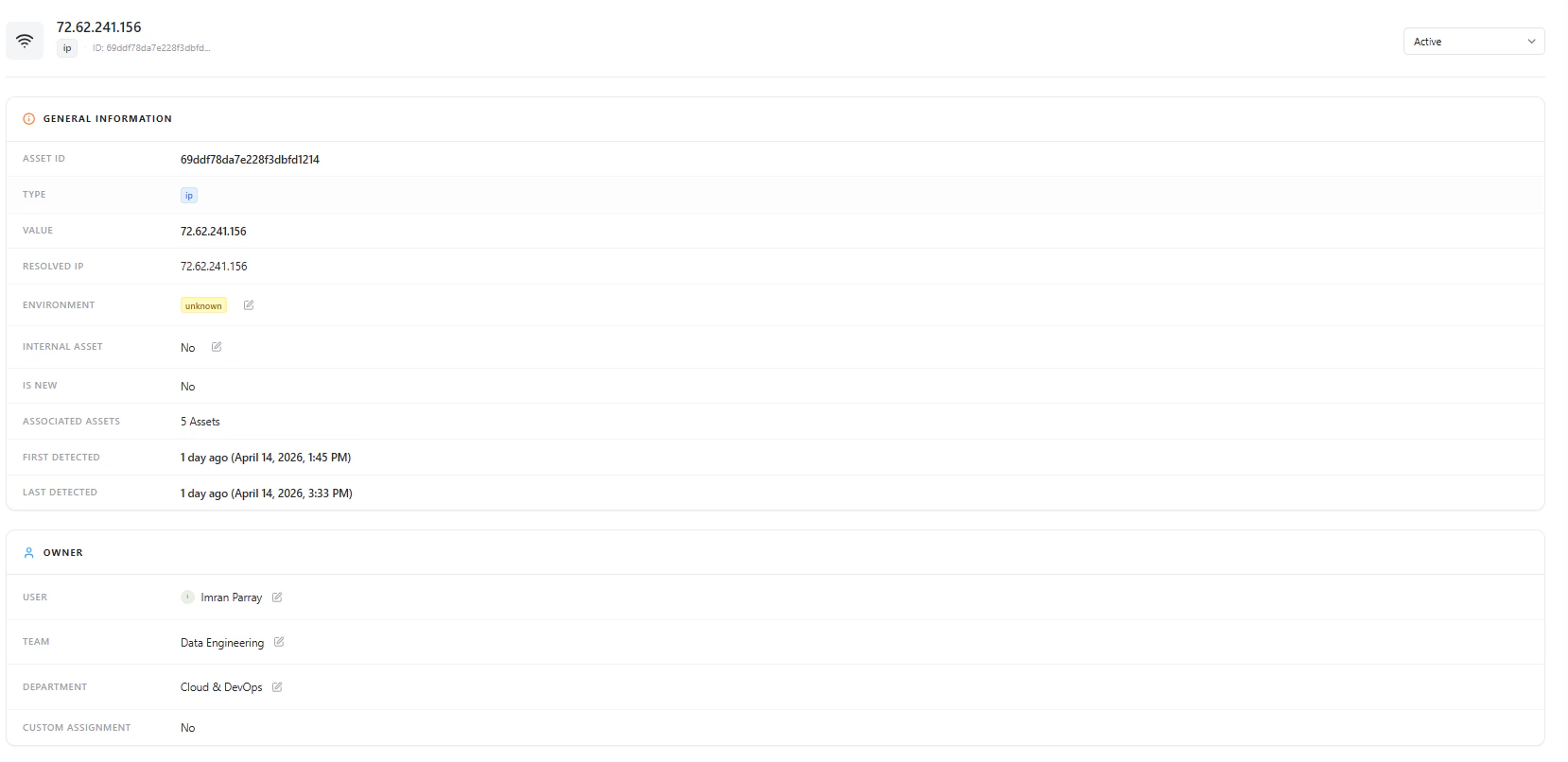
Each IP record in AIM provides complete lifecycle visibility — from discovery to vulnerability correlation and risk scoring.
IP Full View
IP Summary
At the top of the page, the summary card displays key asset identifiers:| Field | Description |
|---|---|
| IP Address | The specific IP being analyzed. |
| Status | Indicates if the IP is active, inactive, or decommissioned. |
| Total Vulnerabilities | Number of open issues discovered. |
| Risk Score | Automatically generated score reflecting severity and exposure. |
| Exposure | Marks whether the IP is safe, exposed, or unknown. |
| Environment | Classified environment if detected (e.g., Internal, External). |
| Managed By | User or owner assigned to manage the asset. |
| Detection Timeline | “First Found” and “Last Found” dates for tracking changes. |
Vulnerability Insights
Vulnerability Trends
Displays how vulnerabilities have evolved over time for the specific IP.
Useful for tracking the impact of patch management and mitigation efforts.
Severity Distribution
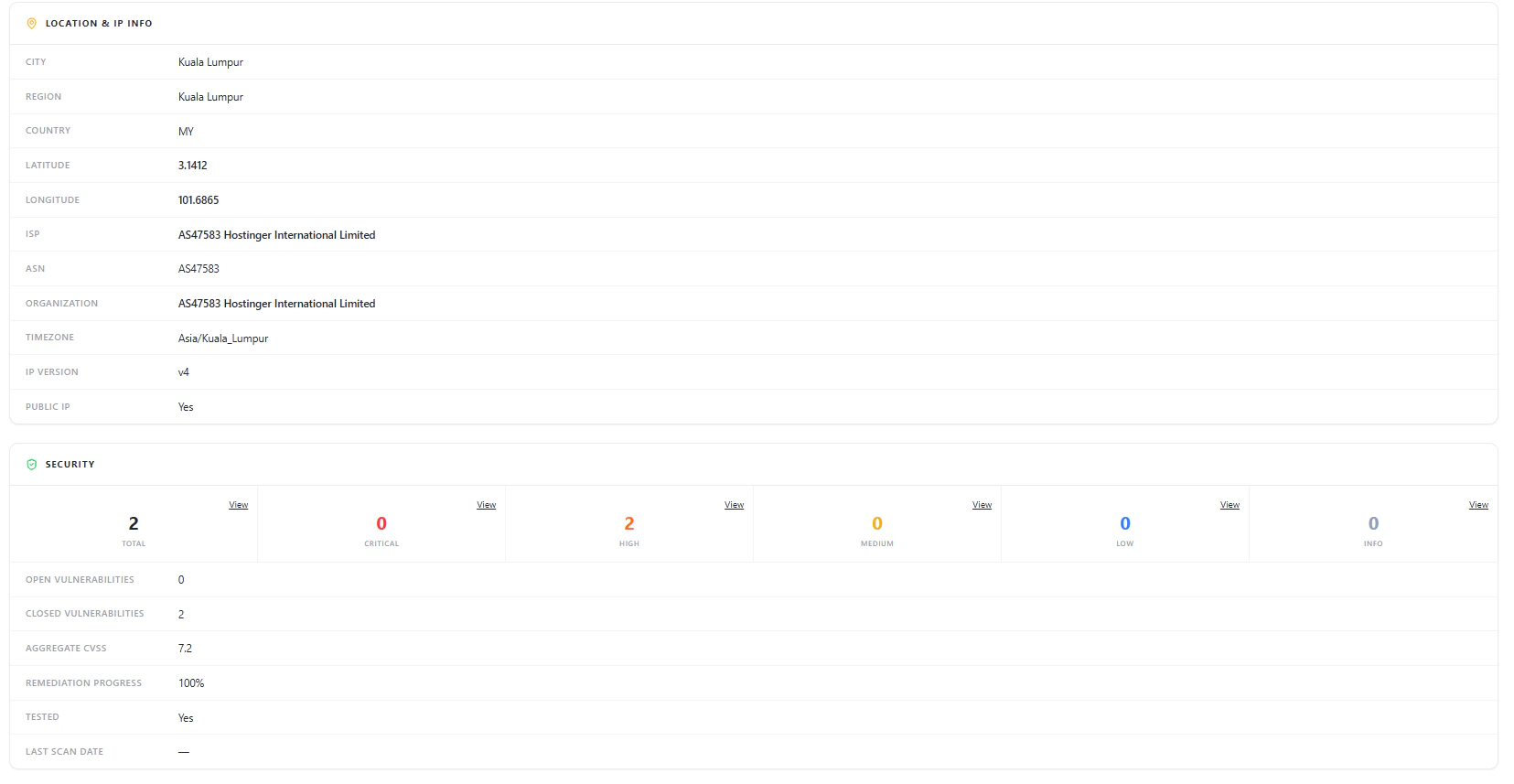
Shows vulnerability severity breakdown (Critical, High, Medium, Low) for quick prioritization.
- Title
- Severity
- State (Resolved / In Review)
- Detection history
Tags, Technologies, and Open Ports
Tags
Tags categorize IPs based on business or technical context.
Examples include:
Examples include:
VM, IP, External, Internal.Technologies
Displays any technologies identified from associated assets or scans (e.g., Apache, Nginx, SSH).
Open Ports
Shows detected network ports, their protocol, and exposure state.Used to assess services running on the IP and identify potential risks.
Location Details
The Location Details panel automatically enriches each IP with geolocation and organization intelligence, including:- Organisation & ASN
- Country, City, and Region
- Timezone & Postal Code
- Network Segment (if internal classification applies)
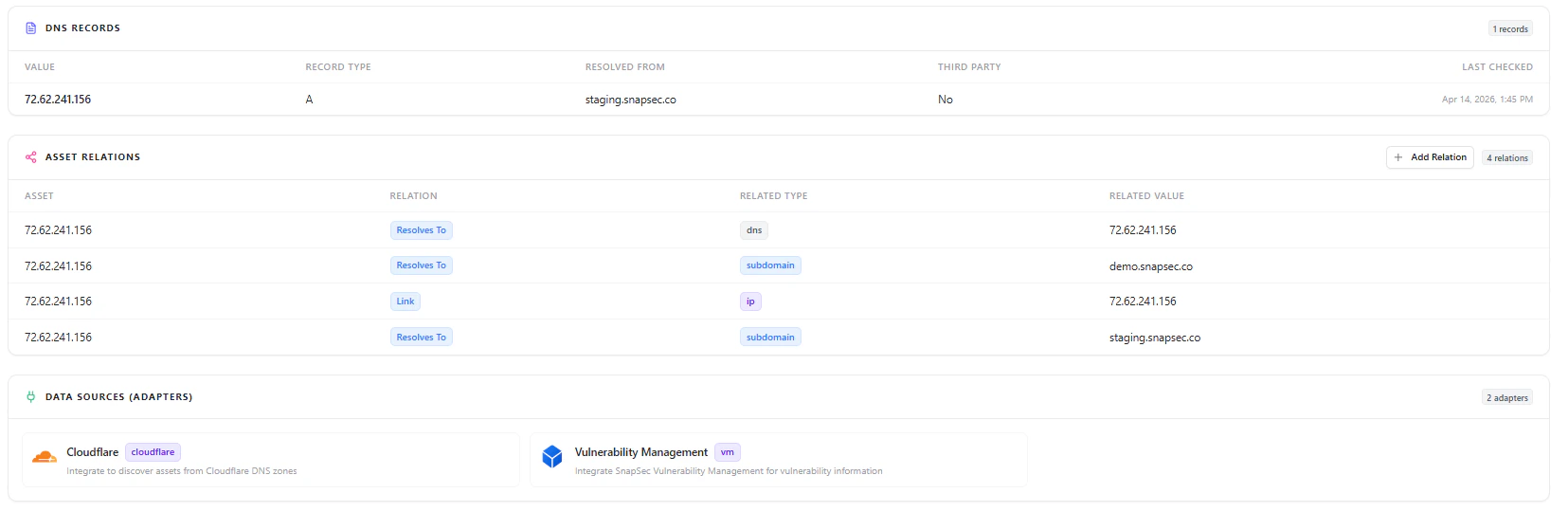
Asset Relations

IP Asset Relations Graph
Ownership & Lifecycle Management
Each IP asset includes full lifecycle controls:- Assign Owner – set or change responsible person/team.
- Decommission Asset – mark inactive or deprecated IPs.
- Delete Asset – permanently remove invalid or duplicate entries.
How IPs Are Discovered
AIM detects and updates IP assets using various adapters and integrations:- VM Adapter – imports IPs linked with vulnerabilities.
- ASM Adapter – discovers live and shadow IPs from external scans.
- TechDetect Adapter – identifies IP-level technologies and ports.
Example Use Cases
- Network Security Teams: Identify and prioritize vulnerable or exposed IPs.
- Asset Managers: Maintain accurate internal vs. external IP segmentation.
- Incident Responders: Investigate IPs involved in breaches or suspicious activities.
- Compliance Teams: Audit all active IPs and verify that no shadow assets exist.
Explore Live Demo
Explore AIM Live — No Signup Needed
Instantly explore how Snapsec AIM discovers, enriches, and tracks every asset in real time — all without creating an account.