

Developer Access
API Keys
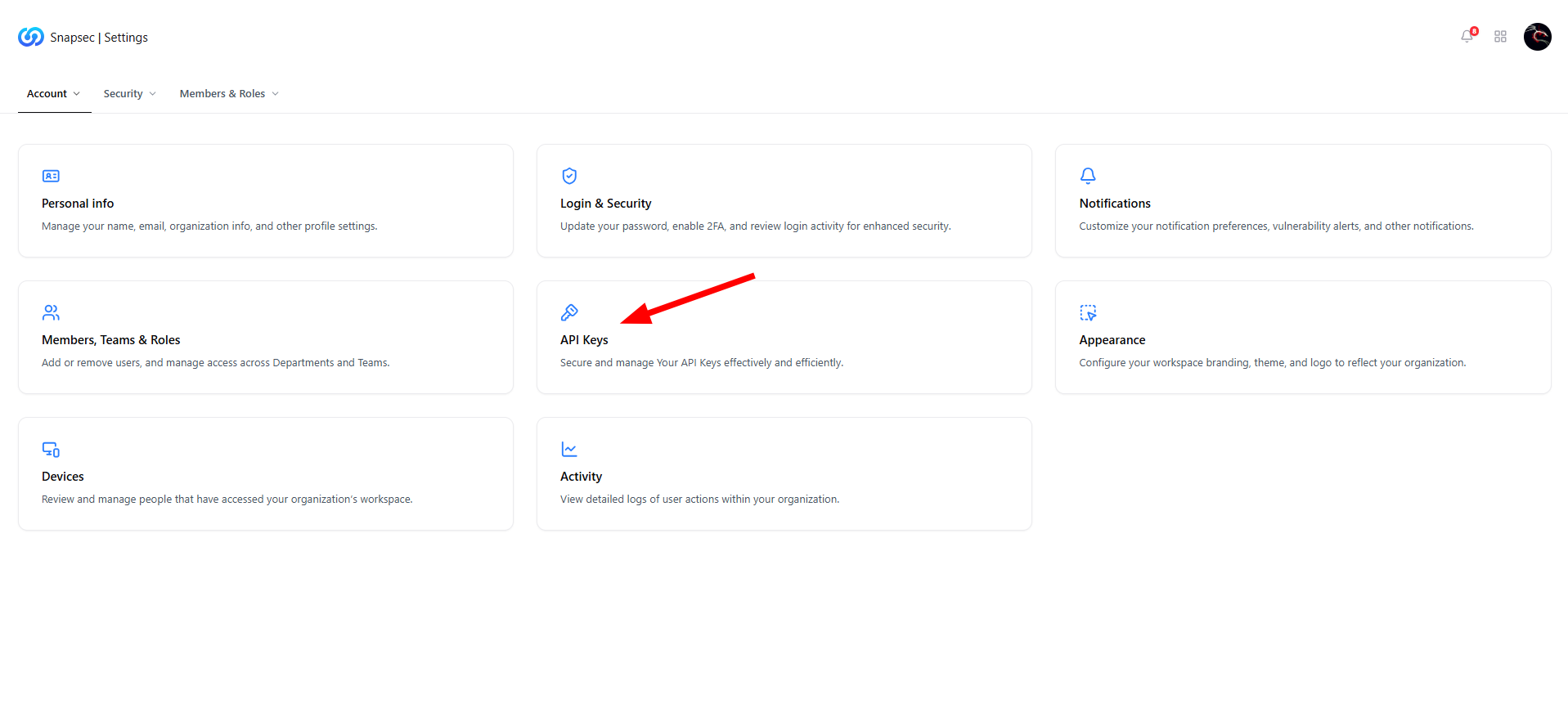
API Keys entry point under Settings
Overview
The API Keys module allows organizations to securely authenticate applications, adapters, and integrations with Snapsec.API keys act as a trusted access mechanism, enabling programmatic communication between Snapsec services and external systems without exposing user credentials. This module is essential for teams building integrations, automating workflows, or extending Snapsec’s capabilities across environments.
Public API Key
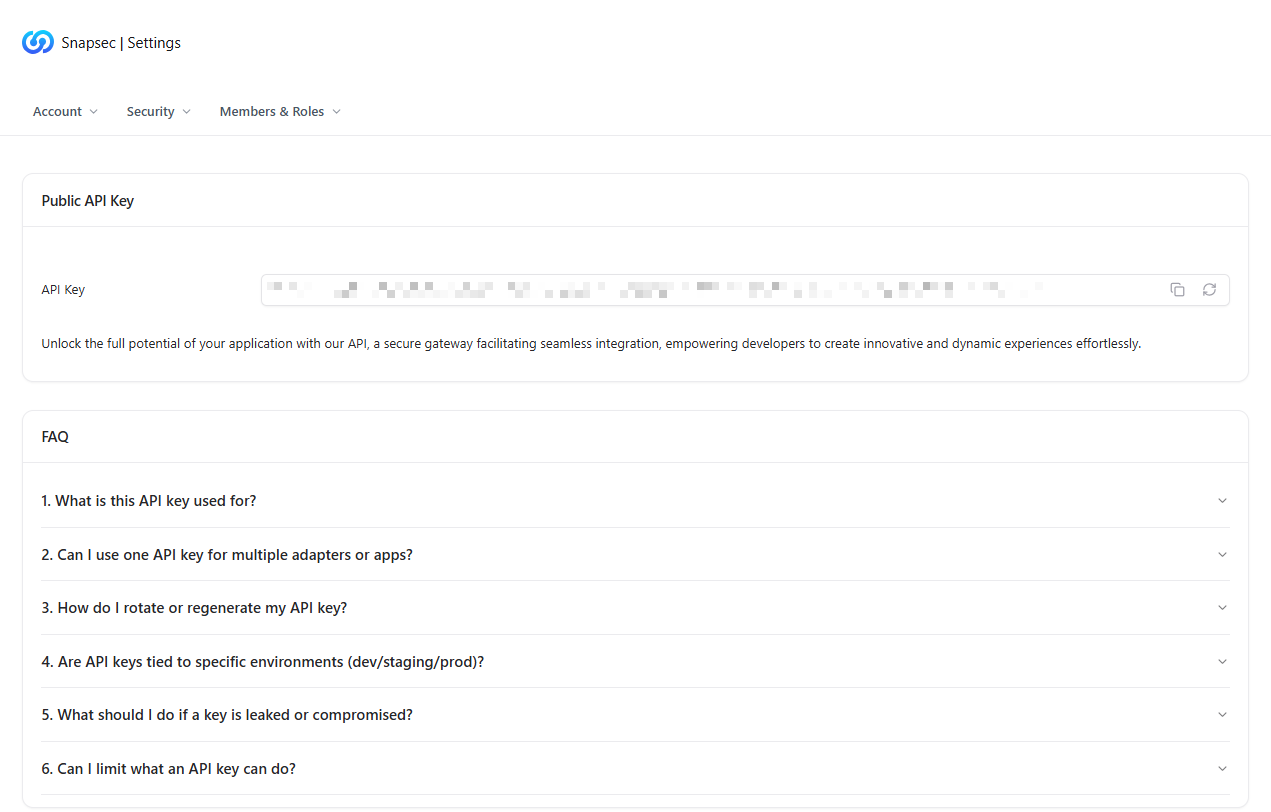
Public API Key view
Key Capabilities
- Secure Authentication — Verifies the identity of calling applications.
- Easy Access — Copy or regenerate the key directly from the UI.
- Controlled Exposure — Designed for programmatic use without sharing user credentials.
What You Can Do With API Keys
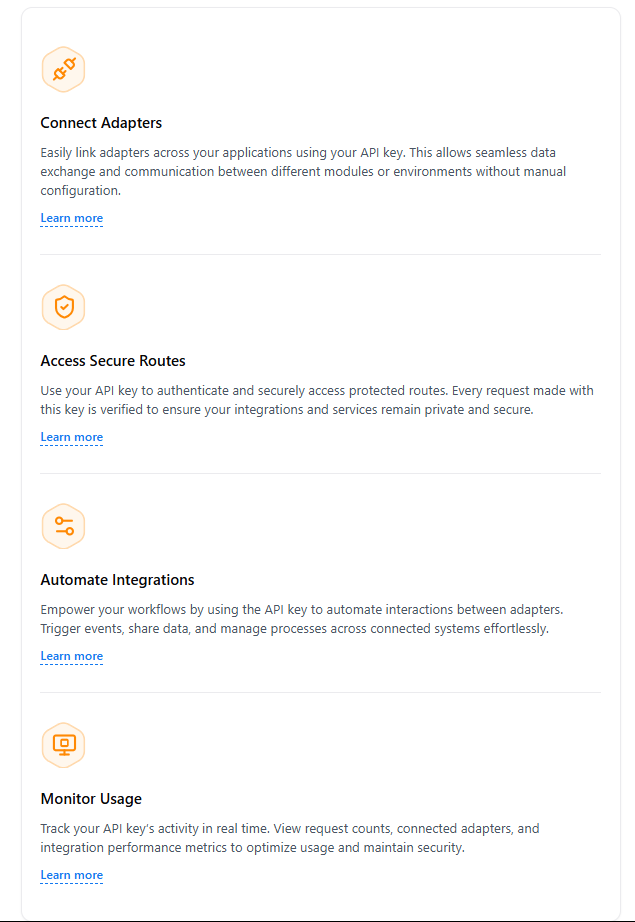
API key usage capabilities
Connect Adapters
Link adapters across applications to enable seamless data exchange between Snapsec modules and external tools.Access Secure Routes
Authenticate requests to protected APIs, ensuring only authorized services can access sensitive endpoints.Automate Integrations
Trigger events, sync data, and orchestrate workflows across connected systems without manual intervention.Monitor Usage
Track API activity, request frequency, and integration performance to maintain visibility and security.API Key FAQs
The FAQ section answers common questions related to API usage and security, including:- What the API key is used for
- Whether one key can support multiple adapters or apps
- How to rotate or regenerate keys
- Environment scoping (dev / staging / prod)
- Steps to take if a key is compromised
- How to limit API key capabilities
Support & Assistance

Contact support for API assistance
Why This Matters
API keys enable secure automation and extensibility across Snapsec:- Eliminates the need for shared credentials
- Enables scalable integrations across teams and products
- Supports automation-driven security workflows
- Provides visibility and control over programmatic access
MCP Access
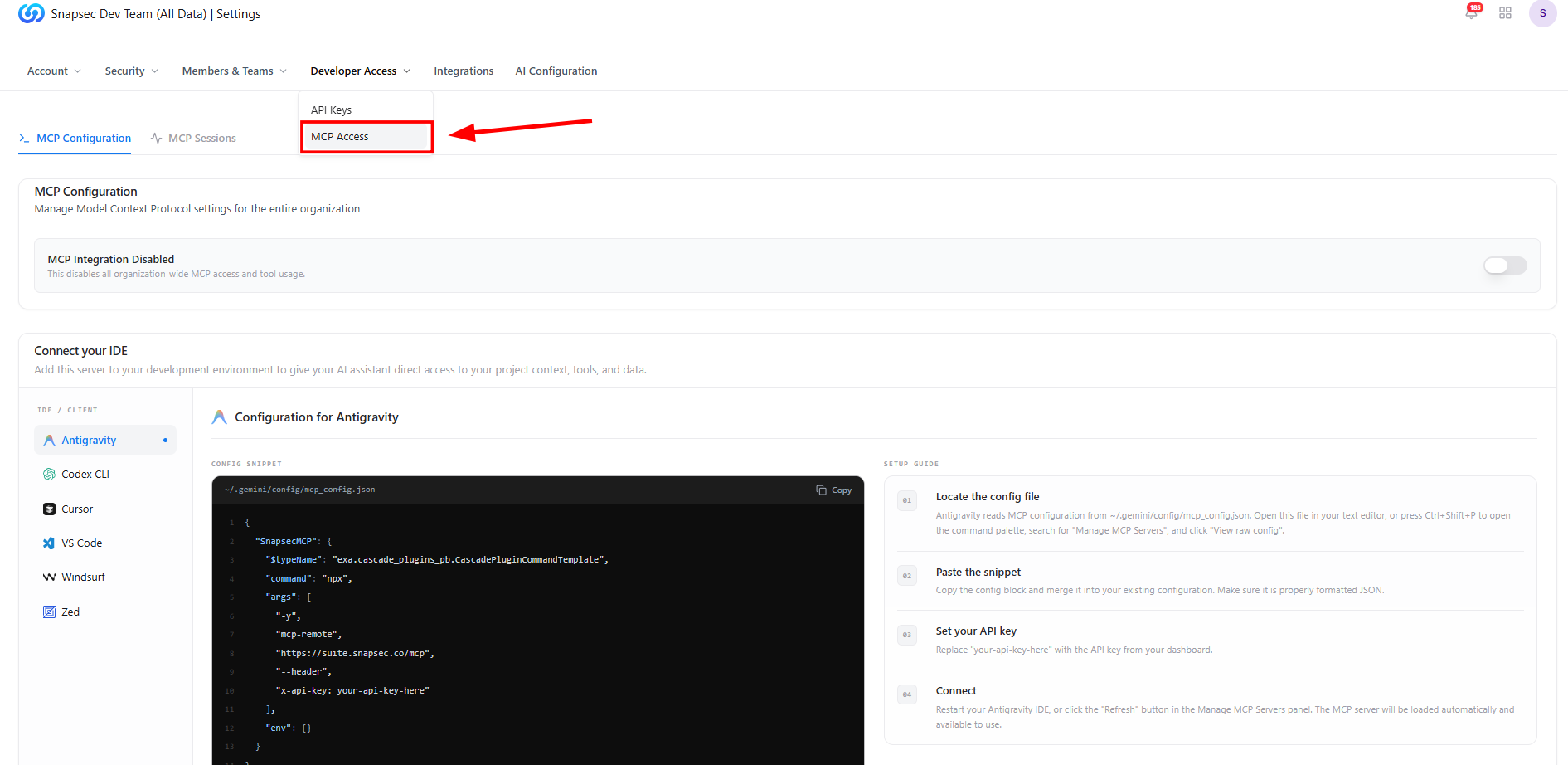
Developer Access navigation with MCP Access
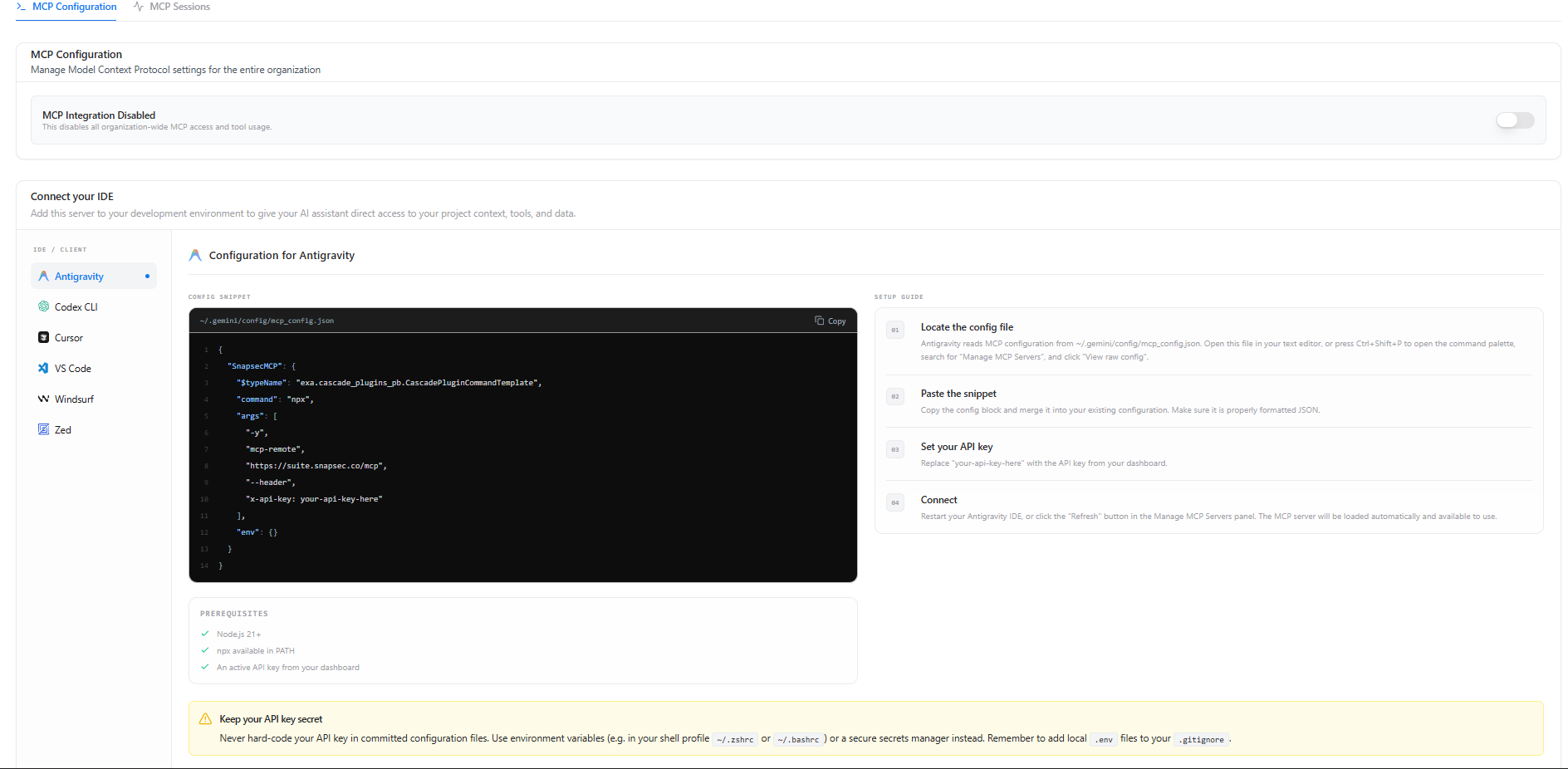
Organization-wide MCP configuration and IDE setup
MCP Configuration
The MCP Configuration page is used to enable and manage organization-wide MCP access. Administrators can:- Enable or disable MCP integration for the organization
- Configure supported IDEs and AI clients
- Access ready-to-use configuration snippets
- Follow IDE-specific setup instructions
- Secure connections using existing Snapsec API keys
- Antigravity
- Codex CLI
- Cursor
- Visual Studio Code
- Windsurf
- Zed
Store API keys securely using environment variables or a secrets manager. Avoid embedding credentials directly in configuration files.
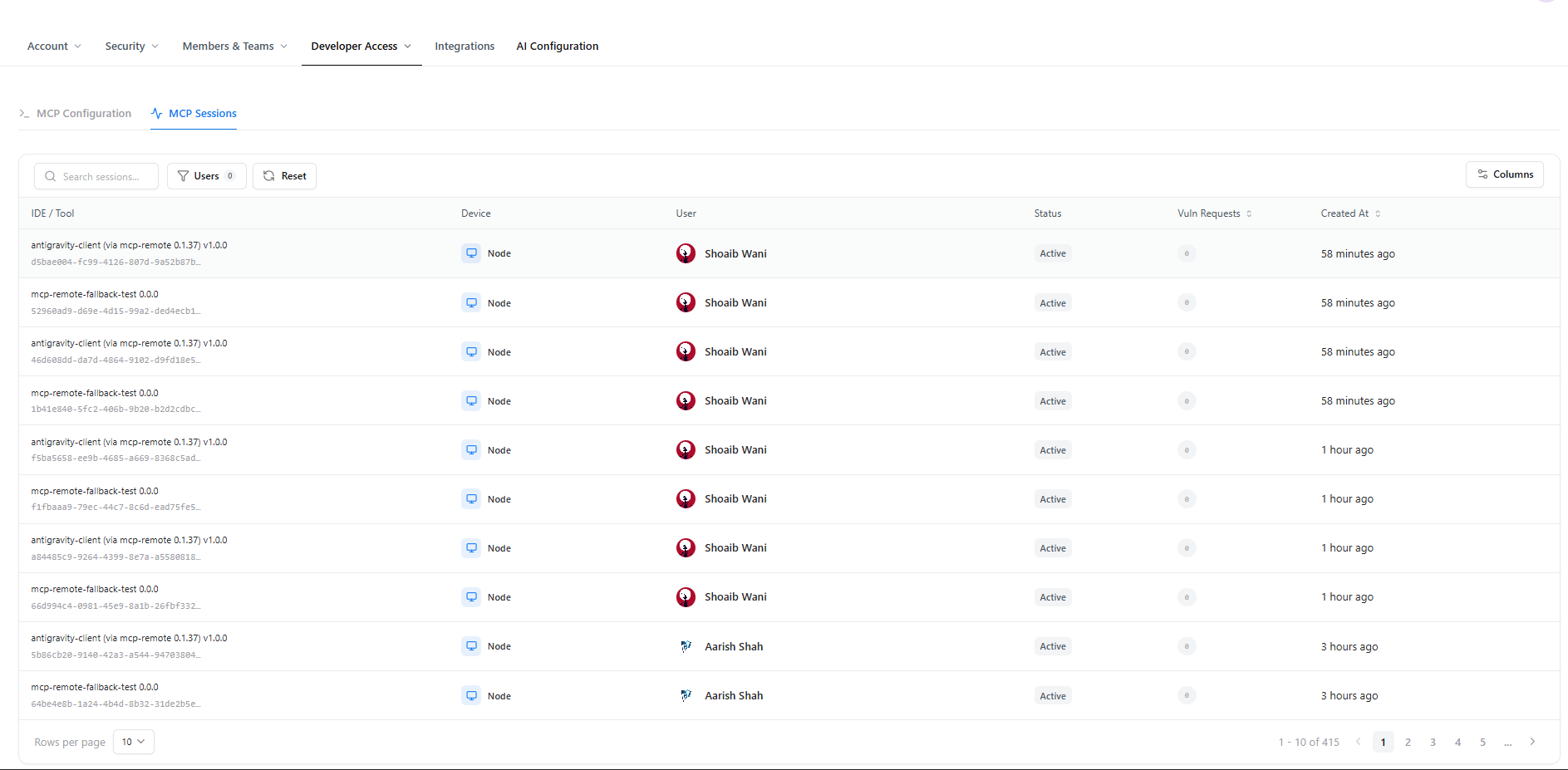
Active MCP sessions across connected developer environments
MCP Sessions
The MCP Sessions page provides real-time visibility into all active MCP connections established within the organization. For every session, Snapsec displays:- Connected IDE or client
- Device type
- Associated user
- Current session status
- Number of vulnerability requests
- Session creation time
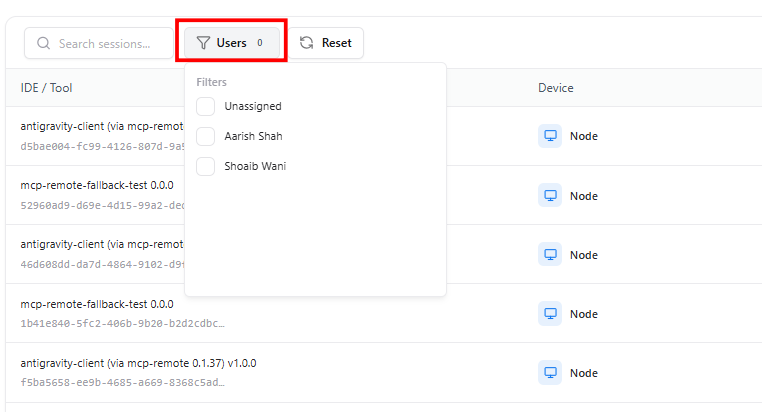
Filtering MCP sessions by user
Session Filtering
Sessions can be filtered to quickly locate connections associated with specific users. Available filters allow administrators to:- View sessions for individual users
- Identify unassigned sessions
- Simplify auditing of active MCP connections
- Monitor developer activity across connected IDEs
Why Use MCP Access?
MCP Access enables secure AI-assisted development by connecting supported IDEs directly with Snapsec. Key benefits include:- Centralized MCP management
- Secure AI development workflows
- Ready-to-use IDE configurations
- Organization-wide access control
- Real-time session visibility
- Secure authentication using Snapsec API keys
Explore Live Demo
Explore Developer Access Live
Experience how Snapsec securely connects AI development environments through Model Context Protocol (MCP).