

Overview
The Subdomains module provides a complete, enriched inventory of all discovered subdomains across your organization. It goes beyond simple discovery by combining reachability, vulnerabilities, DNS intelligence, SSL data, open ports, and asset relationships into a single investigation workflow.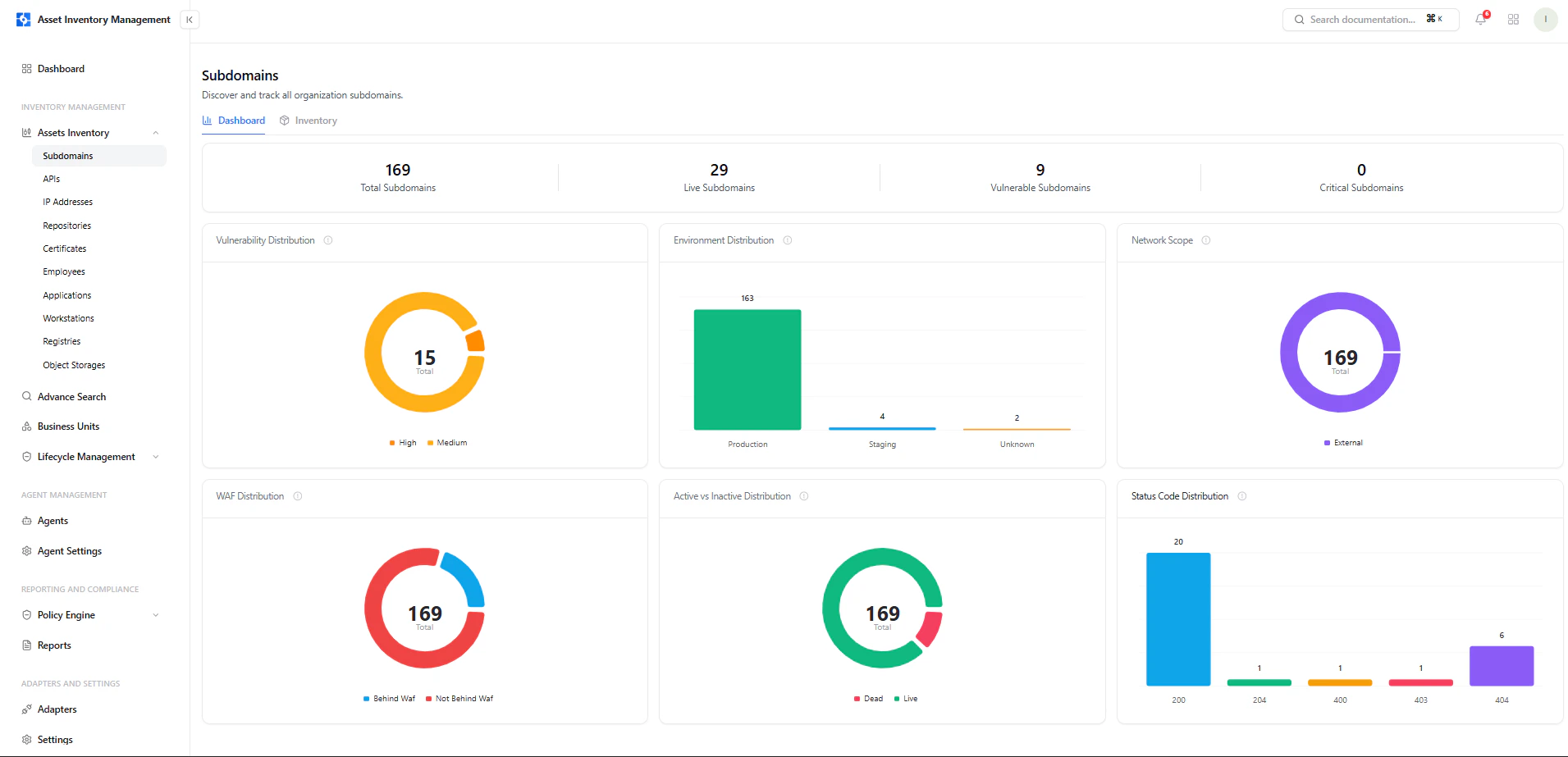
Subdomain inventory with reachability, vulnerabilities, ownership, and associations
Dashboard View
The dashboard provides high-level visibility into subdomain posture across the organization.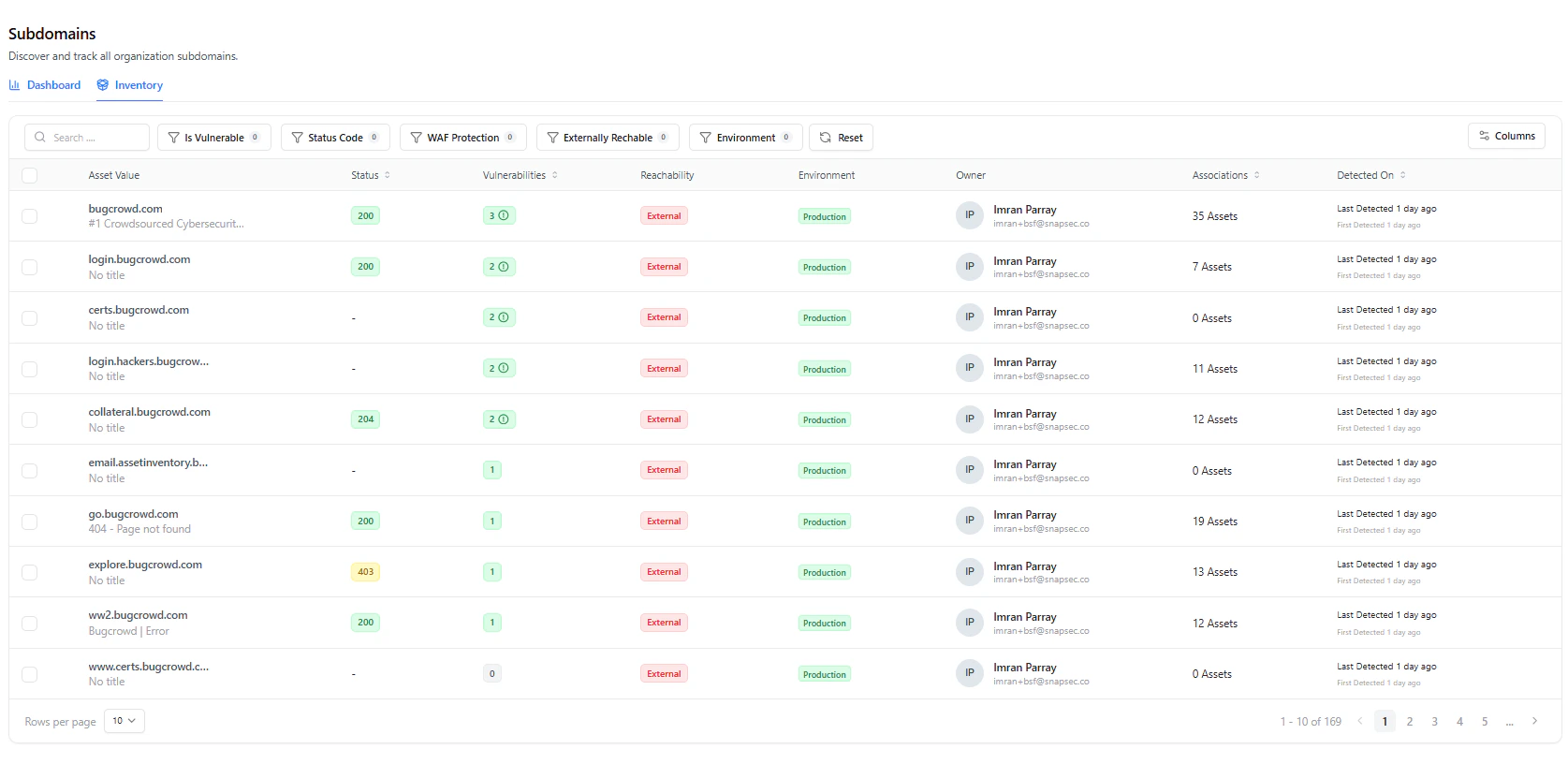
Subdomain dashboard with vulnerability distribution, environment spread, WAF coverage, and status codes
Key Metrics
- Total Subdomains — All discovered assets
- Live Subdomains — Actively reachable endpoints
- Vulnerable Subdomains — Subdomains with findings
- Critical Subdomains — High severity assets
Visual Insights
- Vulnerability Distribution — Severity-based breakdown
- Environment Distribution — Production, Staging, Unknown
- Network Scope — External vs internal exposure
- WAF Distribution — Protected vs unprotected assets
- Active vs Inactive — Live vs dead endpoints
- Status Code Distribution — HTTP response patterns
Inventory View
The inventory is the operational layer for filtering and triaging subdomains.Key Columns
Filters
- Is Vulnerable
- Status Code
- WAF Protection
- Externally Reachable
- Environment
Subdomain Asset View
Clicking a subdomain opens a deep inspection view.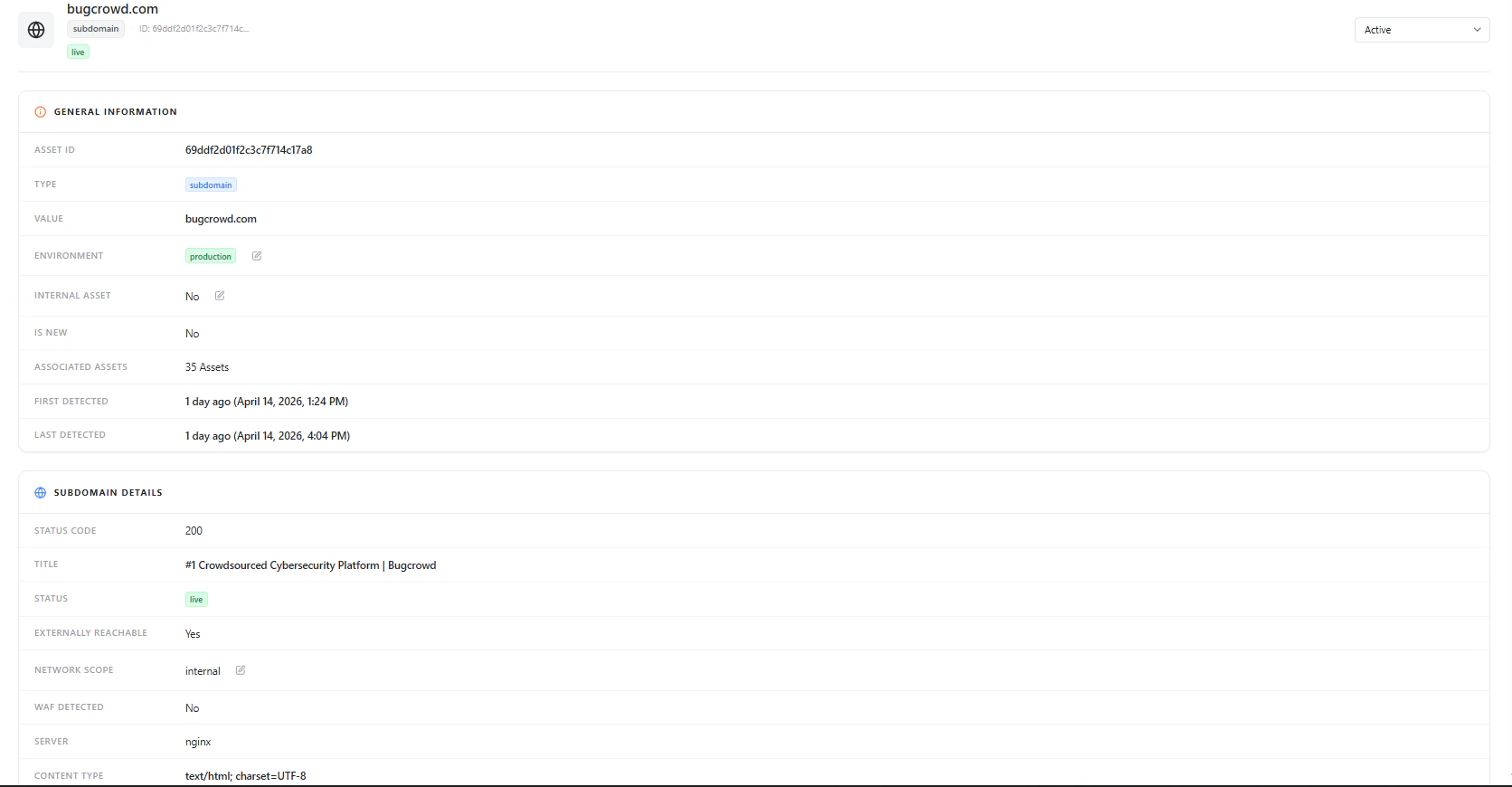
Subdomain asset overview with general information and metadata
General Information
- Asset ID
- Type (Subdomain)
- Domain Value
- Environment
- Internal Asset
- Is New
- Associated Assets
- First / Last Detected
Subdomain Details
This section provides live HTTP and infrastructure insights.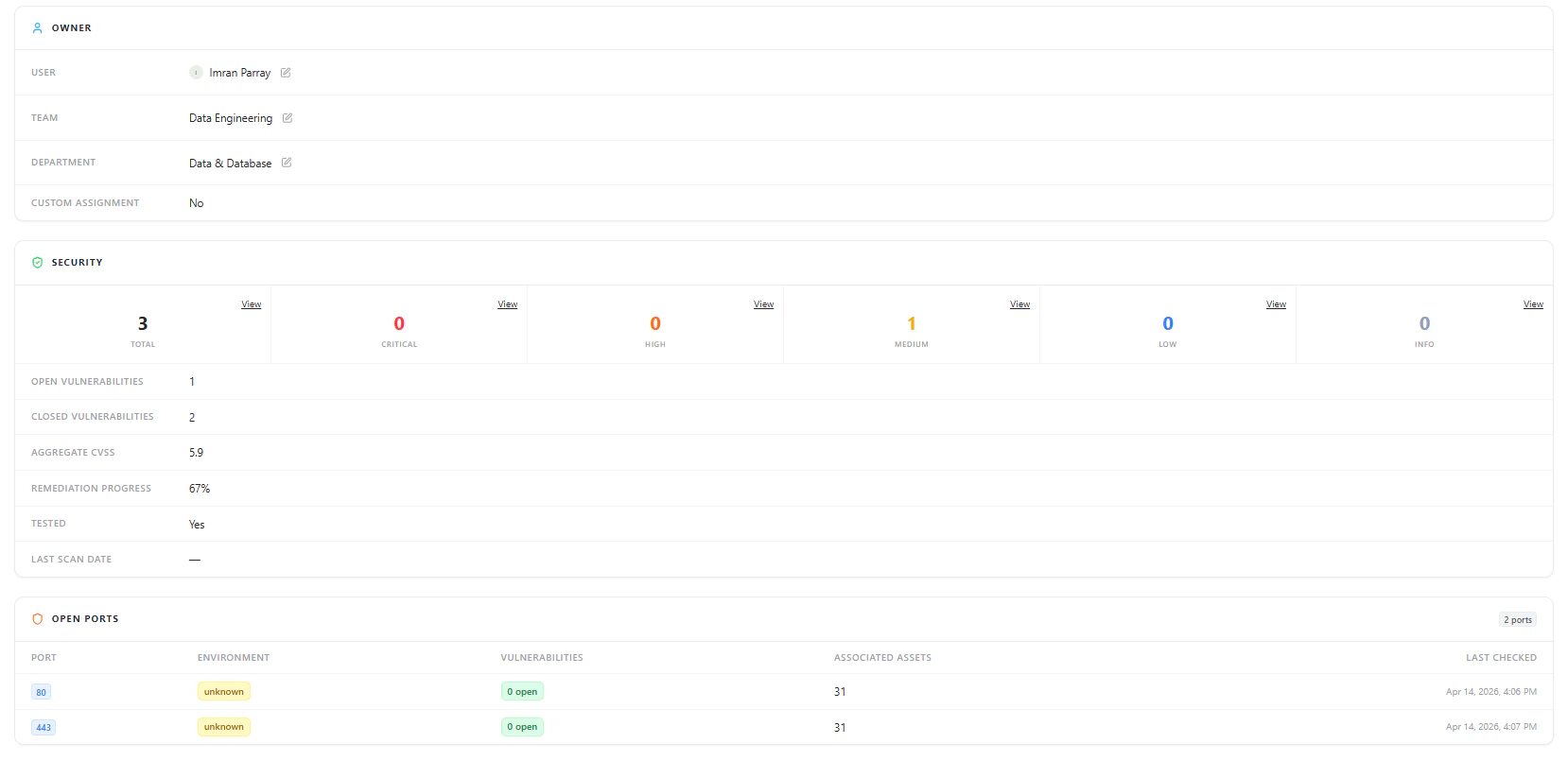
Subdomain details including status, reachability, WAF detection, and server info
Includes
- Status Code (e.g., 200, 403)
- Page Title
- Live Status
- Externally Reachable (Yes/No)
- Network Scope
- WAF Detection
- Server Type (e.g., nginx)
- Content Type
Security Overview
Security summary showing vulnerability counts, CVSS, and remediation progress
Security Data
- Total Vulnerabilities
- Severity Breakdown (Critical, High, Medium, Low, Info)
- Open vs Closed Vulnerabilities
- Aggregate CVSS Score
- Remediation Progress
- Test Status
- Last Scan Date
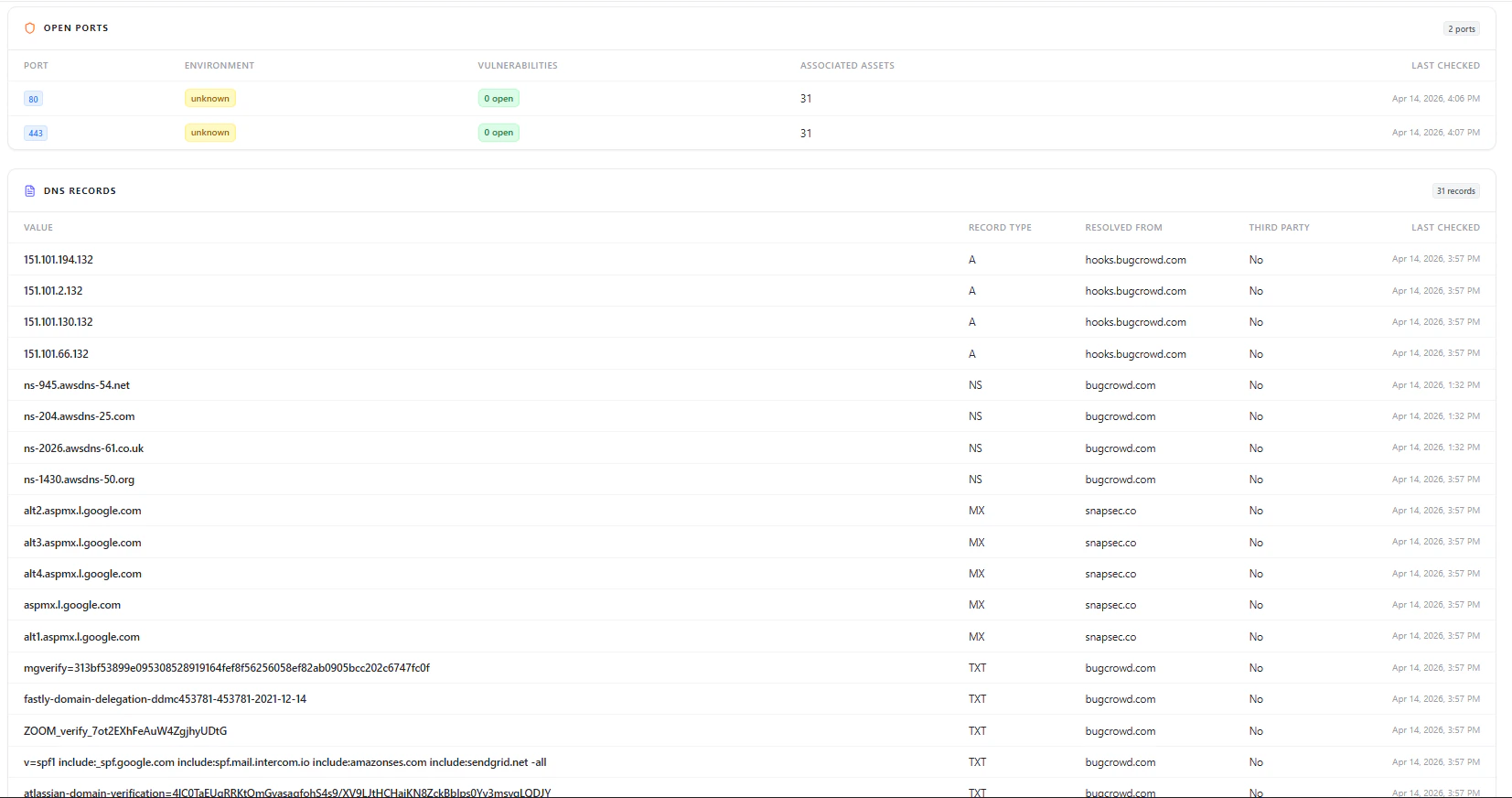
Open Ports
Open ports detected on the subdomain with associated assets
Port Intelligence
- Port Number (e.g., 80, 443)
- Environment
- Vulnerability Status
- Associated Assets Count
- Last Checked Timestamp
DNS Records & SSL Certificates

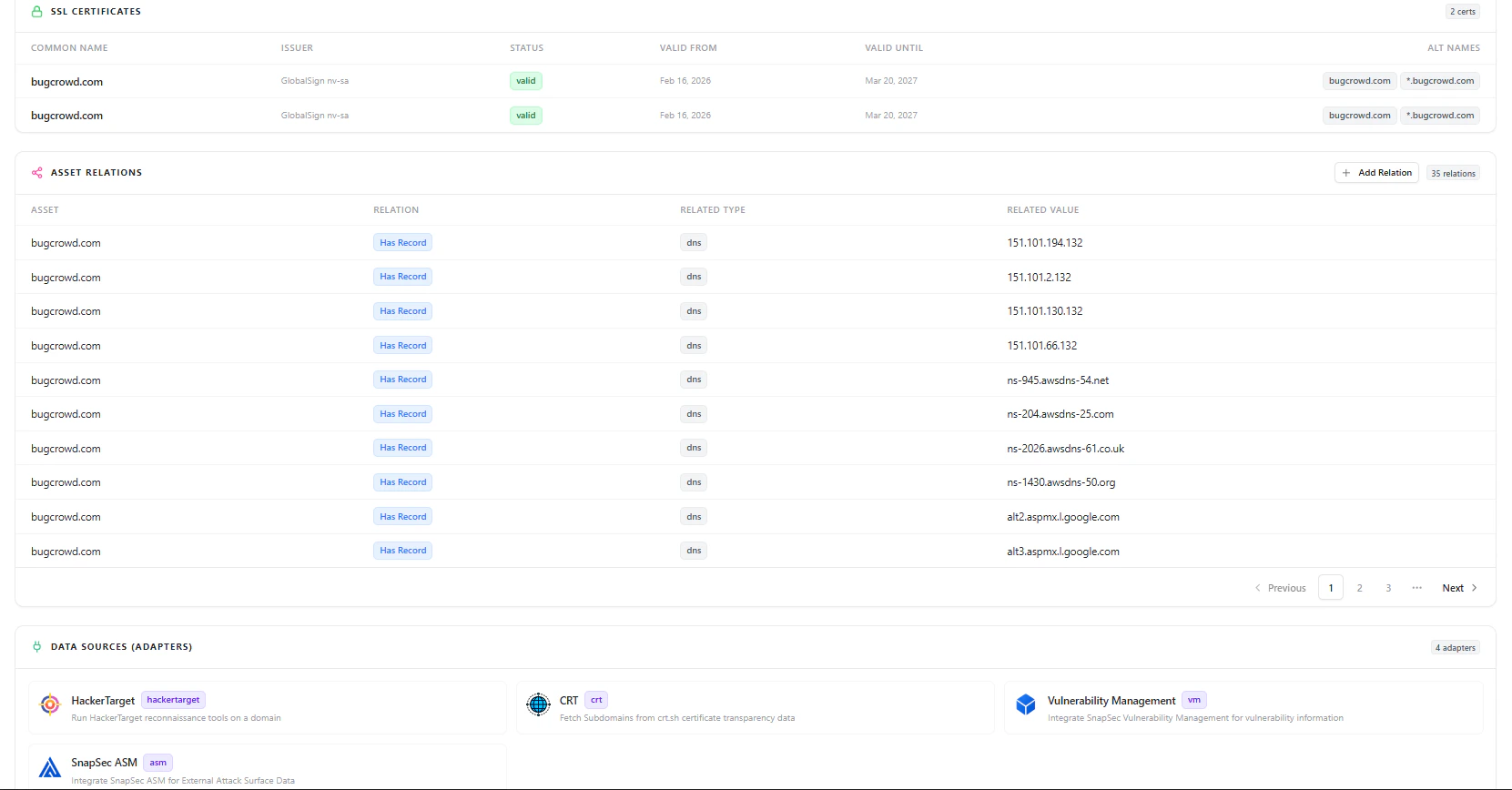
DNS records and SSL certificates associated with the subdomain
DNS Visibility
- Record Values (IP / NS / MX / TXT)
- Record Type
- Resolved From
- Third-party indication
- Last Checked
SSL Certificate Data
- Common Name
- Issuer
- Validity Period
- Alternative Names
Asset Relationships
Subdomains are automatically linked to related infrastructure.Includes Relationships With:
- DNS Records
- IP Addresses
- Repositories
- Applications
- Other assets in AIM
Data Sources (Adapters)
Subdomain data is enriched through multiple integrations:- HackerTarget — External reconnaissance data
- CRT (Certificate Transparency) — Subdomain discovery via cert logs
- SnapSec ASM — External attack surface intelligence
- Vulnerability Management — Security findings
Why This Matters
The Subdomains module enables teams to:- Discover complete external attack surface
- Identify publicly exposed assets instantly
- Correlate DNS, SSL, and infrastructure signals
- Detect open ports and reachable services
- Track vulnerabilities with remediation context
- Understand asset relationships and dependencies
Explore Live Demo
Explore AIM Live — No Signup Needed
Instantly explore how Snapsec AIM discovers, enriches, and analyzes subdomains in real time — all without creating an account.