

Overview
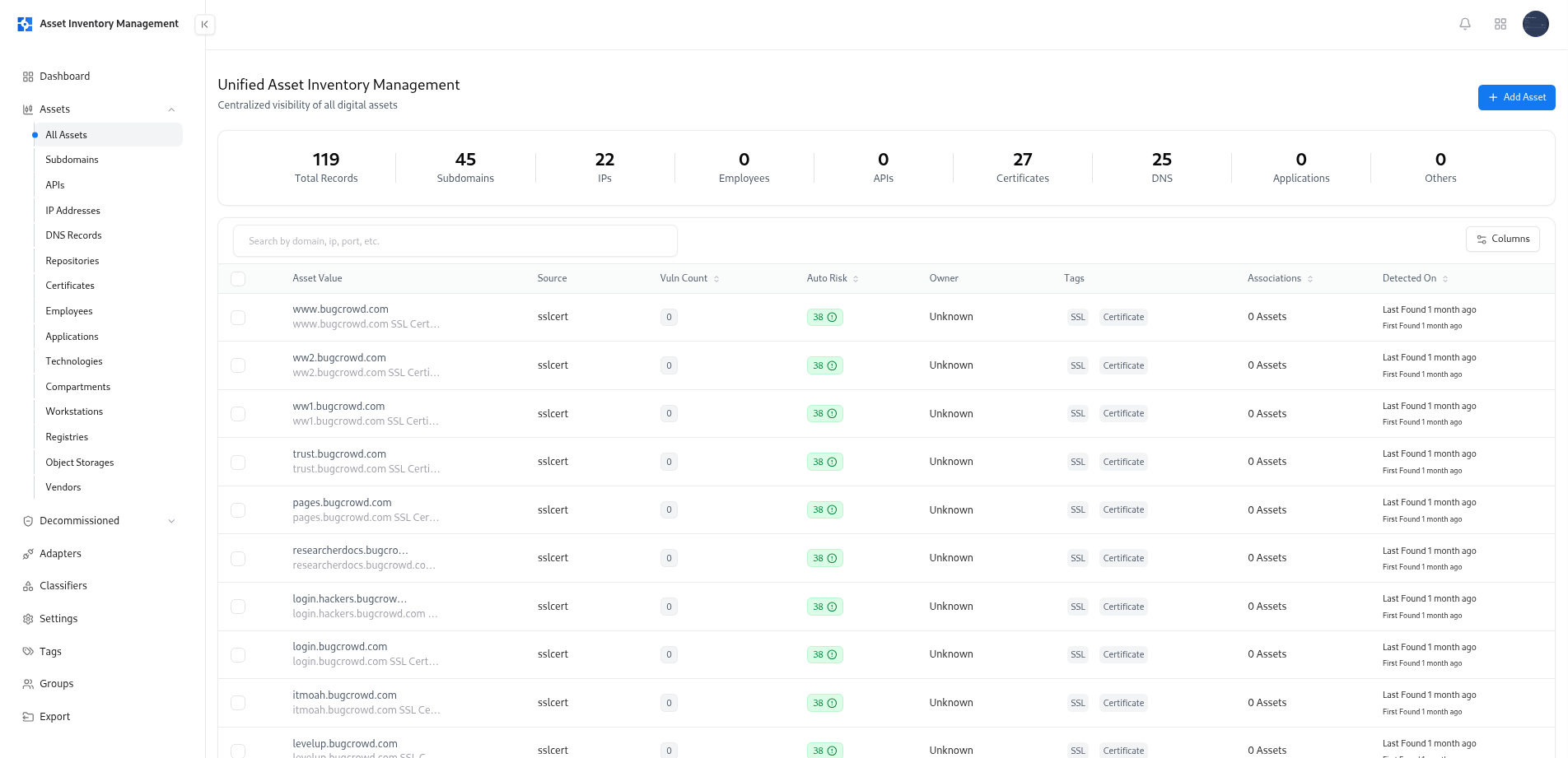
The Global Asset Catalog is the central hub of AIM — providing unified visibility into every discovered, imported, or manually created asset.It brings together data from multiple adapters, allowing teams to search, filter, and manage their entire asset landscape in one place.
Overview
The Global Asset Catalog acts as the master index for your organization’s digital assets — combining insights from integrations, discovered inventories, and custom entries.From domains to certificates, each asset is enriched with risk scores, ownership data, and vulnerability context. This page enables analysts, engineers, and security leads to easily navigate, search, and maintain accurate visibility into all active and decommissioned assets.
Key Capabilities
Centralized Asset Repository
Access all assets — including subdomains, IP addresses, DNS records, APIs, applications, certificates, and more — from a single, searchable interface.
Smart Search & Filtering
Use intelligent filters (e.g.,
risk:high, type:subdomain, tech:python) to pinpoint specific assets by domain, tag, exposure, or technology.Asset Insights & Metrics
View associated vulnerability counts, risk scores, tags, and detection timestamps for every asset at a glance.
Multi-Source Data Consolidation
Automatically consolidate data from adapters like SSL, DNS, and VM to ensure your catalog reflects the latest intelligence.
Manual Asset Creation
Add new assets individually or import them in bulk via CSV — ensuring that all enterprise assets are accounted for, even if discovered outside automated scans.
Ownership & Associations
Track who owns each asset and see how assets are linked to others across environments and applications.
Using the Global Asset Catalog
1. Searching Assets
The search bar supports advanced query syntax for precise filtering.You can combine filters such as:
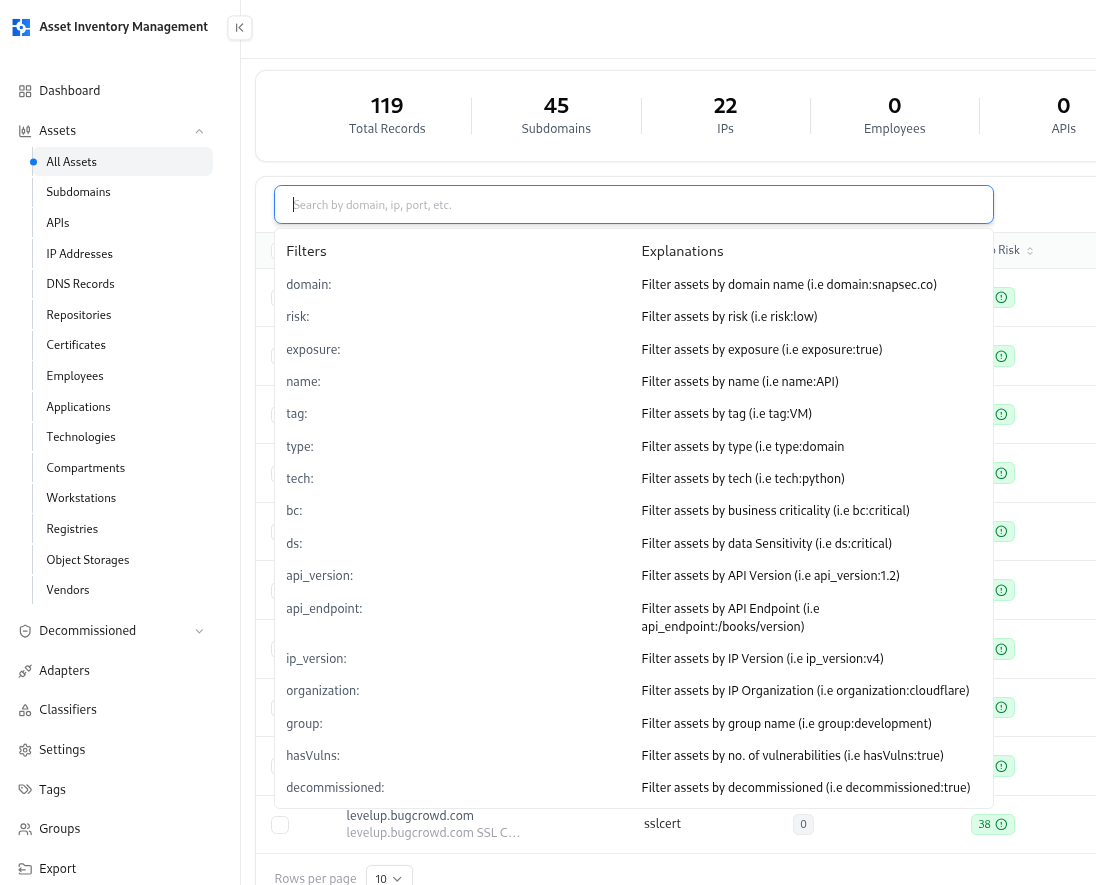
| Filter | Description |
|---|---|
domain: | Filter by domain name (e.g., domain:snapsec.co) |
risk: | Filter assets by calculated risk level |
exposure: | Identify exposed or at-risk assets |
tech: | Find assets by technology (e.g., tech:react) |
type: | Filter by asset type (subdomain, repo, dns, etc.) |
owner: | Find assets by assigned owner |
group: | Filter assets by business or project grouping |
hasVulns: | Identify assets linked with known vulnerabilities |
decommissioned: | Show only decommissioned assets |
2. Creating and Importing Assets
You can manually create assets or bulk import them via CSV.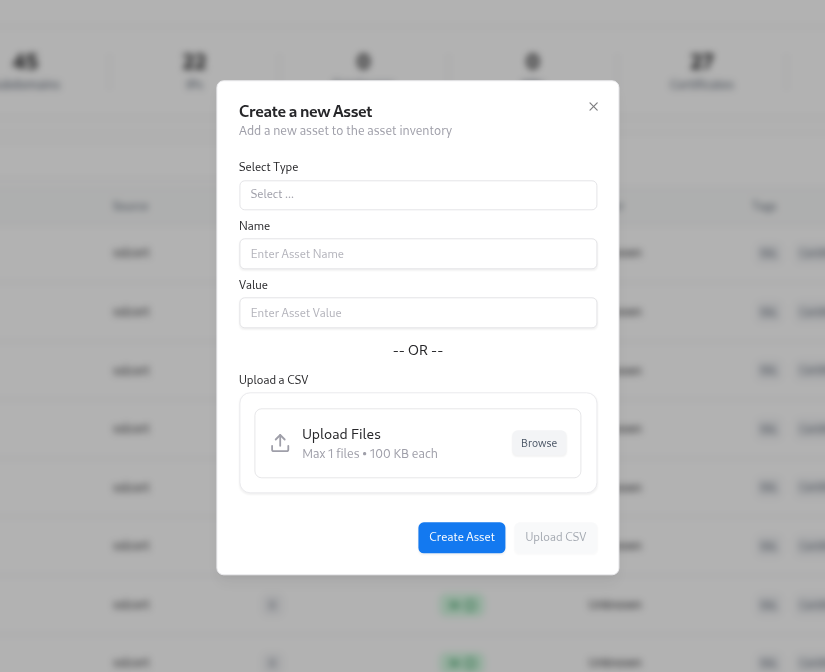
- Select asset type (e.g., Subdomain, API, IP, Application).
- Define the asset name and value.
- Upload a CSV file for bulk import.
- Automatically validate and enrich data using connected adapters.
3. Reviewing Asset Health
Each asset entry includes:- Auto Risk Score – automatically calculated using defined classifiers.
- Vulnerability Count – number of linked vulnerabilities from VM.
- Source – where the asset was discovered (e.g., SSL Cert, DNS, Adapter).
- Detection Timeline – first and last discovery timestamps.
- Tags and Associations – asset classification and linked components.
Value for Teams
- Gain complete visibility into your organization’s attack surface.
- Search and filter instantly across thousands of assets.
- Correlate assets with vulnerabilities and risk posture.
- Simplify ownership mapping and lifecycle tracking.
- Ensure inventory accuracy through manual and automated synchronization.
Explore Live Demo
Explore AIM Live — No Signup Needed
Instantly explore how Snapsec AIM discovers, enriches, and tracks every asset in real time — all without creating an account.