

Overview
The Vendor Inventory dashboard provides a centralized view of all third-party vendors detected across your environment, such as identity providers, SaaS tools, cloud services, and external platforms. This view helps security, IT, and compliance teams quickly understand vendor presence, ownership gaps, and potential third-party risk.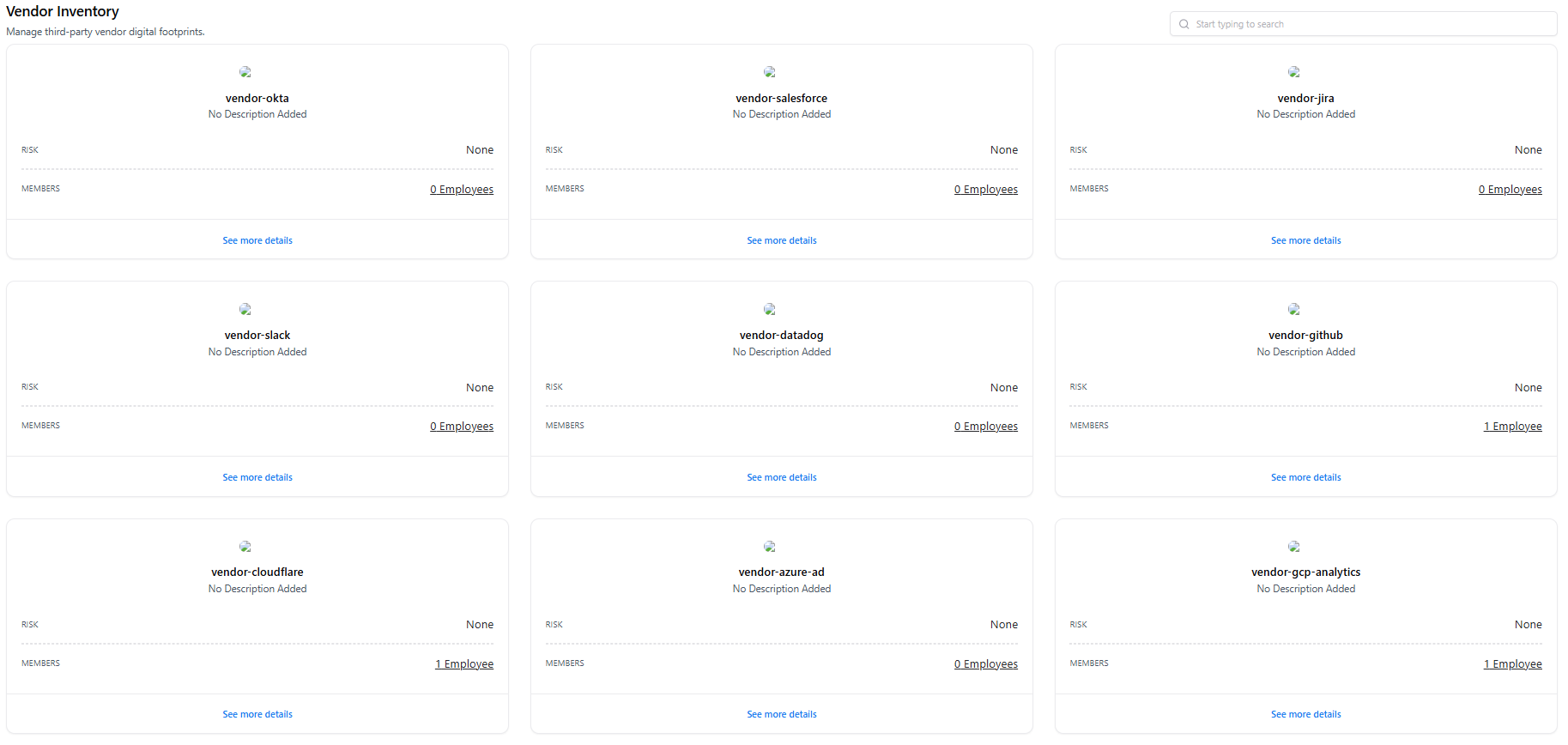
What the Dashboard Shows
- Vendor Cards — Each card represents a detected vendor (e.g., Okta, GitHub, Slack).
- Risk Status — High-level risk indicator for the vendor (if available).
- Members — Number of employees associated with the vendor.
- Search & Discovery — Quickly locate vendors by name.
- Entry Point — Click See more details to drill into a specific vendor.
Vendor Asset View
Clicking on a vendor opens the Vendor Asset View, which provides a detailed profile of that specific third-party service.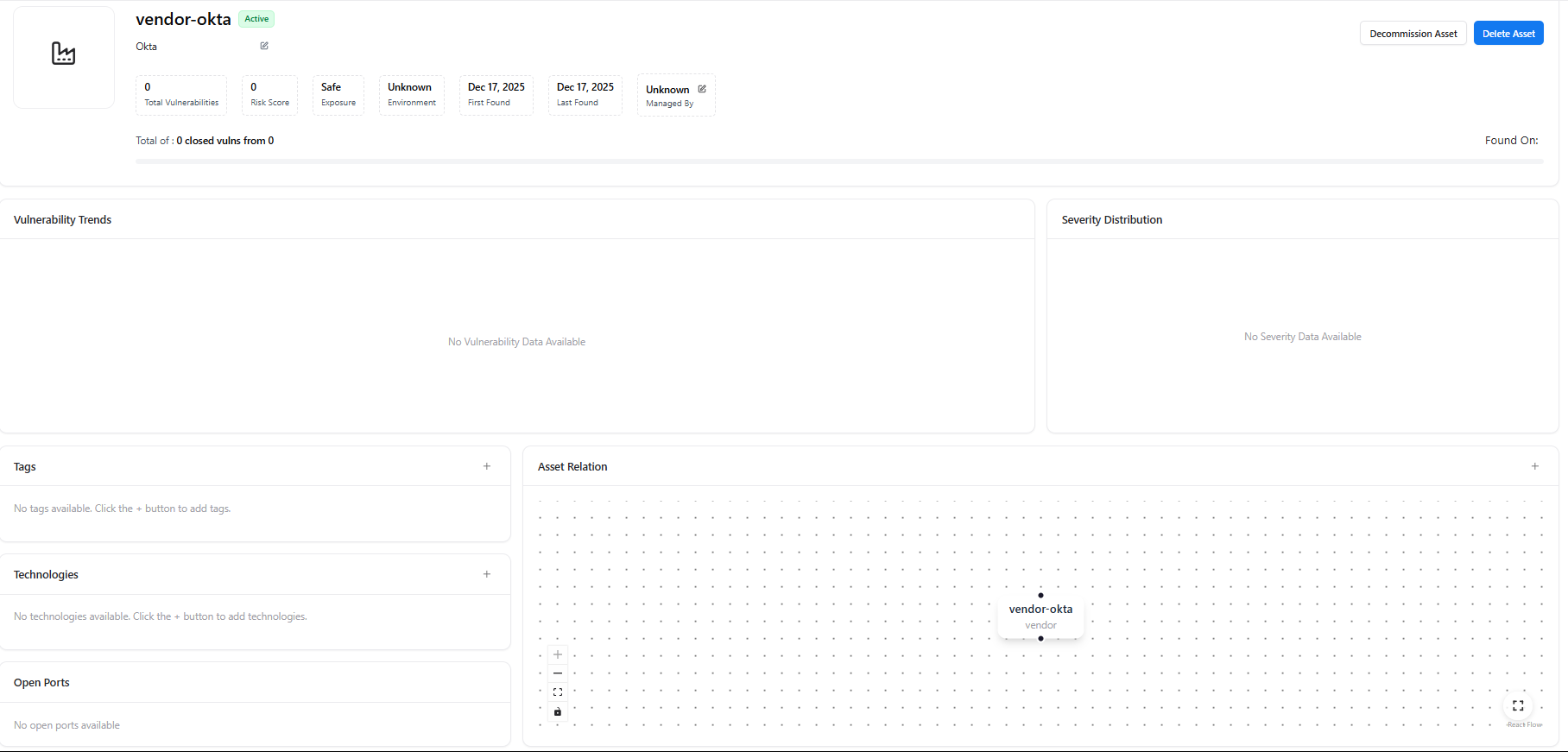
Vendor Summary Panel
Each vendor asset includes:- Vendor Name & Status (Active / Inactive)
- Total Vulnerabilities
- Risk Score
- Exposure Status (Safe / Exposed)
- Environment
- First Found / Last Found
- Managed By (Owner or Unknown)
- Decommission Asset
- Delete Asset
Vendor Insights
Within the vendor asset view, AIM provides:- Vulnerability Trends — Historical vulnerability data (if available)
- Severity Distribution — Breakdown of vulnerability severities
- Tags — Classification labels for the vendor
- Technologies — Technologies associated with the vendor (if detected)
- Asset Relation Graph — Visual mapping of how the vendor connects to:
- Domains
- Subdomains
- Applications
- Other assets
Associated Assets
Vendors are rarely standalone. AIM links each vendor to the assets that depend on or integrate with it.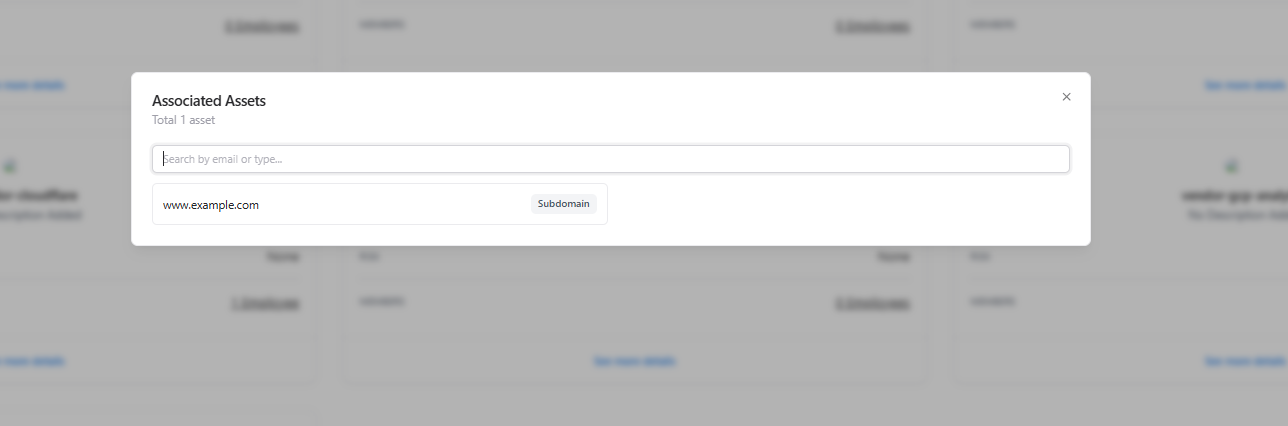
What Associated Assets Show
- Linked Assets — Domains, subdomains, or applications connected to the vendor
- Asset Type — Clear labeling (e.g., Subdomain, Application)
- Understanding blast radius if a vendor is compromised
- Identifying business impact of third-party incidents
- Supporting vendor risk assessments and audits
Explore Live Demo
Explore AIM Live — No Signup Needed
Instantly explore how Snapsec AIM discovers vendors, maps their associated assets, and tracks third-party risk in real time — all without creating an account.