

Overview
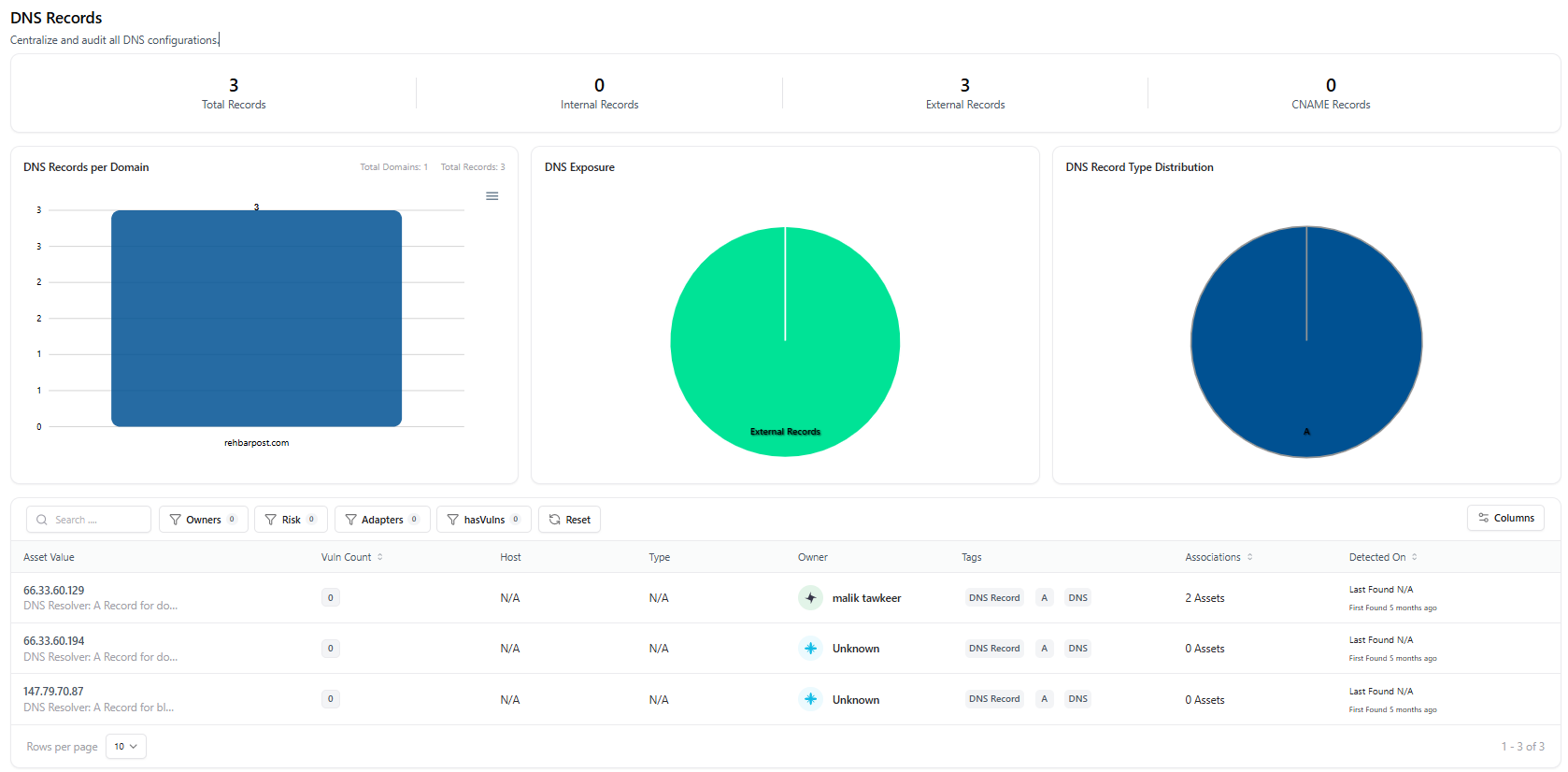
The DNS Catalog Dashboard provides a centralized view of all discovered DNS records across your environments.It helps security and infrastructure teams quickly understand DNS exposure, ownership, and risk at scale.
Key Metrics & Visibility
The dashboard highlights high-level DNS posture through summary metrics:- Total Records — All DNS records discovered
- Internal Records — DNS entries mapped to internal assets
- External Records — Records resolving to external hosts
- CNAME Records — Canonical name mappings
- DNS records per domain
- Exposure distribution (Internal vs External)
- DNS record type distribution
DNS Records Table
The DNS inventory table lists every discovered record with searchable and filterable metadata. Available columns include:- Record Value — IP address or hostname
- Vulnerability Count — Linked vulnerabilities (if any)
- Host — Associated host (if available)
- Type — DNS record type (A, CNAME, etc.)
- Owner — Assigned owner or team
- Tags — Classification labels
- Associations — Linked assets
- Detected On — First and last detection timestamps
DNS Asset Detail View
Clicking a DNS record opens the DNS Asset Detail View, providing a complete breakdown of that specific asset.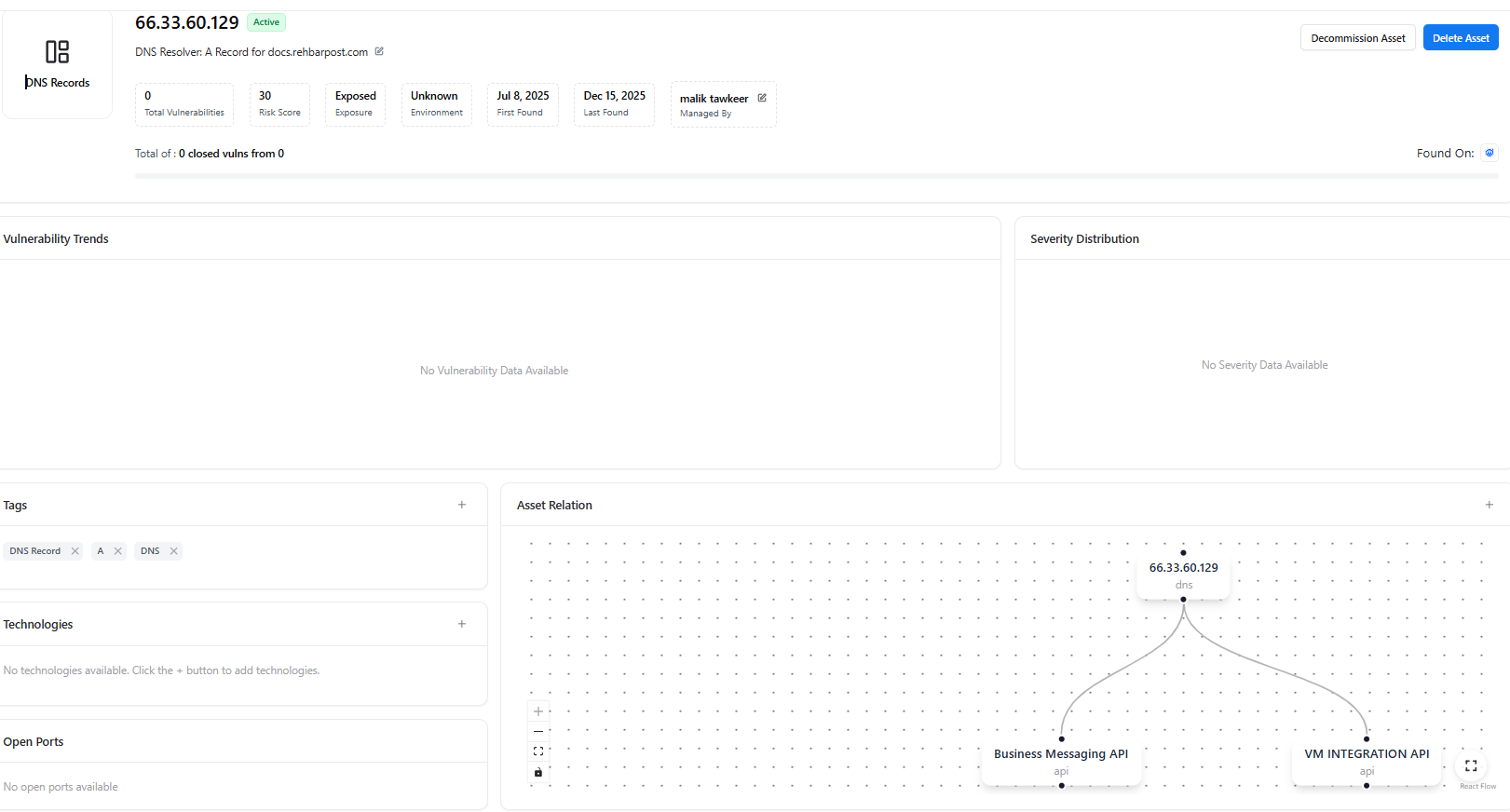
Asset Summary
Each DNS asset includes:- Current status (Active / Decommissioned)
- Total vulnerabilities linked
- Risk score
- Exposure classification
- Environment context
- First and last detection dates
- Assigned owner
Asset Relationships
The Asset Relation Graph visualizes how the DNS record connects to other assets such as:- APIs
- Applications
- IP addresses
- Services
Additional Asset Context
From the asset detail page, teams can also view and manage:- Tags — For classification and tracking
- Technologies — Detected tech stack (if available)
- Open Ports — Network exposure details
Decommission DNS Asset
DNS records that are no longer valid or required can be safely decommissioned.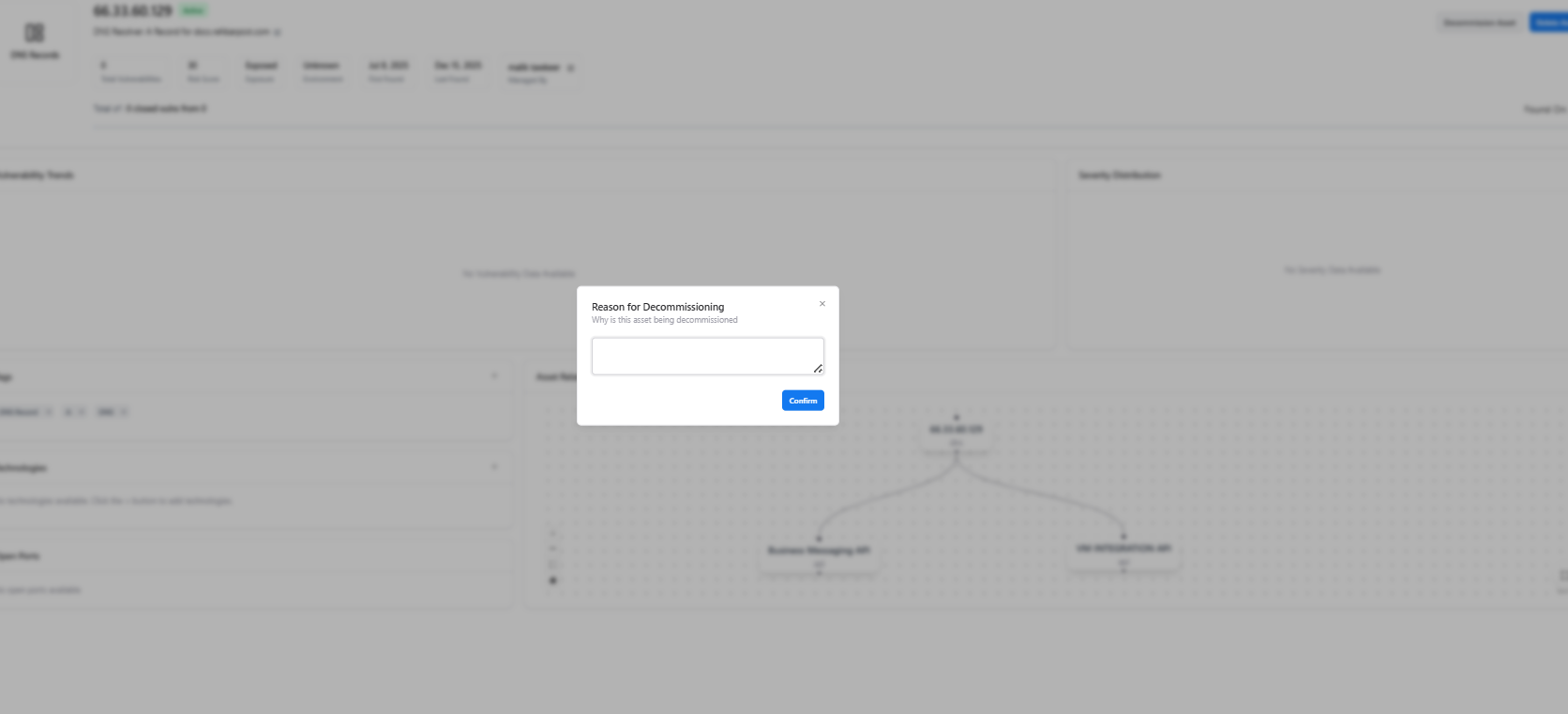
- A reason for decommissioning is required
- The asset is marked as inactive
- Historical data remains preserved for audit and tracking
Why Decommission DNS Assets?
Common use cases include:- Removing stale or unused DNS records
- Cleaning up legacy infrastructure entries
- Reducing attack surface exposure
- Preventing dangling or orphaned DNS mappings
Explore Live Demo
Explore AIM Live — No Signup Needed
Instantly explore how Snapsec AIM discovers, visualizes, and manages DNS assets — including exposure analysis, asset relationships, and decommissioning — all in real time, without creating an account.