

Overview
Snapsec’s Vulnerability Scanner Integrations allow you to enrich scanning coverage, import external findings, automate CI/CD workflows, and centralize results from third-party tools — all into one unified vulnerability pipeline.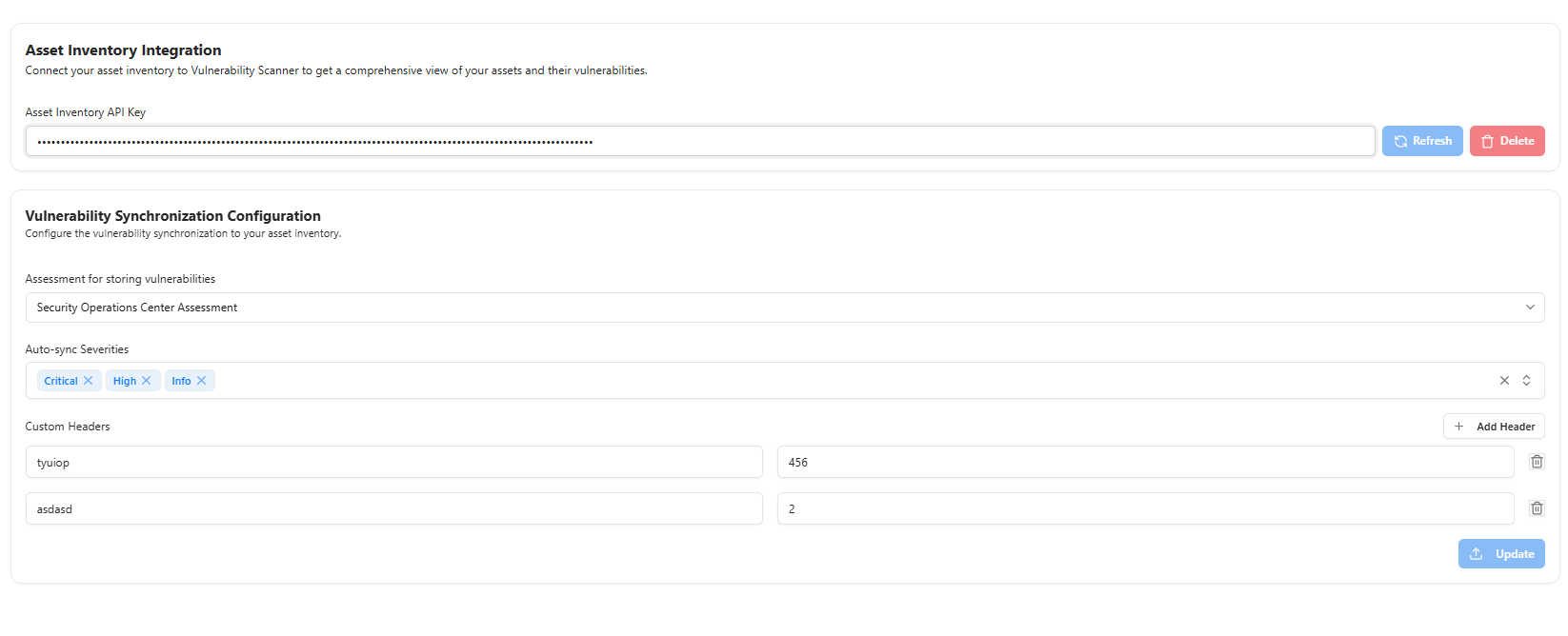
Overview
Integrations expand the capability of the Vulnerability Scanner by enabling:- Import of scan results from external scanners
- Triggering scans via CI/CD systems
- Pulling asset inventories from external platforms
- Syncing vulnerability metadata between systems
- Automated enrichment using threat and technology intelligence
Supported Integration Types
CI/CD Integration
Run scans automatically during push, merge, or deployment workflows.
External Scanners
Import findings from tools like Nuclei, Trivy, or custom scanners.
Asset Sources
Sync assets from ASM, cloud adapters, or repositories.
CI/CD Integrations
Supported Workflows
- GitHub Actions
- GitLab CI
- Jenkins
- Bitbucket Pipelines
- Custom webhook-based pipelines
Capabilities
- Trigger API, host, or web scans on deployment
- Fail builds if severity thresholds are exceeded
- Upload scan data back into VS automatically
Ideal for DevSecOps teams enforcing shift-left security.
External Scanner Integrations
Examples Supported
- Nuclei (YAML-based scanning)
- Trivy (Container & IaC scanning)
- ZAP / Burp via exports
- OpenVAS or custom scanner outputs
What Gets Imported
- Severity
- Description & metadata
- Affected assets
- Timestamps
- Evidence (if provided)
Asset Integrations
VS can pull assets from:- Snapsec ASM
- Cloud adapters (AWS, GCP, Azure)
- Networking systems
- Repositories (URLs, targets, APIs)
Integration Management
Add an Integration
- Go to Integrations → Add New Integration
- Select provider
- Configure credentials / keys
- Test connection
- Save
Monitor Integration Health
The integrator dashboard shows:- Connection status
- Last sync
- Assets imported
- Errors or misconfigurations
What Problems This Solves
Fragmented Tools
Unifies results from multiple scanners into one consistent vulnerability catalog.
CI/CD Blind Spots
Ensures every deployment is tested before reaching production.
Incomplete Asset Coverage
Pulls assets from multiple sources to maintain full visibility.
Key Benefits
Single Source of Truth
Consolidate vulnerabilities from VS + external scanners in one place.
Automation Ready
Automate scans, imports, and syncing without manual effort.
Improved Accuracy
Cross-verification across scanners improves detection reliability.
Better Workflow Integration
Integrates deeply with VM, ASM, AIM, and CI/CD pipelines.
Explore Live Demo
Explore Snapsec Live — No Signup Needed
Jump straight into the live environment and see how Snapsec unifies asset intelligence, threat detection, and vulnerability tracking — all in one dashboard.