

Overview
Vulnerability Sources represent where your findings originate from — scanners, manual testing, integrations, or external tools. This module helps you:- Measure scanner accuracy
- Identify noisy sources
- Improve trust in findings
- Optimize your security pipeline
Source Overview Dashboard
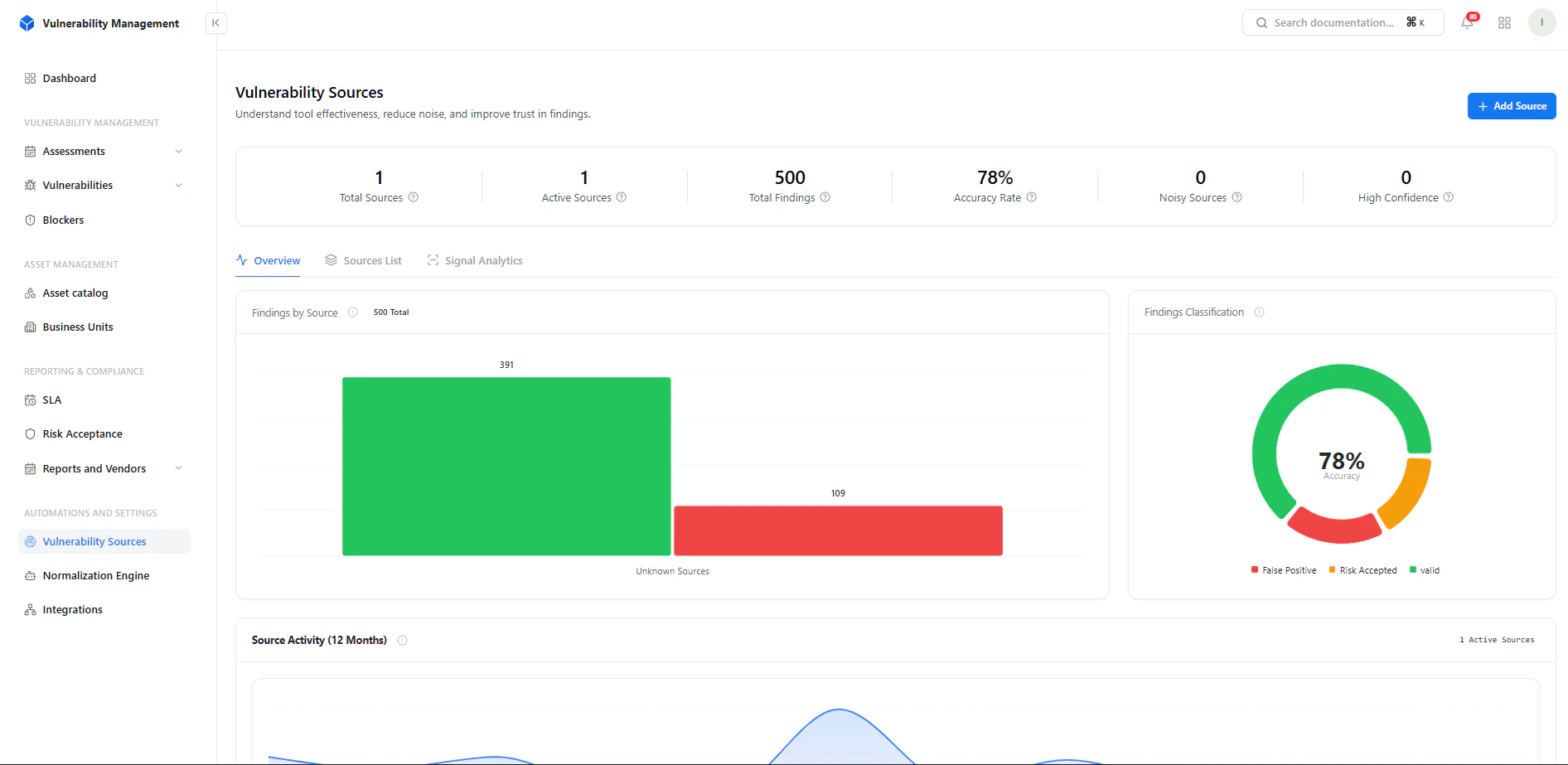
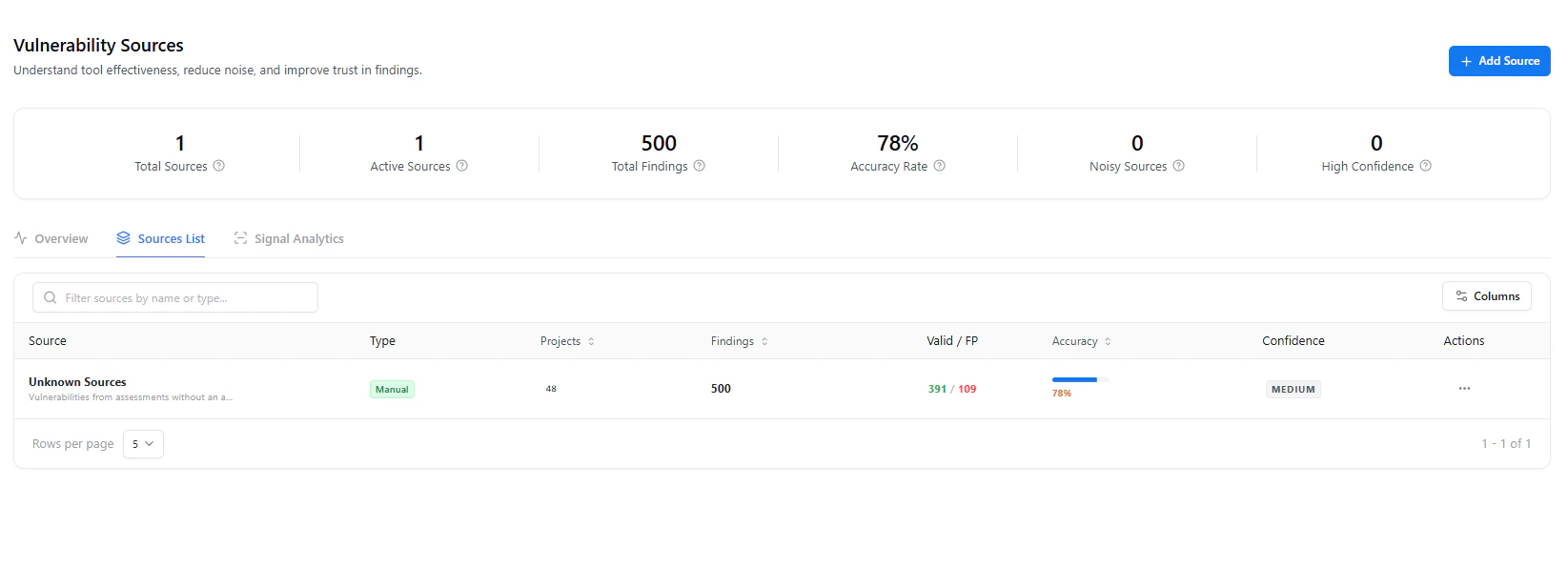
- Total Sources → Number of integrated tools
- Active Sources → Currently contributing findings
- Total Findings → Aggregated vulnerabilities
- Accuracy Rate → Valid vs false positives
- Noisy Sources → High false-positive sources
- High Confidence Sources → Trusted tools
Source Analytics
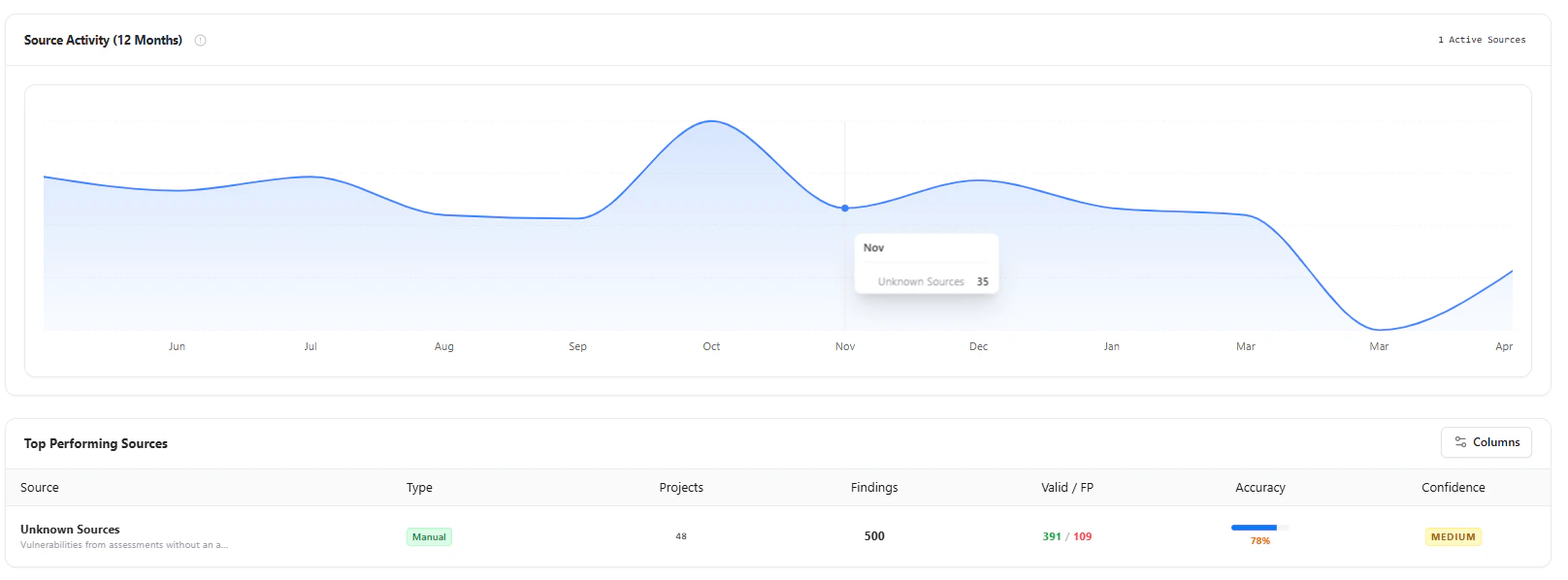
Insights Provided
- Findings by source (valid vs unknown/noisy)
- Accuracy classification (Valid / FP / Risk Accepted)
- Monthly source activity trends
- Which tool is most reliable?
- Where are false positives coming from?
- How accuracy changes over time
Adding a Source
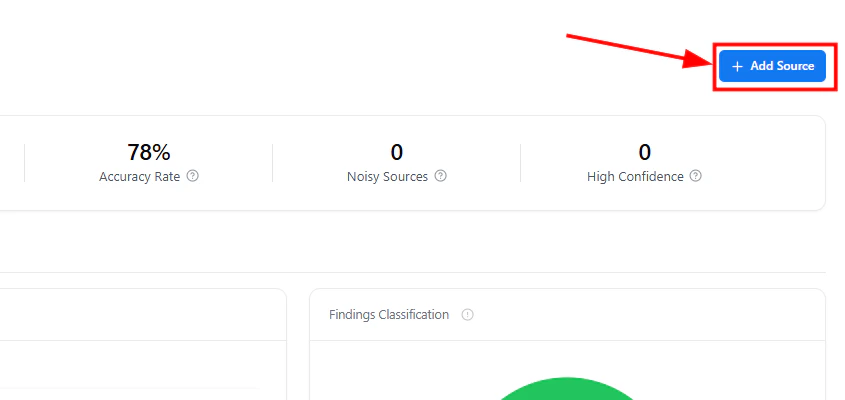
Required Fields
- Source Name (e.g., Burp Suite, Nuclei, Manual Testing)
Configuration Options
-
Type
- Scanner
- Manual
- Integration
-
Confidence Level
- Low / Medium / High
- Description Context about the tool or methodology
Sources List
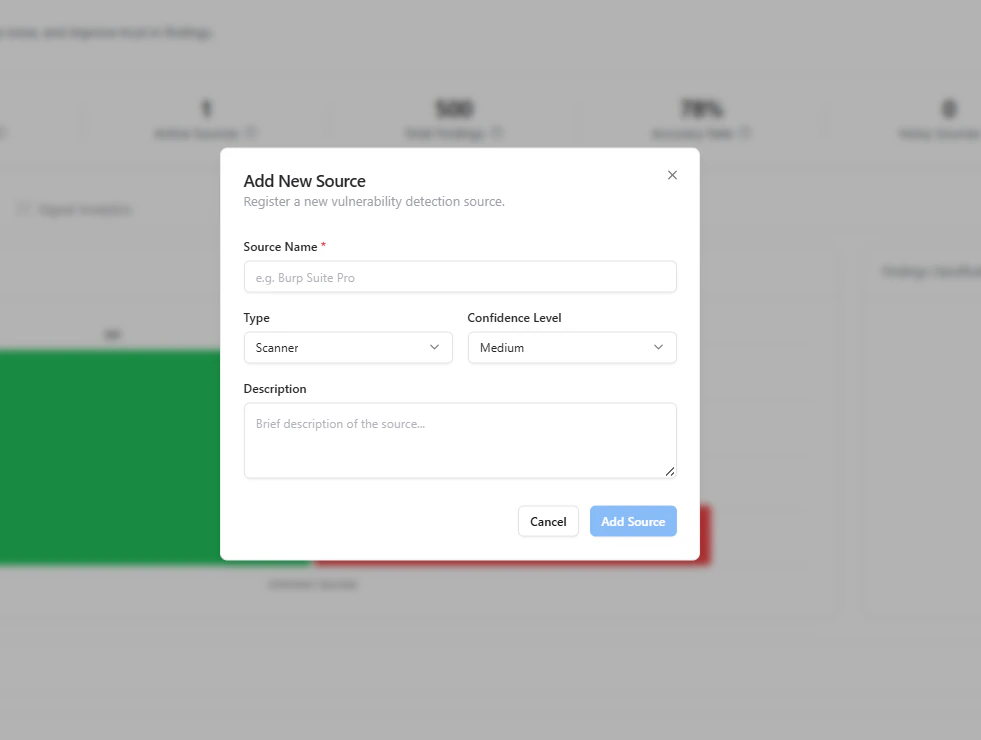
- Source name and type
- Projects associated
- Total findings
- Valid vs False Positives
- Accuracy percentage
- Confidence level
Actions
- Filter and search sources
- Track performance per source
- Identify underperforming tools
Signal Analytics
Key Metrics
- Accuracy (%) Valid findings ratio
- False Positive Rate Noise level per source
- Signal Strength Overall reliability (Low / Moderate / High)
Confidence Distribution
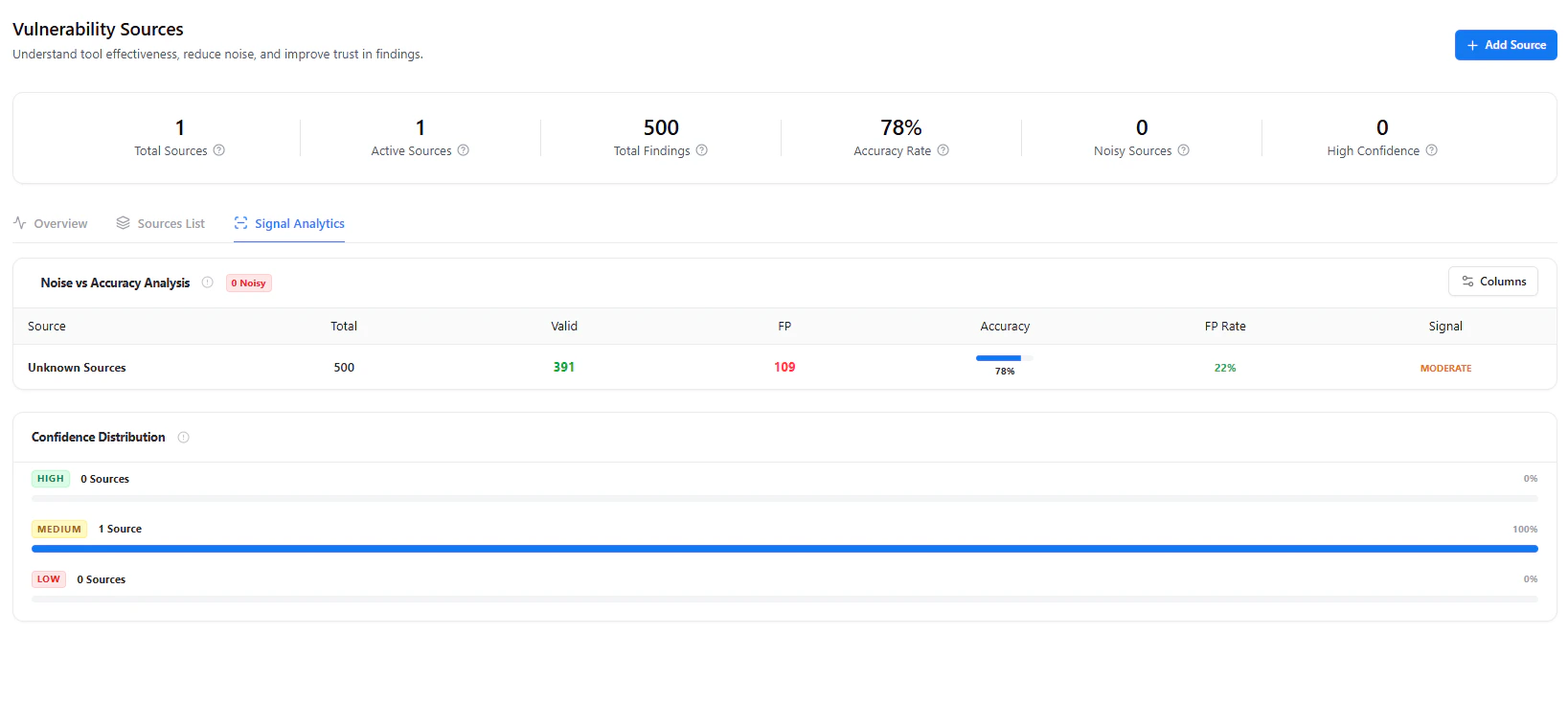
- High confidence sources
- Medium confidence sources
- Low confidence sources
Why It Matters
Most tools dump vulnerabilities — this system evaluates which tools you should trust.Key Benefits
- Reduce false positives at scale
- Prioritize high-confidence findings
- Benchmark scanner performance
- Improve remediation efficiency
- Build trust in your security program
Real-World Use Cases
- Compare Burp vs automated scanners accuracy
- Identify noisy integrations (e.g., CI scanners)
- Track manual testing effectiveness
- Optimize security tooling ROI
Explore Live Demo
Explore VM Live — No Signup Needed
Track scanner accuracy, reduce noise, and prioritize trusted findings.