

Overview
Scans are the core execution engine of the Vulnerability Scanner.They allow you to continuously assess your assets, detect vulnerabilities, and track security posture over time.
Scan List
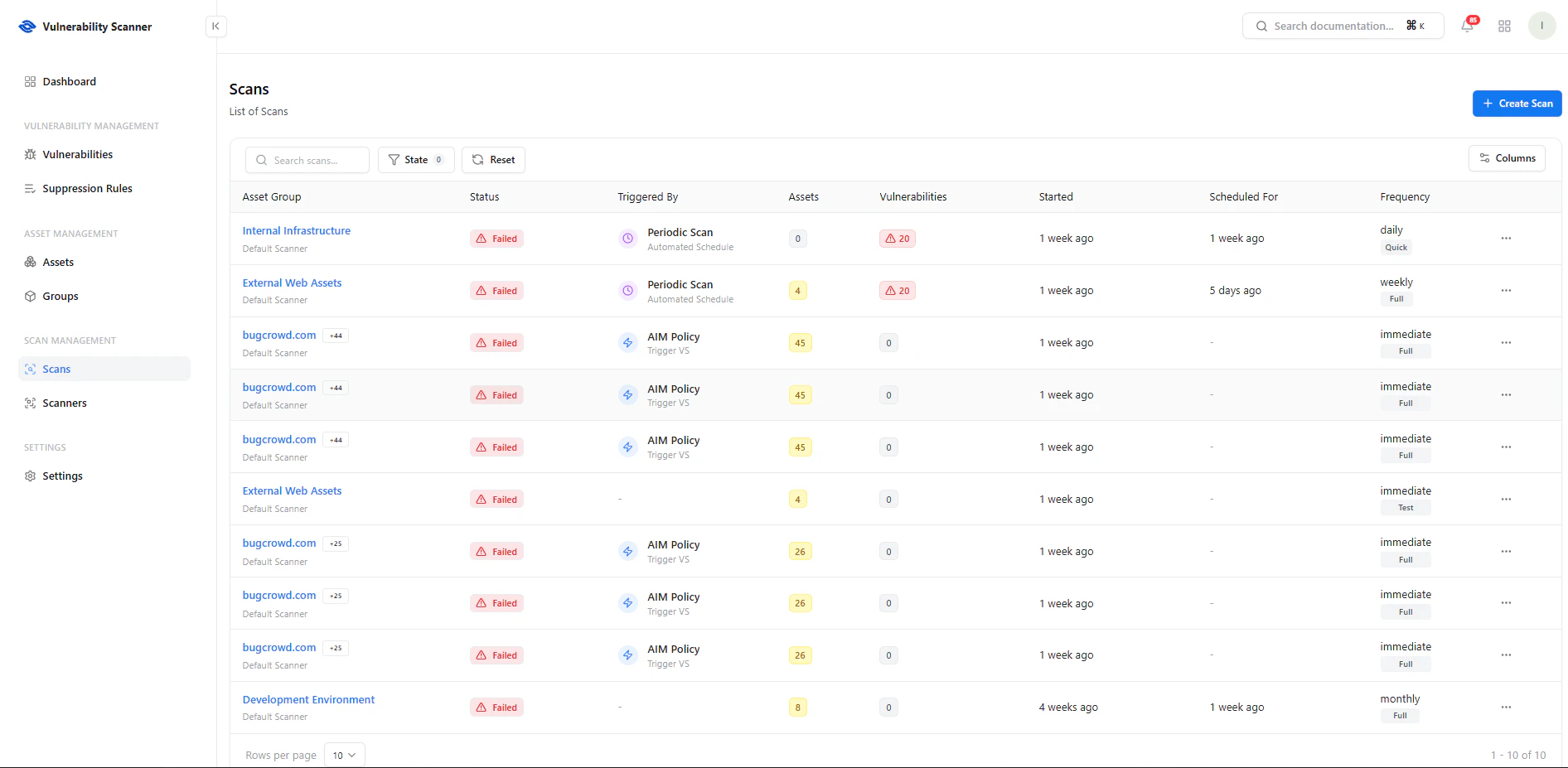
View all scans with status, frequency, and results
Key Information
- Asset Group — Target of the scan
- Status — Success, Failed, In Progress
- Triggered By — Manual, Scheduled, or Policy-driven
- Assets Covered — Number of assets scanned
- Vulnerabilities Found — Total findings
- Frequency — Daily, Weekly, Monthly, Immediate
Create a Scan
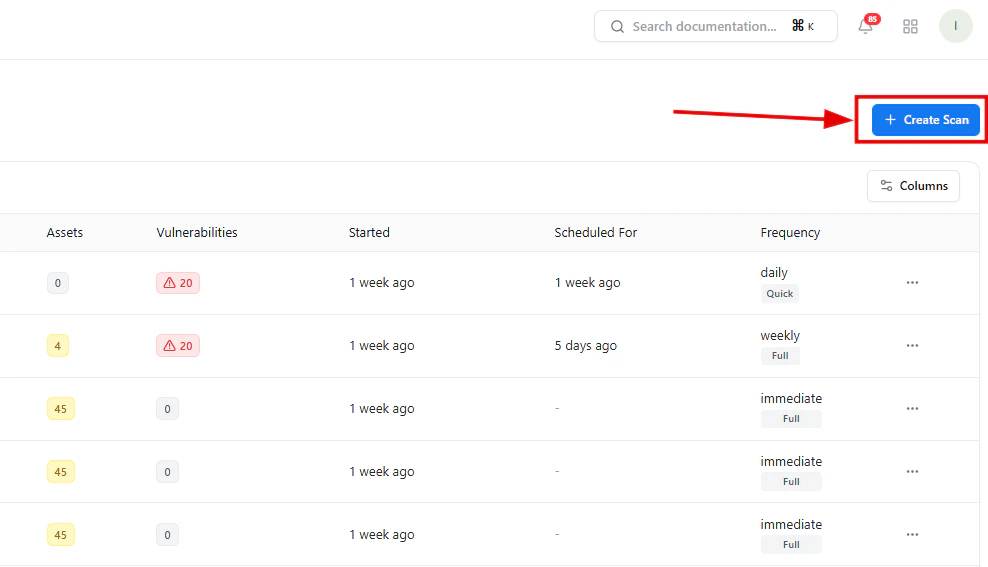
Start a new scan using the Create Scan button
- Click Create Scan
- Choose scan type
- Select scope (group or asset)
- Configure schedule
- Launch scan
Scan Configuration
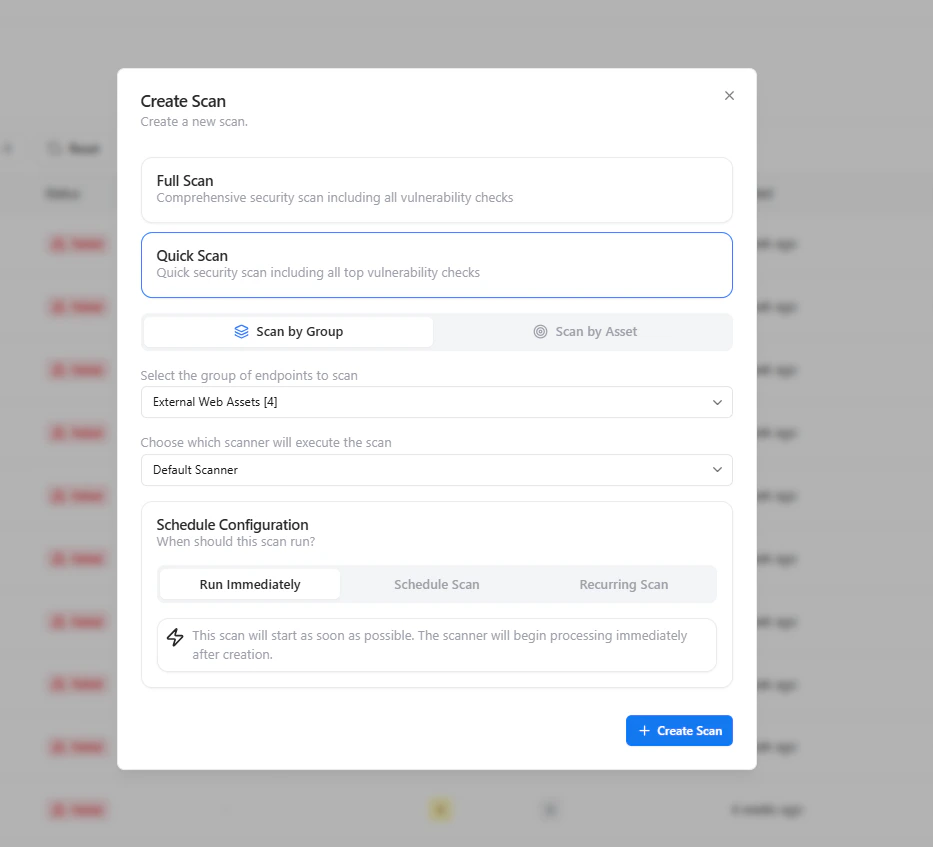
Configure scan type, scope, and scheduling
Scan Types
- Full Scan — Comprehensive security assessment
- Quick Scan — Faster scan focusing on high-impact vulnerabilities
Scan Scope
- Scan by Group — Target all assets within a group
- Scan by Asset — Scan individual assets
Scheduling Options
- Run Immediately — Execute scan instantly
- Scheduled Scan — Run at a specific time
- Recurring Scan — Automate periodic scans
Scan Details Dashboard
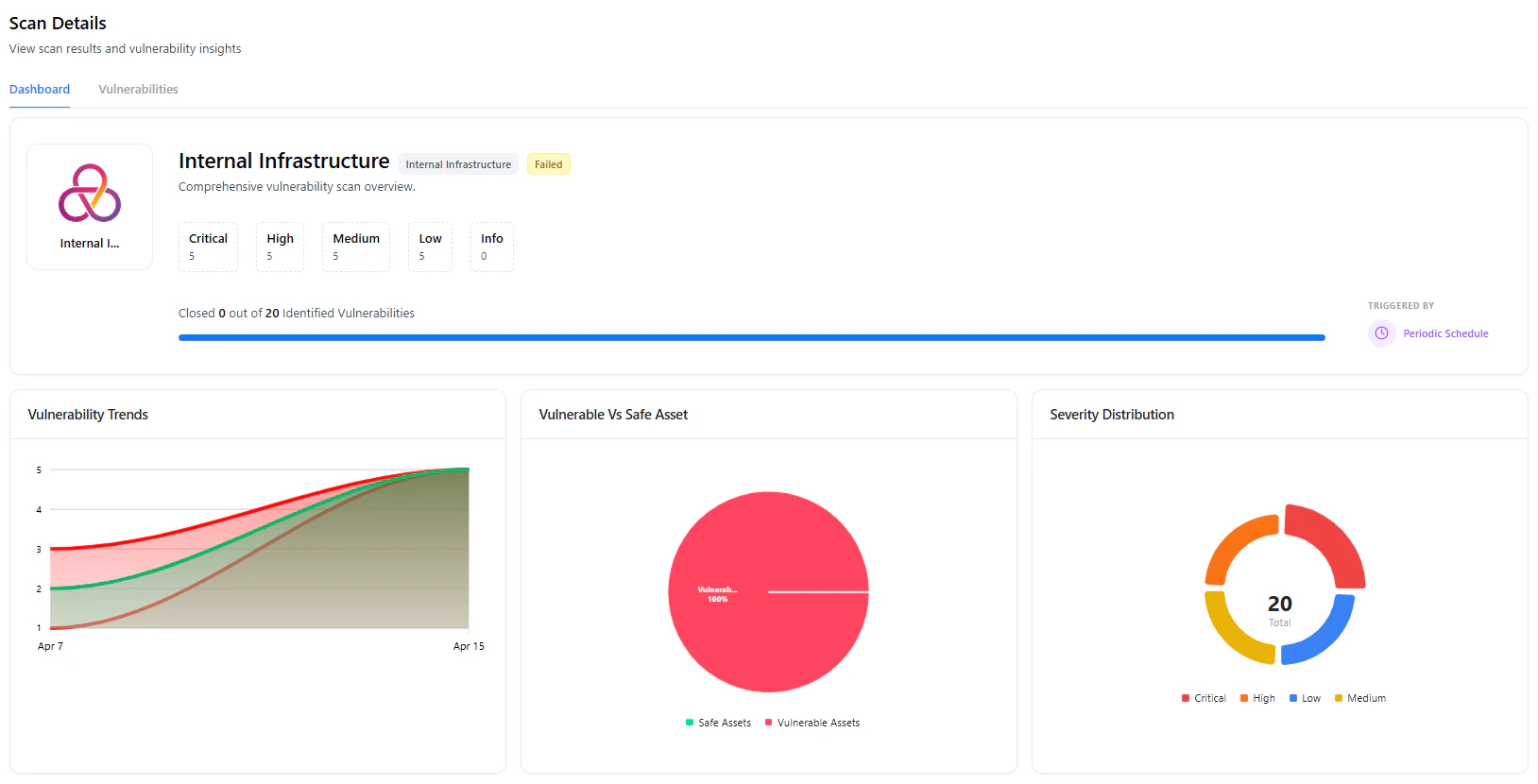
View detailed scan insights and vulnerability metrics
- Severity Breakdown — Critical, High, Medium, Low
- Progress Tracking — Closed vs identified vulnerabilities
- Trend Analysis — Vulnerability trends over time
- Asset Risk Overview — Vulnerable vs safe assets
Top Vulnerabilities
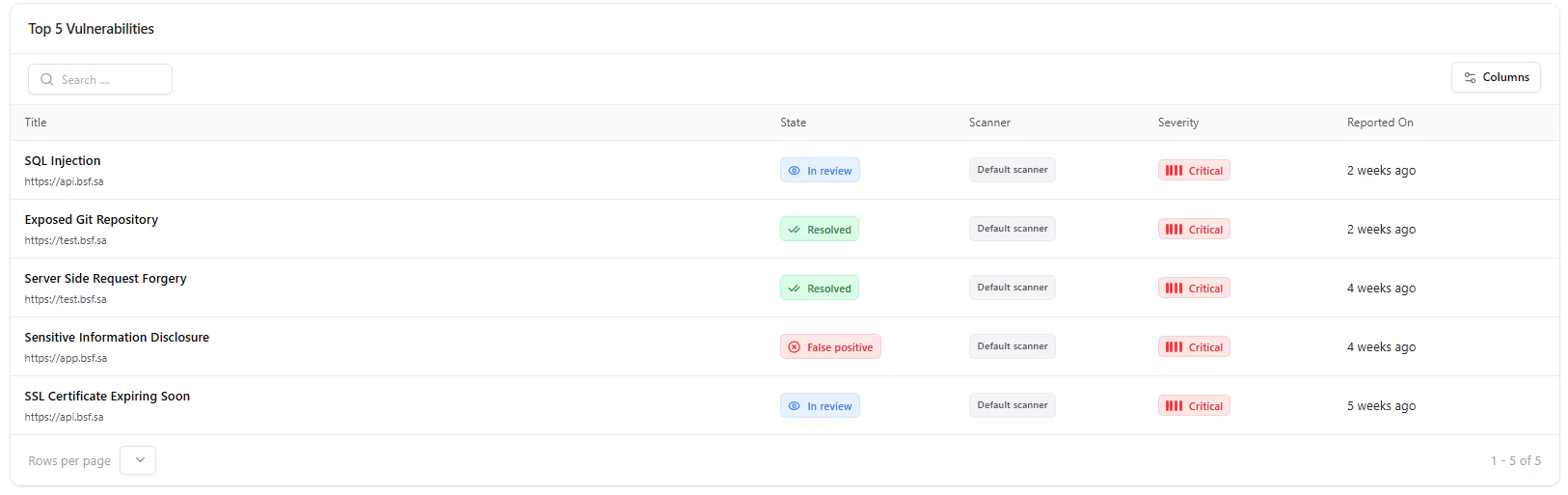
Top vulnerabilities identified in the scan
- Most critical vulnerabilities
- Current remediation status
- Affected assets
- Time since detection
Use Cases
- Continuous security monitoring
- Scheduled compliance scans
- Rapid assessment after deployments
- Targeted scans for high-risk groups
Why This Matters
- Enables proactive vulnerability detection
- Reduces attack surface continuously
- Automates security operations
- Provides actionable security insights
Explore Live Demo
Explore VS Live — No Signup Needed
Experience how Snapsec VS scans your assets and uncovers vulnerabilities in real time.