

Overview
Triggers allow you to automate actions across your asset inventory based on defined conditions. They continuously monitor asset changes and automatically execute workflows such as scans or policy enforcement — eliminating manual intervention and improving response time.Triggers List
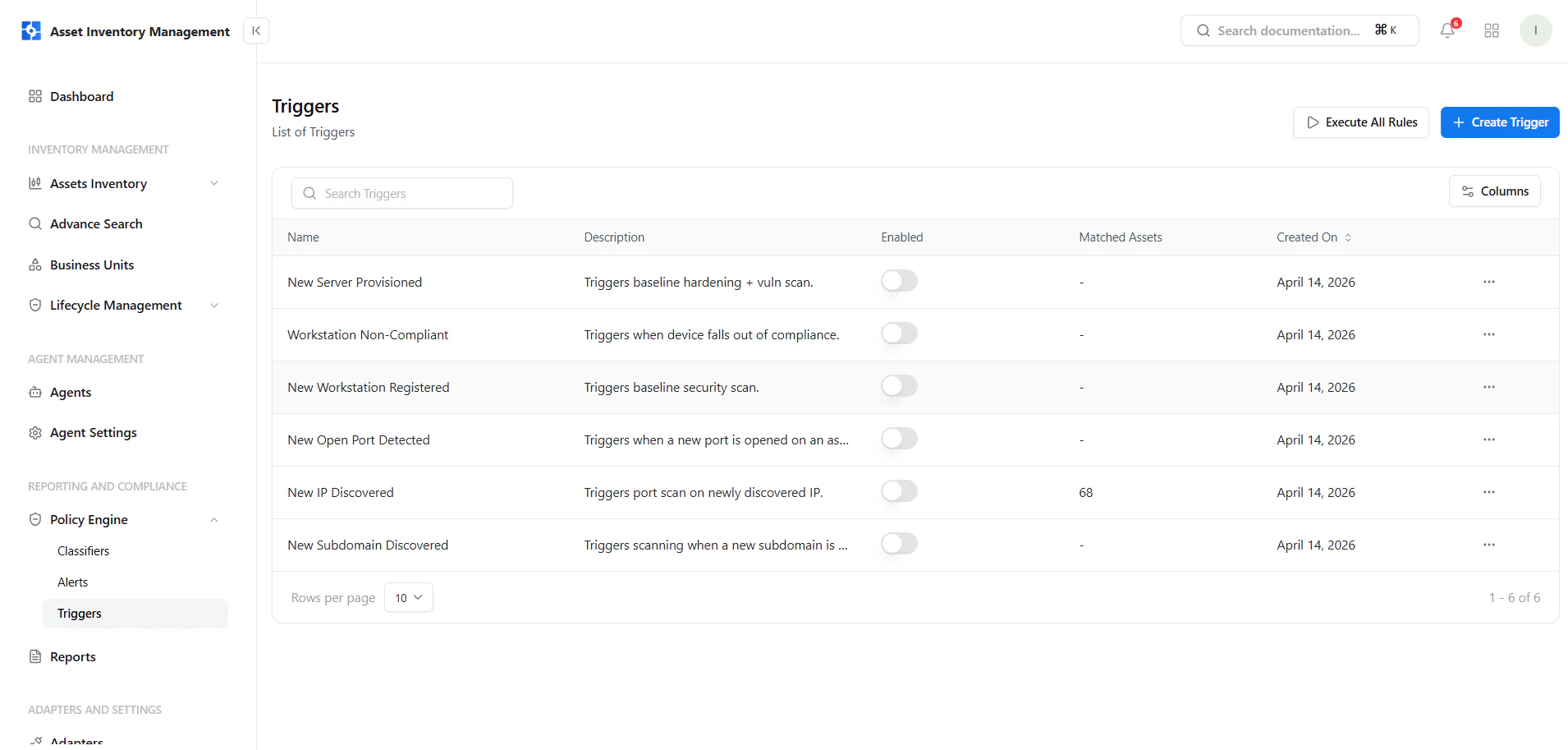
View and manage all triggers with execution and control options
Key Elements
- Name & Description — Defines what the trigger does
- Enabled Toggle — Activate or disable triggers instantly
- Matched Assets — Assets currently matching the condition
- Created On — Rule creation timestamp
- Actions Menu — Manage trigger execution
Create a Trigger
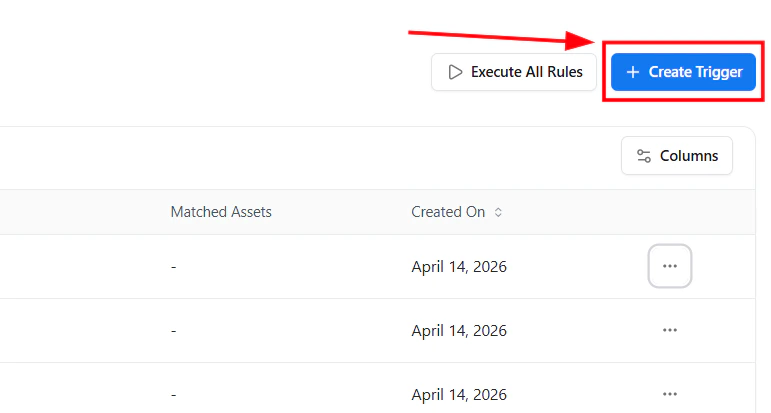
Create a new trigger using the Create Trigger button
- Click Create Trigger
- Open the guided policy builder
- Define conditions and trigger actions
Guided Policy Builder
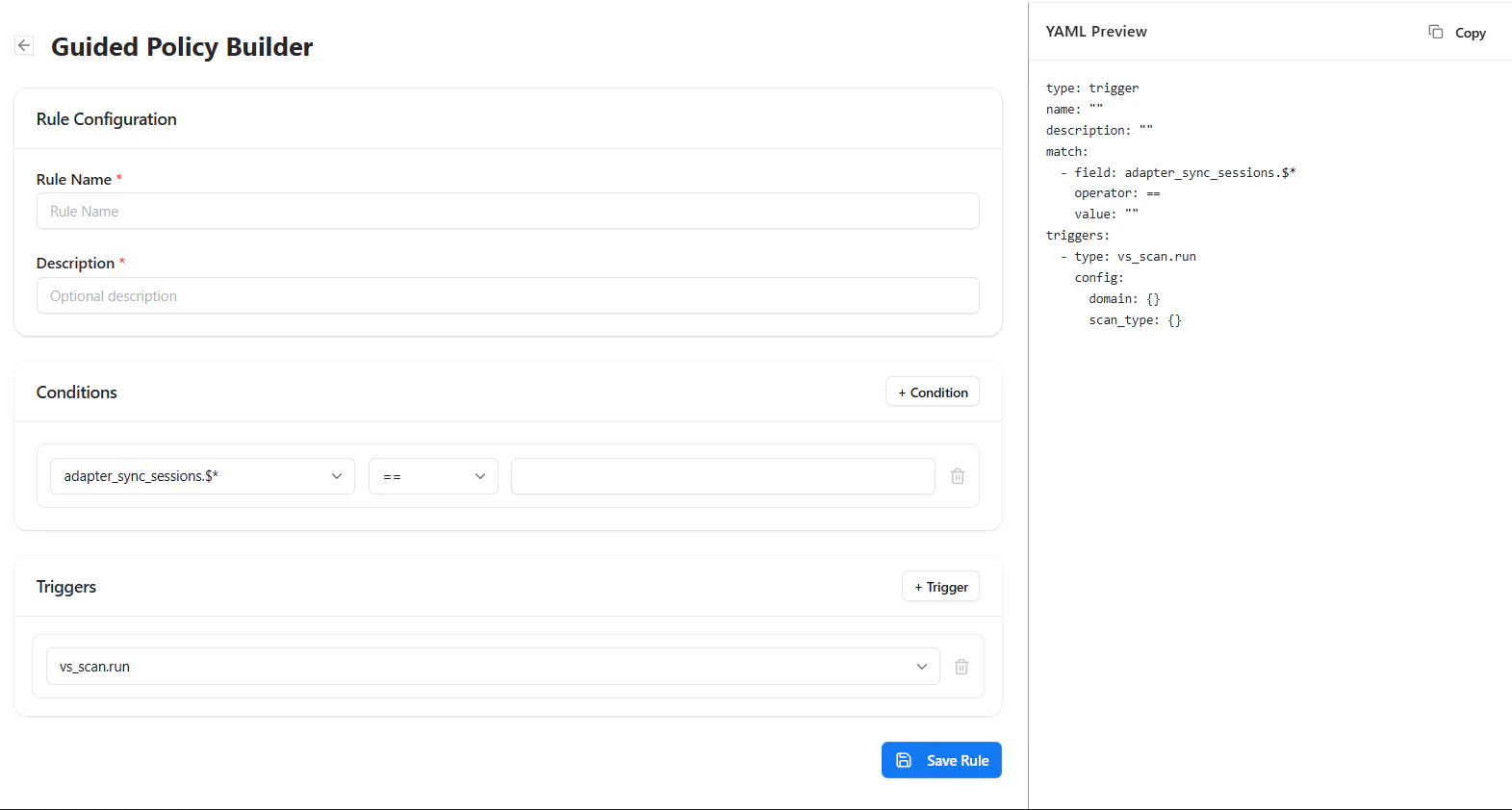
Define trigger conditions and actions in a guided interface
Rule Configuration
- Rule Name — Unique name for the trigger
- Description — Optional explanation
Conditions
Define when the trigger should activate:- Select a field
- Choose an operator (equals, contains, etc.)
- Provide a value
Trigger Actions
Define what should happen automatically:- Run vulnerability scans
- Trigger workflows
- Enforce security policies
Manage Triggers
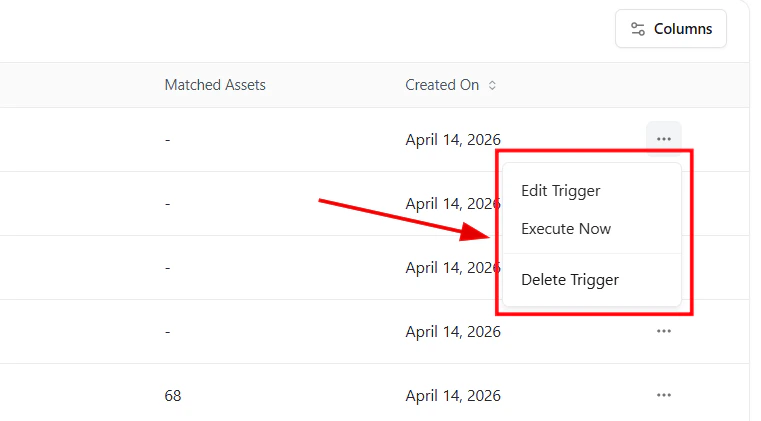
Execute, edit, or delete triggers from the actions menu
- Edit Trigger — Update logic or actions
- Execute Now — Run instantly on current assets
- Delete Trigger — Remove permanently
Execute All Rules
Use Execute All Rules to run all triggers across your assets and enforce automation immediately. This ensures your automation rules are applied to the latest asset state.Real-World Examples
- Run scans when a new IP is discovered
- Trigger actions when a new port opens
- Start checks when a device becomes non-compliant
- Automatically scan newly onboarded assets
Why This Matters
- Converts detection into action
- Eliminates manual workflows
- Reduces response time
- Enables continuous security automation
Explore Live Demo
Explore AIM Live — No Signup Needed
See how Snapsec AIM automatically executes scans and workflows when trigger conditions are met.