

Overview
Settings allow you to integrate your Asset Inventory with the Vulnerability Scanner and control how vulnerabilities are synchronized, categorized, and stored. This ensures alignment between scanning results and your broader security assessments.Asset Inventory Integration
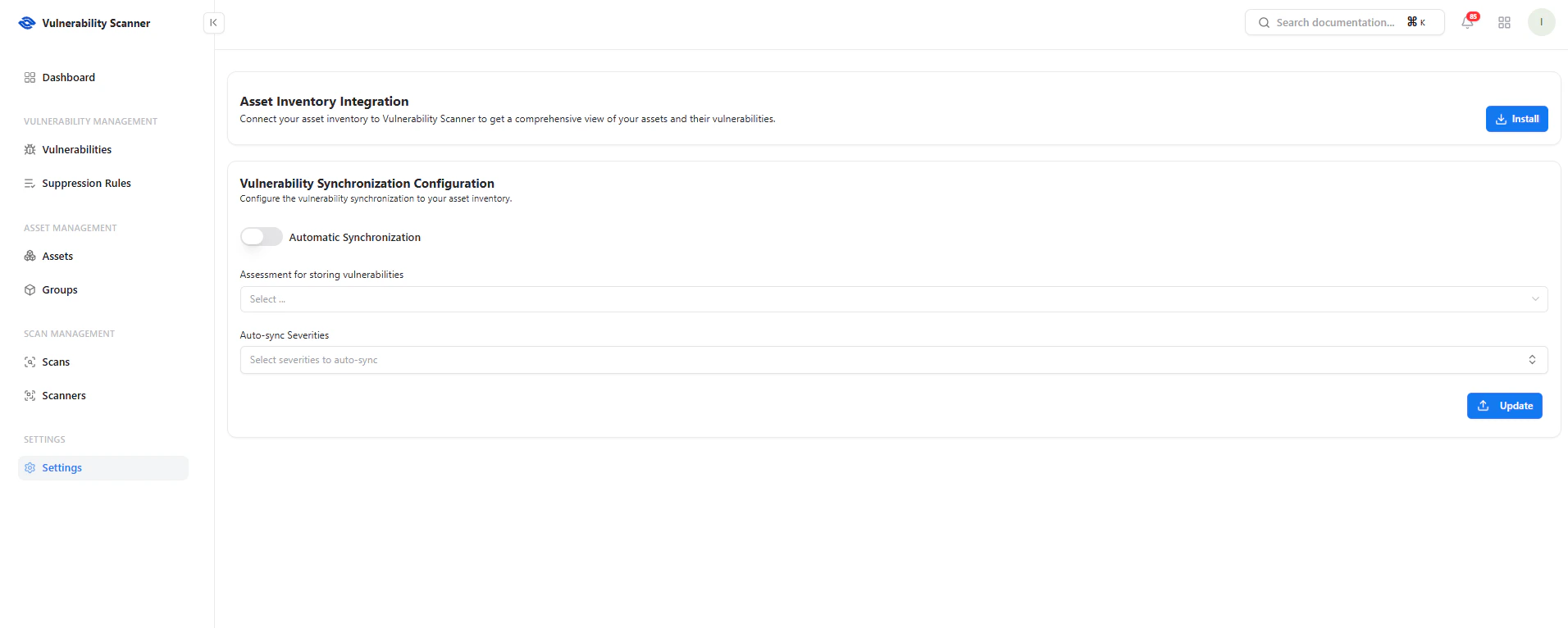
Connect your asset inventory to enable vulnerability mapping
Key Benefits
- Centralized asset visibility
- Context-aware vulnerability tracking
- Unified security posture across products
Vulnerability Synchronization
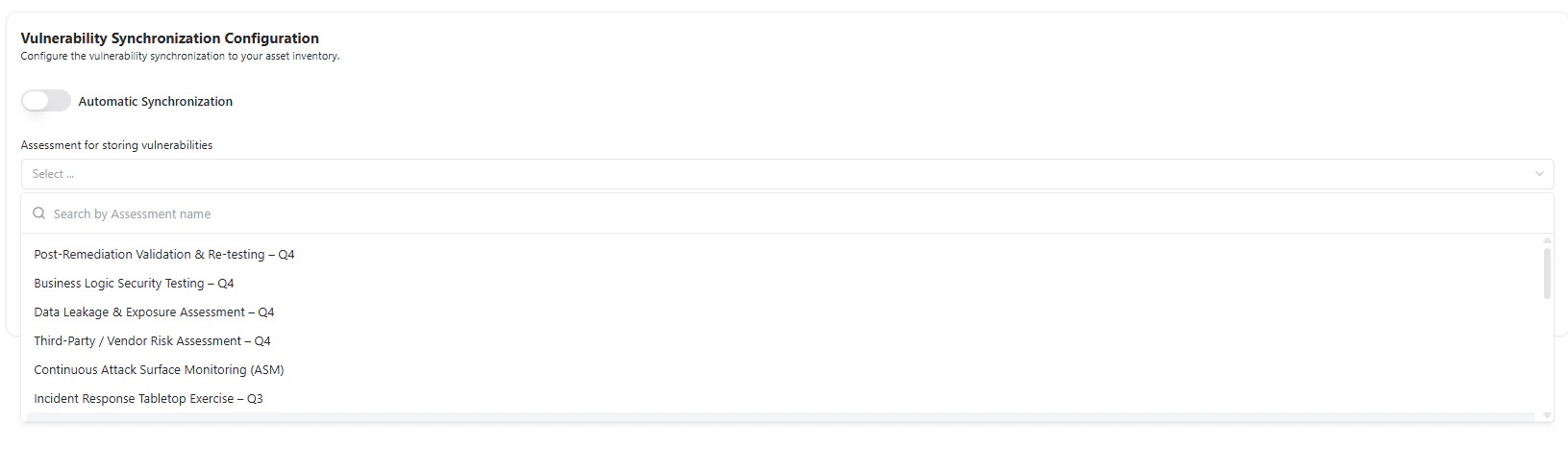
Configure how vulnerabilities are automatically synced to assessments
Automatic Synchronization
Enable automatic syncing of vulnerabilities into your assessment workflows.Assessment Mapping
Select where vulnerabilities should be stored:- Risk assessments
- Security testing programs
- Compliance frameworks
- Post-Remediation Validation
- Business Logic Testing
- Third-Party Risk Assessment
- Attack Surface Monitoring
Severity-Based Sync
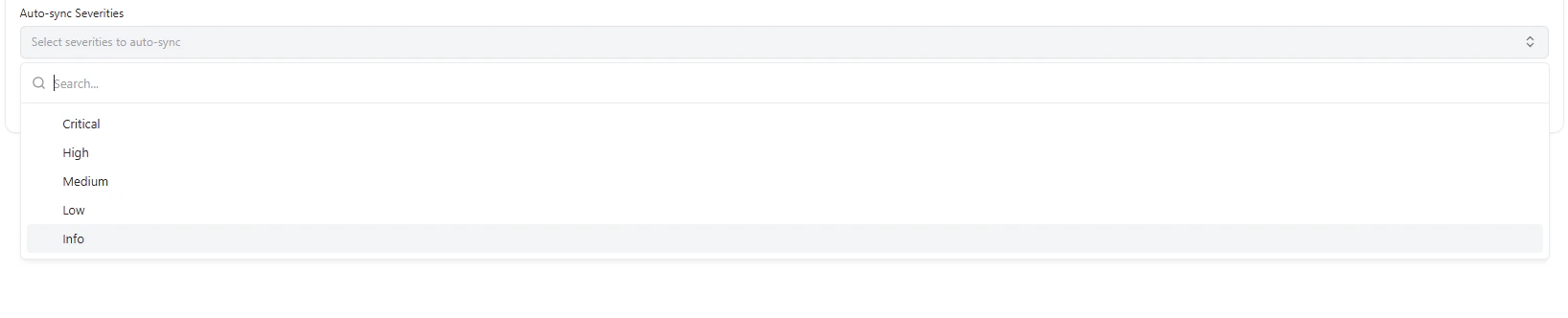
Select which severity levels should be automatically synchronized
- Critical — Always prioritize
- High — Important risks
- Medium — Moderate impact
- Low — Minor issues
- Info — Informational findings
Use Cases
- Automatically map scan results to ongoing assessments
- Align vulnerability management with compliance workflows
- Reduce manual triaging effort
- Standardize risk tracking across teams
Why This Matters
- Eliminates siloed security data
- Connects scanning with business context
- Enables automated risk workflows
- Improves prioritization and reporting
Explore Live Demo
Explore VS Live — No Signup Needed
Experience how Snapsec connects vulnerabilities with your asset inventory and assessments in real time.