

Overview
Suppression Rules allow you to automatically ignore or suppress vulnerabilities based on defined conditions. This helps reduce false positives, eliminate noise, and focus only on actionable security issues.Suppression Rules List
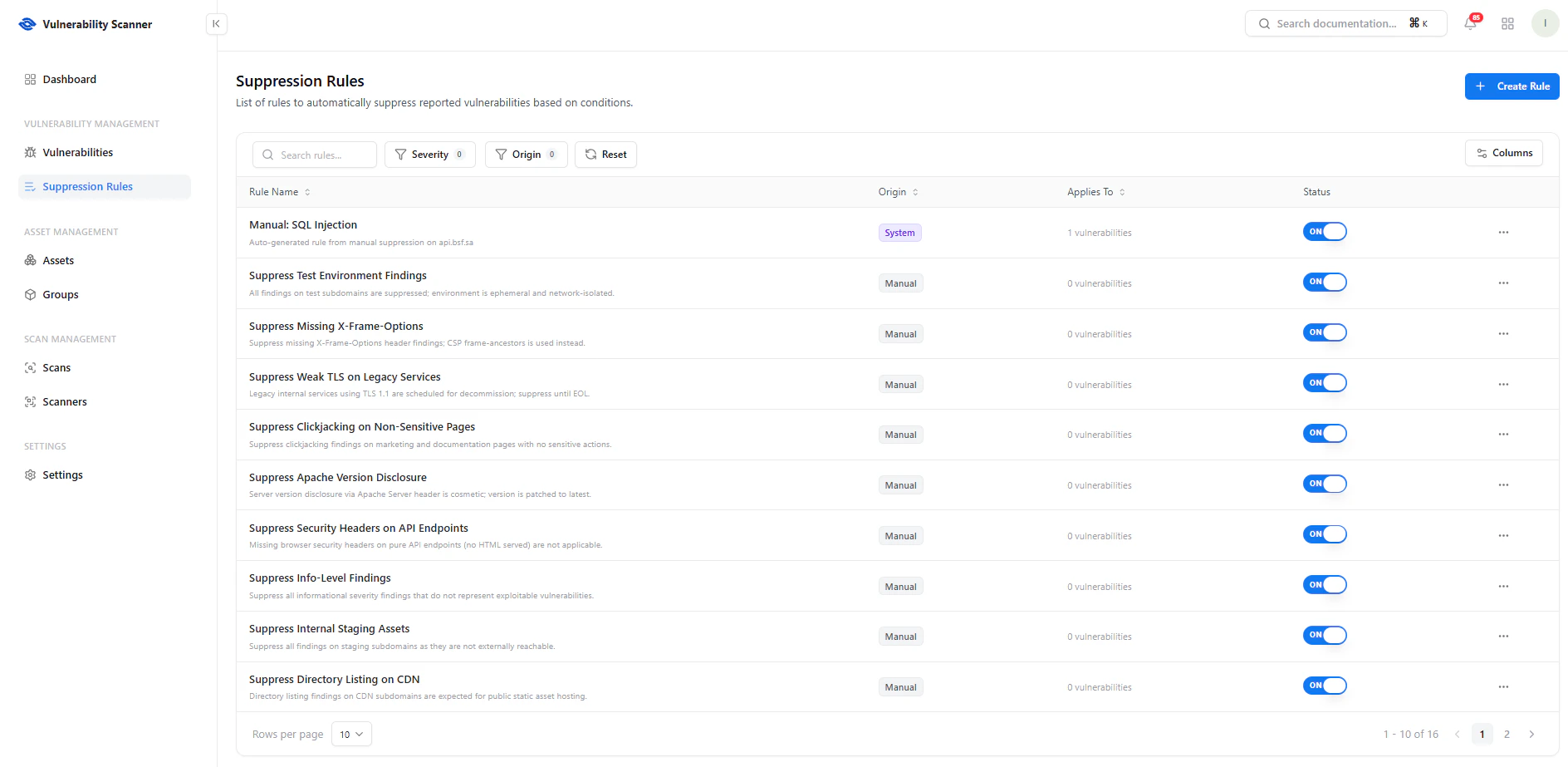
View and manage all suppression rules with status and applicability
Key Features
- Search — Find rules quickly
- Filters — Filter by severity or origin
- Status Toggle — Enable or disable rules instantly
- Columns Control — Customize visible fields
Key Columns
- Rule Name — Name and description of the rule
- Origin — System-generated or manually created
- Applies To — Number of affected vulnerabilities
- Status — Active (ON) or Disabled (OFF)
Create Suppression Rule
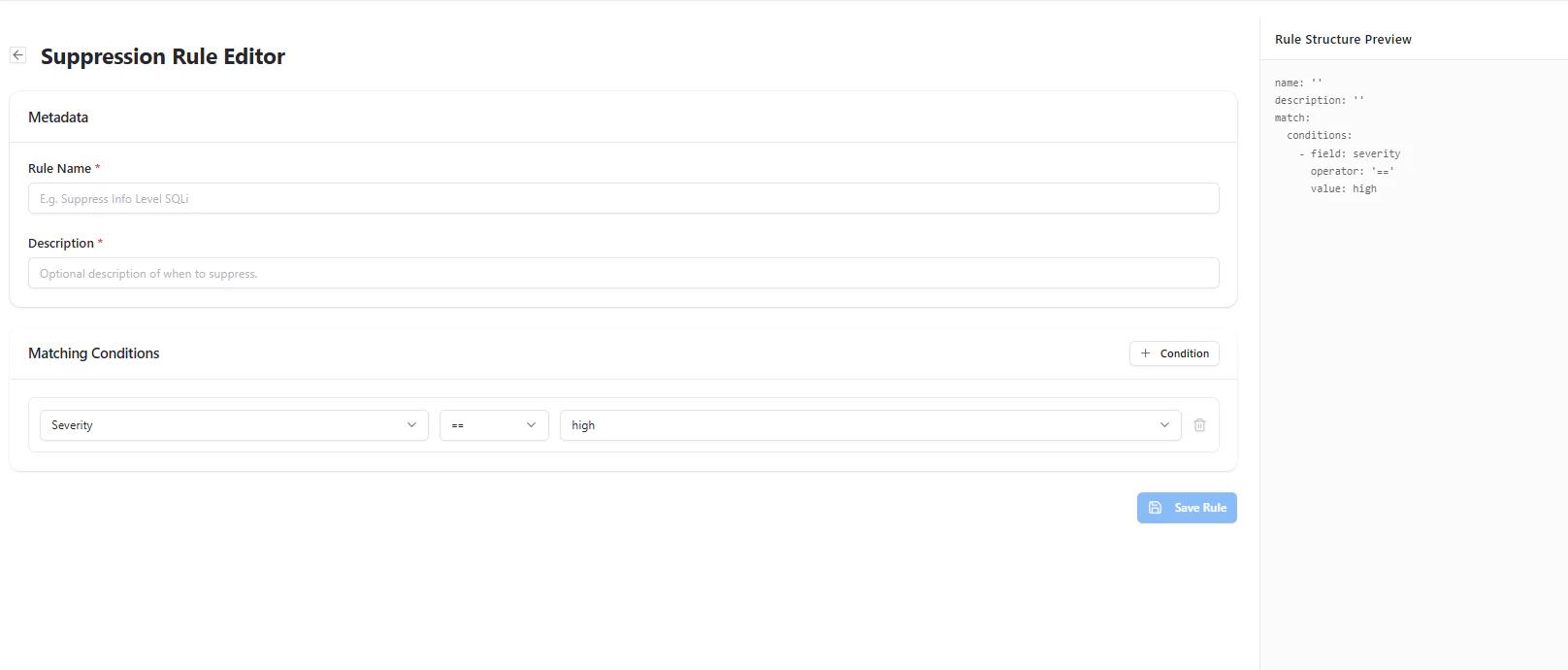
Define conditions to automatically suppress vulnerabilities
Rule Configuration
- Rule Name — Unique identifier
- Description — Optional explanation
Matching Conditions
Define when a vulnerability should be suppressed:- Select a field (e.g., severity)
- Choose an operator (equals, contains, etc.)
- Set a value (e.g., high, medium)
Manage Rules
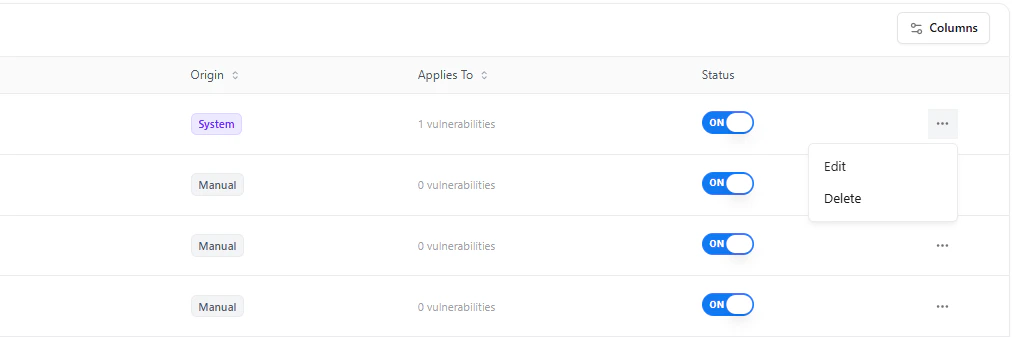
Edit or delete suppression rules from the actions menu
- Edit Rule — Modify conditions or metadata
- Delete Rule — Remove rule permanently
- Toggle Status — Enable or disable rule instantly
Use Cases
- Suppress informational findings that are not actionable
- Ignore vulnerabilities in test or staging environments
- Exclude known accepted risks
- Reduce noise from repeated low-impact issues
Why This Matters
- Reduces alert fatigue
- Eliminates false positives
- Improves signal-to-noise ratio
- Enables focused remediation
- Supports scalable security operations
Explore Live Demo
Explore VS Live — No Signup Needed
See how Snapsec VS helps you automate noise reduction and focus only on real security risks.