

Overview
The Agent Settings module allows you to install, configure, and manage agents across multiple operating systems. Agents are responsible for collecting asset data and sending it to the platform in real time. This section provides installation commands, prerequisites, and operational controls for managing agents efficiently.Installation (Linux)
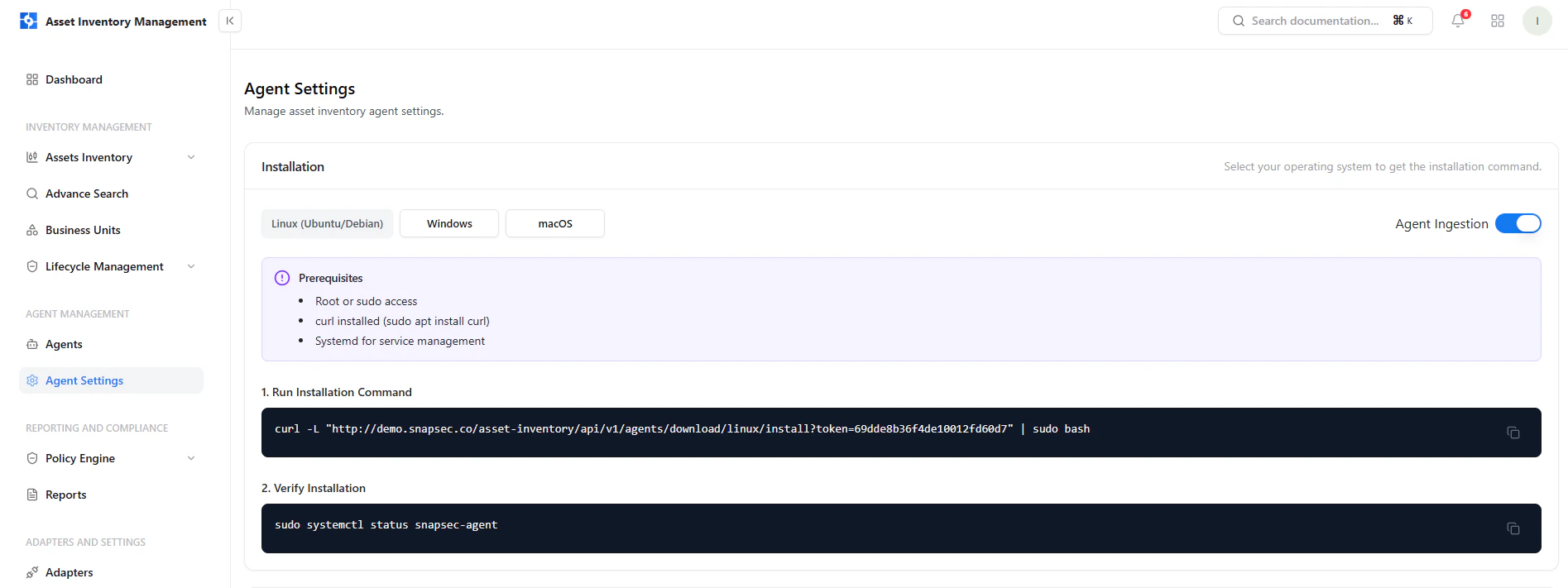
Linux agent installation with prerequisites and command execution
Prerequisites
- Root or sudo access
curlinstalled- Systemd for service management
Steps
- Run the installation command
- Verify installation using systemctl
Agent Management (Linux)
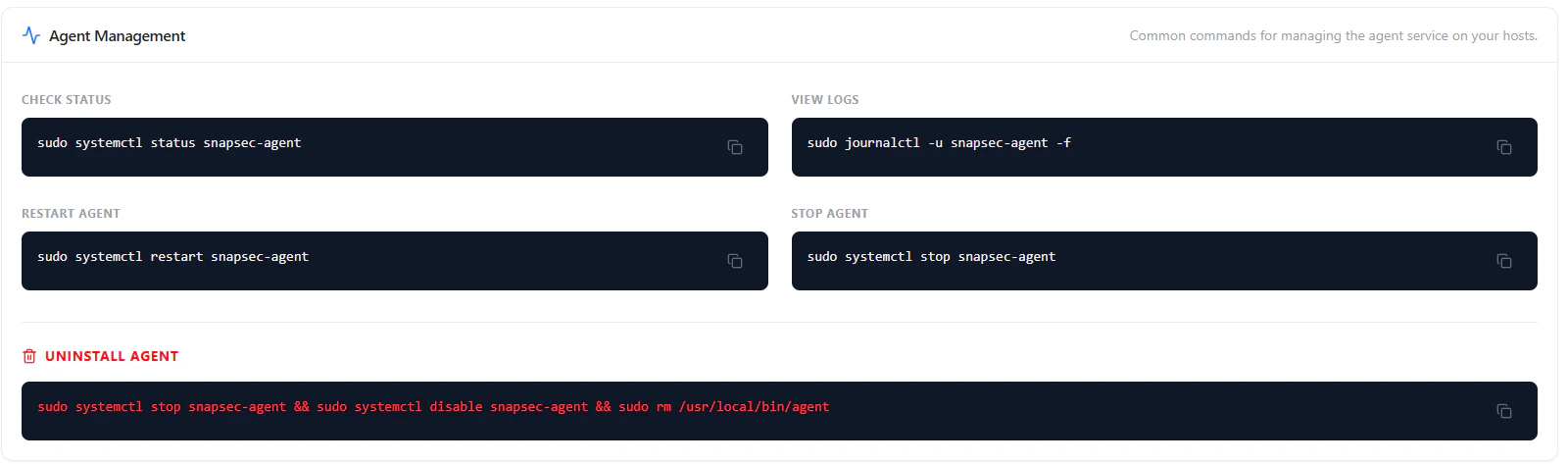
Linux agent service management commands
Available Commands
- Check Status — Verify if the agent is running
- View Logs — Monitor real-time logs
- Restart Agent — Restart the service
- Stop Agent — Stop agent execution
- Uninstall Agent — Remove agent and disable service
Installation (Windows)
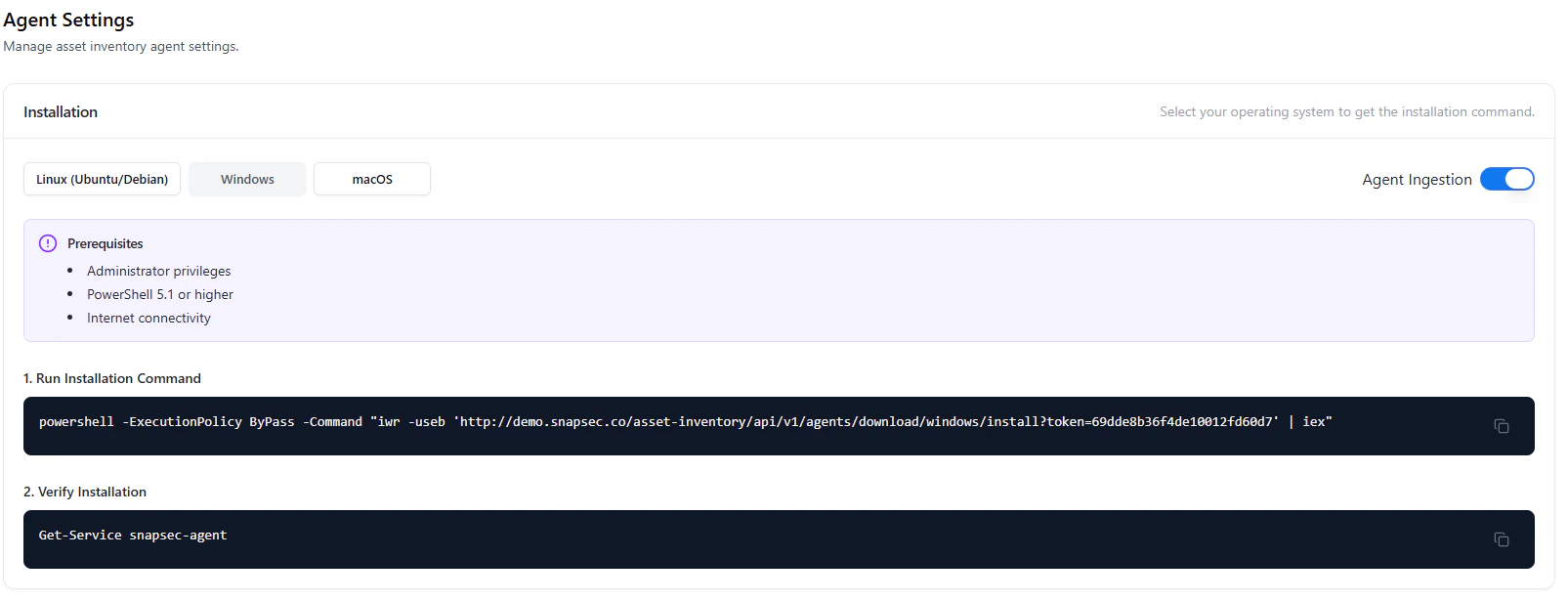
Windows agent installation using PowerShell
Prerequisites
- Administrator privileges
- PowerShell 5.1 or higher
- Internet connectivity
Steps
- Execute PowerShell installation command
- Verify using Windows service check
Agent Management (Windows)
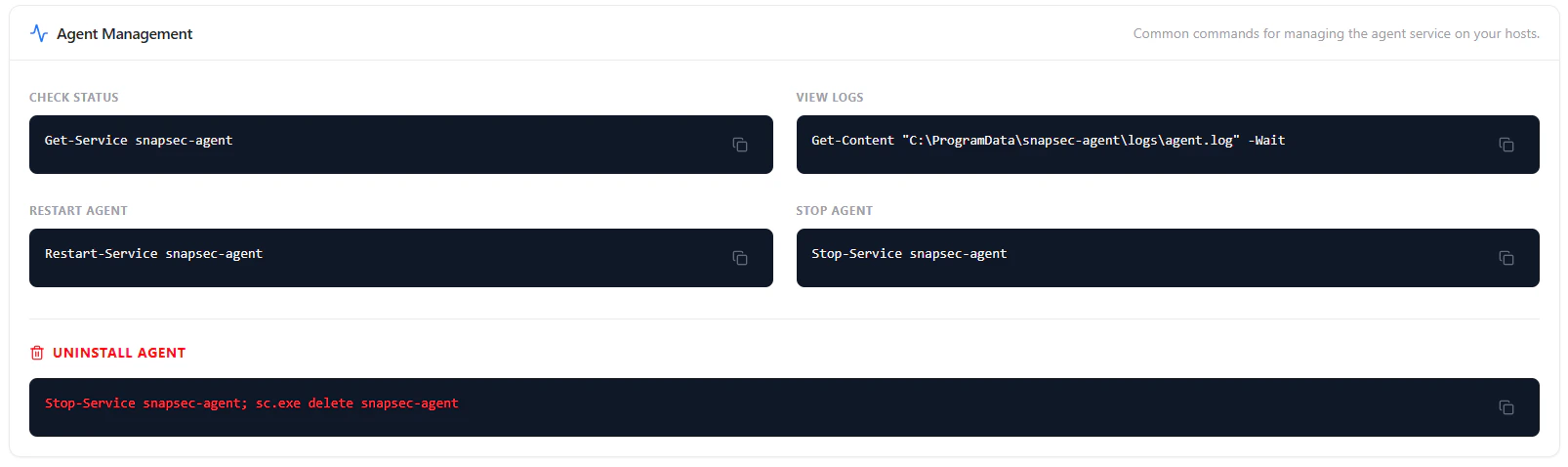
Windows agent management commands and service control
Available Commands
- Check Status — Get-Service
- View Logs — Read agent log file
- Restart Agent — Restart-Service
- Stop Agent — Stop-Service
- Uninstall Agent — Remove service completely
Installation (macOS)
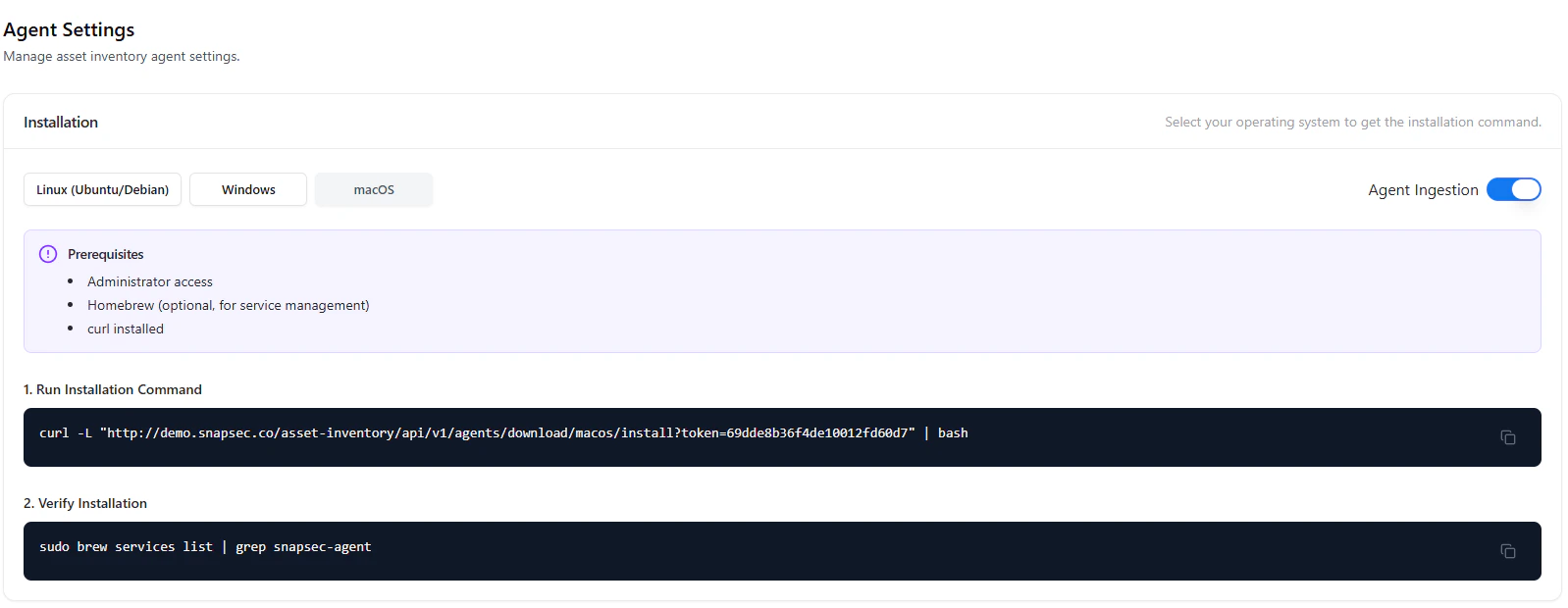
macOS agent installation with Homebrew support
Prerequisites
- Administrator access
- Homebrew (optional for service management)
- curl installed
Steps
- Run installation script via terminal
- Verify using brew services
Agent Management (macOS)
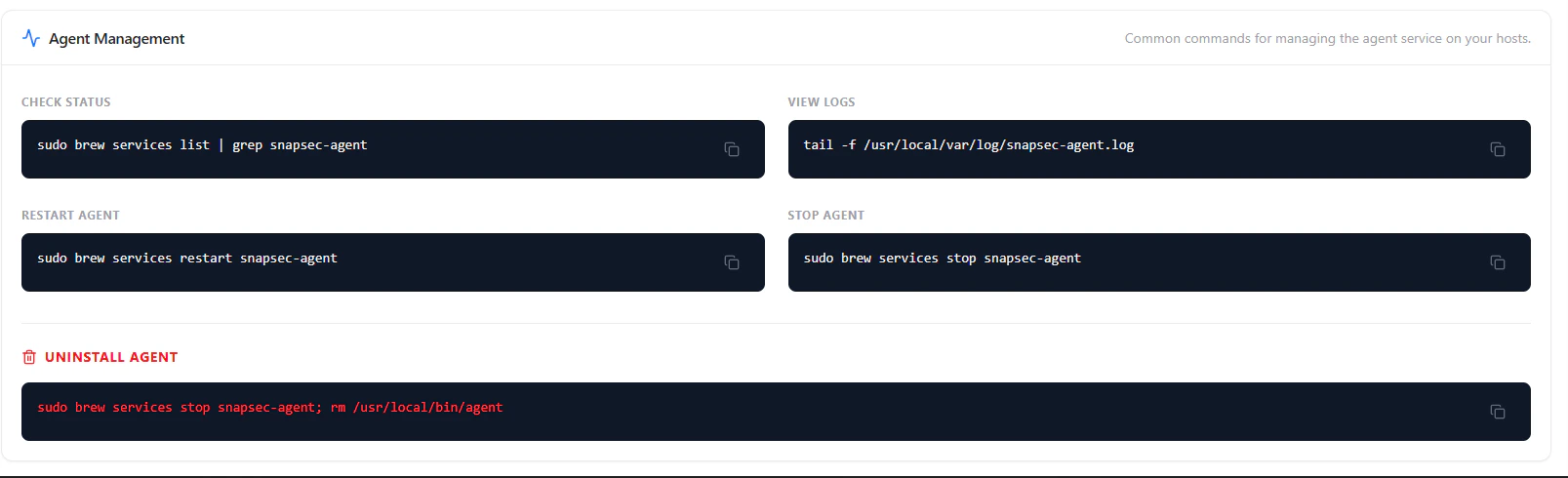
macOS agent lifecycle and service management commands
Available Commands
- Check Status — Verify via brew services
- View Logs — Tail log files
- Restart Agent — Restart service
- Stop Agent — Stop service
- Uninstall Agent — Remove binary and service
Agent Ingestion Control
Agent ingestion can be toggled directly from the interface.- Enabled — Agents actively send data
- Disabled — Data collection is paused
Why This Matters
- Ensures continuous asset visibility across environments
- Standardizes agent deployment across OS platforms
- Simplifies troubleshooting using built-in commands
- Provides full lifecycle control of agents
Explore Live Demo
Explore AIM Live — No Signup Needed
Experience how Snapsec AIM enables seamless agent deployment, real-time monitoring, and cross-platform management from a single interface.