

Overview
Asset Classifiers allow you to automatically categorize assets based on predefined conditions. These rules help identify patterns such as shadow IT, sensitive data exposure, or critical infrastructure, enabling better visibility and faster decision-making across your asset inventory.Classifier List
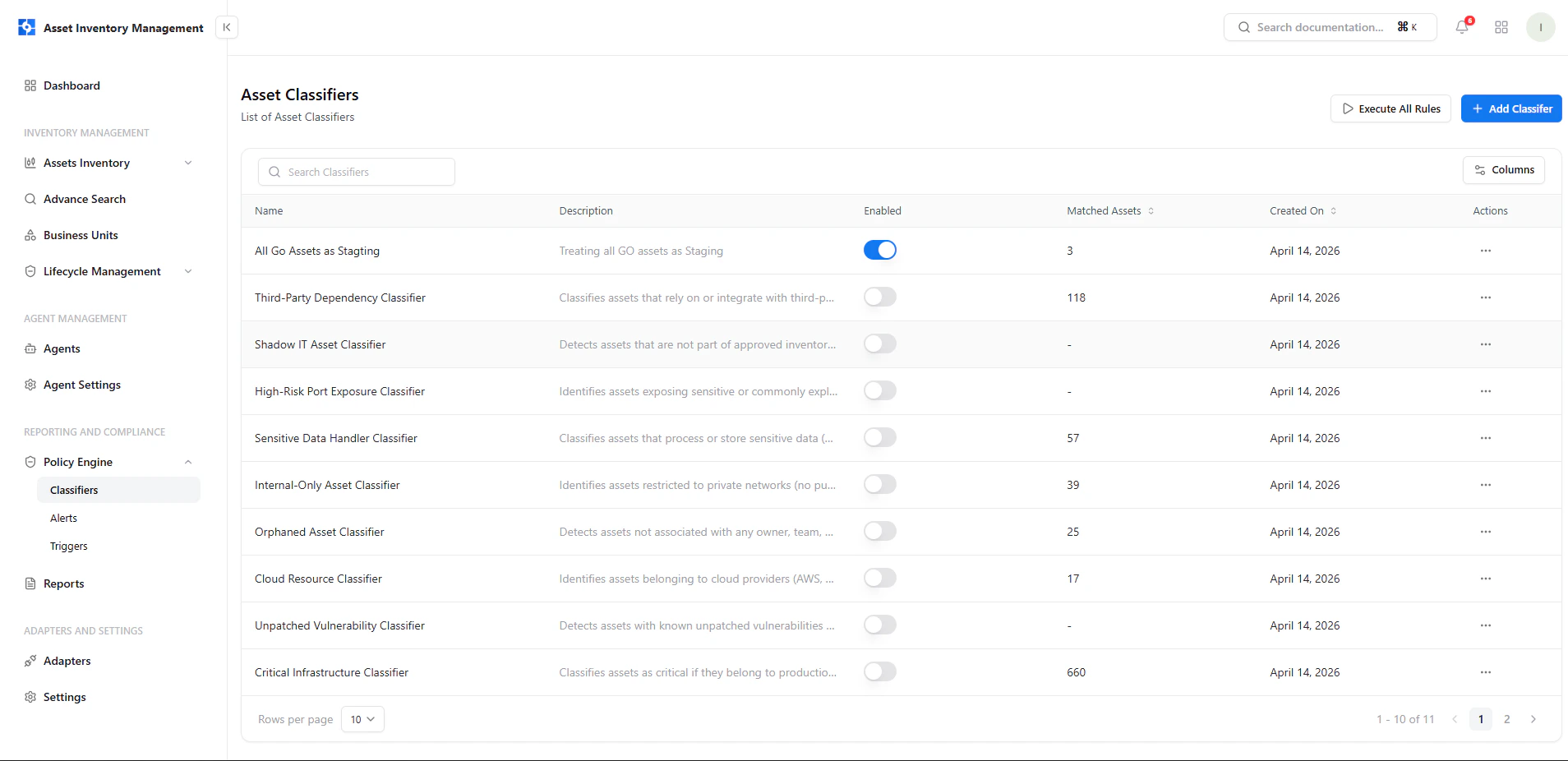
View and manage all asset classifiers with enable/disable controls and matched asset counts
Key Elements
- Name & Description — Defines the purpose of the classifier
- Enabled Toggle — Activate or deactivate rules instantly
- Matched Assets — Number of assets currently matching the rule
- Created On — Timestamp of rule creation
- Actions Menu — Manage individual classifiers
Add a Classifier
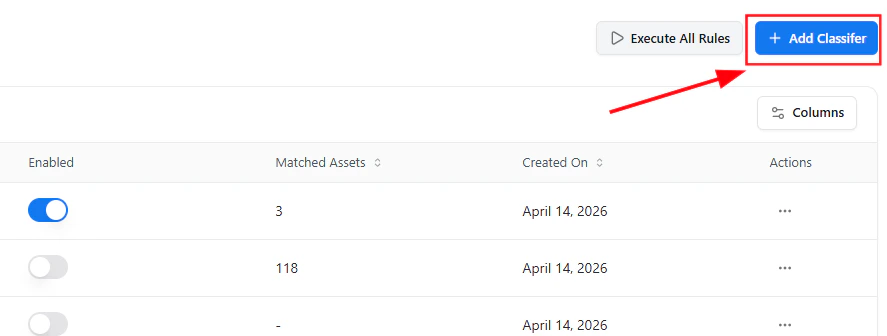
Create a new classifier using the Add Classifier option
- Click Add Classifier
- Open the guided rule editor
- Define rule logic and actions
Guided Rule Editor
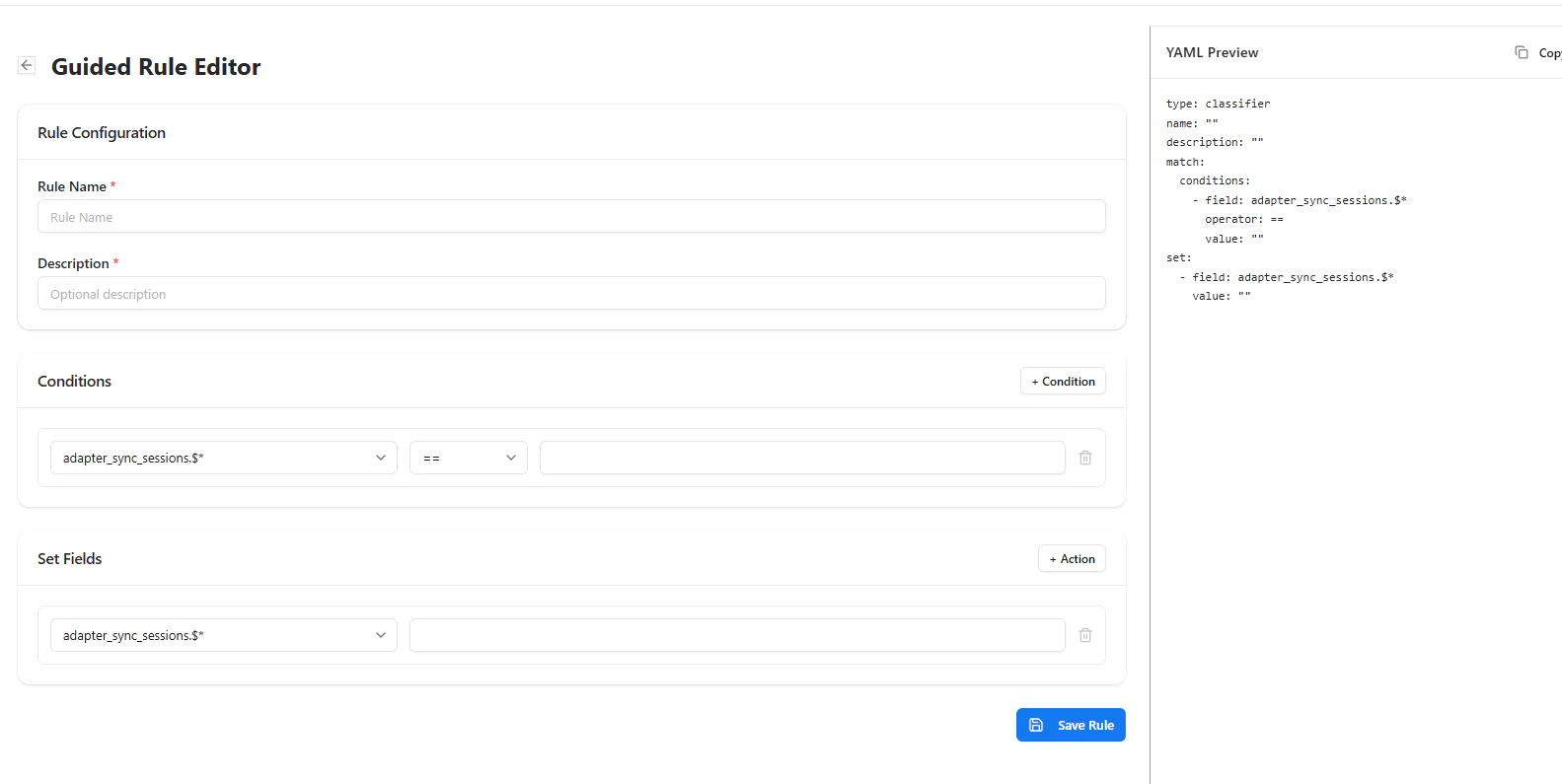
Define rule conditions and actions with YAML preview
Rule Configuration
- Rule Name — Unique identifier for the classifier
- Description — Optional explanation of rule purpose
Conditions
Define when the rule should trigger:- Select a field
- Choose an operator (e.g., equals, contains)
- Provide a value
Set Fields (Actions)
Define what happens when conditions match:- Assign classification fields
- Tag or modify asset attributes
YAML Preview
A real-time YAML representation is generated for transparency and advanced control.Manage Classifiers
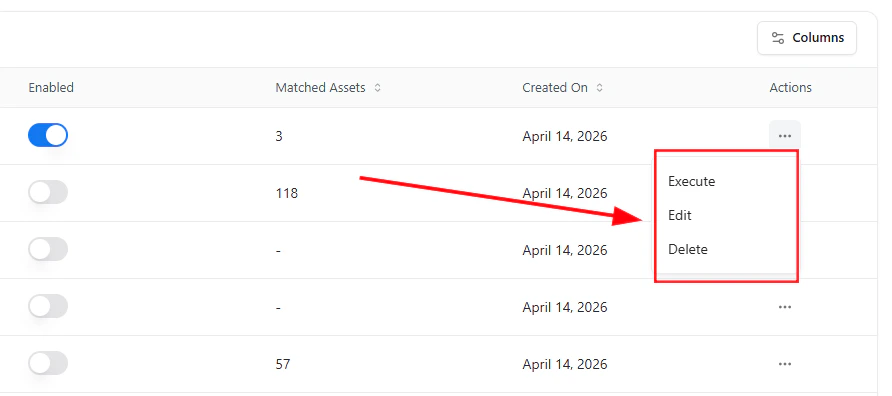
Execute, edit, or delete classifiers from the actions menu
- Execute — Run the classifier immediately on assets
- Edit — Modify rule logic or conditions
- Delete — Remove the classifier permanently
Execute All Rules
You can execute all classifiers simultaneously using the Execute All Rules option from the main screen. This ensures all rules are applied across the latest asset data.Why This Matters
- Automates asset categorization at scale
- Reduces manual tagging effort
- Identifies high-risk or non-compliant assets quickly
- Enables policy-driven asset management
Explore Live Demo
Explore Asset Classifiers — No Signup Needed
See how Snapsec AIM automatically classifies assets using flexible rule logic and real-time execution.