

Overview
The Settings section allows you to configure how your Attack Surface Management (ASM) system operates. From defining target domains to scheduling scans and enabling integrations, this section controls how assets are discovered, monitored, and synchronized across your security workflows.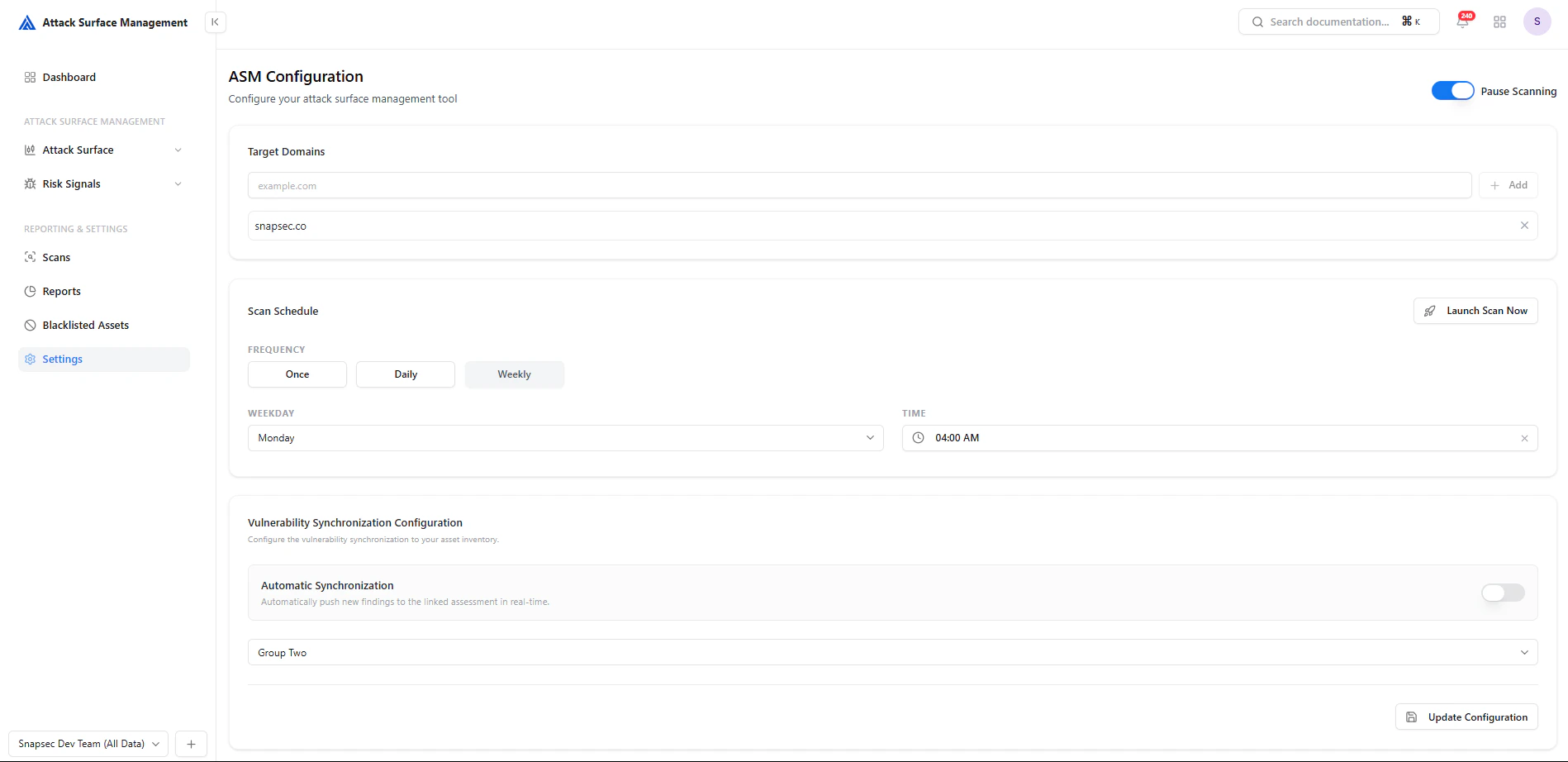
ASM configuration panel with domains, scheduling, and synchronization settings
Target Domains
Define the domains that ASM should monitor and scan.- Add root domains (e.g.,
example.com) - ASM automatically discovers related subdomains and assets
- Multiple domains can be configured
Why it matters
- Establishes your attack surface scope
- Ensures all relevant assets are included in discovery
- Prevents missing shadow or unknown infrastructure
Scan Scheduling

Scan scheduling with frequency, weekday, and execution time
Configuration Options
-
Frequency
- Once
- Daily
- Weekly
-
Weekday Selection
- Choose execution day (for weekly scans)
-
Time
- Define scan start time
-
Manual Trigger
- Use Launch Scan Now to run scans instantly
Launching a Scan
The Launch Scan Now button allows immediate execution outside the schedule.- Useful for on-demand validation
- Helps verify fixes after remediation
- Enables quick reassessment of new assets
Vulnerability Synchronization
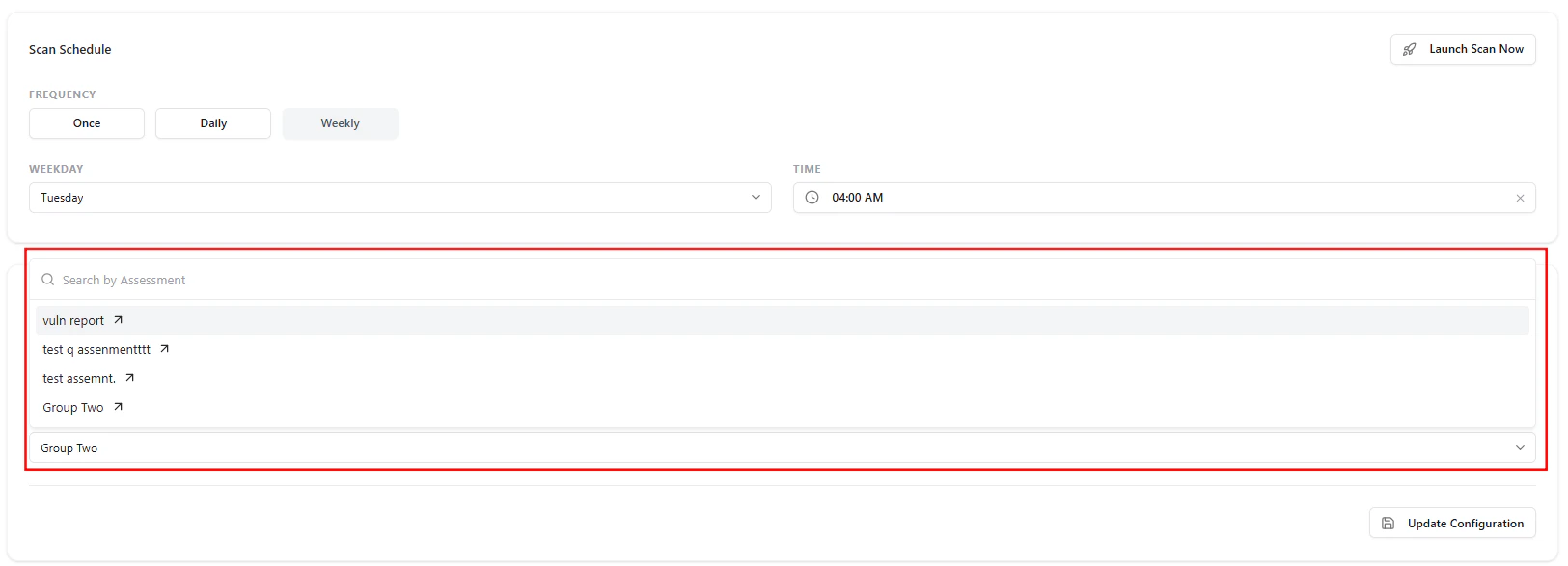
Assessment selection and synchronization configuration
Key Features
-
Assessment Mapping
- Link ASM findings to a selected assessment group
-
Search & Select
- Easily find and assign the correct assessment
-
Automated Sync (Optional)
- Push findings automatically in real time
Automatic Synchronization
Enable automatic syncing to streamline workflows:- New exposures are automatically pushed
- Reduces manual effort
- Ensures real-time visibility across systems
Workflow Example
- Add your target domains
- Configure scan frequency and timing
- Link an assessment group
- Enable automatic synchronization (optional)
- Run scans manually or on schedule
- Findings flow into Risk Signals and Tickets
Best Practices
- 🌐 Always include all root domains
- 🕒 Use weekly scans as a baseline
- ⚡ Run manual scans after major changes
- 🔗 Keep assessment mapping updated
- 🔄 Enable auto-sync for real-time workflows
Value to Security Teams
From Configuration to Coverage
Configure → Scan → Detect → Sync → Act Settings ensure your ASM platform runs efficiently, consistently, and intelligently.Explore Live Demo
Explore ASM Live — No Signup Needed
Instantly explore how Snapsec Attack Surface Management (ASM) discovers assets, detects exposures, and enables real-time security decisions — all in one unified platform.