

Overview
Groups allow you to organize assets into meaningful categories such as environments, infrastructure types, or ownership domains. This enables better visibility, targeted scanning, and more efficient vulnerability management.Groups Overview
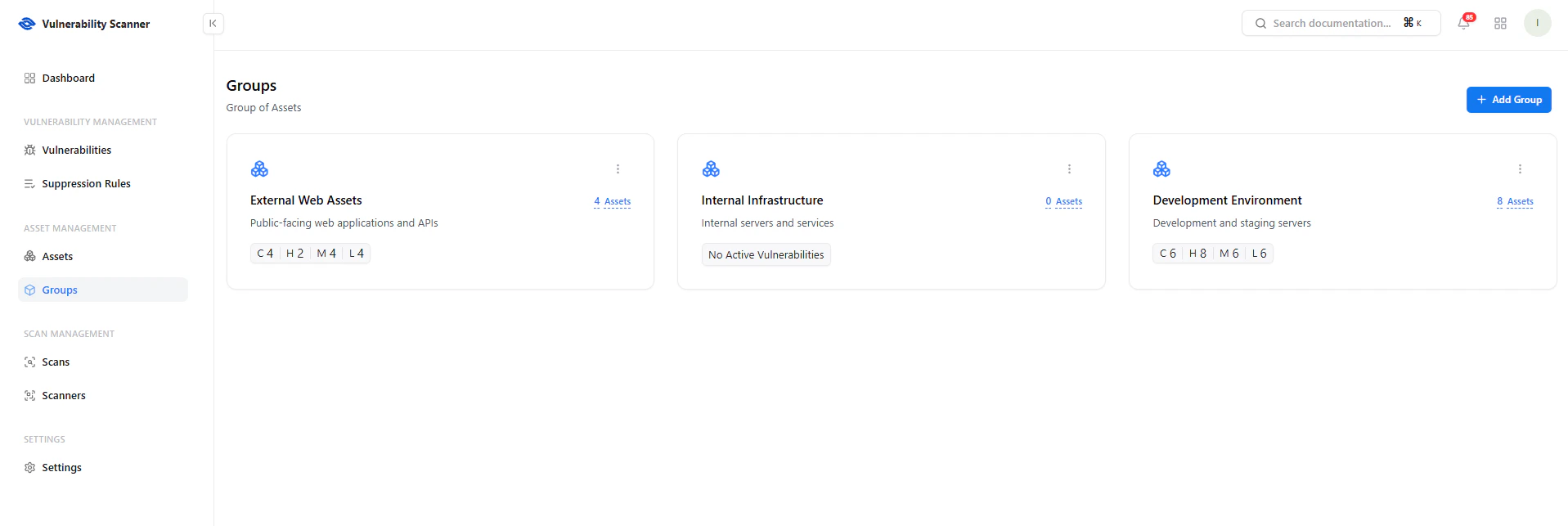
View all asset groups with vulnerability summaries
Key Elements
- Group Name & Description — Defines the purpose of the group
- Assets Count — Number of assets within the group
- Vulnerability Summary — Breakdown by severity (Critical, High, Medium, Low)
- Quick Insights — Instantly identify high-risk groups
Create a Group
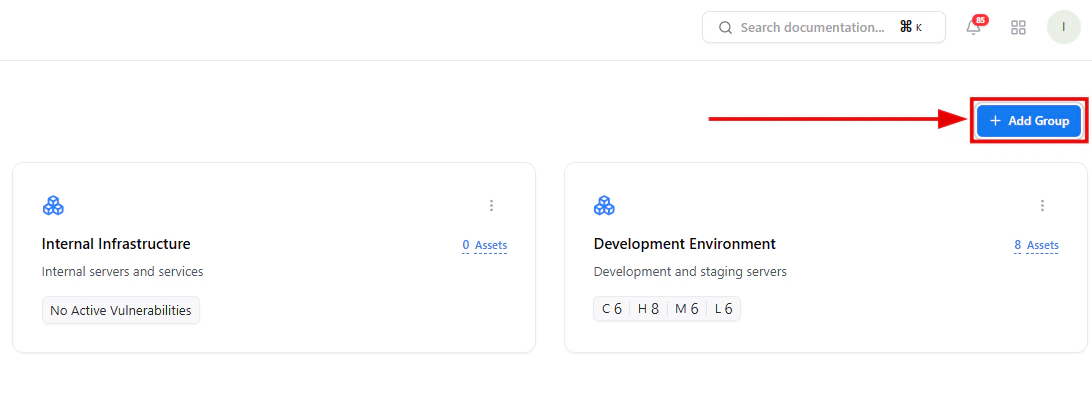
Create a new asset group using the Add Group button
- Click Add Group
- Enter group details
- Save the configuration
Group Creation Modal
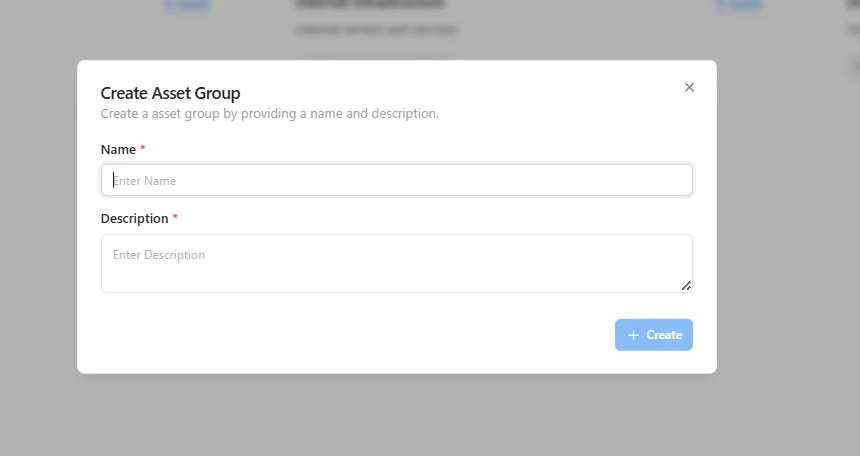
Provide group name and description
Required Fields
- Name — Unique group identifier
- Description — Purpose or context of the group
- Environment (Prod, Staging, Dev)
- Exposure (External, Internal)
- Ownership (Team-based grouping)
View Group Assets
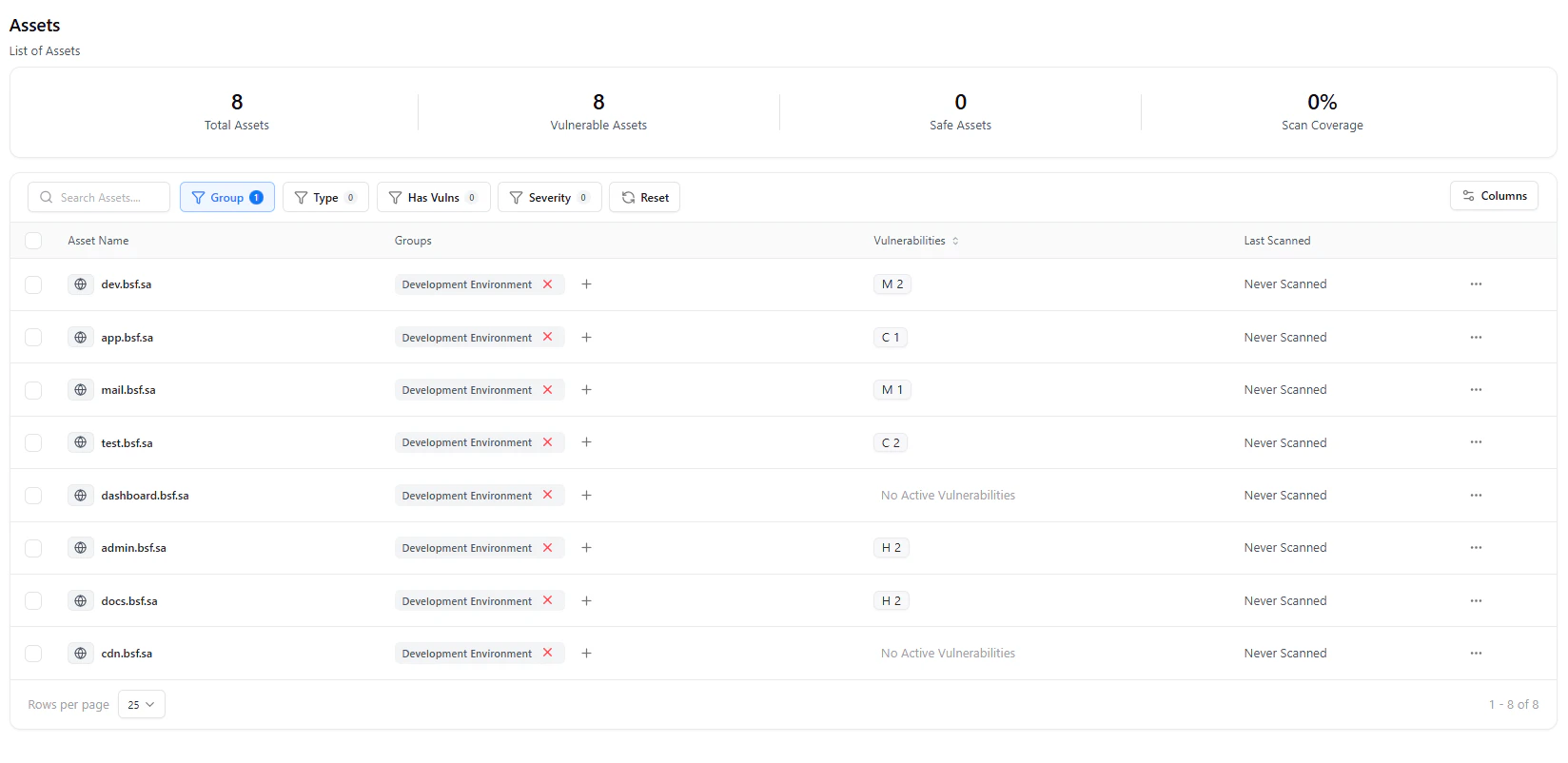
View assets filtered by selected group
- View all assets within that group
- Analyze vulnerabilities specific to that segment
- Track scan status and coverage
Use Cases
- Segment assets by environment or exposure
- Assign ownership for accountability
- Perform targeted vulnerability analysis
- Prioritize remediation by group risk level
Why This Matters
- Improves asset organization and clarity
- Enables focused security operations
- Helps prioritize high-risk environments
- Supports scalable vulnerability management
Explore Live Demo
Explore VS Live — No Signup Needed
See how Snapsec VS helps you organize assets into groups for better visibility and control.