

Overview
The Closed Vulnerabilities section provides visibility into completed vulnerability lifecycle states. This includes:- Successfully resolved issues
- Risk-accepted vulnerabilities
- False positives
- Non-applicable findings
Closed Vulnerability Dashboard
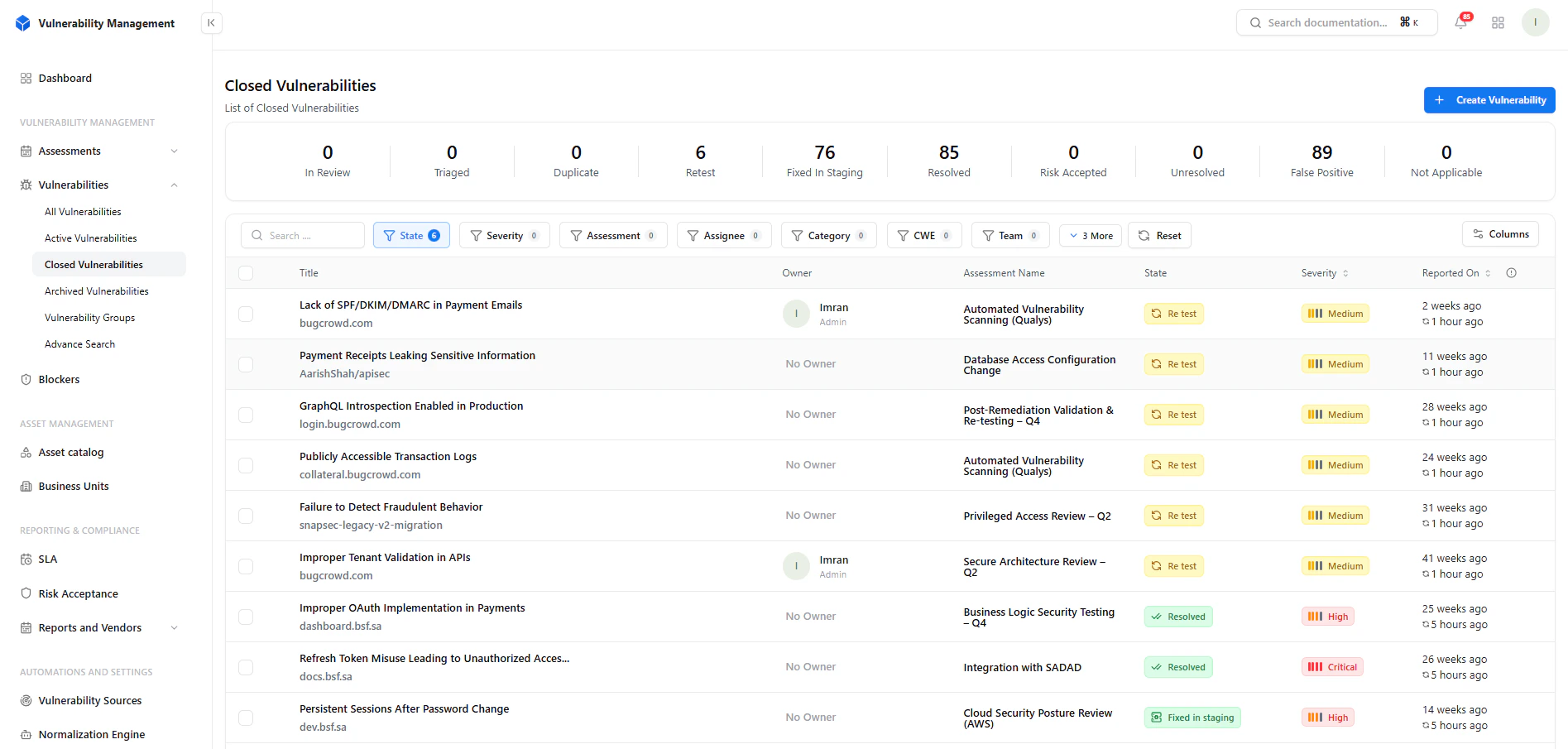
Overview of closed vulnerability states
Key Metrics
- Resolved → Fully remediated vulnerabilities
- Risk Accepted → Accepted by business decision
- False Positive → Invalid findings dismissed
- Not Applicable → Out-of-scope or irrelevant
- Retest → Pending verification
- Fixed in Staging → Awaiting confirmation
Filtering & Search
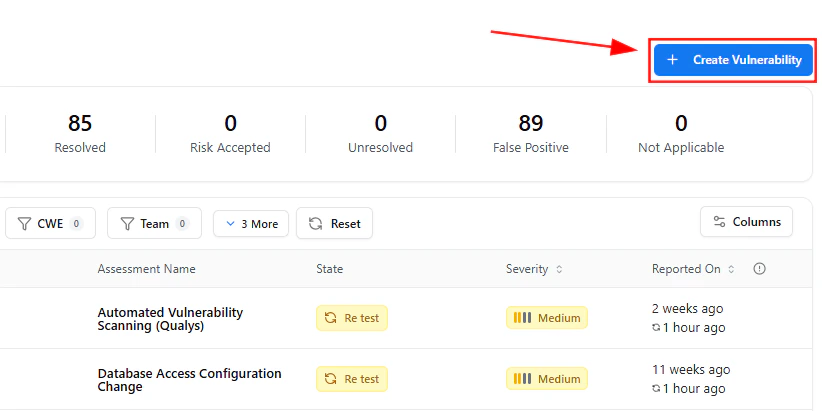
Filter and analyze closed vulnerabilities
Filters Available
- State
- Severity
- Assessment
- Assignee
- Category
- CWE
- Team
- Reviewing historical fixes
- Validating remediation trends
- Auditing team performance
Create Vulnerability
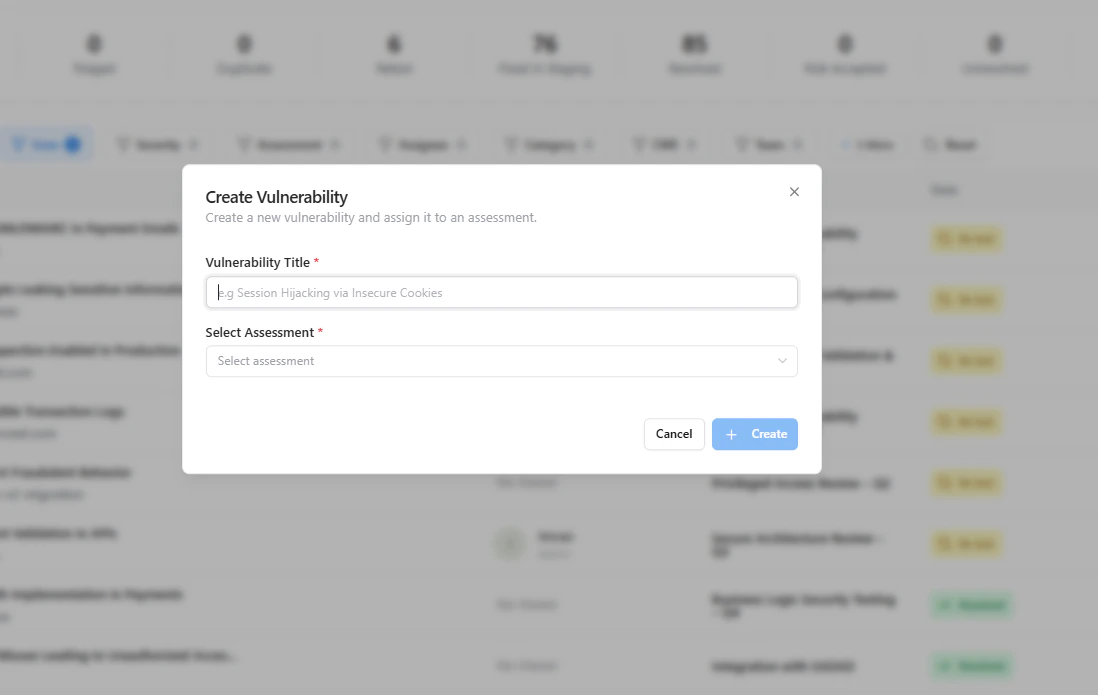
Add historical or externally discovered vulnerabilities
- Already resolved externally
- Imported from legacy systems
- Reported post-fix
Closed Vulnerability Details
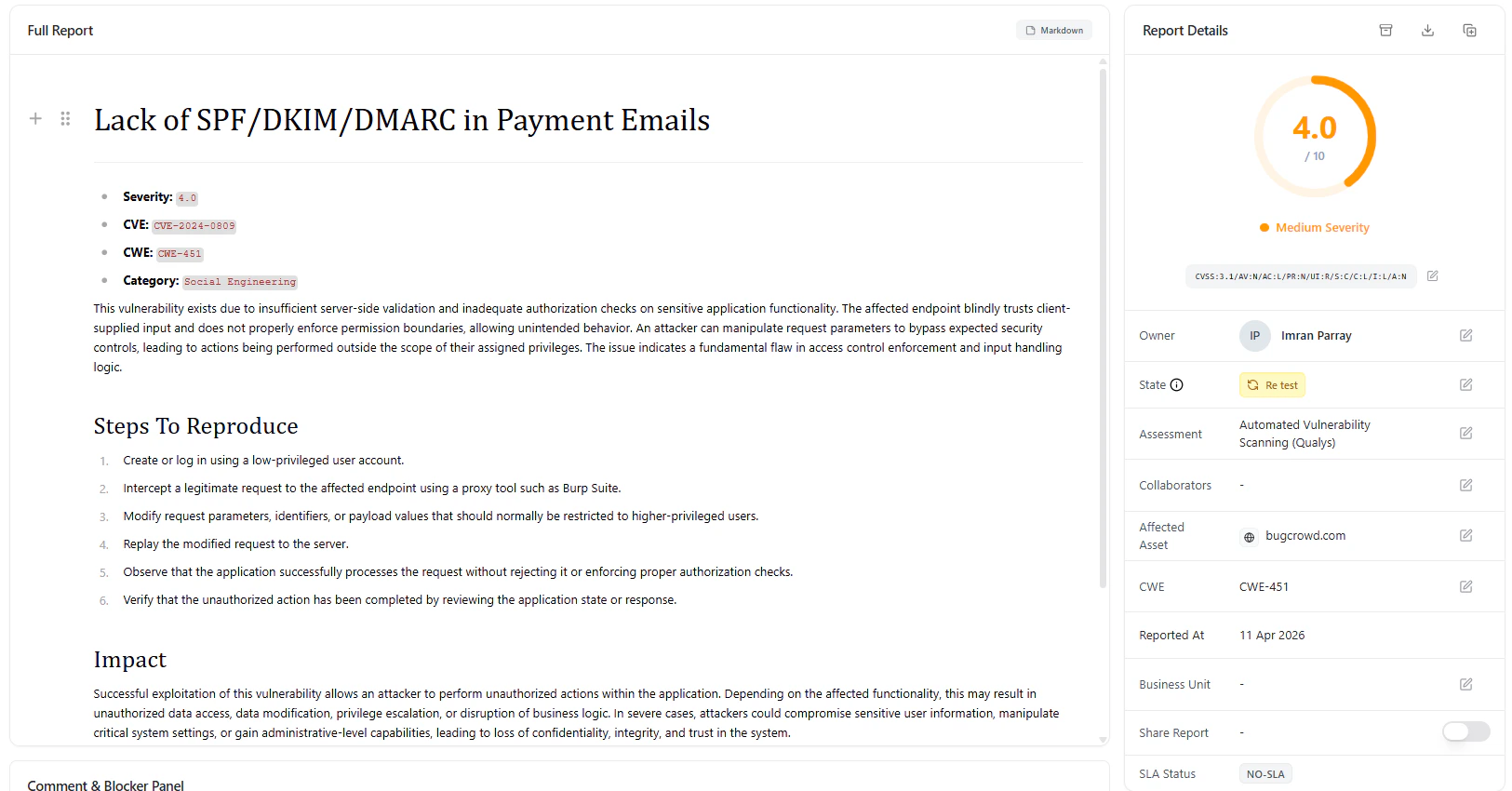
Detailed report of a closed vulnerability
Report Includes
- CWE classification
- Category mapping
- Full vulnerability description
- Steps to reproduce
- Impact analysis
- References
Metadata & Status Tracking
Ownership, state, and audit metadata
Available Fields
- Owner
- State (Resolved / Retest / Accepted)
- Assessment
- Affected Asset
- CWE Mapping
- Reported Date
- Business Unit
- SLA Status
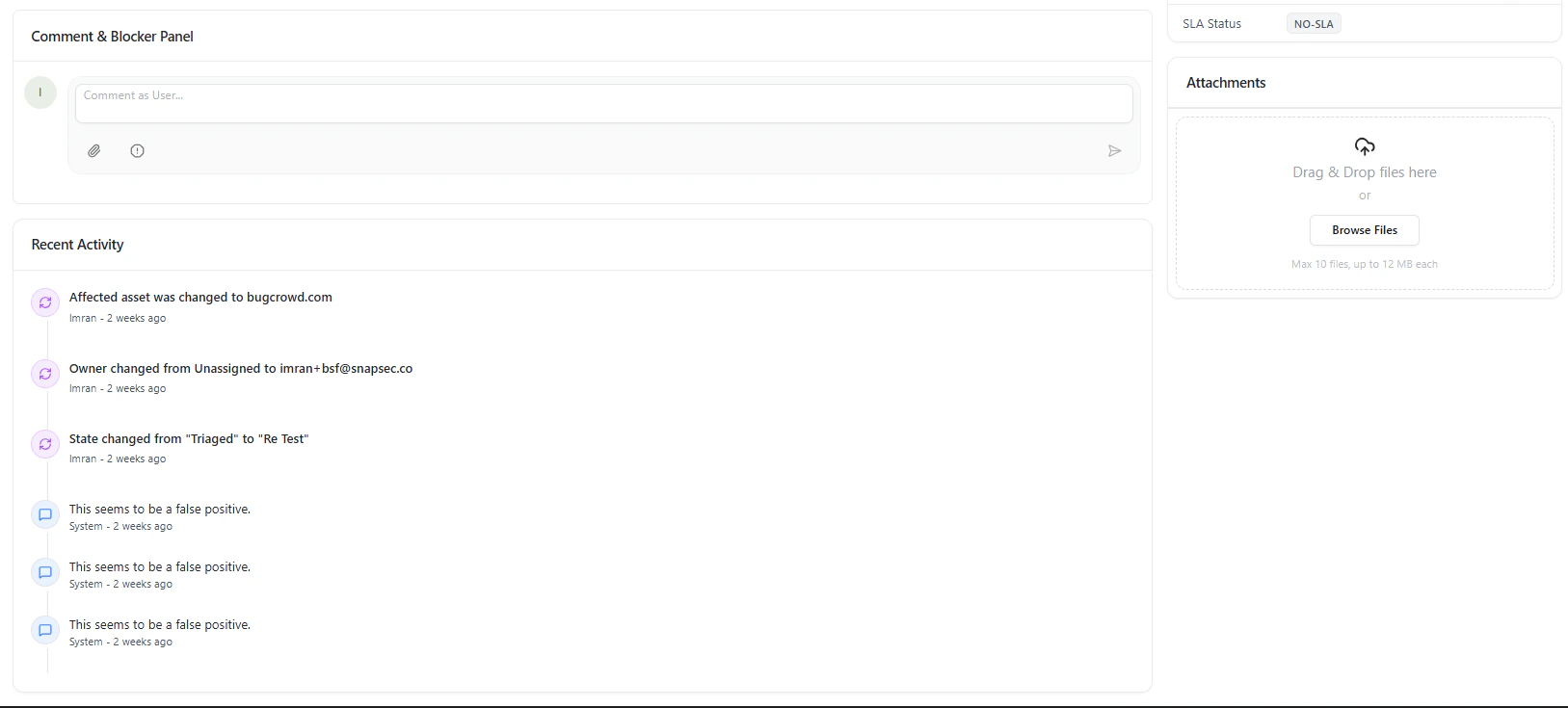
Activity Timeline & Audit Trail
Each closed vulnerability maintains a complete history:- State transitions
- Ownership changes
- Comments and discussions
- Validation updates
- Full compliance tracking
- Transparent remediation history
- Easy audit readiness
Attachments
Store proof of remediation:- Fix validation screenshots
- Logs and evidence
- Security reports
Why This Matters
Closed vulnerabilities are not just “done issues” — they are your:- Proof of security maturity
- Audit evidence for compliance
- Source of remediation insights
Key Benefits
- Complete historical tracking
- Audit-ready documentation
- Visibility into remediation efficiency
- Reduced duplication of issues
- Stronger compliance posture
Where It Fits
Closed Vulnerabilities connects with:- Active Vulnerabilities → Lifecycle transition
- Assessments → Source of findings
- SLA Module → Resolution timelines
- Reports → Executive summaries
- Risk Acceptance → Business decisions
Explore Live Demo
Review and Audit Closed Vulnerabilities
Validate fixes, track history, and maintain compliance across your organization.