

Overview
The Vulnerabilities page provides a centralized view of all detected security issues across your assets. It enables teams to investigate findings, prioritize risks, and take action efficiently.Vulnerabilities List
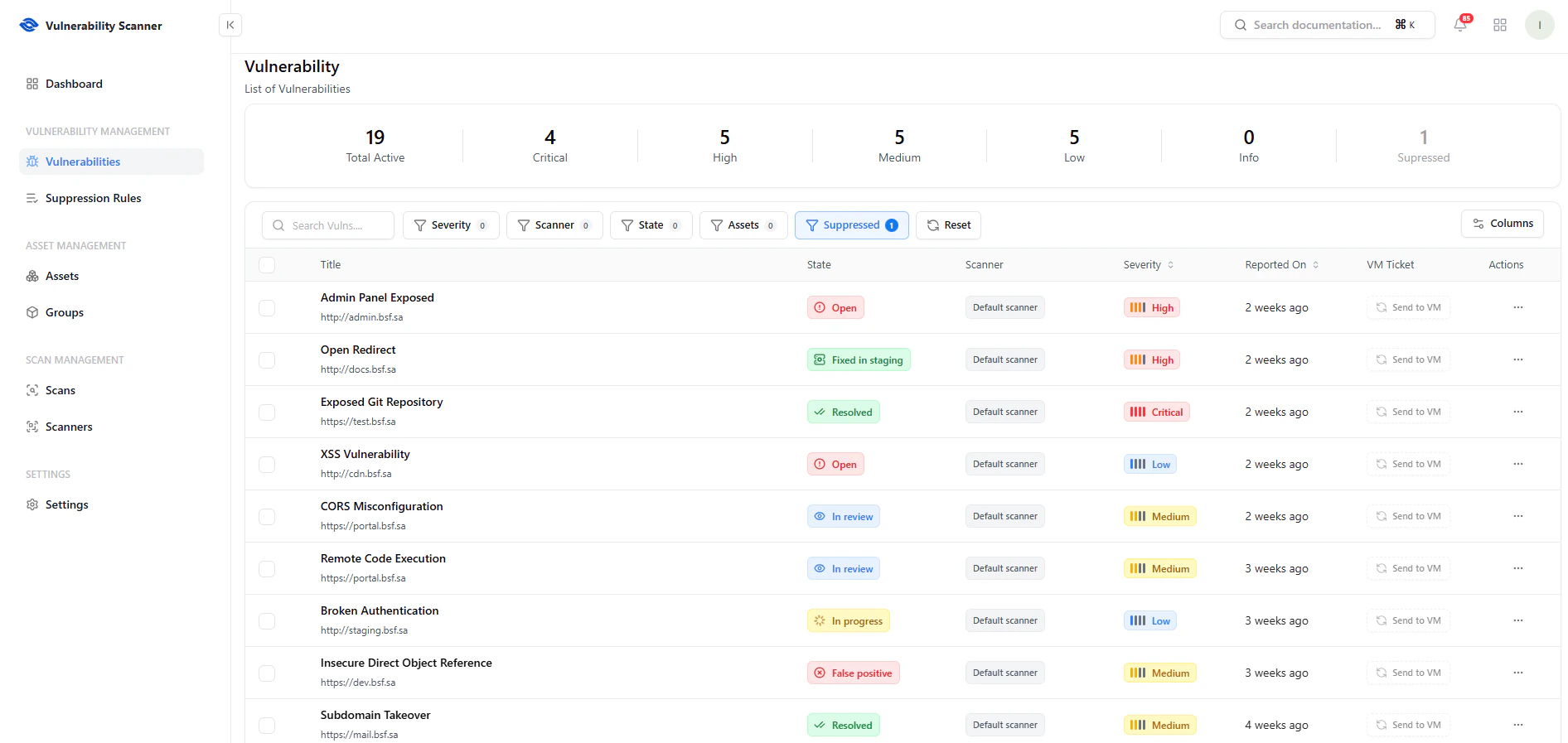
View all vulnerabilities with severity, state, and asset context
Key Features
- Search — Quickly find vulnerabilities
- Filters — Filter by severity, scanner, state, assets, or suppressed status
- Columns Control — Customize visible fields
- Severity Breakdown — Instant counts (Critical, High, Medium, Low, Info, Suppressed)
Key Columns
- Title — Vulnerability name and endpoint
- State — Open, In Review, Resolved, False Positive
- Scanner — Detection source
- Severity — Risk level
- Reported On — Detection timestamp
- VM Ticket — Integration with vulnerability management
Actions & Workflow
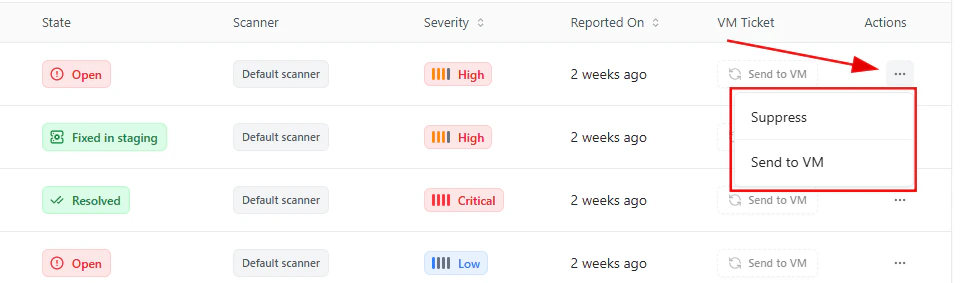
Take actions like suppressing or sending vulnerabilities to VM
Available Actions
- Send to VM — Forward vulnerability for tracking and remediation
- Suppress — Mark as false positive or ignore
Vulnerability Details
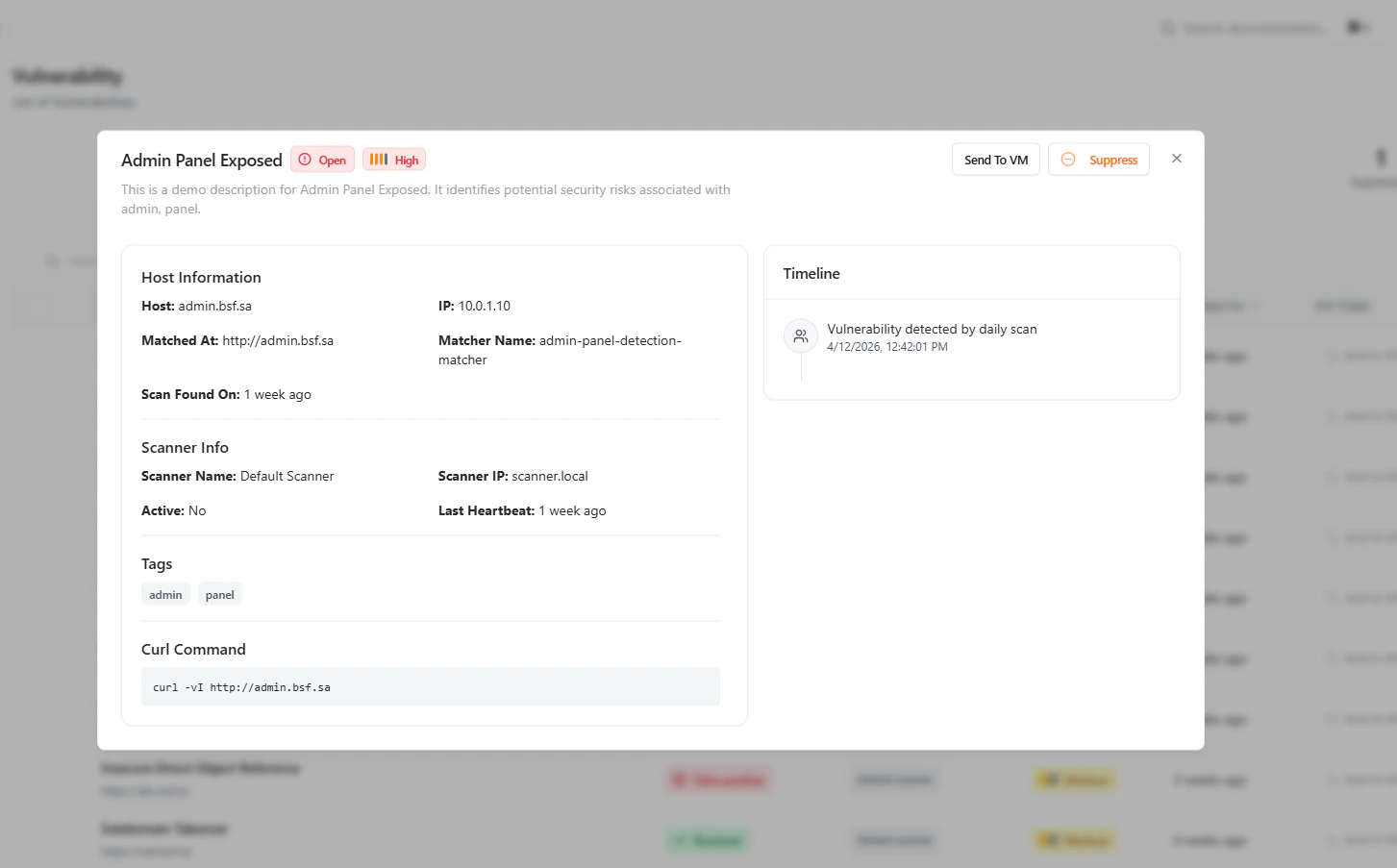
Deep dive into vulnerability details including host, scanner, and timeline
Host Information
- Host / Domain
- IP Address
- Matched Endpoint
- Matcher Name
- Scan Found On
Scanner Information
- Scanner Name
- Scanner IP
- Heartbeat Status
Additional Context
- Tags — Classification labels
- Timeline — Detection history
- Reproduction Command — Example curl request
Actions
- Send to VM
- Suppress
Investigation Workflow
- Identify critical vulnerabilities
- Filter and prioritize findings
- Review detailed context
- Take action (send to VM or suppress)
- Track remediation progress
Why This Matters
- Centralizes vulnerability management
- Enables faster triage and prioritization
- Reduces false positives through suppression
- Provides deep technical context for investigation
- Improves remediation efficiency and tracking
Explore Live Demo
Explore VS Live — No Signup Needed
See how Snapsec VS helps you detect, analyze, and act on vulnerabilities across your infrastructure in real-time.