

Overview
The Archived Vulnerabilities section is used to store vulnerabilities that are no longer actively tracked but are preserved for:- Historical reference
- Audit and compliance
- Long-term record keeping
Archived Vulnerabilities List
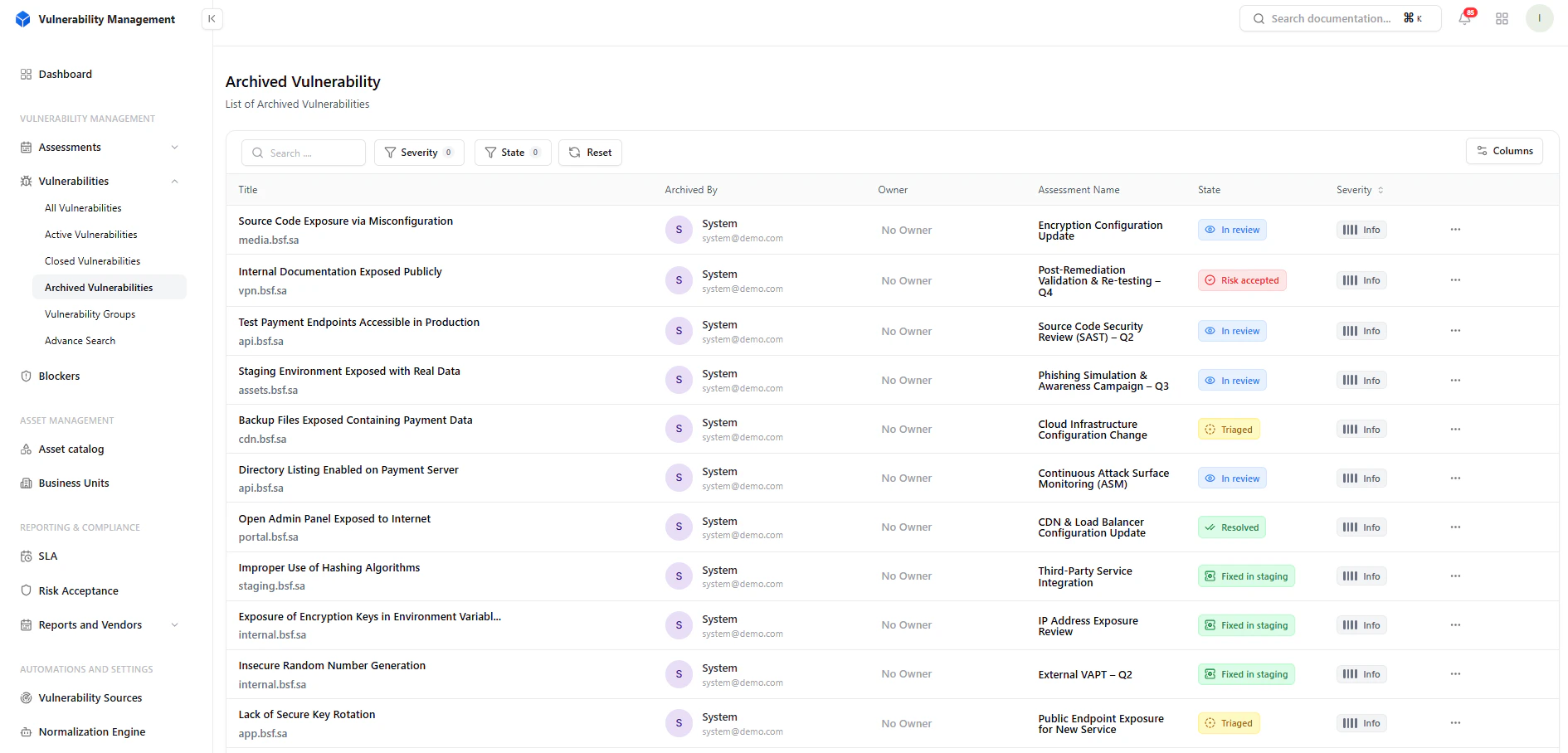
List of archived vulnerabilities
What You See
- Vulnerability title
- Archived by (user/system)
- Owner
- Assessment
- Current state
- Severity
Filters & Controls
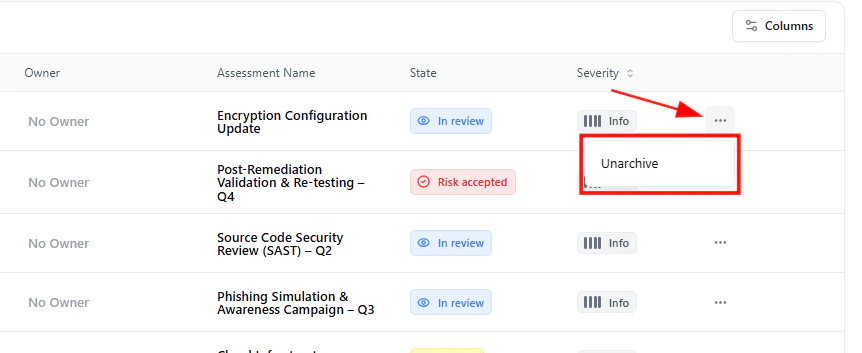
Filter archived vulnerabilities by severity and state
Available Filters
- Severity
- State
- Reviewing past issues
- Auditing archived findings
- Searching historical vulnerabilities
Unarchive Vulnerability
You can restore an archived vulnerability back into the workflow.How It Works
- Click the three-dot menu (⋯)
- Select Unarchive
Archived Vulnerability Details
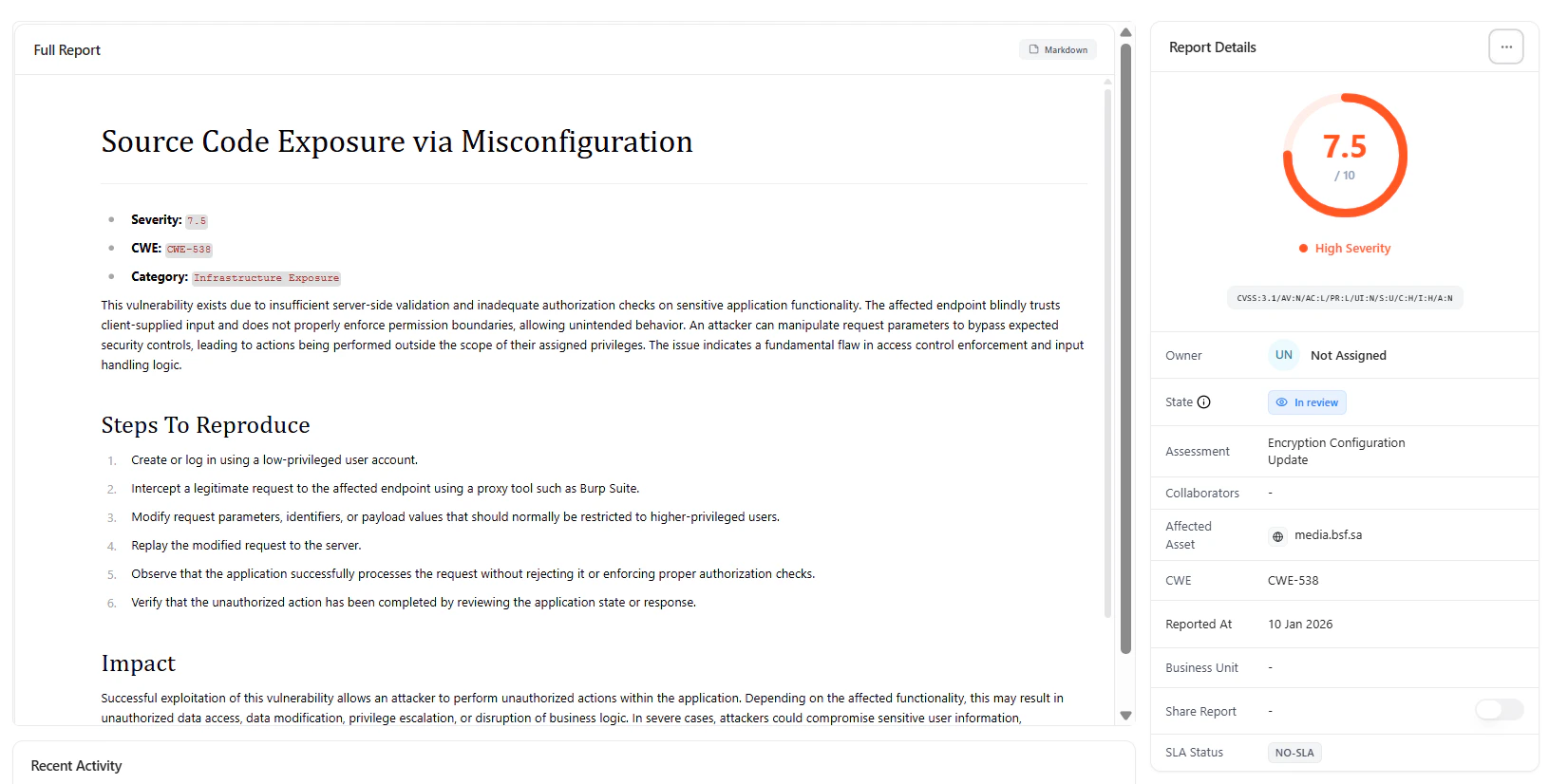
Detailed view of an archived vulnerability
Includes
- Full vulnerability report
- Severity and CWE mapping
- Category classification
- Steps to reproduce
- Impact analysis
Metadata & Context

Detailed metadata and vulnerability context
Available Fields
- Owner
- State
- Assessment
- Affected asset
- CWE
- Reported date
- Business unit
- SLA status
Activity Timeline
Archived vulnerabilities retain full history:- Comments and discussions
- Status transitions
- Ownership updates
- Complete traceability
- Audit readiness
- Historical accountability
Attachments
All supporting files remain accessible:- Screenshots
- Logs
- Evidence files
When to Archive
Archive vulnerabilities when:- They are no longer relevant
- They are superseded by newer findings
- They are retained only for compliance
- They clutter active workflows
Why It Matters
Archiving helps:- Reduce noise in active dashboards
- Keep workflows focused
- Maintain clean vulnerability pipelines
- Preserve long-term security history
Key Benefits
- Clean and organized vulnerability management
- Full audit trail retention
- Easy restoration when needed
- Improved operational clarity
Where It Fits
Archived Vulnerabilities completes the lifecycle:- Active → Closed → Archived
- Reports & Compliance
- SLA Tracking
- Risk Acceptance
- Audit Logs
Explore Live Demo
Manage Archived Vulnerabilities
Keep your vulnerability lifecycle clean while preserving full historical context.