

Overview
Settings allow you to control how your asset inventory behaves across synchronization, public access, and ownership mapping. These configurations help standardize data management, automate workflows, and ensure proper asset accountability across teams.Adapter Settings
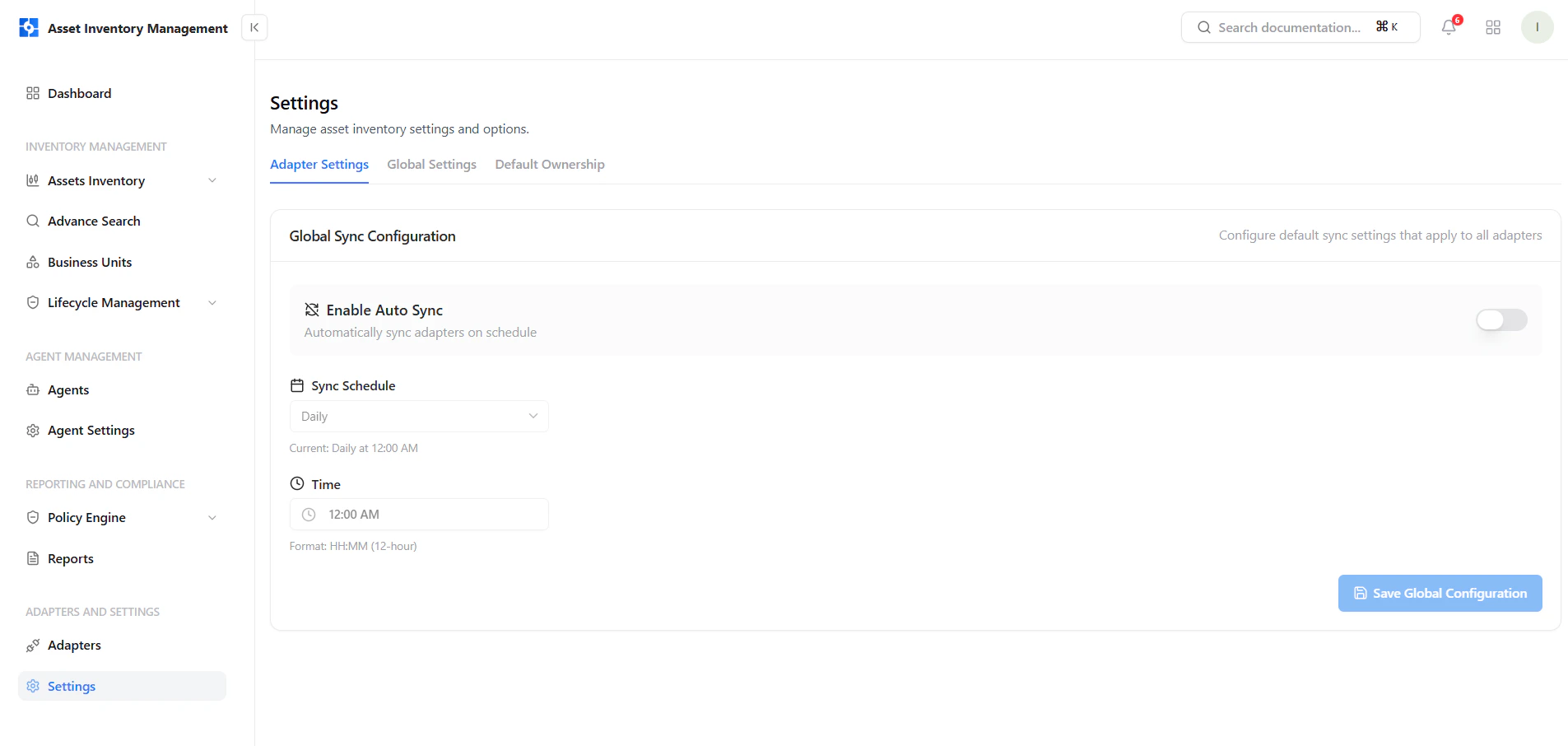
Configure global sync behavior for all integrations
Key Controls
- Enable Auto Sync — Automatically sync all adapters on a schedule
- Sync Schedule — Choose frequency (e.g., daily)
- Time चयन — Define exact execution time
- Save Configuration — Apply settings globally
Global Settings
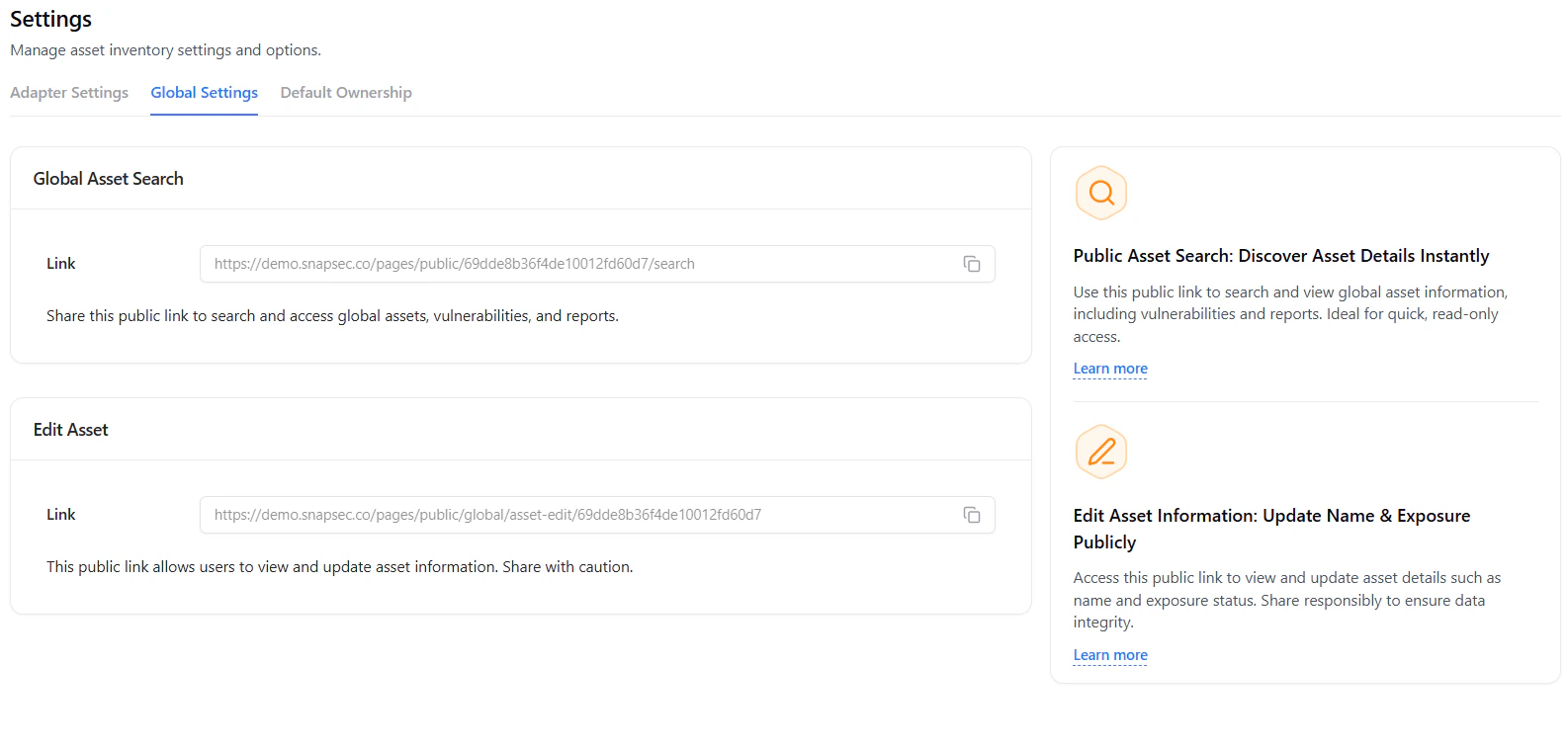
Manage public access links for asset search and editing
Public Asset Search
- Share a read-only public link
- Enables visibility into assets, vulnerabilities, and reports
- Ideal for quick external access
Edit Asset Access
- Share a public edit link
- Allows updating asset name and exposure
- Should be shared cautiously
Default Ownership
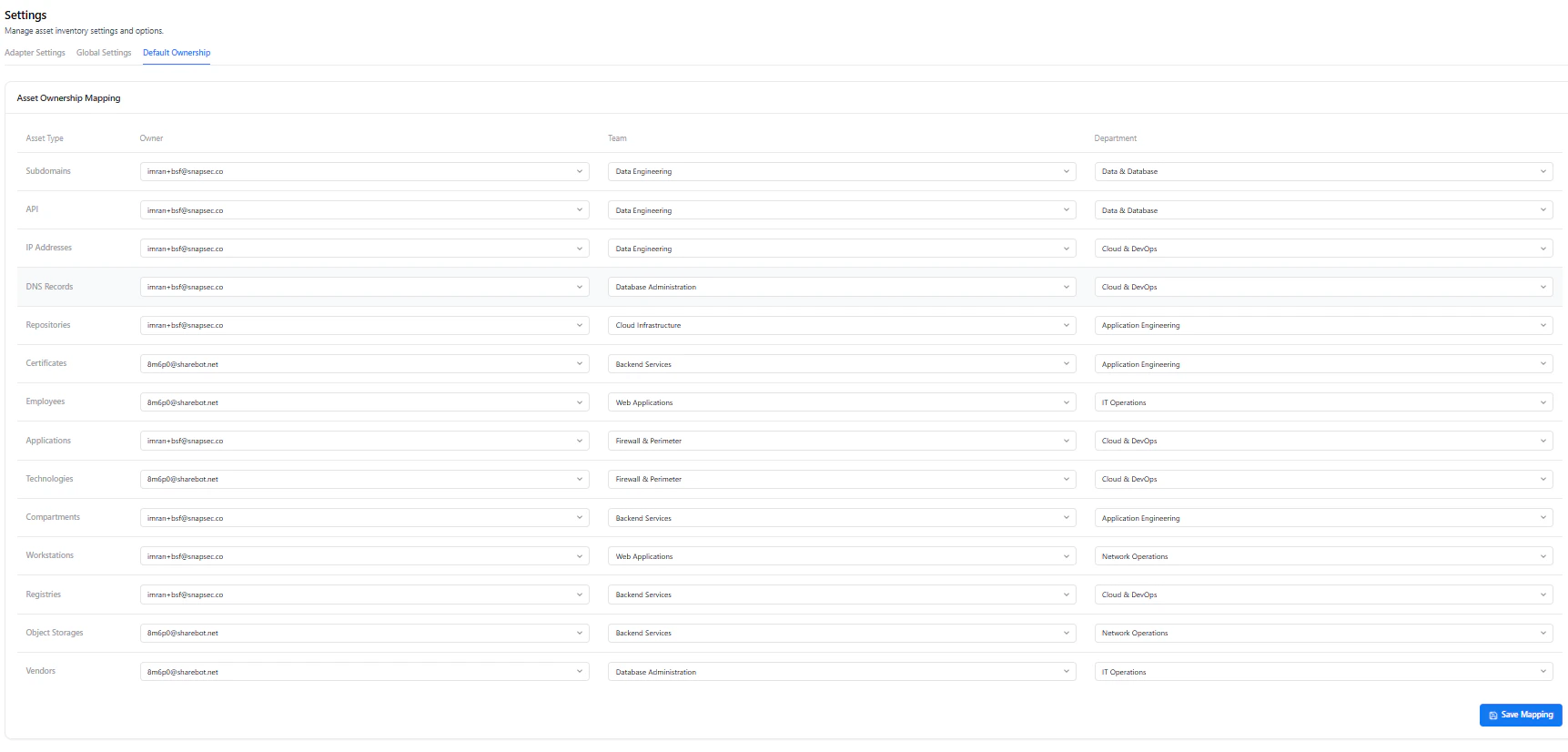
Map asset types to default owners, teams, and departments
Mapping Configuration
- Asset Type — Subdomains, APIs, IPs, etc.
- Owner — Assigned user or email
- Team — Responsible group
- Department — Organizational unit
Benefits
- Eliminates unassigned assets
- Improves accountability
- Streamlines incident response
- Ensures consistent ownership across inventory
Why This Matters
- Automates data synchronization across integrations
- Enables controlled external access to asset data
- Ensures every asset has clear ownership
- Reduces manual configuration overhead
- Strengthens governance and accountability
Explore Live Demo
Explore AIM Live — No Signup Needed
See how Snapsec AIM centralizes configuration for sync, access, and ownership across your entire asset inventory.