

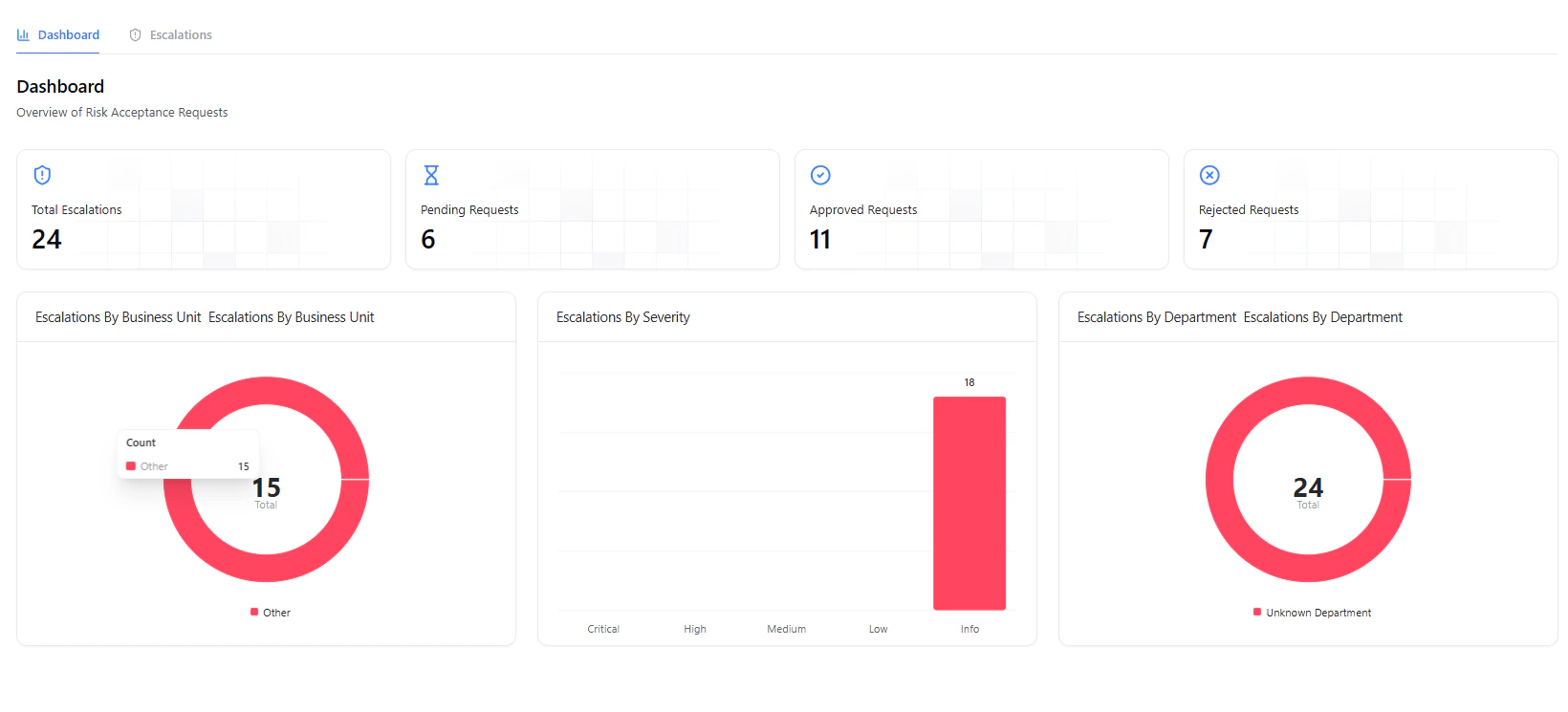
Risk Acceptance dashboard showing overview of escalation requests
Overview
Risk Acceptance allows organizations to formally accept certain vulnerabilities when immediate remediation is not feasible. Instead of leaving vulnerabilities unresolved, teams can raise a risk acceptance request with justification, business context, and compensating controls — ensuring every decision is documented, reviewed, and auditable.Risk Acceptance ensures that accepted risks are intentional, reviewed, and documented — not ignored.
What You Can Do
-
Review Requests
- View all submitted risk acceptance requests
-
Approve or Reject
- Take action based on risk, justification, and business impact
-
Track Status
- Monitor requests as Pending, Approved, or Rejected
-
Maintain Audit Trail
- Keep full visibility of decisions and approvers
Escalations List
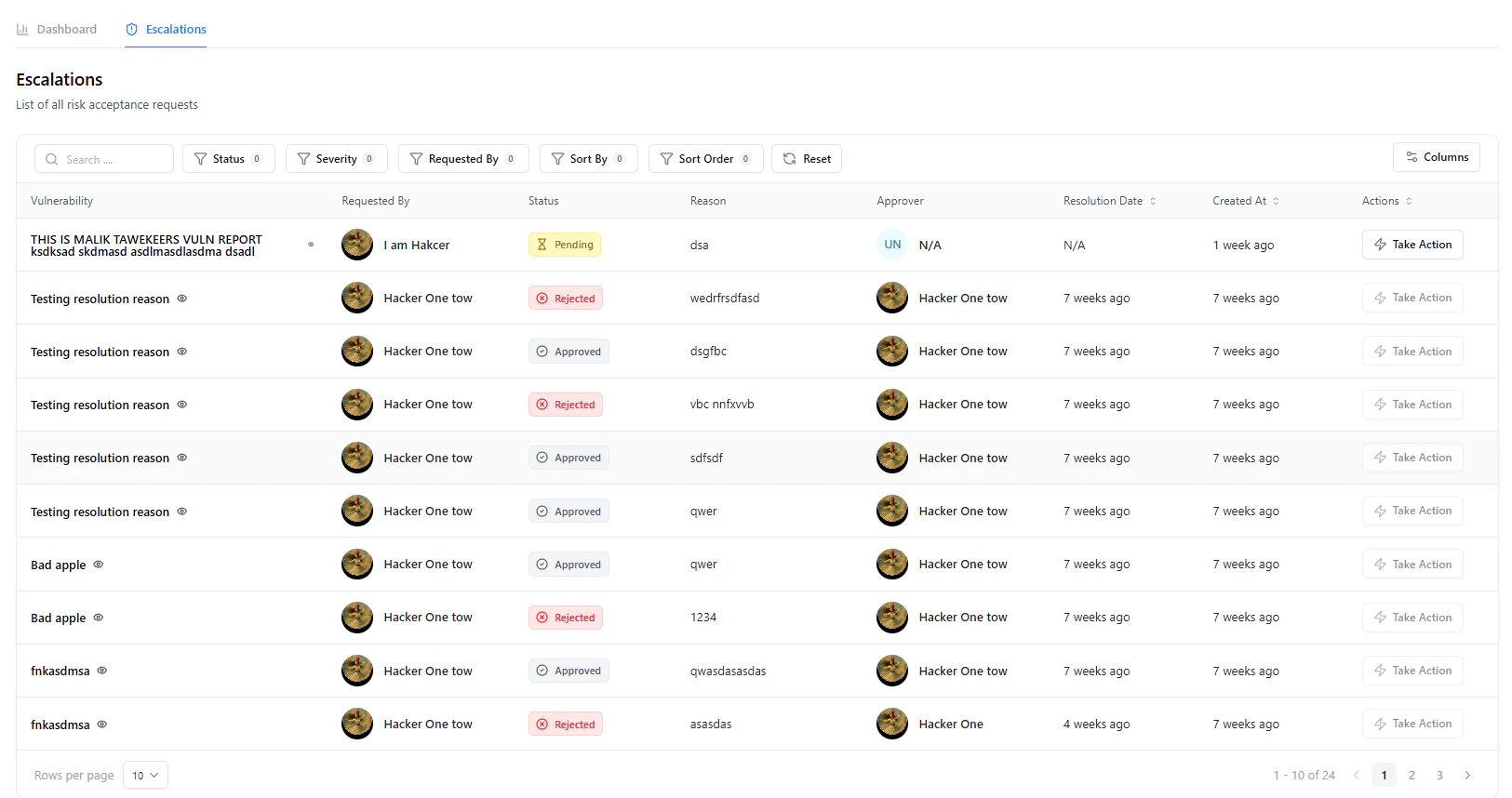
List of all risk acceptance requests with status and actions
Key Details
-
Vulnerability
- Associated vulnerability for which risk is being accepted
-
Requested By
- User who raised the request
-
Status
- Pending, Approved, Rejected
-
Reason
- Summary of why acceptance is requested
-
Approver
- Assigned reviewer or decision-maker
-
Resolution Date
- Date of approval or rejection
-
Actions
- Take action directly from the table
Use filters to quickly identify pending approvals or high-risk requests requiring immediate attention.
Reviewing a Request
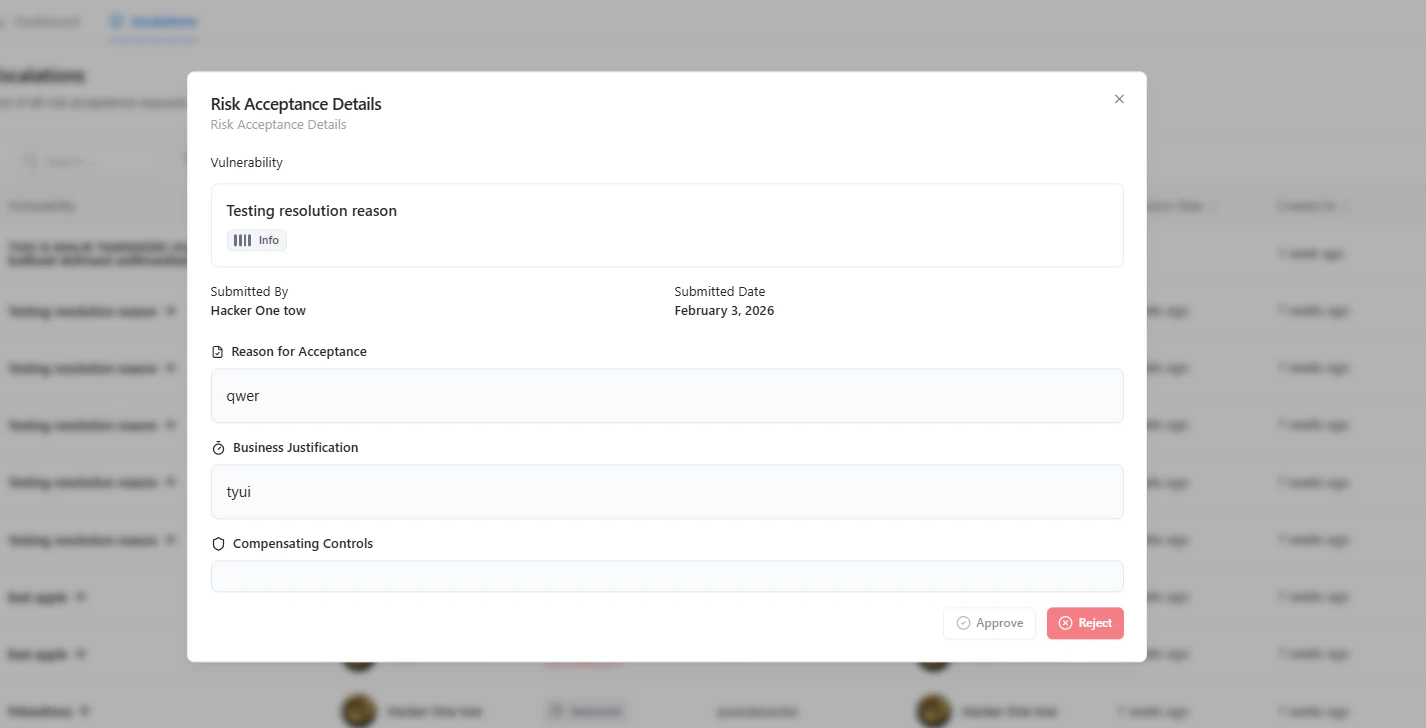
Risk acceptance details with justification and decision controls
Included Information
- Vulnerability Context
- Submitted By & Date
- Reason for Acceptance
- Business Justification
- Compensating Controls
Taking Action
From the request panel, you can:-
Approve
- Accept the risk based on justification and controls
-
Reject
- Require remediation or additional clarification
Approval should be based on risk impact, business necessity, and presence of compensating controls.
Dashboard Insights
The dashboard provides a high-level overview of:- Total requests
- Pending approvals
- Approved requests
- Rejected requests
- Business Unit
- Severity
- Department
Why It Matters
Risk Acceptance brings governance and accountability into vulnerability management. It ensures:- No vulnerability is silently ignored
- Business decisions are documented and justified
- Security and business teams stay aligned
- Compliance and audit requirements are met
Explore Live Demo
Explore VM Live — No Signup Needed
Experience how Snapsec enables structured risk acceptance and approval workflows.