

Overview
Business Units provide a logical grouping of assets based on organizational structure, product lines, or operational domains.This allows security and engineering teams to understand who owns what, where risk exists, and how vulnerabilities impact the business. Each business unit aggregates assets, vulnerabilities, and risk signals into a single, actionable view.
1. Access Business Units
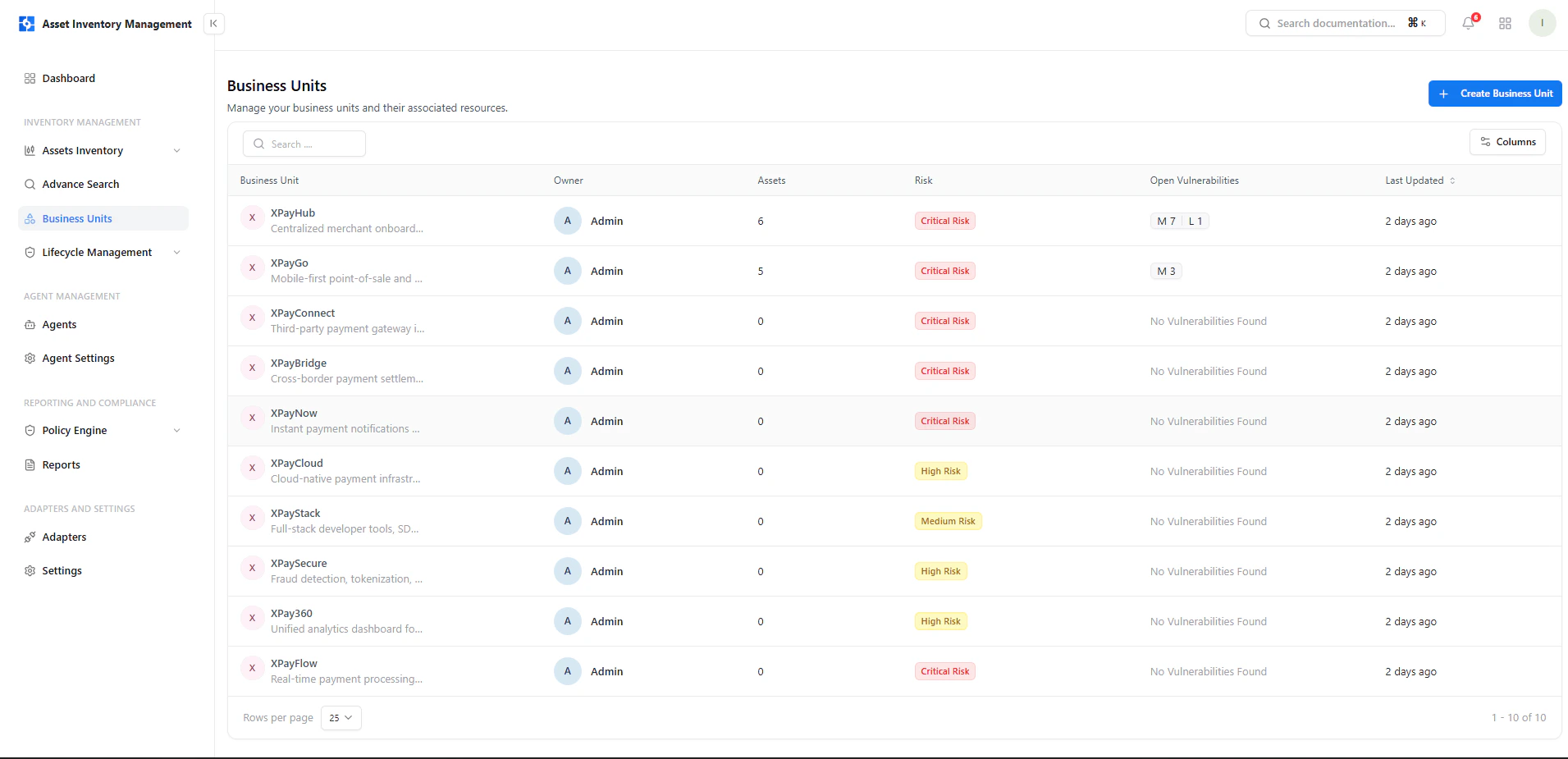
View all business units and their risk posture
- Owner responsible for the unit
- Total assets mapped to the unit
- Risk classification (Critical, High, Medium)
- Open vulnerabilities summary
- Last updated timestamp
2. Create a Business Unit
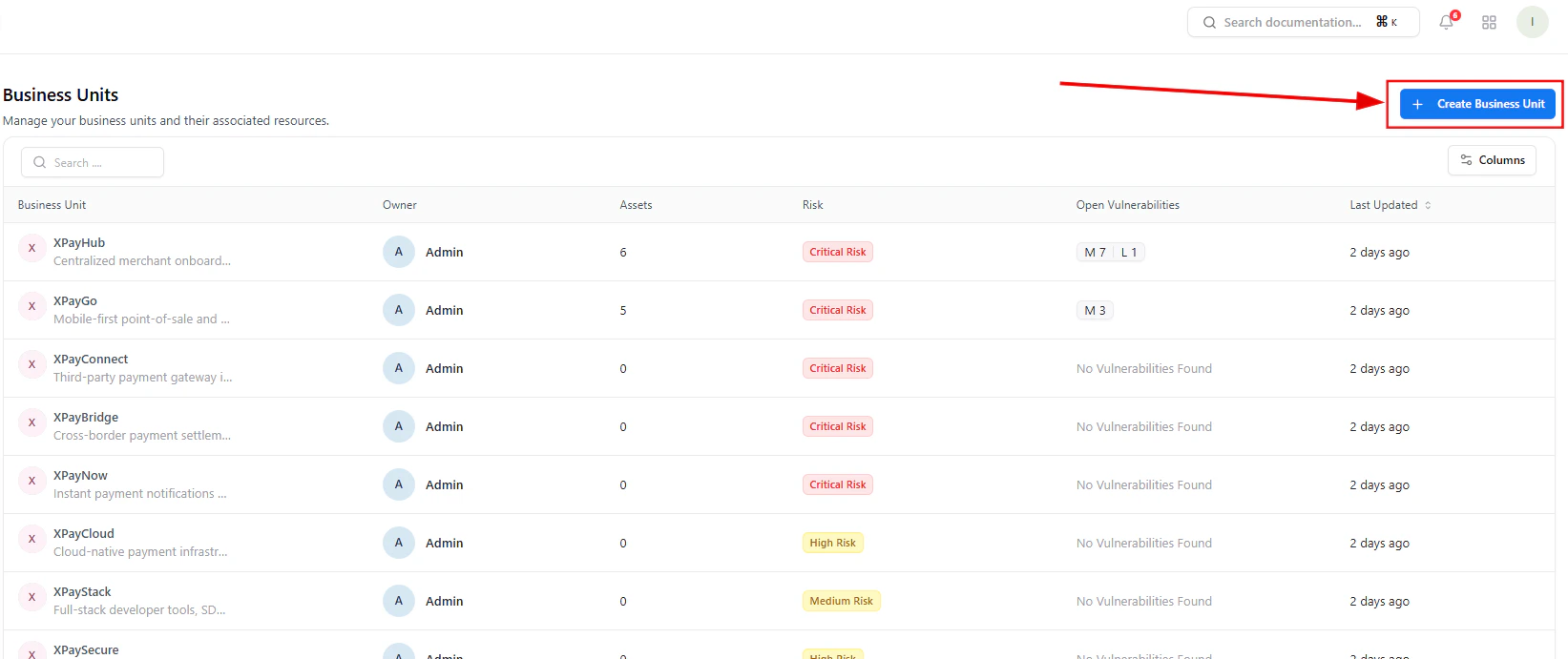
Initiate creation of a new business unit
- Products (e.g., Payments, Analytics)
- Teams (e.g., Backend, DevOps)
- Business functions (e.g., Customer Systems, Internal Tools)
3. Enter Business Unit Details
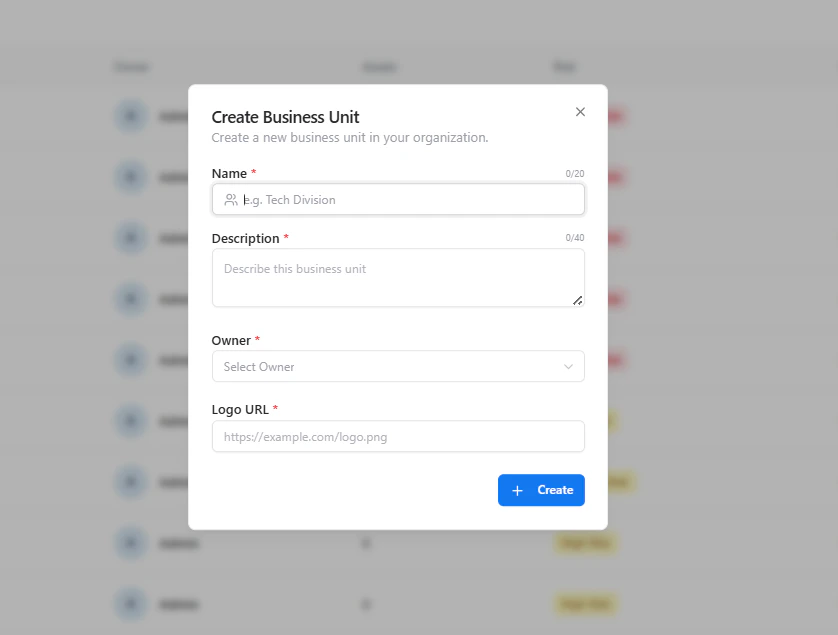
Provide required business unit information
- Name – Unique identifier for the unit
- Description – Context about its purpose or scope
- Owner – Responsible individual or team
- Logo URL – Optional visual identifier
4. Business Unit Overview
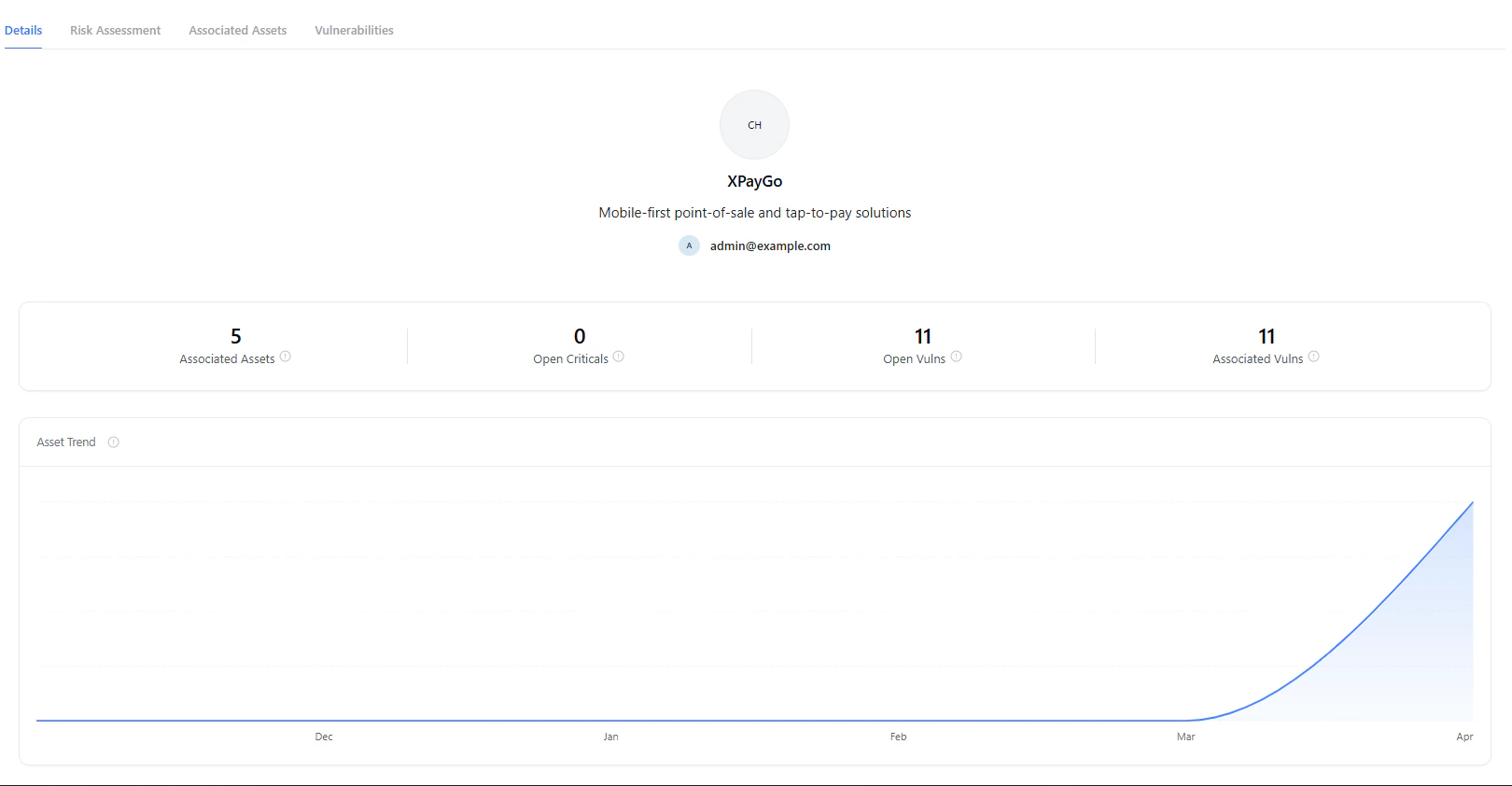
High-level summary of assets and vulnerabilities
- Total associated assets
- Open critical vulnerabilities
- Total open vulnerabilities
- Associated vulnerabilities count
5. Asset & Vulnerability Insights
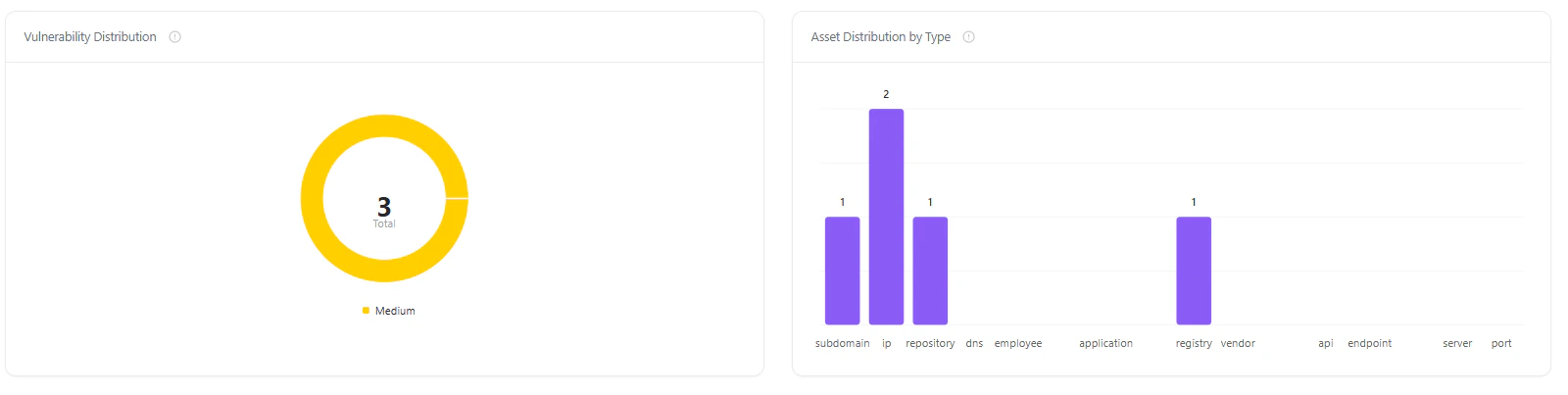
Asset growth trends and vulnerability distribution
- Asset trend over time to track growth or changes
- Vulnerability distribution to understand severity spread
- Asset type distribution (IPs, repositories, subdomains, etc.)
6. Risk Assessment
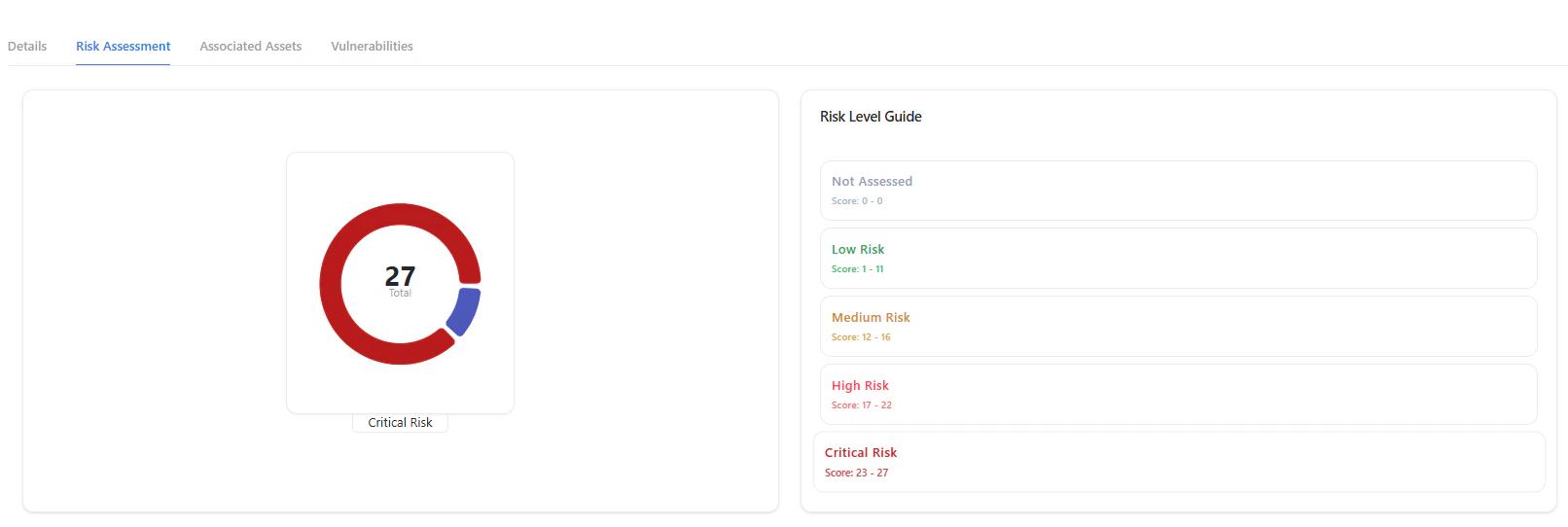
Business unit risk score and classification
- Low
- Medium
- High
- Critical
7. Configure Risk Parameters
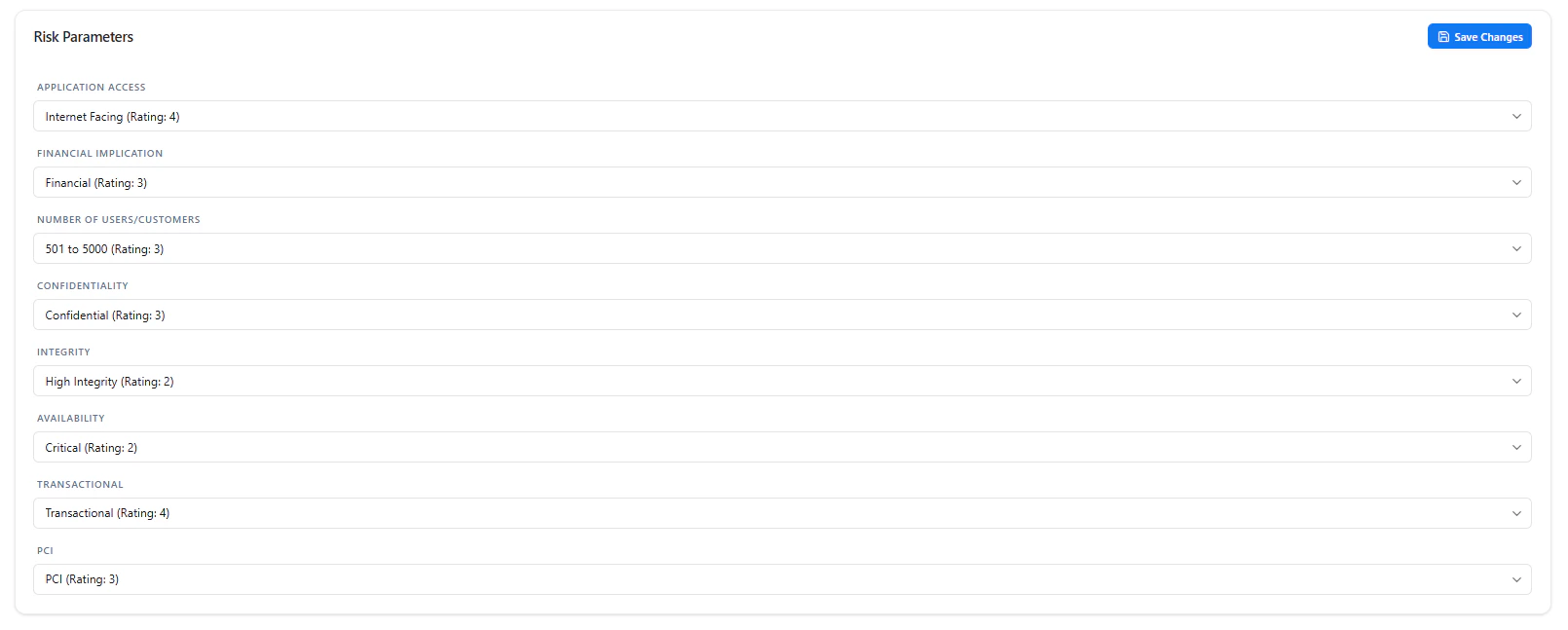
Define factors contributing to risk calculation
- Application exposure (e.g., internet-facing)
- Financial impact
- User/customer scale
- Data sensitivity (confidentiality)
- Integrity and availability requirements
- Transactional importance
- Compliance requirements (e.g., PCI)
8. Associated Assets
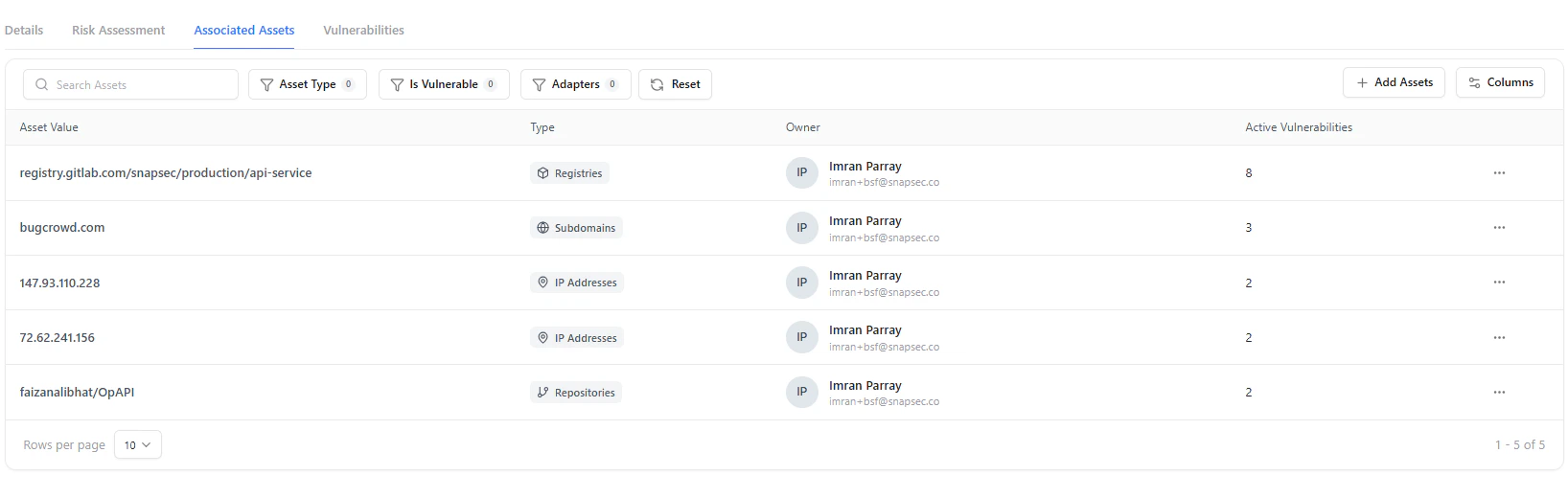
View all assets linked to the business unit
- Asset type (IP, repository, subdomain, etc.)
- Owner
- Active vulnerabilities
9. Add / Manage Assets
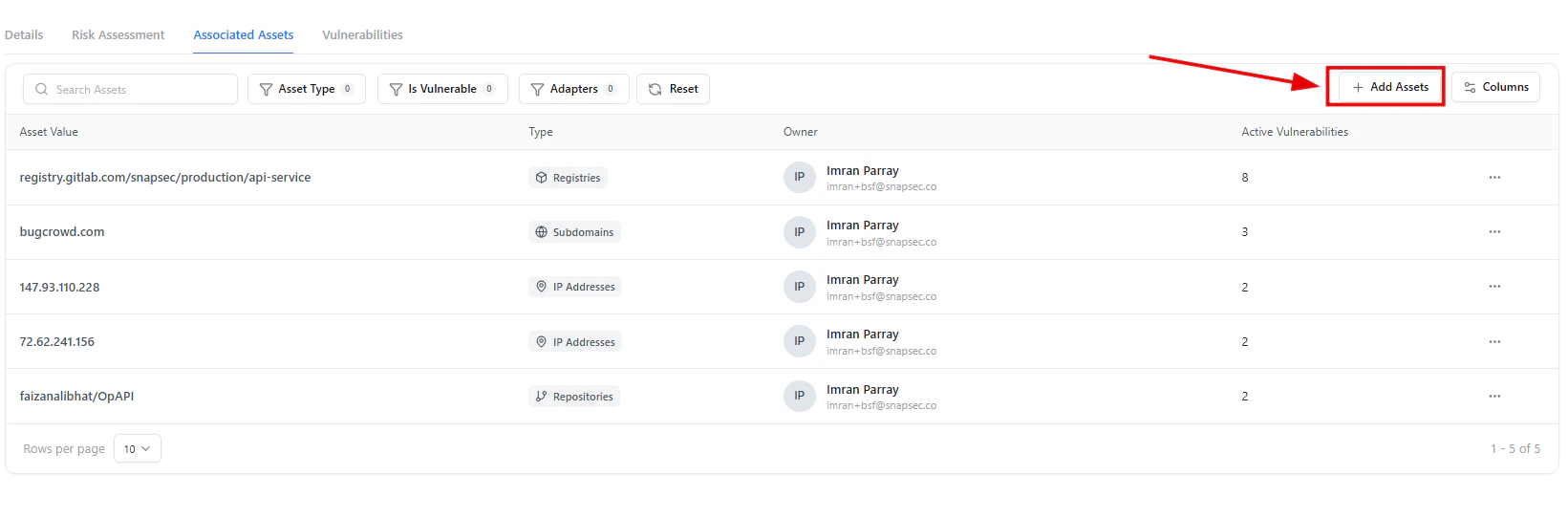
Add new assets to the business unit
10. Asset Selection
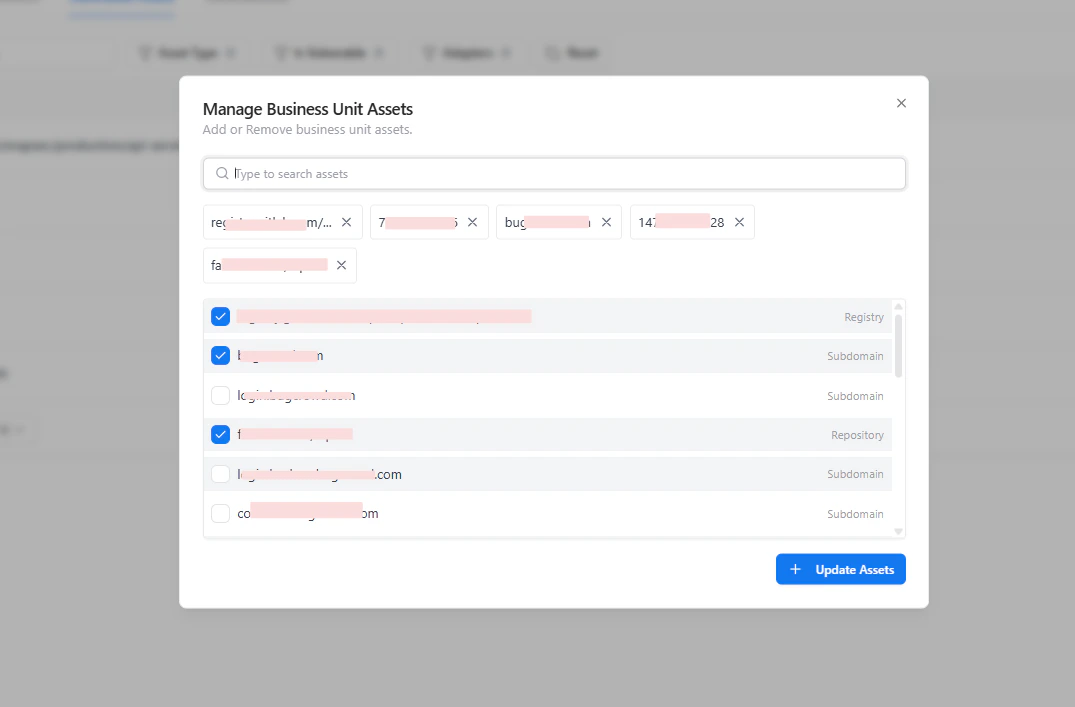
Search and select assets to associate
- Search assets across inventory
- Select multiple assets
- Add or remove associations dynamically
11. Vulnerabilities View
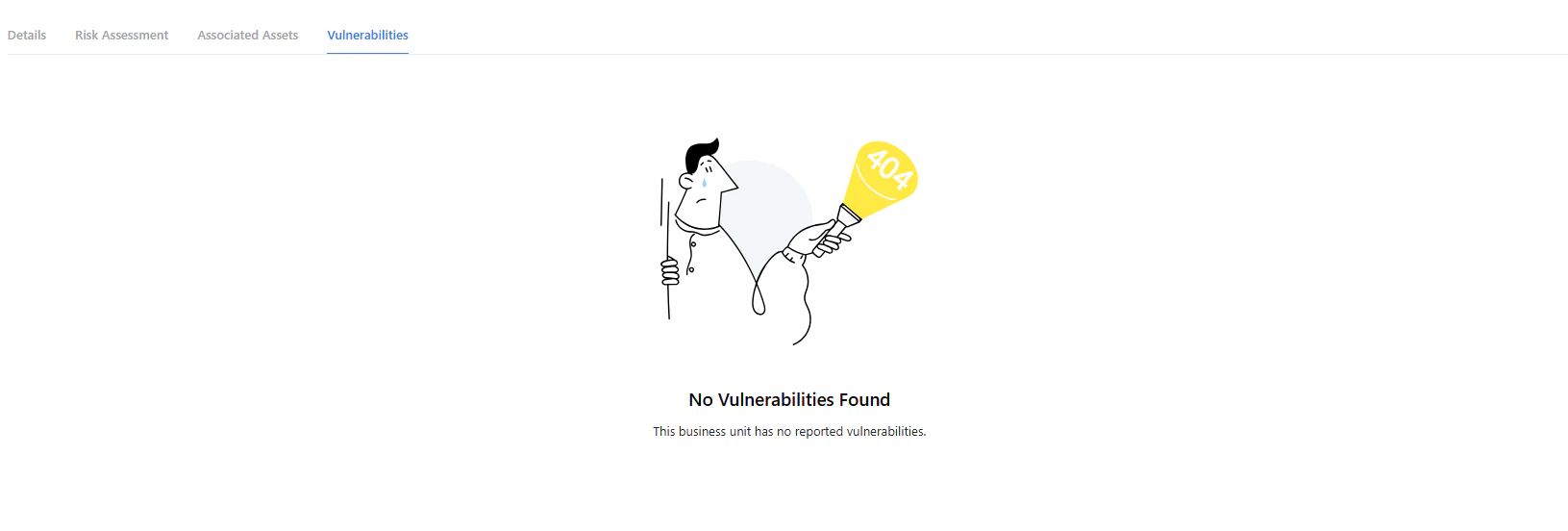
View vulnerabilities for the business unit
Value
Business Units bridge the gap between technical assets and business impact by:- Establishing clear ownership
- Enabling risk-based prioritization
- Providing contextual visibility into vulnerabilities
- Supporting compliance and reporting needs
Next Steps
- Map all critical assets to appropriate business units
- Configure risk parameters based on your organization
- Regularly review high-risk units and take action
Why This Matters
- Connect asset-level risk to business impact
- Eliminate blind spots across organizational boundaries
- Enable risk-based prioritization per business unit
- Strengthen accountability across teams
Explore Live Demo
Explore AIM Live — No Signup Needed
Experience how Snapsec AIM groups assets into business units, enabling contextual risk analysis and faster decision-making.