

Overview
The Agents module provides visibility into all registered agents that continuously collect and update asset data across your infrastructure. It enables teams to monitor agent health, activity, and ensure data ingestion pipelines remain active and reliable.Registered Agents
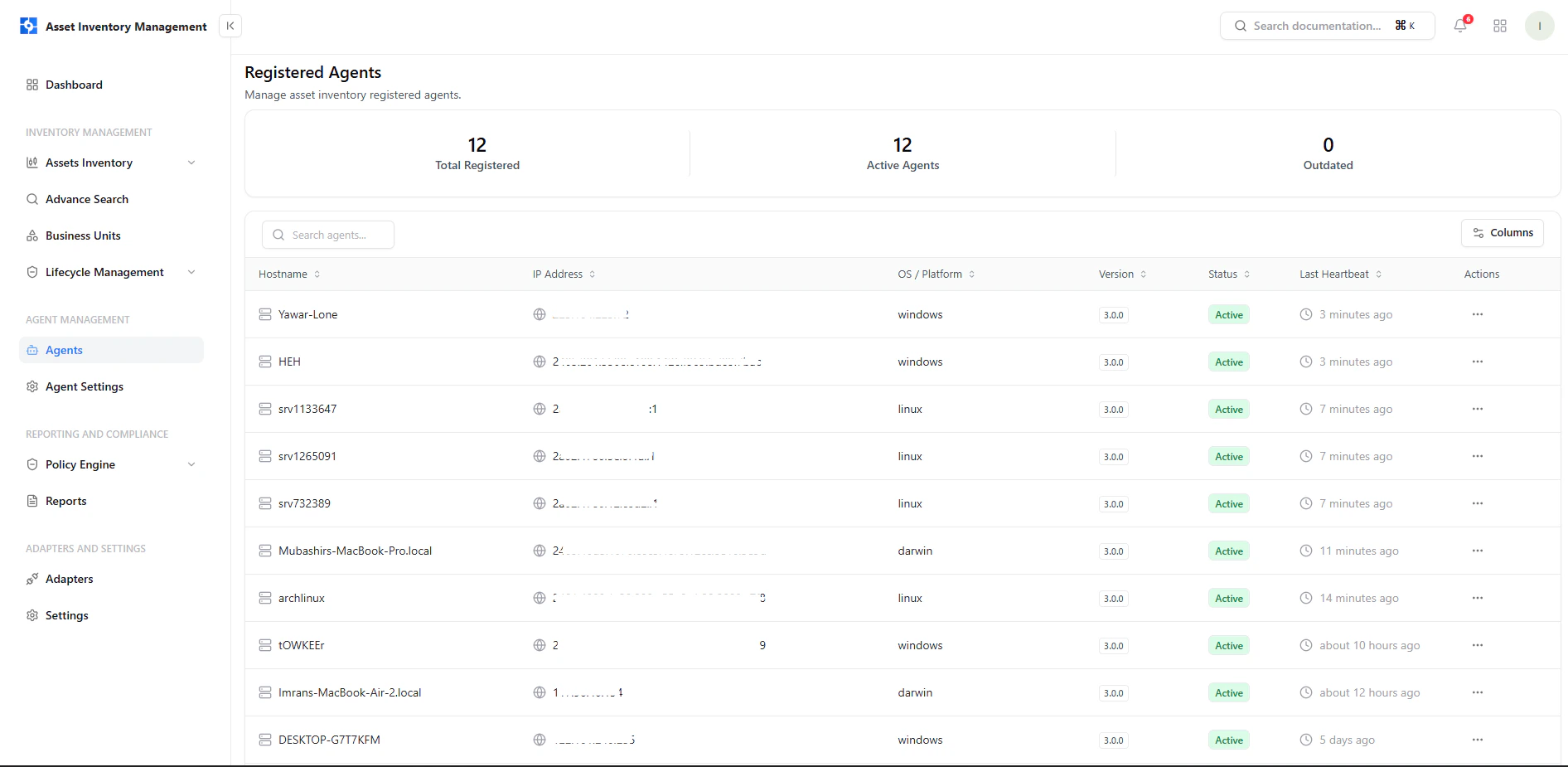
Registered agents with hostname, IP, OS, version, status, and last heartbeat
Key Information
- Hostname — Device or system running the agent
- IP Address — Network identifier of the agent
- OS / Platform — Operating system (Windows, Linux, Darwin, etc.)
- Version — Installed agent version
- Status — Current operational state (Active/Inactive)
- Last Heartbeat — Last communication timestamp
Agent Status & Health
Agents continuously send heartbeat signals to indicate availability.What It Means
- Active — Agent is online and reporting data
- Recent heartbeat — Confirms real-time connectivity
- Delayed heartbeat — May indicate connectivity or system issues
Agent Actions
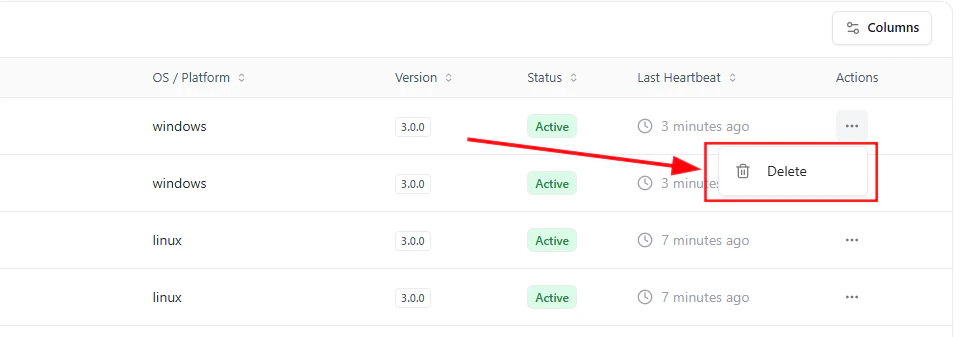
Agent action menu with delete option
Available Action
- Delete Agent
Removes the agent from the system and stops further data collection from that source
Why This Matters
- Ensures continuous asset discovery across environments
- Helps identify inactive or failing agents quickly
- Maintains accuracy of asset inventory data
- Provides control over data collection sources
Explore Live Demo
Explore AIM Live — No Signup Needed
See how Snapsec AIM tracks agent activity, monitors health in real time, and ensures continuous asset visibility across your infrastructure.